
Finding the right under desk storage for a compact HDB study or bedroom workspace requires balancing physical desk dimensions, floor space, and daily workflow. In typical Singapore apartments, where study rooms or designated work corners are often carved out of bedrooms or living areas, maximizing vertical and under-desk space is essential. A practical solution keeps your work surface clear while preserving enough legroom for comfortable, ergonomic seating throughout the day.
Key Space and Desk Measurements to Check Before Buying
Measure from the floor to the lowest point of the desk underside. Don’t just measure the outer frame; look for structural support beams, crossbars, or cable management trays that reduce the actual usable height. If you are using a height-adjustable desk, measure this clearance at both your lowest sitting height and your preferred standing height.
A common mistake is filling the entire under-desk cavity with storage, leaving no room for your knees or feet. To maintain an ergonomic sitting posture, you need sufficient width and depth to shift your legs and tuck your chair in when not in use. Measure the width of your office chair, including the armrests, and ensure the remaining space under the desk can accommodate it alongside any planned storage units.
Products mentioned in this guide
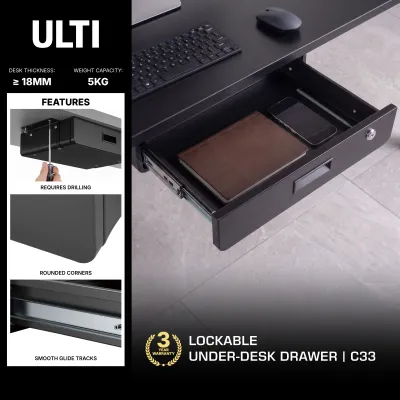
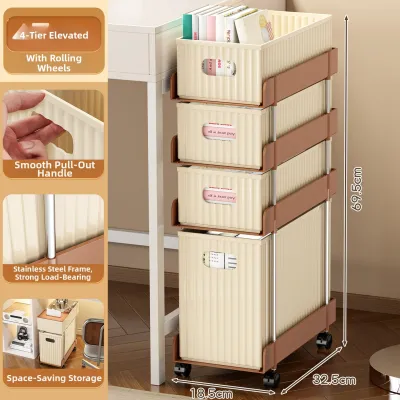
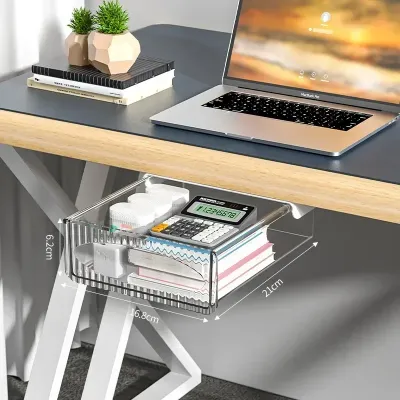
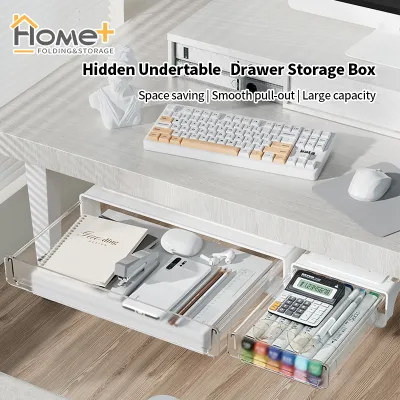
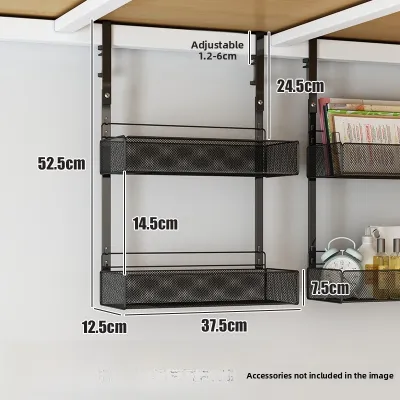
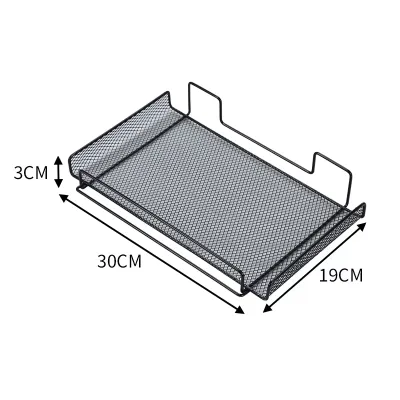
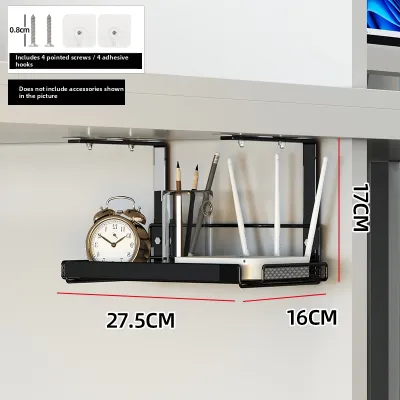
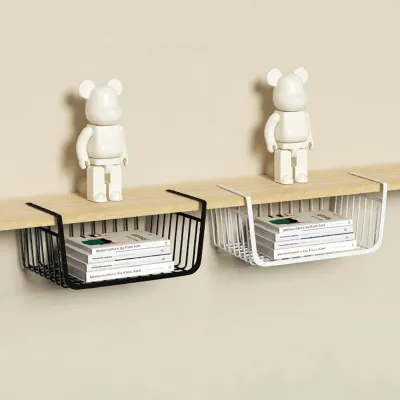
Prices are valid at publication and may change. Please refer to the product page for the latest price.
Ensure the storage unit does not protrude past the front edge of the desk, which can create a tripping hazard or force you to sit too far back from your monitor. Check the depth of the desk frame. Some desks have central support beams that prevent deep drawers or shelves from being pushed back fully.
Every desk has a maximum load limit, and adding heavy under-desk drawers or clamp-on shelves increases the structural stress. Check the manufacturer’s specifications for your desk’s weight capacity, especially if you have a lightweight engineered wood or glass desktop. Ensure the combined weight of the storage unit and its contents does not exceed these limits.
Under Desk Storage Types for Compact Workspaces
Under-desk storage generally falls into two categories: rigid structures (like drawers, shelves, and metal trays) and flexible solutions (like fabric pouches, hanging baskets, and cable sleeves). Rigid options offer high durability and protection for heavy items, while flexible options adapt easily to tight spaces and irregular desk frames.

To choose the right form factor, categorize your work essentials by how often you access them. Items used multiple times an hour, like pens or notebooks, belong in shallow, easily accessible clamp-on trays. Items accessed once a day or less, such as physical tax documents, reference books, or backup drives, are better suited for rolling cabinets or deeper hanging baskets.
Rolling Drawer Units for High-Capacity Needs
Mobile pedestal drawers are the traditional choice for high-capacity storage. They are suitable for users who need to store physical files, heavy reference books, stationery supplies, and bulkier tech peripherals like external hard drives or label printers. Many models feature lockable drawers, providing a secure space for sensitive documents or personal items in a shared household.
While highly functional, rolling units consume a significant portion of your floor footprint. In a compact HDB study, this directly reduces your legroom and limits where you can position your office chair. You must also calculate the clearance required to pull the drawers out fully; if the drawer cannot open completely without hitting your chair base or a nearby wall, its utility is severely compromised.
Because these units are designed to move, the choice of caster wheels is critical for protecting your home’s flooring. Many HDB flats feature vinyl, laminate, or ceramic tile flooring, which can easily scratch or scuff under the weight of a heavily loaded drawer unit. Look for units equipped with soft polyurethane or rubber casters rather than hard nylon or plastic wheels, and verify that the wheels roll smoothly without binding.
Clamp-On and Adhesive Shelves for Quick Access
If you want to keep your desktop completely clear of clutter but need immediate access to your keyboard, mouse, notepad, or phone, clamp-on or adhesive under-desk shelves are effective. These shallow trays slide out when needed and tuck away neatly when your workday is done, making them practical for multi-purpose desks that double as dining tables.
Before purchasing a clamp-on shelf, inspect the edge of your desk. These systems require a flat, solid surface with a specific lip depth to secure the clamps safely. If your desk has a beveled edge, a curved underside, or a structural metal frame running close to the perimeter, the clamps may not grip securely. Adhesive models, on the other hand, require a completely flat, non-porous, and clean underside; they often fail on textured wood grain, unfinished surfaces, or dusty laminates.
These shelves are designed for lightweight accessories, not heavy books or hardware. Always check the manufacturer’s specified load capacity before loading the shelf with items. Overloading a clamp-on or adhesive tray can cause it to sag, slip, or detach entirely, potentially damaging your desk surface, your floor, or the items stored on the shelf.
Hanging Baskets and Pouches for Tight Clearances
When rigid drawers or shelves cannot fit due to limited legroom or complex desk frames, hanging baskets and fabric pouches offer a lightweight, space-saving alternative. These solutions are particularly useful for storing soft items, chargers, cables, and small tools that do not require a flat, rigid surface to stay organized.
Most hanging organizers rely on adhesive hooks, fabric straps, or small mounting screws. Because the mounting points are minimal, these systems are not designed to support heavy items like large power bricks, heavy books, or metal tools. Attempting to store heavy objects in a hanging pouch can stretch the fabric, pull the adhesive hooks off the desk, or strip the small screws from the wood.
Unlike sliding drawers that bring items directly into view, hanging baskets and pouches often require you to reach blindly under the desk. This makes them less convenient for items you need to grab frequently throughout the day. They are typically reserved for secondary items, such as spare cables, cleaning cloths, or stationery refills that you only need occasionally.
CPU Holders and Cable Trays for Tech Setups
For home offices with desktop computers, elevating the PC tower off the floor is essential for reducing dust intake and freeing up valuable foot space. Under-desk CPU holders suspend the computer tower beneath the desktop, while dedicated cable trays corral the messy web of power cords, adapters, and display cables that typically clutter the floor.
Installing a CPU holder or a heavy-duty cable tray usually requires drilling mounting brackets directly into the underside of your desk. Before proceeding, you must verify the structural integrity and thickness of your desktop. Thin or hollow-core desks may crack or fail to hold the mounting screws under the weight of a heavy computer tower.
Proper ventilation is critical for computer hardware. Ensure that any CPU holder you select does not block the intake or exhaust vents of your computer case. Additionally, when organizing cables in a tray, avoid tightly bundling high-draw power cords together, as this can trap heat and create a potential fire hazard; instead, use loose cable ties and ensure adequate air circulation around power adapters.
Evaluating Desk Compatibility and Mounting Safety
Not all desks are built to support aftermarket under-desk storage accessories. Many modern, budget-friendly desks are constructed from hollow-core or honeycomb paper-filled panels wrapped in a thin veneer. These materials do not have the internal density required to hold wood screws or withstand the concentrated pressure of heavy clamp-on accessories. Solid wood, plywood, and high-density fiberboard (HDF) are much better suited for drilled or clamped installations. Glass-top desks should never be drilled, and clamping accessories to glass requires specialized rubber-padded clamps and extreme caution to prevent shattering.
If your installation requires drilling, choosing the correct screw length and type is paramount. Measure the exact thickness of your desktop using a caliper or ruler. The mounting screws must be short enough to secure the bracket firmly without puncturing through the top laminate of your desk. Pre-drilling pilot holes with a drill bit slightly smaller than the screw core can prevent the wood from splitting or bulging during installation.
Motorized standing desks present unique challenges for under-desk storage. The underside of a standing desk is typically crowded with motor housings, control boxes, drive shafts, and telescopic leg columns. Before mounting any accessory, operate the desk through its full range of motion to identify potential pinch points or collision zones. Ensure that any mounted trays or hanging pouches do not interfere with the moving parts or stretch the power cables when the desk transitions from sitting to standing height.
If you are unsure of your desk’s internal material, if the wood feels soft or crumbly when pre-drilling, or if the storage unit’s mounting instructions conflict with your desk’s structural layout, stop the installation immediately. Forcing a mount onto an incompatible desk can ruin the furniture and cause expensive equipment to fall. In such cases, consult the desk manufacturer for approved accessory options or pivot to freestanding, non-invasive storage solutions.
Building Your Shortlist: Matching Storage to Your Workflow
If your daily work involves handling physical paperwork, reference manuals, or client files, and you use a traditional, non-moving desk, a rolling drawer unit is a highly suitable option. Look for a slim, three-drawer mobile pedestal that can slide neatly under one side of your desk, leaving the other side open for your legs. Opt for a model with a lockable top drawer to secure sensitive documents.
For those who work primarily on a laptop and only need to store a few daily essentials like a notebook, pens, and a mouse, heavy drawers are unnecessary. A shallow, clamp-on utility tray or a slide-out keyboard drawer provides just enough storage to clear your desk at the end of the day without sacrificing any floor space or legroom. This setup keeps your workspace looking clean and organized with minimal installation effort.
If you use a motorized standing desk and have multiple monitors, chargers, and peripherals, focus on cable management and flexible storage. Prioritize a wide, under-desk cable tray that mounts to the desk frame, combined with a flexible hanging pouch for lightweight items. This ensures all your cords and small accessories move safely with the desk, eliminating the risk of cable tension or motor damage during height adjustments.
To build your final shortlist, start by taking precise measurements of your desk’s height, width, and depth, noting any under-frame obstructions. Next, list the specific items you need to store and group them by access frequency. Cross-reference this list with your desk’s material and weight limits to determine which mounting method is safest. Finally, search local furniture retailers or online marketplaces using these exact dimensions and weight capacities to find a suitable match for your HDB home office.
Frequently Asked Questions (FAQ)
Can I install under desk storage on a motorized standing desk?
Yes, but you must select accessories carefully to avoid interfering with the desk’s lifting mechanism. Rigid drawers and deep shelves often collide with the central crossbars, motor housings, or telescopic legs of a standing desk. Before mounting anything, check the manufacturer’s clearance diagrams to identify safe mounting zones. For sit-stand desks, lightweight, flexible solutions like hanging fabric pouches or shallow cable trays are generally safer than heavy, rigid units, as they minimize weight on the motors and reduce the risk of mechanical damage.
How do I prevent rolling drawers from scratching HDB flooring?
To protect common HDB flooring materials like vinyl, laminate, or polished tiles, avoid using the hard plastic or nylon casters that often come standard with budget drawer units. Instead, replace them with soft polyurethane or rubber wheels, which distribute weight more evenly and roll quietly without leaving scuff marks. Alternatively, place a thin, low-pile desk mat or a clear polycarbonate floor protector under your desk area. This provides a smooth rolling surface for the drawers and your office chair while shielding the underlying floor from wear and tear.

Community discussion
Share your experience or ask a question. Comments are reviewed before publication.