
Selecting a premium ergonomic chair for long home office work sessions requires balancing active physical support with long-term material durability. The Steelcase Leap 2 is widely recognized for its highly adjustable, dynamic backrest and contoured foam seat, making it a prominent candidate for professionals spending eight or more hours at their desks. However, determining whether it outperforms other high-end alternatives—such as full-mesh suspension chairs—depends heavily on your individual posture habits, physical proportions, and home environment. By evaluating how these designs support your body’s micro-movements, manage heat buildup, and physically fit into your workspace, you can make an informed investment that protects your physical well-being over years of daily use.
Investing in a high-end office chair, which often costs upwards of S$1,500, is a long-term commitment to your spinal health. Unlike standard task chairs, premium models are engineered to adapt to the user’s movements rather than forcing the body to conform to a rigid structure. To find the right fit, you must look beyond brand reputation and analyze the specific mechanical adjustments, material compositions, and spatial requirements of each option.
Comparing Ergonomic Adjustments and Posture Support
The primary differentiator of the Steelcase Leap 2 is its dynamic backrest technology, which is designed to change shape as you recline or shift your weight. This mechanism allows the lower portion of the backrest to flex forward to maintain constant contact with your lumbar spine, while the upper portion tilts independently. In contrast, many premium mesh competitors utilize a synchro-tilt mechanism, where the seat and backrest recline in a fixed ratio. While synchro-tilt designs provide excellent stability and a weightless reclining sensation, they may not offer the same continuous, localized lower back support as a dynamic, flexing backrest when you change postures throughout the day.
Products mentioned in this guide
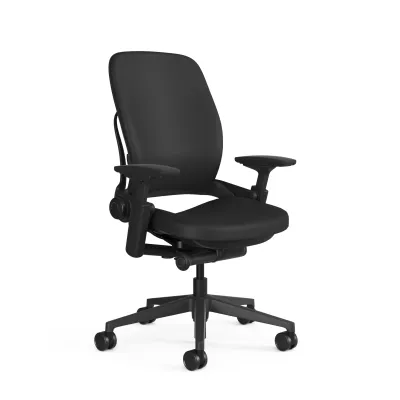
![[Ready Stock] Refurbished Steelcase Leap V2 Ergonomic Chair from USA](https://img.lazcdn.com/g/p/407338b9d5cfbdbd47fa81a6ad5a9a32.jpg_400x400q80.jpg_.webp)
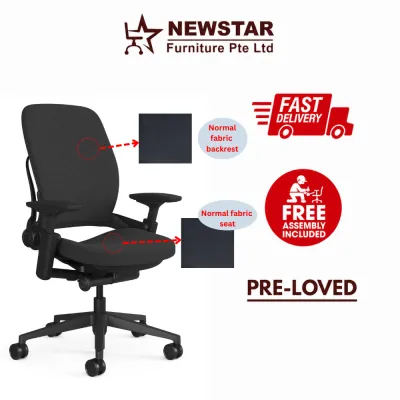
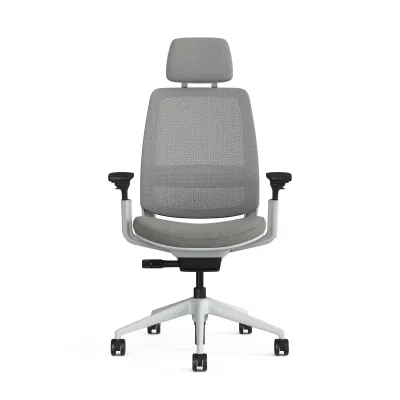
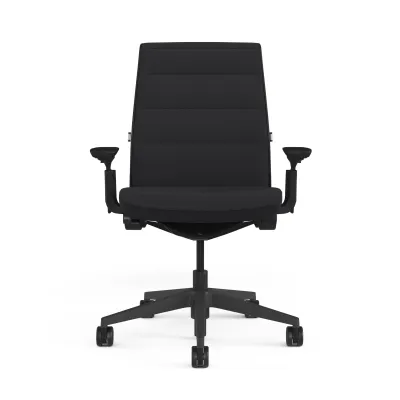
Prices are valid at publication and may change. Please refer to the product page for the latest price.
Another critical area of comparison is the armrest adjustability. The Leap 2 features highly customizable four-dimensional armrests that adjust in height, depth, width, and horizontal angle. This level of customization is essential for preventing shoulder strain, as it allows you to position the armrests close to your body while typing or wider apart when reading. When comparing this to alternative premium chairs, check whether their armrests offer independent width adjustment or if they are fixed to the seat frame, which can limit comfort for users with narrower or broader shoulders.
To ensure a chair matches your physical proportions, always verify the manufacturer’s specification sheets against your personal measurements. Measure your popliteal height—the distance from the underside of your knees to the floor while wearing your typical footwear—and compare it to the chair’s seat height range. Additionally, check the seat depth adjustment range; a proper fit requires a gap of approximately two to three fingers between the front edge of the seat and the back of your knees to prevent pressure on the popliteal veins.
Because ergonomic comfort is highly subjective, physical testing is the most reliable way to confirm compatibility. If visiting a local showroom is not feasible, carefully review the retailer’s return and exchange policies. Ensure you have a trial period of at least 14 days to test the chair’s adjustments in your actual home office environment, as your body may require several days to adapt to a new posture support system.
Seat Materials and Comfort for Long Workdays
The choice between a cushioned seat like the Steelcase Leap 2 and a full-mesh alternative significantly impacts both immediate comfort and long-term pressure distribution. The Leap 2 utilizes a contoured, upholstered polyurethane foam cushion designed to distribute weight evenly across your sit bones. This traditional cushioning provides a highly supportive, stable base that prevents the bottoming-out sensation often experienced on lower-quality chairs. Conversely, full-mesh premium chairs use a suspended elastomeric mesh that cradles the body, eliminating localized pressure points entirely but requiring a rigid outer frame that some users find restrictive.

In Singapore’s warm and humid tropical climate, temperature regulation is a primary consideration for home office furniture. If your workspace relies on natural ventilation rather than continuous air conditioning, a full-mesh chair offers superior passive airflow, keeping your back and thighs cool throughout the day. While the Leap 2 incorporates slats in the backrest and breathable fabric options to promote air circulation, a foam cushion will naturally retain more body heat than a suspended mesh surface.
When evaluating seat materials, use the following checklist to align the chair’s specifications with your personal preferences and working environment:
- Breathability: Determine if your workspace is air-conditioned or naturally ventilated, as mesh excels in warmer, humid rooms.
- Cushion Firmness: Assess whether you prefer the structured, contouring support of high-density foam or the flexible, suspended feel of tensioned mesh.
- Edge Pressure: Check if the seat design features a flexible front edge, like the Leap 2, to mitigate pressure behind the knees, or if a rigid mesh frame might press against your thighs.
- Tactile Preference: Consider how different upholstery fabrics feel against your skin, especially if you frequently work in casual home attire.
Long-term maintenance also varies by material. Fabric and foam seats require periodic vacuuming to remove dust and skin cells, and they are more susceptible to staining from accidental spills. Mesh seats are generally easier to wipe down and do not absorb liquids, but they can accumulate dust in the tensioning mechanisms over time. Always review the manufacturer’s care labels and cleaning guidelines to ensure you use compatible cleaning agents that will not degrade the upholstery or mesh fibers.
Fitting the Chair into Your Home Office Space
Before finalizing your purchase, you must ensure the physical dimensions of the chair are compatible with your home office layout. Premium ergonomic chairs often feature wider five-star wheelbases and bulkier frames than standard office seating. Measure the clear width between your desk legs to ensure the chair’s base can slide fully underneath when not in use. Additionally, measure the height of your desk surface and any under-desk drawers or keyboard trays; the chair’s armrests must be able to clear these obstacles to allow you to sit sufficiently close to your workstation.
In high-rise residential settings, such as local apartments and condominiums, physical access is a crucial logistical factor. Verify the packaged dimensions of the chair against your building’s passenger lift dimensions, corridor widths, and front doorway clearance. Some premium chairs ship fully assembled in large, protective boxes that may require two people to maneuver through tight entryways, while others arrive flat-packed and require on-site assembly.
Caster selection is another critical detail that affects both mobility and floor preservation. Standard hard nylon casters are designed for carpeted floors and can easily scratch or gouge hard surfaces such as parquet, engineered wood, marble, or homogeneous tiles. Ensure your chosen chair is configured with soft polyurethane or rubber-coated casters, which provide quiet movement and protect delicate hard flooring from wear. If your home office features a mix of surfaces, consider using a dedicated chair mat to safeguard the floor.
Finally, evaluate the assembly requirements of the chair. If the model requires self-assembly, review the manufacturer’s instructional videos or manuals beforehand to ensure you have the necessary tools and physical capability. If the instructions seem complex or if you want to guarantee the structural integrity of the joints, inquire if the retailer offers professional assembly and delivery services, which can prevent assembly errors that might void the warranty.
How to Decide: Matching the Chair to Your Needs
To make your final decision, match your specific physical requirements, working habits, and environmental conditions to the strengths of each design philosophy.
Choose the Steelcase Leap 2 if:
- You prefer the familiar, supportive feel of a contoured foam cushion over a suspended mesh surface.
- You frequently shift your seating posture, recline, or lean forward throughout the day, and require a backrest that dynamically flexes to support your spine in every position.
- You require highly adjustable, multi-dimensional armrests to support your elbows during varied tasks like typing, writing, or using mobile devices.
Choose a premium mesh alternative if:
- Your home office is prone to heat buildup and you prioritize maximum breathability and passive cooling.
- You prefer a firm, suspended seating sensation that distributes your weight without the compression of traditional foam.
- You prefer a classic synchro-tilt mechanism that maintains a consistent angle between your torso and thighs as you recline.
Verify first if:
- You have specific medical or orthopedic posture requirements, in which case you should consult a qualified healthcare professional to identify the necessary support features.
- You need to confirm the exact terms of the local warranty, ensuring you understand which components (such as the gas cylinder, mechanism, fabric, or foam) are covered and for how long.
- You have measured your desk height and clearance to guarantee the chair's physical dimensions will integrate seamlessly into your workspace.
Frequently Asked Questions (FAQ)
How do I verify the authenticity and warranty of a premium office chair?
To ensure you are purchasing a genuine product eligible for full manufacturer warranty support, always buy directly from authorized distributors or the manufacturer’s official online store. Locate the serial number sticker, which is typically affixed to the underside of the seat pan or on the main structural frame. This label contains the model number, manufacture date, and unique serial code. Register these details on the manufacturer’s official portal and retain your tax invoice or receipt, as local warranty claims—which can cover structural components for up to 12 years—require proof of purchase from an authorized channel.
What should I check if my chair feels uncomfortable after the first week?
It is common for your body to undergo an adjustment period of one to two weeks when transitioning to a highly supportive ergonomic chair, especially if you are accustomed to poor posture. First, consult the user manual to locate all adjustment levers and dials. Verify that your feet rest flat on the floor with your knees at a 90-degree angle, and adjust the seat depth so there is a small gap behind your knees. Position the lumbar support to sit in the natural curve of your lower spine, and adjust the tilt tension dial so the backrest supports your weight without forcing you forward or letting you recline too easily.

Community discussion
Share your experience or ask a question. Comments are reviewed before publication.