
Hiding bulky routers, modems, and tangled cables is a common challenge in compact HDB layouts. While concealing networking equipment improves visual clutter, it must not compromise internet performance or create overheating risks. Finding the right balance requires understanding how physical barriers affect wireless signals and how to integrate storage seamlessly into your existing home decor. By selecting a dedicated WiFi storage box or a multi-functional console table, you can reclaim valuable floor space in your flat while maintaining a clean, minimalist aesthetic.
In Singapore’s typical Housing & Development Board (HDB) flats, the placement of the optical terminal equipment is often predetermined by the location of the fiber termination point. This point is frequently situated near the main entryway, inside a distribution box (DB box), or along a prominent living room wall. Consequently, homeowners are forced to set up their networking gear in highly visible areas. A well-designed storage solution not only masks the unsightly nest of wires and blinking LED lights but also protects the delicate fiber optic cables from accidental bends or physical damage during daily household activities.
To achieve a successful setup, you must evaluate both the physical dimensions of your devices and the structural layout of your home. A solution that works perfectly in a spacious landed property may cause severe signal degradation or overheating in a compact three-room or four-room HDB flat. This guide outlines how to evaluate, select, and integrate space-saving WiFi storage boxes and multi-functional consoles that balance aesthetic concealment with the operational needs of your home network.
Products mentioned in this guide

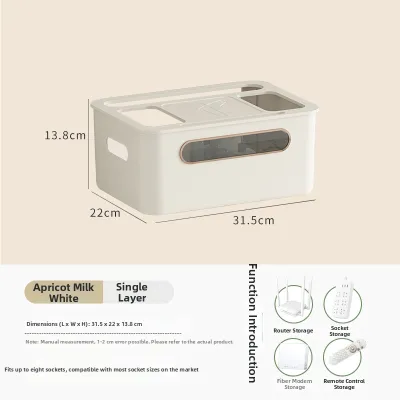
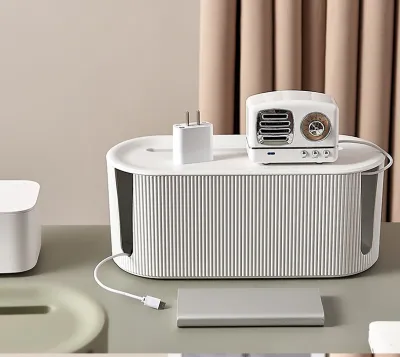
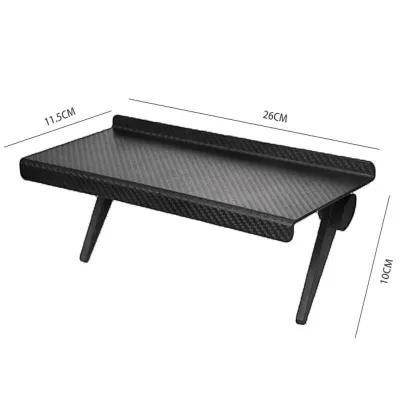
Prices are valid at publication and may change. Please refer to the product page for the latest price.
Key Considerations for HDB WiFi Storage
Before browsing online marketplaces or visiting local furniture showrooms, it is essential to identify the core spatial and functional constraints of your HDB flat. Walkway clearance is one of the most critical factors to consider, especially in narrow entryways or corridors. Placing a bulky, deep cabinet in a high-traffic zone can restrict movement and make the space feel cramped. Homeowners should measure the exact clearance available when entry doors, shoe cabinet doors, or room doors are fully opened to ensure the new furniture piece does not obstruct daily foot traffic.
The physical footprint of standard internet service provider (ISP) issued routers, modems, and their associated power adapters is another vital consideration. Modern high-performance routers often feature multiple external antennas that extend upward or outward, significantly increasing the overall height and width requirements of the storage space. Additionally, power adapters and fiber patch cables require extra clearance at the back of the device to prevent severe bending, which can damage the fragile glass cores of fiber optic lines. You must account for these protruding elements rather than relying solely on the nominal dimensions of the router body.
Balancing visual concealment with the operational requirements of networking hardware is a delicate task. While a completely sealed, solid wood cabinet offers the cleanest look, it can severely trap heat and muffle wireless signals. Routers and modems are active electronic devices that generate continuous heat during operation. Restricting airflow can lead to thermal throttling, frequent connection drops, or even permanent hardware failure. Therefore, the ideal storage solution must incorporate design elements that facilitate continuous air exchange while keeping the equipment hidden from direct view.
Furthermore, the structural composition of HDB flats—characterized by thick reinforced concrete walls—already presents a natural obstacle to wireless signals. Adding another dense barrier directly around the router can compound this issue, creating dead zones in bedrooms or kitchens. Homeowners must assess their household’s internet usage patterns and the physical layout of the flat to determine whether a centralized, semi-open console or a localized, highly breathable storage box is the most appropriate choice for maintaining consistent coverage.
Types of Multi-Functional Consoles for Compact Layouts
To maximize utility in small spaces, homeowners can turn to multi-functional furniture categories that double as dedicated WiFi storage. Console tables featuring hidden lower shelves or discreet rear cable cutouts are excellent options for narrow entryways. These tables provide a convenient surface for keys, mail, and decorative items while keeping the lower shelf organized. By choosing a model with a false back or an integrated cable management tray underneath the tabletop, you can route power cords directly to the wall outlet without leaving them exposed along the baseboard.

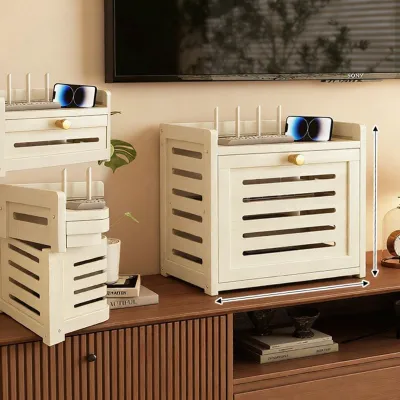
Slim shoe cabinets with dedicated upper compartments designed to house electronics and power strips represent another highly efficient solution for HDB entryways. These cabinets typically feature a shallow depth, often less than thirty centimeters, making them ideal for tight corridors. Some modern designs allocate the topmost drawer or a flip-down compartment specifically for routers and modems. This compartment is often fitted with a slatted or perforated front panel, allowing wireless signals to pass through easily while keeping the devices ventilated and accessible for quick troubleshooting.
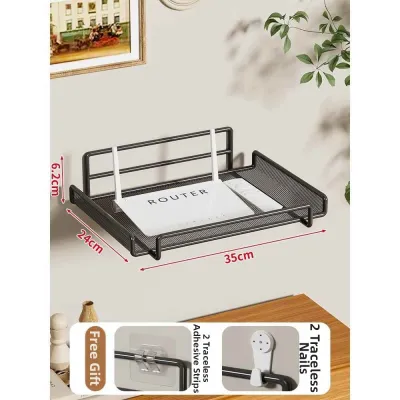
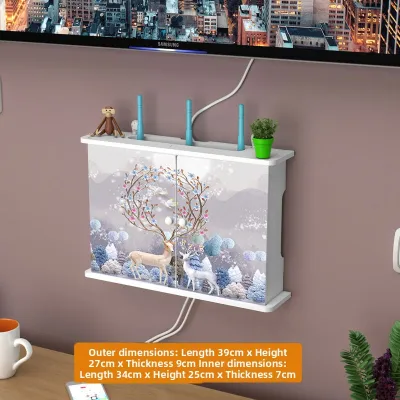
Wall-mounted floating shelves or fold-down desks with integrated cable management channels are perfect for living rooms or study corners where floor space is at a premium. A floating shelf mounted directly beneath a wall-mounted television can house the router, modem, and media streaming devices in a single, streamlined unit. Fold-down desks, on the other hand, offer a temporary workspace that can be closed when not in use, with the rear compartment permanently housing the networking gear and power adapters out of sight. This dual-purpose approach ensures that every square centimeter of wall space is utilized effectively.
For larger living rooms, sideboards or TV consoles designed with ventilated slatted doors offer a sophisticated way to hide equipment while maintaining optimal airflow. The slatted design, often referred to as a louvers or tambour door, allows infrared remote signals and WiFi waves to pass through with minimal interference. These consoles typically feature generous internal shelving, allowing you to organize not only your router and modem but also gaming consoles, smart home hubs, and multi-plug extension cords. The open-back design of many modern TV consoles further simplifies cable routing and enhances passive cooling.
How to Evaluate Signal, Ventilation, and Cable Management
When evaluating potential WiFi storage boxes or multi-functional consoles, signal penetration should be your primary technical concern. Material density plays a significant role in how much a barrier attenuates wireless signals. Solid hardwoods, dense medium-density fiberboard (MDF), and metals are highly effective at blocking or reflecting electromagnetic waves. If you select a wooden cabinet, look for designs that incorporate non-shielding materials for the doors, such as natural rattan, woven cane, plastic mesh, or thin engineered wood panels with decorative perforations. Avoid metal enclosures entirely, as they act as Faraday cages and can almost completely block your wireless network.
Passive ventilation is equally critical, particularly in Singapore’s warm and humid tropical climate. Enclosed spaces can quickly build up heat, reducing the lifespan of your networking equipment. When inspecting furniture, check for the presence of ventilation gaps, open-back panels, or slatted doors that encourage natural convection. Cool air should be able to enter from the bottom or sides of the compartment, while warm air escapes from the top or rear. If a cabinet is completely sealed on all four sides, you may need to leave the doors slightly ajar or consider modifying the back panel to create sufficient airflow.
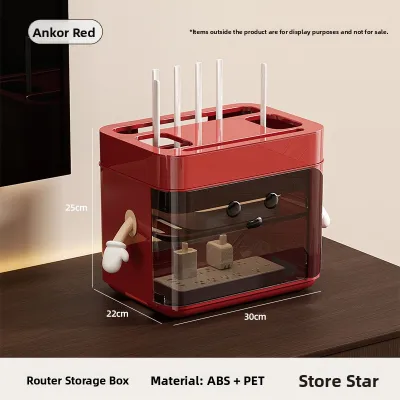
Effective cable management features are the hallmark of a well-designed WiFi storage unit. Look for built-in grommets, pre-drilled back-panel cutouts, and dedicated compartments for housing power strips. These features allow you to consolidate multiple power cords, ethernet cables, and fiber lines inside the furniture piece, leaving only a single main power cable exiting to the wall socket. A dedicated power strip compartment is especially useful, as it keeps bulky power bricks organized and prevents them from cluttering the main shelf where the router sits.
Additionally, consider how easy it is to access the cables once they are routed. A good storage box should allow you to unplug a single device or reset the modem without having to dismantle the entire setup or pull the furniture away from the wall. Look for magnetic latches, removable back panels, or hinged lids that provide quick, tool-free access to the rear ports of your devices. This accessibility is invaluable during routine network troubleshooting or when adding new wired devices to your local network.
Building Your Shortlist: Measurements and Pre-Purchase Checks
Before making a final purchase from an online furniture retailer or physical showroom, it is crucial to compile a precise list of measurements and specifications. Begin by measuring the exact footprint of the area where the furniture will stand, taking into account the clearance required to fully open doors, drawers, or flip-down compartments. If you are placing the unit in a narrow hallway, ensure that there is still comfortable walking space when the cabinet doors are wide open. Do not forget to measure the height of nearby wall outlets and light switches to ensure the furniture does not block access to them.
Next, cross-reference the internal compartment dimensions of the storage box or console against the combined physical size of your router, modem, and power bricks. Measure your devices at their widest, tallest, and deepest points, including any external antennas in their fully extended positions. Allow for at least five to ten centimeters of extra clearance on all sides of the devices to facilitate proper airflow and to accommodate the bending radius of the connected cables. Forcing cables into tight, ninety-degree bends can cause micro-fractures in fiber optic lines, leading to severe signal degradation or complete loss of connectivity.
For wall-mounted or floating units, checking the weight capacity and wall-anchor requirements is a critical safety step. HDB flats feature a mix of structural concrete walls and non-structural drywall partitions. Floating consoles must be securely anchored using the appropriate wall plugs and screws matching your specific wall type. Heavy solid wood or MDF units may require heavy-duty toggle bolts or concrete anchors to prevent the unit from pulling away from the wall over time. Always verify the maximum load capacity specified by the manufacturer and ensure it can safely support the weight of the furniture itself plus all enclosed electronics.
Finally, carefully review the return policies, assembly requirements, and material care instructions provided by the seller. Many space-saving furniture pieces require self-assembly, which may demand specific tools or a basic level of DIY skill. Ensure that the manufacturer provides clear assembly guides and that the materials used are easy to maintain in Singapore’s humid environment. For instance, engineered wood with a water-resistant laminate finish is often easier to wipe clean and less prone to moisture-related warping than untreated solid wood, making it a practical choice for high-humidity areas near entryways or windows.
Installation and Maintenance Tips for Hidden Routers
Once you have selected and assembled your WiFi storage box or multi-functional console, proper installation is key to ensuring long-term network reliability. Position the storage unit away from other heat-generating appliances, such as refrigerators, television screens, or direct sunlight streaming through windows. Placing a router in a naturally cool, shaded part of the room helps maintain optimal operating temperatures. Additionally, try to avoid placing the unit in deep corners or directly behind large metal objects, as these physical configurations can create signal shadows throughout your flat.
When routing cables inside the console, organize them systematically to avoid creating a tangled mass that traps dust and restricts airflow. Use reusable hook-and-loop cable ties or adhesive cable clips to secure loose wires along the inner walls of the cabinet. Ensure that cables are not pinched by cabinet hinges, drawer slides, or the weight of the furniture itself. Keeping power cables separated from ethernet cables where possible can also help minimize electromagnetic interference, ensuring a cleaner and more stable data signal for your wired devices.
Routine maintenance is essential for keeping your hidden networking equipment running smoothly. Schedule a periodic cleaning every few months to dust the router’s ventilation grates and the interior of the storage compartment. Dust accumulation acts as an insulator, trapping heat inside the device and forcing its internal components to work harder. During these maintenance sessions, take the opportunity to check for firmware updates, inspect the physical condition of the cables for any signs of wear or pet damage, and ensure that all connections remain securely plugged into their respective ports.
While many furniture installations are straightforward DIY projects, there are times when you should recognize the limits of self-assembly and consult a qualified professional. If your ideal setup requires drilling through structural concrete walls, installing new electrical outlets, or running ethernet cables through false ceilings, hiring a licensed electrician or a professional handyman is the safest course of action. Attempting complex electrical modifications or structural drilling without the proper tools and expertise can lead to safety hazards, damage to your home’s infrastructure, or violations of local building regulations.
Frequently Asked Questions (FAQ)
Can I put my WiFi router inside a closed wooden cabinet?
Placing a WiFi router inside a completely closed wooden cabinet is generally not recommended due to the signal attenuation properties of dense wood. Solid wood can absorb and reflect electromagnetic waves, noticeably reducing your wireless coverage and speed, especially in distant rooms of your HDB flat. Additionally, a sealed cabinet traps the heat generated by the router and modem, which can lead to overheating, thermal throttling, and a shortened lifespan for your networking hardware.
If you must use a wooden cabinet, opt for designs that feature slatted doors, woven rattan panels, or perforated backboards. These semi-open structures allow wireless signals to pass through more freely while promoting passive airflow to keep your devices cool. Alternatively, you can remove the back panel of the cabinet entirely or drill several large ventilation holes near the top and bottom of the rear compartment to encourage natural air circulation.
How do I hide the power cords and ethernet cables?
To hide the power cords and ethernet cables connecting to your WiFi storage box, start by utilizing the built-in cable management features of your furniture, such as rear grommets or dedicated power strip compartments. Grouping your cables together using reusable hook-and-loop wraps or spiral cable organizers keeps them neat and prevents tangling. For cables that must run along the wall to reach a distant outlet, install paintable surface-mounted cable raceways that blend seamlessly with your HDB flat’s wall color.
Avoid running cables under heavy rugs or across high-traffic walkways, as physical pressure can damage the internal conductors and create serious tripping hazards. Instead, route cables neatly along the top of your baseboards using adhesive cable clips. If you are planning a larger home renovation, you can also speak with your contractor about routing cables inside hollow skirting boards or behind custom carpentry panels for a completely invisible finish.

Community discussion
Share your experience or ask a question. Comments are reviewed before publication.