
Selecting the right gamer chair is one of the most critical decisions you can make for your home setup, especially if you spend hours at your desk working or gaming. The ideal brand depends on your individual body metrics, desk height, and specific model specifications rather than a single manufacturer being universally superior. Secretlab, Razer, and Corsair each approach long-session comfort with distinct design philosophies, material choices, and ergonomic features. To find the chair that will support you through extended sessions, you must evaluate how these different approaches align with your physical proportions and your local environment.
Setting the Baseline for Long-Session Comfort
When evaluating a gamer chair for extended use, comfort is determined by a combination of physical support and material durability. A chair that feels soft for the first ten minutes may cause fatigue or lower back pain after four hours if it lacks proper structural support. The core ergonomic factors that dictate long-session comfort include cushioning density, lumbar support mechanics, adjustability, and physical fit.
Cushioning density is crucial because it determines how well the seat resists bottoming out over time. If the foam is too soft, your body weight will compress it completely, leaving you sitting on the hard metal frame beneath. Conversely, if the foam is too firm, it may cause pressure points on your sit bones. Lumbar mechanics are equally important, as they help maintain the natural inward curve of your lower spine, reducing strain on your back muscles.
Products mentioned in this guide
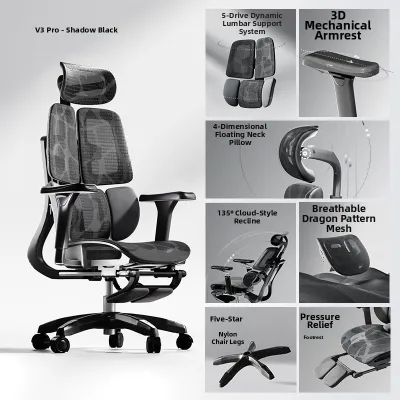
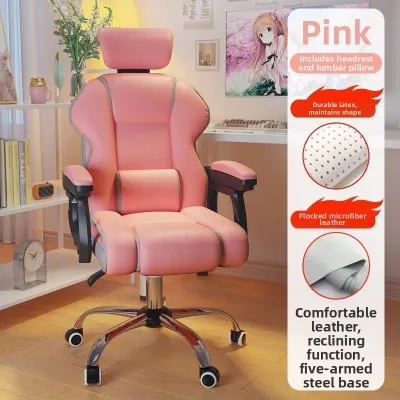
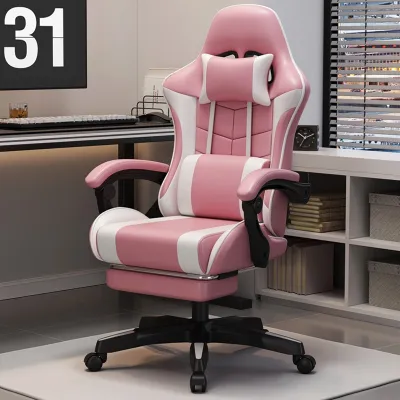
![[VISIONSWIPE™] Melina Office Chair without Headrest Computer Study Gaming Ergonomic](https://img.lazcdn.com/g/p/6c826775dbdd905639d8daf54be90e3e.jpg_400x400q80.jpg_.webp)
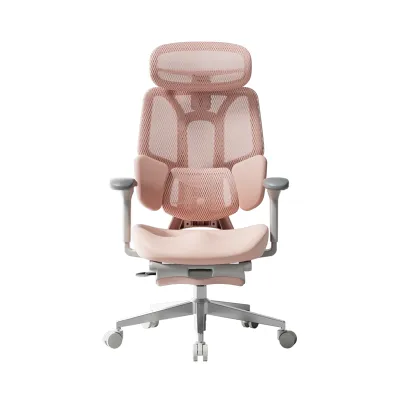
Prices are valid at publication and may change. Please refer to the product page for the latest price.
Adjustability ensures that the chair can be tailored to your specific desk setup and physical proportions. A highly adjustable chair allows you to align your elbows with your desk surface, keep your feet flat on the floor, and position the headrest precisely where your neck needs support. Because manufacturers frequently update their product lineups, designs, and materials, it is essential to verify current model specifications on official brand sites before making a purchase.
Comparing Cushioning and Seat Base Design
The seat base is the foundation of your chair’s comfort, and the type of foam used plays a significant role in its longevity. Many premium gamer chairs utilize cold-cure foam, which is molded under lower temperatures to create a highly consistent, pocket-free structure. This material is designed to retain its shape and firmness over years of daily use. Other models may use standard high-density polyurethane foam, which can offer a softer initial feel but may sag faster depending on the manufacturing quality. Always check the product labels and specifications for exact foam density ratings.

Cover materials are another critical consideration, particularly in Singapore’s tropical climate. High humidity and warm temperatures can make certain materials uncomfortable over long periods. Polyurethane (PU) leather is a popular choice because it is easy to wipe clean and offers a sleek, modern look, but it can trap heat and sweat against your skin. Fabric options, such as soft-weave polyesters, offer significantly better breathability and a softer feel, though they require more careful maintenance to prevent stains and moisture absorption. Mesh materials provide the maximum amount of airflow, keeping you cool in warm rooms, but they offer a different tension profile that some users may find less cushioned than traditional foam.
Beyond materials, you must evaluate the physical dimensions of the seat base. A seat that is too deep will press against the back of your knees, restricting blood circulation and forcing you to slouch forward to reach the backrest. Look for a seat base with a waterfall edge—a downward-sloping front edge—which helps alleviate pressure on the thighs and maintains proper leg circulation. Additionally, consider the width of the seat base; flared side wings can restrict your leg movement, while a flat seat base allows for more varied seating positions.
Evaluating Lumbar Support and Backrest Ergonomics
Proper backrest ergonomics are essential for preventing fatigue and maintaining a healthy posture during long gaming or working sessions. The structural approach to lumbar support varies significantly across brands. Some models feature built-in, fully adjustable lumbar support systems integrated directly into the backrest frame. These systems allow you to customize both the depth and the height of the lumbar curve using dials on the side of the chair. This approach provides precise, firm support that stays in place, though some users may find the mechanism feels too rigid.
Other models rely on external lumbar pillows, often made of memory foam, that strap onto the backrest. External pillows offer a plush, immediate cushioning effect and can be easily adjusted up or down or removed entirely. However, they can shift out of alignment when you move, and they do not offer the same structural rigidity as integrated systems. There is no universal winner between these two designs; your choice should depend on whether you prefer firm, structured support or a softer, more cushioned feel.
When evaluating the backrest, you must also check the height and shoulder width against your own torso measurements. If the shoulder wings of the backrest curve too far forward, they can compress your shoulders inward, leading to a rounded upper back and neck strain. Ensure the backrest is tall enough so that the headrest or neck pillow aligns correctly with the curve of your neck rather than pushing your head forward. Finally, verify the recline tension settings and lock positions; a good chair should allow you to lock the backrest at various angles, supporting both an upright posture for focused work and a relaxed recline for casual gaming.
Assessing Adjustability, Armrests, and Build Quality
The ability to customize your chair’s physical settings is what separates a standard office chair from a high-performance gamer chair. Armrest adjustability is a key component of this customization. Look for chairs featuring 4D armrests, which can be adjusted in four directions: height, depth (forward and backward), width (closer to or further from your body), and angle (rotated inward or outward). This level of adjustability allows you to support your forearms comfortably, reducing the load on your shoulders and preventing wrist strain while using a keyboard and mouse.
The mechanical components beneath the seat base dictate the chair’s stability and range of motion. Verify the class of the gas lift cylinder on the official specification sheets; a Class 4 gas lift is the industry standard for high-quality chairs, offering smooth height adjustments and robust weight support. Additionally, look for a multi-tilt mechanism, which allows the seat base to tilt independently of the backrest. This feature enables a “rocking” motion that can help relieve pressure on your lower back during long sessions.
Build quality is directly tied to the materials used in the chair’s construction. A heavy-duty aluminum wheelbase provides superior stability and durability compared to nylon or plastic bases, which can flex or degrade over time. Check the manufacturer’s specified maximum weight capacity to ensure the chair is rated for your body type. Furthermore, review the warranty terms carefully; a comprehensive warranty that covers the frame, mechanisms, and upholstery for several years is a strong indicator of long-term durability and manufacturer confidence.
Sizing, Fit, and Space Considerations
Even the most advanced gamer chair will fail to provide comfort if it does not physically fit your body or your room layout. Do not rely on generic marketing claims that suggest a chair is suitable for everyone. Instead, create a checklist of key dimensions and compare them to your physical measurements. Measure your height, weight, and the length of your thighs to ensure they align with the manufacturer’s recommended sizing guidelines.
In compact living environments, such as Singapore apartments, spatial constraints are a major factor. Before purchasing, measure the footprint of the chair’s wheelbase to ensure it fits comfortably within your designated study or bedroom area. Check the height of your desk’s underside; you must ensure that the chair’s armrests can slide underneath the desk when the chair is tucked in, which helps save valuable floor space. Additionally, verify the packaged dimensions of the chair. Because these chairs are shipped in large, heavy boxes, you must ensure the package can easily pass through your front door, hallway, and elevator doors during delivery.
Most premium brands provide detailed sizing charts and schematics on their websites, showing every dimension from seat width to backrest height. A practical tip is to measure your current chair—noting what you like and dislike about its dimensions—and use those figures as a baseline when reviewing the sizing charts of new models. This comparative approach minimizes the risk of ordering a chair that is too large or too small for your setup.
Making the Final Decision: Which Brand Fits You?
To finalize your choice, use a conditional decision framework that aligns your personal preferences with each brand’s design strengths:
Choose Secretlab if you prefer a highly structured, firm seating experience with integrated, adjustable lumbar support. This brand is suitable for users who want a wide variety of premium upholstery options, such as specialized fabrics or synthetic leathers, and who value a robust, long-term warranty on mechanical parts.
Choose Razer if you prioritize aggressive ergonomic designs that actively adapt to your body’s movements. This brand is ideal if you prefer built-in, multi-jointed lumbar support systems that flex as you shift positions, or if you want a chair that matches a specific, high-tech aesthetic.
Choose Corsair if you prefer a more classic, understated look with plush, softer cushioning. This brand is a great fit if you prefer straightforward external support pillows, highly breathable fabric finishes, and a design that blends seamlessly into both gaming setups and traditional home offices.
Verify first if you have pre-existing medical conditions, chronic back pain, or specific posture requirements. In such cases, consult a medical professional or physical therapist before relying solely on a gaming chair’s ergonomic features. Additionally, verify your room’s spatial limits if you have a very narrow desk or limited floor clearance.
Before making your final purchase, complete a pre-purchase checklist. Confirm the manufacturer’s return policy, paying close attention to whether you are responsible for return shipping fees for bulky items. Check the assembly conditions to determine if you need to assemble the chair yourself or if professional assembly services are available. Finally, verify the current pricing in S$ on official brand stores or authorized local retailers to ensure you are receiving the most accurate and up-to-date offer.

Community discussion
Share your experience or ask a question. Comments are reviewed before publication.