
To choose the right size table top shelf for your desk, you must measure the total length of your desk surface, the usable depth from back to front, the vertical clearance to any overhead obstructions, and the thickness of your desk edge. Getting these dimensions right ensures your workspace remains functional, ergonomic, and safe. An incorrectly sized shelf can crowd your keyboard area, block your monitors, or create an unstable setup that risks tipping over.
When shopping for table top shelves, many homeowners and remote professionals focus solely on style or color. However, physical compatibility with your existing desk is the most critical factor for a productive workstation. By taking a few precise measurements with a standard tape measure, you can select a shelf that maximizes your vertical storage while preserving essential desk space for your daily tasks.
Why Exact Desk Measurements Matter for Table Top Shelves
Selecting the perfect table top shelves is not just about finding an attractive organizer; it directly impacts your daily physical comfort and the safety of your equipment. An ill-fitting shelf can severely disrupt your workspace ergonomics. For instance, if a shelf is too tall or too deep, it can force your computer monitors into awkward positions, leading to neck strain and eye fatigue. Additionally, placing a heavy shelf on a desk without verifying the desk’s depth and weight capacity can create an unstable center of gravity, risking a costly and dangerous tip-over.
Products mentioned in this guide
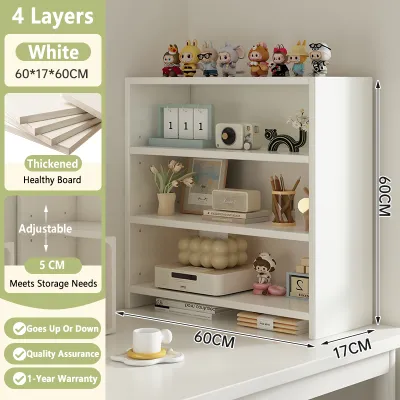
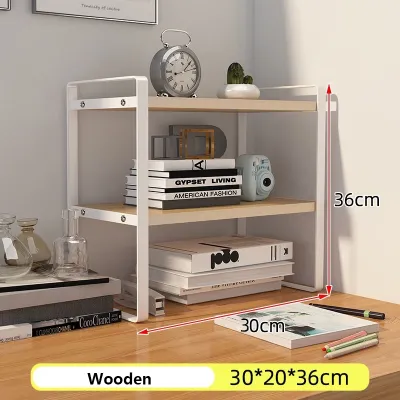
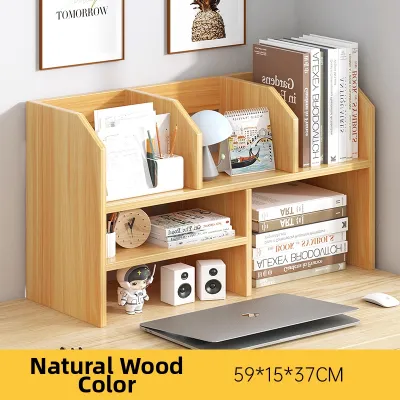
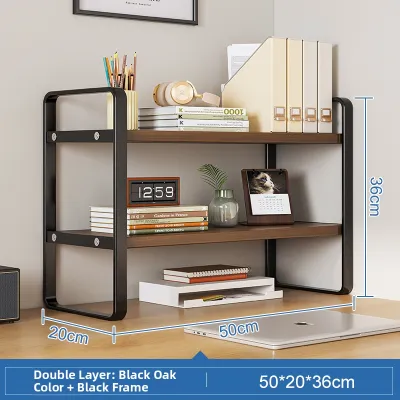
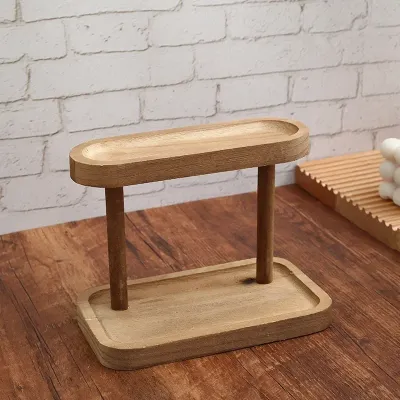
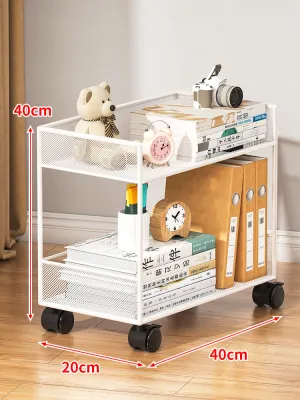
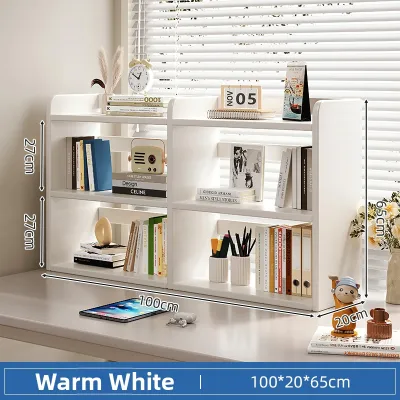
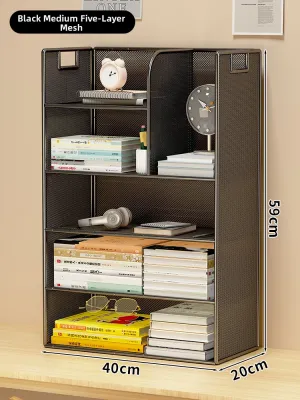
Prices are valid at publication and may change. Please refer to the product page for the latest price.
Beyond ergonomics, matching the shelf to your specific desk dimensions ensures you retain enough room for your essential daily tools. Keyboards, mice, graphic tablets, and physical notebooks all require dedicated surface area. If your shelf encroaches too far forward, you may find yourself typing with bent wrists or struggling to navigate your mouse. To prevent these issues, you must evaluate four core decision dimensions before purchasing: the surface length, the usable depth, the vertical clearance, and the desk edge profile.
How to Measure Your Desk for a Table Top Shelf
Before browsing online marketplaces or local furniture showrooms, clear your desk of temporary clutter to get an accurate assessment of your space. Grab a reliable metal measuring tape, a notepad, and a pen to record your findings.

Measuring Surface Length and Depth
Begin by measuring the total length of your desk from the left edge to the right edge. This represents the absolute maximum limit for any full-width shelf. However, you rarely want to cover the entire length unless you have a dedicated, ultra-wide workstation. Measure the space currently occupied by fixed items that cannot be easily moved, such as large desktop speakers, a computer tower, or a heavy desk lamp. Subtracting these zones from your total length gives you the true usable length available for your new shelf.
Next, measure the total depth of your desk from the back edge to the front edge. This is a critical measurement because a shelf that is too deep will eat into your active workspace. Standard office desks typically range from 60 cm to 80 cm in depth, while compact study desks in cozy apartments may only measure 50 cm deep. Write down this total depth, as you will need it to calculate how much space must remain open for your hands, keyboard, and mouse.
Checking Vertical Clearance and Obstructions
Do not forget to look upward when planning your desk layout. Measure the vertical distance from your desk surface to any overhead obstructions. This includes wall-mounted cabinets, floating shelves, window sills, or even the bottom edge of wall-mounted monitors. If you are placing your desk in a cozy alcove or under a loft bed, knowing this height limit is essential to avoid buying a multi-tier shelf that simply will not fit.
Finally, inspect the back and underside of your desk for structural or cable-related obstructions. Look for built-in cable grommets, flip-up power strips, or under-desk cable management trays. If your desk has a modesty panel or a support beam running close to the back edge, it could interfere with how a shelf sits or how clamp-on brackets are attached. Ensure the back edge of your desk is flat and clear if you plan to push your shelf flush against a wall.
Calculating the Ideal Table Top Shelf Dimensions
Once you have your raw desk measurements, you can translate them into the ideal dimensions for your new table top shelf. This step requires balancing storage needs with ergonomic safety.
Determining the Right Shelf Depth
To find the maximum depth your shelf should have, you must subtract your required active workspace zone from your total desk depth. As a general rule, a standard keyboard and mouse setup requires at least 30 cm to 40 cm of depth to allow your forearms to rest comfortably on the desk. You should also leave a front-edge safety margin of about 5 cm.
For example, if you have a standard 60 cm deep desk, subtracting a 35 cm keyboard zone and a 5 cm safety margin leaves you with a maximum shelf depth of 20 cm. Choosing a shelf deeper than this will force your keyboard too close to the front edge, causing your wrists to hang off uncomfortably. Never buy a shelf that overhangs the front edge of your desk, as this creates a severe tipping hazard if heavy items are placed on the overhanging section.
Choosing the Correct Shelf Length
The length of your shelf should complement both your storage needs and the visual proportions of your room. For smaller desks (100 cm to 120 cm in length), a half-width shelf (spanning 50 cm to 60 cm) is often ideal. This style provides vertical storage on one side while leaving the other side open for a monitor or writing space.
If you have an expansive workstation (150 cm or longer), a full-width shelf can create a beautifully integrated, built-in look. However, always check for physical boundaries. If your desk is tucked into a corner or placed directly between two walls, leave at least a 2 cm to 3 cm buffer on each side. This small gap prevents the shelf from scraping against your walls during assembly or adjustment and accounts for any slight irregularities in your walls.
Selecting Shelf Height and Tiers
The height of your shelf determines how many vertical tiers you can comfortably accommodate. Single-tier shelves (usually 10 cm to 15 cm tall) are excellent for raising monitors to eye level while providing a slim cubby underneath for keyboards or laptops. Double-tier or multi-tier shelves (ranging from 30 cm to 60 cm tall) offer significantly more storage but require ample vertical clearance.
If your computer monitor will sit on top of the shelf, ensure the combined height of the shelf and the monitor does not force you to look upward. Ergonomic guidelines state that the top of your monitor screen should be at or slightly below eye level. If you plan to place the shelf behind or beside your monitors, verify that the shelf’s tiers do not block your screen’s sightlines or prevent you from adjusting your monitor arms.
Common Sizing and Placement Mistakes
Avoiding common pitfalls during the measurement and selection process will save you the hassle of returning a heavy item or damaging your furniture.
One of the most frequent mistakes is ignoring the desk’s thickness and edge profile when selecting clamp-on shelves. Many modern desks feature tapered, beveled, or rounded edges rather than a clean 90-degree angle. Clamp-on models require a flat, parallel surface on both the top and bottom of the desk edge to secure safely. If your desk has a decorative chamfered edge or a metal support frame running directly beneath the edge, standard clamps may not tighten securely, leading to instability. Always check the manufacturer’s maximum clamp opening size and minimum flat-surface requirements before buying.
Another common oversight is forgetting to allocate space for cable routing. If you push a solid-backed shelf flush against the wall, you may pinch your monitor, keyboard, and mouse cables, potentially damaging them over time. Look for shelves that feature built-in cable cutouts, or select a freestanding model with open back legs that allow cords to pass through freely.
Additionally, buying a shelf that is too deep for a narrow desk forces you to reach uncomfortably for everyday items. If you have to stretch your arms fully or stand up to grab a pen or notebook from the shelf, the setup fails to support healthy ergonomics. Keep your most frequently used items within an easy arm’s reach (about 30 cm to 40 cm from your sitting position).
Finally, consider your room’s natural lighting. Placing a tall, multi-tier shelf directly in front of a window can block natural light, making your workspace feel dark and cramped. It can also create severe screen glare if the sun shines directly onto your monitor from behind or beside the shelf, leading to eye strain.
Special Considerations for Unique Desk Setups
Standard rectangular wooden desks are straightforward to measure, but unique desk shapes and materials require extra care.
Curved or Ergonomic Edges
If you own a desk with a curved front or a recessed ergonomic cutout, measuring depth becomes slightly more complex. Do not measure from the deepest point of the curve. Instead, measure from the shallowest point where you actually sit. For the shelf placement, identify the straightest, flat section along the back of the desk. Avoid placing a rigid, straight shelf over a curved contour, as this can leave awkward, unusable gaps and compromise the stability of the shelf’s feet.
Glass Desktops
Glass desks require extreme caution when adding any aftermarket shelving. Before purchasing, check your desk manufacturer’s instructions regarding maximum load capacity and compatibility with clamp-on accessories. Clamping a heavy shelf onto a glass pane can create concentrated point loads, risking sudden stress fractures or shattering. If you must use a shelf on a glass desk, opt for a lightweight, freestanding model with wide, flat feet. Always place soft, protective rubber or silicone pads beneath the feet to distribute the weight evenly and prevent scratches.
L-Shaped Desks
For L-shaped or corner desks, you must decide whether to place your shelf along the primary desk surface or the secondary return. Measuring the corner intersection is key; the diagonal corner space is often deeper than the sides, making it a popular spot for a corner-specific shelf. If you choose a straight shelf, measure from the inner corner joint outward to ensure the shelf does not block your primary seating area or collide with your monitor setup on the adjacent side.
Frequently Asked Questions (FAQ)
Can I use a clamp-on table top shelf on a glass desk?
You should avoid using clamp-on shelves on glass desks unless the desk manufacturer explicitly states it is safe to do so. Clamping metal brackets directly onto glass creates highly concentrated pressure that can easily shatter tempered or non-tempered glass. Instead, choose a freestanding table top shelf with a wide, stable base. Ensure you place non-slip silicone or foam pads under the shelf’s legs to protect the glass surface from scratches and prevent sliding.
How much space should I leave between the shelf and my monitor?
The ideal gap between your shelf and your monitor depends on your screen’s size and whether you use an adjustable monitor arm. Generally, you should leave at least 5 cm to 10 cm of clearance around your monitor. This spacing allows you to tilt, rotate, or adjust the height of your screen without hitting the shelf. It also ensures adequate airflow to prevent your monitor from overheating and provides enough room to route power and display cables cleanly.

Community discussion
Share your experience or ask a question. Comments are reviewed before publication.