
Finding the best value computer chair in Singapore requires looking beyond marketing buzzwords to evaluate how a chair’s adjustability, build quality, and local support match your specific physical needs and budget. In a market filled with options ranging from budget imports to high-end ergonomic models, “value” is not simply the lowest price tag. Instead, it is a calculation of cost per year of comfortable use, taking into account Singapore’s humid climate, typical home office footprints, and the structural durability of the chair’s components. By focusing on verifiable specifications and practical testing, you can secure a chair that protects your posture without overpaying for unnecessary aesthetic features.
Defining "Best Value" for Your Home Office Setup
To establish what “best value” means for your setup, start by tracking your daily sitting habits. A computer chair used for two hours of evening admin work requires a very different level of support than one tasked with sustaining you through a ten-hour remote workday. For short sessions, basic cushioning and standard height adjustments are usually sufficient. For extended professional use, however, a lack of advanced ergonomic support can lead to chronic fatigue and back strain, making a higher upfront investment far more cost-effective in the long run.
Next, consider the physical constraints of your Singapore home. Many HDB flats and condominiums feature compact study corners where space is at a premium. Before browsing online, measure the width of your desk opening and the height of the desk underside. Ensure the chair’s armrests can slide fully underneath the desk when not in use to save floor space. Additionally, check the outer diameter of the chair’s five-star base—typically ranging from 65 to 70 centimeters—to ensure it does not block walkways or collide with nearby furniture.
Products mentioned in this guide
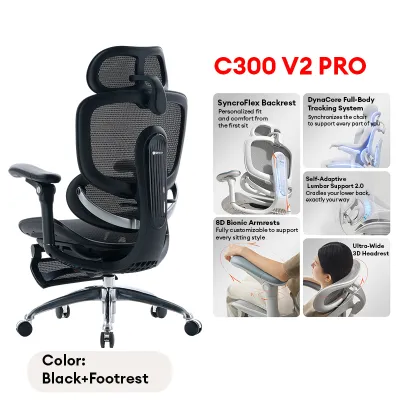
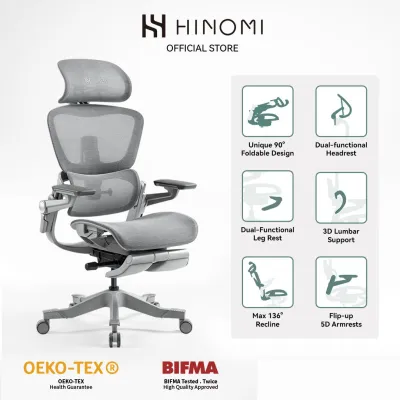
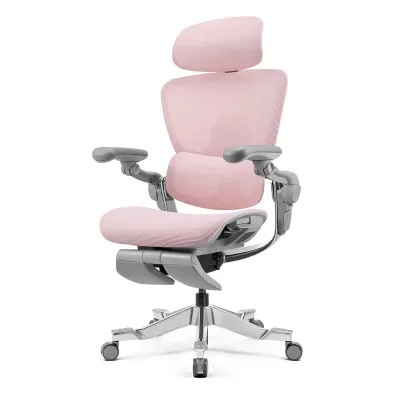
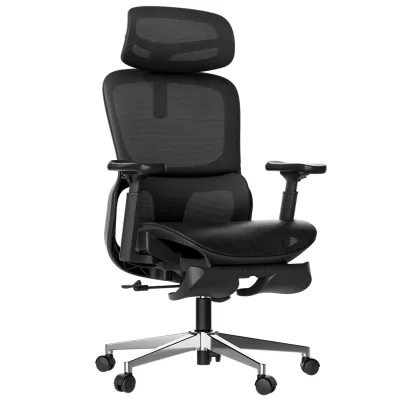
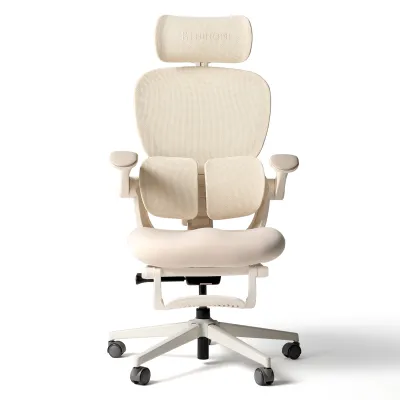
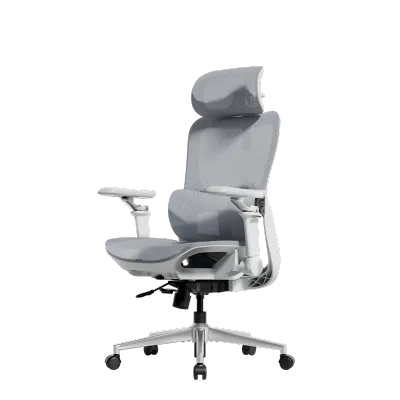
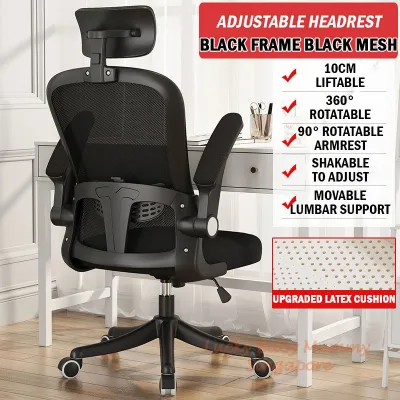
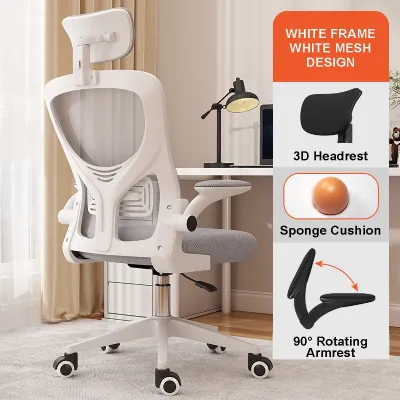
Prices are valid at publication and may change. Please refer to the product page for the latest price.
Finally, separate your non-negotiable ergonomic needs from optional luxury features. If you experience lower back pain, an adjustable lumbar support system is a non-negotiable requirement. If you are taller or shorter than average, seat depth adjustment is critical to prevent leg discomfort. On the other hand, features like extreme recline angles, built-in footrests, or premium leather finishes are often optional extras that inflate the price without contributing directly to your daily ergonomic health.
Key Ergonomic Features to Compare Across Brands
When comparing computer chair brands in Singapore, the quality of the ergonomic adjustments is the most critical factor to analyze. Lumbar support is the foundation of any ergonomic chair, but its implementation varies widely. Fixed lumbar supports offer a one-size-fits-all approach that rarely aligns perfectly with individual spinal curves. Adjustable lumbar supports allow you to slide the support vertically to target your lower back precisely. Dynamic or auto-tuning lumbar systems go a step further by pivoting and adjusting their tension automatically as you shift your posture throughout the day, maintaining constant contact with your lower spine.

Armrest adjustability is another key area where brands differentiate themselves. Basic chairs offer fixed or 1D (height-only) armrests, which often force your shoulders to shrug or your elbows to flare outward. For proper desk alignment, look for 3D armrests (adjustable for height, depth, and angle) or 4D armrests (which add width adjustment). Properly adjusted armrests allow your elbows to rest comfortably at a 90-degree angle, level with your keyboard, which significantly reduces strain on your shoulders, neck, and upper back.
The seat pan and recline mechanisms also require close inspection. A high-value computer chair should feature seat depth adjustment, allowing you to slide the seat forward or backward. This adjustment ensures there is a small gap (about two to three fingers wide) between the edge of the seat and the back of your knees, preventing pressure on your popliteal veins while fully supporting your thighs. Furthermore, look for a tilt tension control or a weight-activated recline mechanism. This feature ensures the backrest resists your weight proportionally, allowing you to recline smoothly without feeling like you are tipping over or having to push back with excessive force.
Evaluating Durability and Material Longevity
A computer chair’s durability directly impacts its long-term value, and this is largely determined by its structural materials. While heavy-duty nylon bases are common and perfectly adequate, reinforced aluminum or steel bases offer superior structural integrity and a much higher load capacity. Additionally, pay attention to the casters. Standard hard nylon casters are designed for carpets and can easily scratch or gouge parquet, laminate, or luxury vinyl tile (LVT) flooring common in Singaporean homes. If you have hard floors, look for brands that supply soft polyurethane (PU) coated casters, which glide quietly without causing surface damage.
Upholstery selection is particularly critical in Singapore’s hot and humid climate. Polyurethane (PU) leather and bonded leather trap body heat and sweat, often leading to peeling and cracking over time due to humidity. Woven fabric offers a softer feel but can absorb sweat and spills, making high-tensile mesh the most practical choice for local conditions due to its continuous airflow. When evaluating mesh, check its elasticity; high-quality elastomeric mesh retains its shape for years, whereas low-grade nylon mesh can sag within months. Finally, verify the warranty terms. Do not be misled by bold “10-year warranty” claims; often, this only applies to the rigid steel frame, while moving parts like the gas lift cylinder, tilt mechanism, and armrests are only covered for one to three years.
Price Tiers and What to Expect at Each Budget
Navigating the Singapore market reveals three distinct price tiers for computer chairs, each offering a different balance of features and longevity. The entry-level tier, typically priced under S$200, consists primarily of basic office chairs and budget imports. While highly affordable, they often compromise on adjustability, featuring fixed armrests, basic foam cushions, and simple tilt-lock mechanisms. The warranty is usually limited to one year or less, making them best suited for casual, short-duration sitting.
The mid-range tier, spanning from S$200 to S$600, is where most Singaporean remote workers find the best value. In this bracket, brands offer robust ergonomic features, including adjustable lumbar support, 3D or 4D armrests, seat depth adjustment, and high-quality mesh upholstery. The build quality is significantly improved, often featuring reinforced nylon or aluminum bases and reliable Class 4 gas lifts. Warranties in this tier typically range from three to five years, providing solid protection for daily eight-hour work sessions.
The premium tier, priced above S$600, represents the pinnacle of ergonomic engineering and material quality. These chairs feature advanced synchronous tilt mechanisms, premium elastomeric mesh, and highly refined adjustment controls. They are built to last for decades, often backed by comprehensive warranties of 10 to 12 years. For heavy users who spend upwards of ten hours a day at their desks, the high upfront cost of a premium chair is easily justified by its superior comfort and extremely low cost per year of service.
How to Verify Fit and Comfort Before Buying
Because ergonomic comfort is highly subjective, verifying the fit of a computer chair before finalizing your purchase is essential. If you are buying online, carefully review the retailer’s return policy and home trial terms. Many direct-to-consumer brands in Singapore offer trial periods, but these trials often come with strict conditions. Check whether you must retain the original packaging, if the brand charges a restocking fee, or if you are responsible for the return transport costs, which can be substantial for a bulky item.
Whenever possible, visit a physical showroom. When testing a chair in person, spend at least 15 to 20 minutes adjusting the chair to your body measurements. Test the firmness of the seat pan; a cushion that feels plush initially might bottom out after an hour, while a mesh seat should support you firmly without the frame pressing against your thighs. Operate all the levers and knobs to ensure they are easy to reach and adjust, and lean back to test the smoothness of the recline mechanism.
Finally, look beyond official marketing materials by researching verified user feedback on independent forums and local community groups. Search specifically for long-term ownership experiences. Look for mentions of structural issues that only appear after months of use, such as squeaking joints, loose armrests, or sagging mesh. Additionally, pay attention to how local customer service handles warranty claims, as a responsive local support team is a crucial component of a brand’s overall value.
Frequently Asked Questions (FAQ)
How much should I spend on a computer chair for daily work?
For daily, full-time work-from-home sessions, investing between S$200 and S$600 typically yields the best value. This mid-range budget secures essential ergonomic adjustments—such as adjustable lumbar support, seat depth control, and multi-directional armrests—alongside durable materials and a multi-year warranty. If your budget is tight, prioritize adjustable lumbar support over aesthetic upgrades, and avoid ultra-cheap models that lack basic postural customization.
Is a mesh back better than a cushioned back for long hours?
In Singapore’s warm and humid climate, a mesh backrest is generally superior for temperature regulation, as it allows air to circulate freely and prevents heat buildup. However, the ideal choice depends on personal comfort preferences. High-quality mesh provides firm, responsive tension that conforms to your spine, while a high-density foam cushioned back offers a softer, more traditional feel. If you choose a cushion, ensure it is upholstered in a breathable fabric rather than heat-trapping PU leather.
What is the standard warranty for office chair mechanisms?
The standard warranty for mid-range computer chairs in Singapore typically ranges from three to five years, while premium models often offer ten to twelve years of coverage. However, coverage is usually tiered. The structural frame and base may be covered for the full duration, while moving parts like the gas lift, tilt mechanism, and armrests might have a shorter coverage window of one to three years. Always check the manufacturer’s warranty breakdown to verify what components are excluded.

Community discussion
Share your experience or ask a question. Comments are reviewed before publication.