
Finding the right tabletop shelf size is a balancing act between maximizing vertical storage and preserving your working area. The ideal dimensions depend on your desk’s physical footprint, your monitor setup, and the items you need to store. By choosing a shelf that matches your workspace, you can keep essential tools within arm’s reach without sacrificing the room you need to type, write, and move your mouse comfortably.
In compact home offices where desk space is at a premium, a tabletop shelf is a practical way to reclaim valuable surface area. However, an oversized shelf can make your desk feel cramped, while an undersized one might fail to hold your equipment securely. To find the perfect fit, you must evaluate your desk’s dimensions, check your equipment clearance, and select a shelf design that supports your daily workflow.
Step 1: Measure Your Available Desk Space
Before browsing for a tabletop shelf, establish the exact boundaries of your usable desk surface. Measure the total width and depth of your desktop using a measuring tape. Subtract the footprint of fixed items that must remain on the desk, such as your keyboard, mouse pad, and laptop. This calculation reveals the actual remaining area where a shelf can sit without interfering with your daily tasks.
Products mentioned in this guide
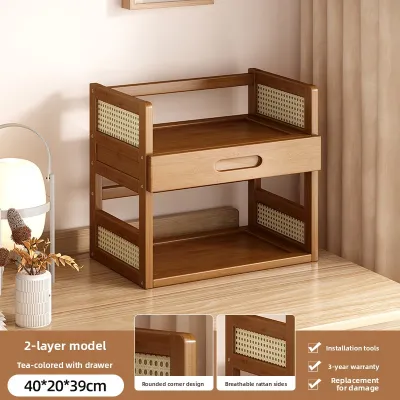
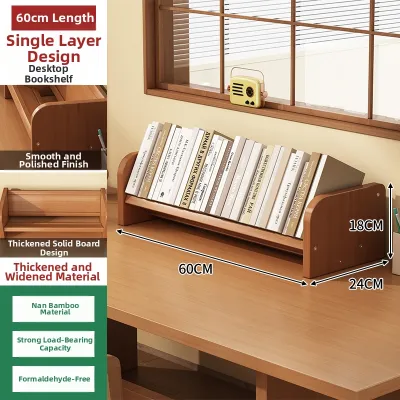
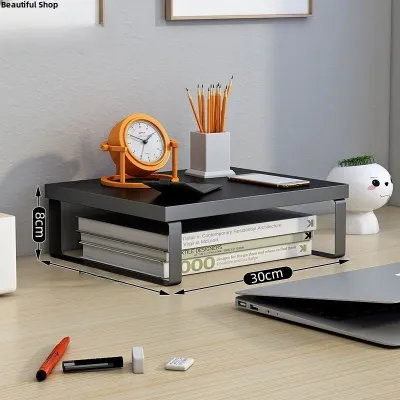
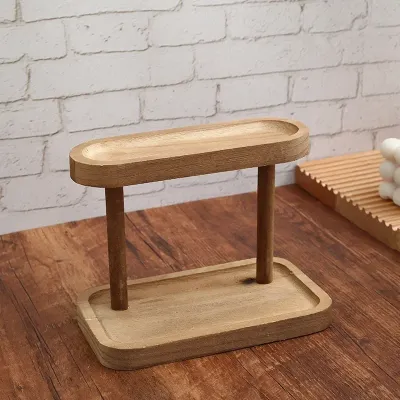
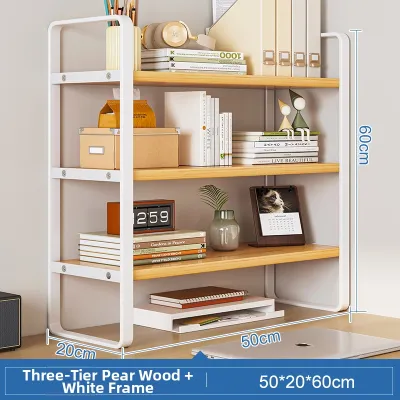
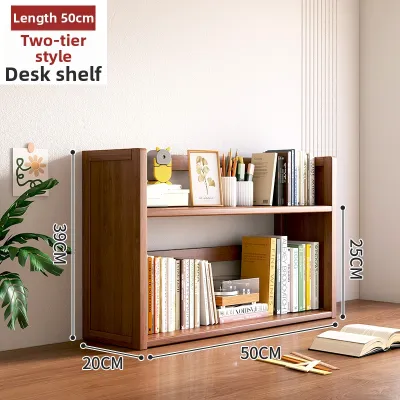
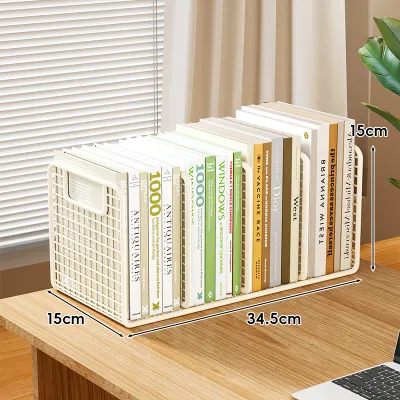
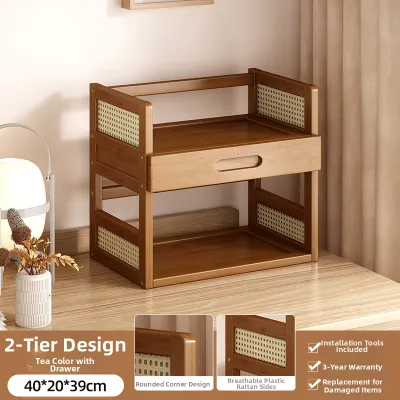
Prices are valid at publication and may change. Please refer to the product page for the latest price.
Next, inspect your desk surface for physical obstacles. Look closely at the edges for raised lips, decorative bevels, or cable grommets that could prevent the shelf’s base from sitting completely flush. If you use a monitor arm clamped to the back of the desk, measure the space the clamp occupies to ensure the shelf will not collide with it. These physical features can significantly reduce the flat, stable area available for your shelf’s feet.
Finally, verify the weight capacity of your desk before adding a loaded shelf. While solid wood and steel-frame desks easily support substantial weight, desks made of glass or lightweight composite materials require extra caution. Check the manufacturer’s specifications for your desk to determine its load limit. Remember that the total weight includes the tabletop shelf itself and all the books, monitors, and organizers you plan to place on it.
Step 2: Determine Clearance for Monitors and Peripherals
Your monitor is likely the largest object on your desk, making its placement the most critical factor in choosing a tabletop shelf. Measure the height, width, and depth of your monitor stand to decide whether the monitor should sit underneath the shelf or on top of it. If you plan to place the monitor underneath, ensure the vertical clearance of the shelf’s lower opening is tall enough to accommodate the screen without forcing you to tilt it awkwardly.

If you place the monitor on top of the shelf, safety and stability are your primary concerns. Measure the depth of the monitor’s base and compare it to the depth of the shelf’s top surface. The shelf must be deep enough to accommodate the entire monitor stand, leaving a safe margin of at least a few centimetres at the front and back to prevent tipping. Placing a heavy monitor on a shelf that is too shallow creates an unstable setup that risks damaging your equipment.
You must also calculate the required under-shelf clearance for your keyboard and hands. If you intend to slide your keyboard under the shelf when not in use, measure the thickness of the keyboard at its highest point. If you plan to type with the keyboard partially tucked under, account for the natural height of your hands and wrists while typing. Ensure there is enough vertical space so your knuckles do not scrape against the underside of the shelf.
Step 3: Match Shelf Dimensions to Your Storage Needs
The ideal size of your tabletop shelf is directly tied to what you plan to store. Deciding between a single-tier and a multi-tier shelf is the first step. A single-tier shelf is excellent for elevating a single monitor to eye level while providing a neat slot underneath to tuck away your keyboard. Conversely, a multi-tier shelf is better suited for those who need to organize books, reference binders, document trays, or multiple electronic devices.
Width selection is another critical dimension that depends on your screen setup. A narrow shelf is perfect for a single monitor or a small laptop riser. If you use external desktop speakers, a medium-width shelf allows you to place the speakers on either side of the screen at an equal height. For dual-monitor setups or extensive storage of office supplies, a wide shelf that spans almost the entire width of your desk is necessary to keep your workspace organized.
Depth selection should be guided by the specific items you intend to place on the shelf. Shallow shelves are ideal for small accessories, stationery, and smartphones, keeping these items visible without consuming too much desk depth. Deeper shelves are required if you need to store larger items like heavy textbooks, ring binders, or large monitor bases. Balance this depth with your remaining desk space so you still have ample room for writing.
Step 4: Evaluate Stability and Safety Features
A tabletop shelf must be structurally sound to protect your electronics and office supplies. When evaluating different models, pay close attention to the base design. Look for shelves with wide, flat bases or those equipped with non-slip rubber pads. These pads prevent the shelf from sliding around on smooth wooden, laminate, or glass desk surfaces when you retrieve items. They also protect your desk’s finish from unsightly scratches and scuffs.
Structural support is equally important, especially if you plan to load the shelf with heavy books or multiple screens. Check the thickness and material of the vertical supports or side panels. Thin, flimsy materials are prone to bowing or sagging over time under constant weight, which can compromise the stability of everything stored on top. Look for robust joints, reinforced brackets, or solid side panels that distribute weight evenly across the desk surface.
Edge finishing is a safety detail that is often overlooked but highly impactful. In tight desk spaces, you are likely to brush against the shelf frequently. Prefer shelves with smooth, rounded, or beveled edges rather than sharp, unfinished corners. Smooth edges prevent you from scratching your arms or snagging your clothing as you reach for items. They also reduce the risk of pinching or damaging power cables that run along the back of your desk.
Common Sizing and Placement Mistakes to Avoid
One of the most frequent mistakes is ignoring the space required for cable management. Many users buy a shelf that fits the exact depth of their desk, only to find that power cords, HDMI cables, and USB wires prevent the shelf from sitting flush against the wall. This forces the shelf forward, eating into your front workspace. Always leave a small gap of two to three centimetres behind the shelf to allow cables to route downward cleanly.
Another common error is purchasing a shelf that is too deep for your typing habits. If the shelf takes up more than half of your desk’s depth, it will push your keyboard and mouse pad too close to the front edge. This leaves you with no space to rest your wrists, leading to physical discomfort and poor typing posture. Ensure your remaining desk depth allows your elbows to bend at a comfortable ninety-degree angle while typing.
Lastly, do not overlook ergonomics when choosing the height of your shelf. Elevating your monitor too high forces you to tilt your head upward, which can cause severe neck and shoulder strain over long working hours. Your eyes should naturally align with the top third of your monitor screen when you are sitting comfortably. Measure your seated eye height relative to your desk surface before deciding on a shelf height to ensure your setup supports a healthy posture.
Frequently Asked Questions (FAQ)
Can I use a tabletop shelf on a glass desk?
Yes, you can use a tabletop shelf on a glass desk, but you must take extra precautions to protect the surface. First, check the manufacturer’s specifications for your glass desk to verify its maximum weight capacity. Choose a shelf with a wide base or one equipped with large, soft non-slip rubber or silicone pads to distribute the weight evenly and prevent direct metal-on-glass contact. Avoid heavy multi-tier shelves and do not overload the shelf with heavy books or multiple monitors, as concentrated pressure can cause glass to crack.
How do I know if my keyboard will fit under the shelf?
To determine if your keyboard will fit, you need to measure both the keyboard and your hand clearance. Start by measuring the absolute thickness of your keyboard at its highest point, including any raised feet. Next, if you plan to type while the keyboard is partially under the shelf, measure the height of your hands and wrists in their natural typing position. Add these two measurements together, along with the height of any wrist rest you use, and compare the total to the vertical clearance of the shelf’s lower opening.

Community discussion
Share your experience or ask a question. Comments are reviewed before publication.