
Choosing the right size desktop shelf rack depends on three critical factors: the physical dimensions of your desk, the footprint and weight of your computer equipment, and your ergonomic viewing height. To find the perfect fit, you must measure your desk’s depth and width, calculate the total weight of your monitors and accessories, and ensure the rack leaves enough room for your daily tasks. A well-sized rack maximizes vertical space without crowding your workspace or compromising structural safety.
If the shelf is too large, it can overhang the desk edge or block essential movement; if it is too small, your expensive equipment may sit unstable. Let’s look at how to systematically measure your workspace and equipment to select the ideal dimensions.
Measure Your Desk and Available Workspace
Start with the total desk surface. Use a physical tape measure to record the exact width and depth of your desk. Do not rely on the manufacturer’s listed dimensions, as actual usable space might differ due to design elements.
Products mentioned in this guide
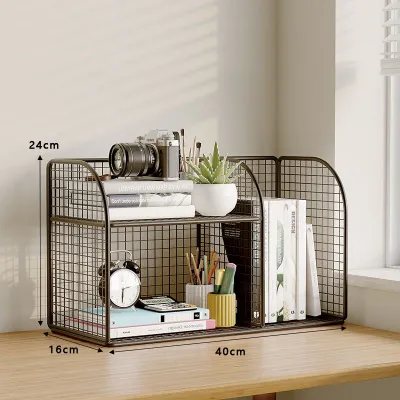

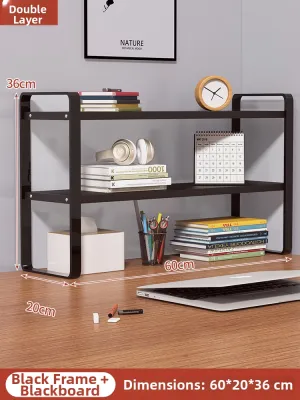
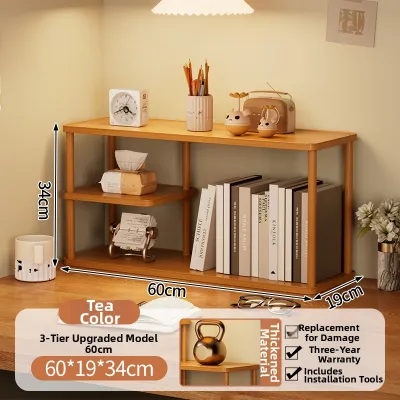


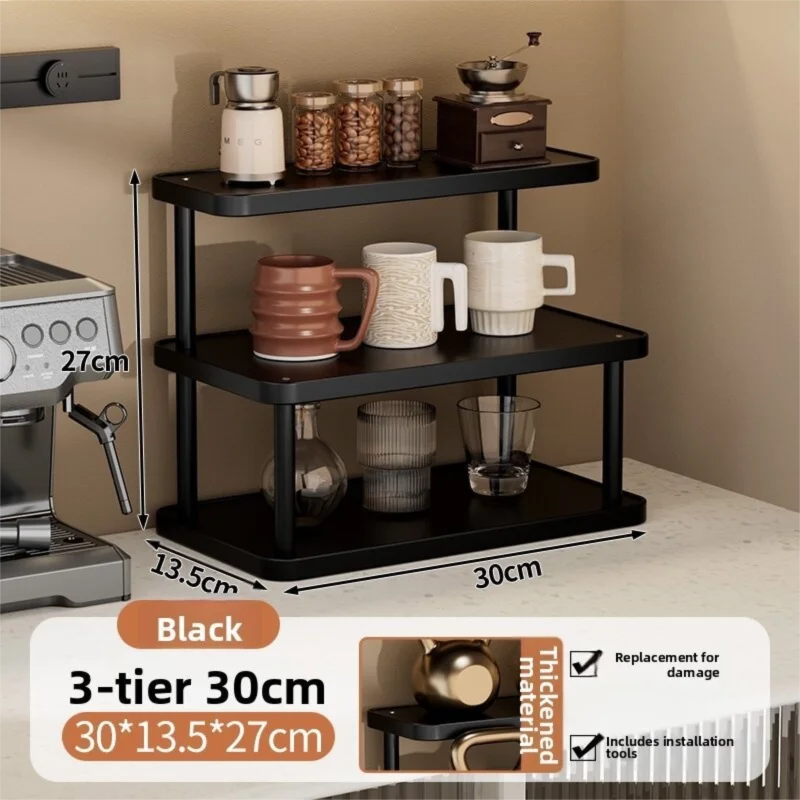
Prices are valid at publication and may change. Please refer to the product page for the latest price.
Subtract the space required for your keyboard, mouse, and natural arm movements. You need a comfortable clearance in front of the shelf to type and navigate without your wrists hitting the edge of the rack.
Check overhead clearance. If your desk sits under a wall-mounted cabinet, a hutch, or a low window sill, measure the vertical distance from the desk surface to the lowest overhead obstruction. This prevents buying a tall shelf that cannot fit or blocks natural light.
Examine the desk edges and underside. Bevels, decorative lips, or metal support frames underneath can interfere with clamp-on bases. If you plan to use a clamp-on desktop shelf rack, ensure there is a flat, solid edge of sufficient depth for the clamp to grip securely. For freestanding units, make sure the feet will sit entirely on a flat surface.
Assess Your Monitor and Equipment Footprint
Your monitor is likely the heaviest and largest item on the shelf. Measure the width and depth of its stand or base. If you use a dual-monitor setup, measure the combined width of both bases or the total span of the screens to ensure they do not overhang the shelf excessively.

If you use monitor arms instead of standard bases, check the clamp footprint. Monitor arm clamps require a sturdy, flat surface to attach to, and the arm’s articulation might require extra depth behind the shelf to move freely.
List all secondary items you plan to place on or under the shelf. This includes external speakers, USB hubs, routers, docking stations, external hard drives, and desk lamps. Measure their individual footprints to estimate how much shelf surface area they will occupy.
Estimate the total weight of your equipment. Check the manufacturer labels or online specifications for your monitor, speakers, and other heavy items. Sum these weights to establish the minimum load capacity your desktop shelf rack must support. Always round up slightly to account for cables and future accessories.
Determine the Ideal Shelf Dimensions and Load Capacity
Width: The ideal shelf width should accommodate your primary equipment while leaving breathing room on either side of the desk. For a standard 120 cm desk, a shelf width of 80 cm to 100 cm often provides a balanced look, leaving space for side items like a PC tower or a cup holder.
Depth: The depth of the shelf must comfortably house your monitor stand without any overhang. Standard desktop shelf racks typically range from 20 cm to 30 cm in depth. Ensure that once the shelf is placed, you still have at least 40 cm of clear desk space in front of it for your keyboard and mouse.
Height: Ergonomics dictate that the top of your monitor screen should be at or slightly below eye level. Measure your seated eye height relative to the desk. Choose a shelf height—typically between 8 cm and 15 cm—that elevates your screen to this comfortable viewing angle while leaving usable storage clearance underneath for notebooks or a tucked-away keyboard.
Load Capacity: Never exceed the manufacturer’s rated weight limit. If your combined equipment weighs 15 kg, look for a shelf rated for at least 20 kg to ensure a safe structural margin. This safety buffer prevents the shelf from bowing over time and protects your valuable electronics from sudden collapse.
Evaluate Modular and Adjustable Shelving Options
Fixed-size risers offer simplicity but lack flexibility. If you anticipate changing your monitor setup or moving to a different desk in the future, modular, stackable, or expandable desktop shelving systems provide a more adaptable solution.
Some modular designs feature adjustable-width panels or sliding tiers. These allow you to expand the shelf when adding a second monitor or contract it to save space on a smaller desk. Other systems offer stackable pegs, letting you add a second tier vertically if your desk depth is limited.
Consider the assembly and mounting requirements of these modular units. Some require basic tools like hex keys or screwdrivers, while others use tool-free peg-and-grommet systems. Verify if the modular components require permanent desk mounting or if they rely on non-slip rubber feet to stay secure.
Avoid Common Sizing and Placement Mistakes
One common mistake is ignoring the center of gravity. Placing heavy speakers or heavy monitors on a tall, narrow shelf can make the entire setup top-heavy. Ensure the heaviest items sit directly over the shelf supports rather than on cantilevered or extended edges.
Cable management is another frequently overlooked factor. Thick power cables, HDMI cords, and monitor power bricks require physical space. If you place the shelf flush against a wall without leaving a small gap, these cables will bend sharply, potentially damaging the ports or pushing the shelf forward.
Avoid buying a shelf that matches your desk’s exact width. Doing so leaves zero clearance for desk clamps, clamp-on monitor arms, desk lamps, or edge-mounted accessories. A slight margin of 5 to 10 cm on each side makes installation and daily adjustments much easier.
Frequently Asked Questions (FAQ)
Can I use a desktop shelf rack on a glass desk?
Placing a heavy desktop shelf rack on a glass desk requires extreme caution. You must verify the glass thickness and ensure it is tempered glass, which is designed to handle structural loads better than standard glass.
Use wide-base feet or soft protective silicone pads under the shelf to distribute the weight evenly and prevent localized stress points. Avoid clamp-on shelves entirely on glass, as the clamping pressure can easily crack the surface. Always consult your desk manufacturer’s weight limits and warranty guidelines before proceeding.
How much space should I leave between the shelf and the wall?
It is best to leave a gap of at least 2 to 5 cm between the back of the shelf and the wall. This space provides essential airflow around heat-generating devices like docking stations, external hard drives, and power adapters, preventing performance degradation.
This clearance also accommodates bulky power plugs, monitor cables, and wall-mounted outlets. Without this gap, cables will be pinched against the wall, which can lead to connection issues or force your shelf into an unstable, crooked position on your desk.

Community discussion
Share your experience or ask a question. Comments are reviewed before publication.