
Finding the right office chair with proper neck support is one of the most impactful decisions you can make for your home office in Singapore. With many professionals working hybrid schedules or fully from home, spending long hours at a desk is common. A poorly fitted chair can lead to persistent neck strain, shoulder tension, and poor posture. To choose a chair that truly supports your neck, you must look beyond aesthetic appeal and focus on how the chair’s mechanisms, dimensions, and materials align with your body and your living space.
In a compact Singapore apartment, where dedicated study rooms are often shared or carved out of living areas, your office chair needs to be both highly functional and space-efficient. The tropical climate also introduces unique challenges, as heat and humidity can make certain materials uncomfortable during long working sessions. By understanding what makes a neck support mechanism effective, you can make an informed investment that protects your physical well-being and enhances your daily productivity.
Understanding Neck Support Mechanisms and Adjustability
To find a chair that offers genuine relief, you must first understand the different types of neck support designs available. Headrests generally fall into three categories: fixed, multi-dimensional adjustable, and integrated contoured backrests. Fixed headrests are molded directly into the chair’s frame and offer no movement. While they provide a clean aesthetic, they are risky because they assume every user has the exact same torso height and neck curvature. If your height does not align perfectly with the manufacturer’s default template, a fixed headrest can push your head forward or press uncomfortably into your shoulders.
Products mentioned in this guide
![[Metaverse] Neck Support Headrests Office Chair Easy to Install No Drilling Adjustable Height Bracket Headrest](https://img.lazcdn.com/g/p/e9650002ed8c2eaa9496b2b198a00655.jpg_400x400q80.jpg_.webp)
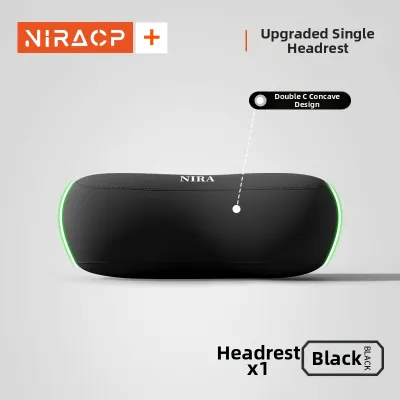
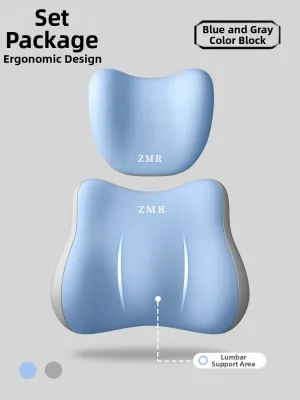
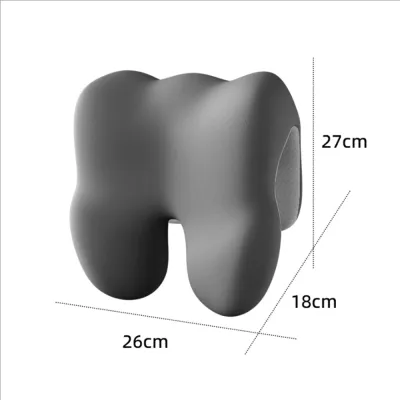
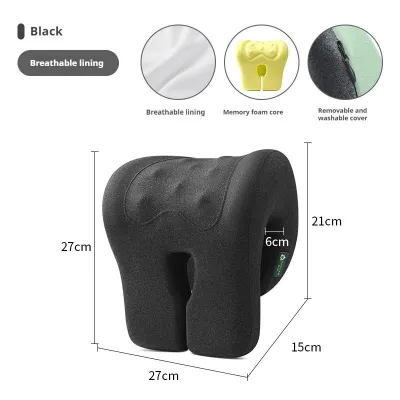
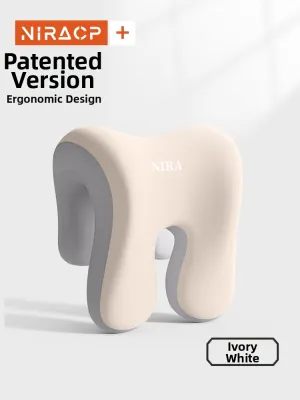
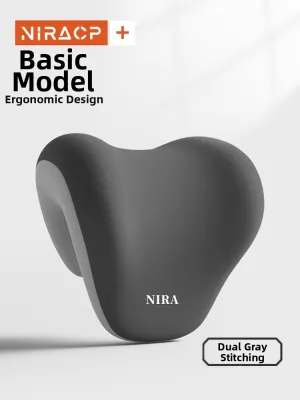
Prices are valid at publication and may change. Please refer to the product page for the latest price.
Multi-dimensional adjustable headrests offer the highest level of ergonomic customization. These are typically classified as 2D or 3D headrests. A 2D headrest allows you to adjust the height and the tilt angle, helping you position the support precisely in the curve of your cervical spine. A 3D headrest adds depth adjustment, allowing you to move the support forward or backward. This depth adjustment is particularly valuable because it ensures the headrest can meet your neck in a neutral position, preventing you from having to lean your head backward to find support.
Integrated contoured backrests feature a tall backrest that curves forward at the top to support the head and neck. While these designs look sleek and modern, they lack individual adjustability. If you are taller or shorter than the average user for whom the chair was designed, the built-in curve will not align with your neck, rendering the support ineffective or even counterproductive.
It is also essential to recognize that neck support does not work in isolation; it is deeply connected to your lumbar support. The human spine is an interconnected S-curve. When your lower back is unsupported, your pelvis tilts backward, causing your thoracic spine to round and your shoulders to slouch. This slouching posture naturally forces your head and neck forward to look at your computer screen, a position often referred to as forward head posture. By choosing a chair with robust, adjustable lumbar support, you establish a stable foundation that keeps your entire spine aligned, making it much easier for your neck to rest comfortably against the headrest.
Finally, consider how your posture changes throughout the workday. When you are actively typing or writing, you require an upright posture where the headrest gently supports the base of your skull without forcing your head forward. When you recline to read a document, take a phone call, or rest, the headrest should cradle your head and allow your neck muscles to fully relax. A highly adjustable headrest accommodates these shifting postures, ensuring continuous support regardless of your task.
Matching Chair Dimensions to Your Body and Home Space
An ergonomic chair can only perform as intended if its physical dimensions match your body proportions. Before purchasing, you should measure your own body and compare those figures to the chair’s specifications. Sit upright on a flat surface and measure the distance from the seat to your shoulders, and then to the curve of your neck. This gives you a clear indication of the backrest height and headrest range you require. If a chair’s backrest is too short, the headrest will press into your shoulder blades; if it is too tall, the headrest will sit above your head, offering no support to your cervical spine.

Seat height and seat depth are equally critical for maintaining proper posture. When sitting, your feet should rest flat on the floor with your knees bent at a 90-degree angle, which helps distribute your weight evenly and reduces pressure on your lower back. The seat depth should allow for a two-to-three-finger gap between the front edge of the seat pan and the back of your knees. If the seat is too deep, you will be forced to slide forward, which pulls your lower back away from the lumbar support and disconnects your neck from the headrest.
Beyond personal dimensions, you must evaluate how the chair fits into your physical home office layout. Singapore homes, particularly HDB flats and condominiums, often feature compact study alcoves or multi-purpose rooms. Measure the available floor space to ensure the chair can glide and rotate freely without striking walls, wardrobes, or other furniture. Additionally, measure the width of your doorways, hallway corners, and even the passenger lift in your building to ensure a fully assembled chair can be delivered and moved into your home without difficulty.
Desk clearance is another practical factor that is easily overlooked. Measure the height from the floor to the underside of your desk. When you finish working, you will likely want to slide the chair under the desk to save floor space. Ensure the chair’s armrests can be lowered sufficiently to clear the desk frame. If the armrests are too high or cannot be adjusted downward, the chair will remain protruding into your room, which can create a tripping hazard and make the space feel cluttered.
The type of flooring in your home office dictates the kind of casters your chair should have. Most Singapore homes feature hard flooring surfaces such as parquet, laminate, vinyl, or polished tiles. Standard hard nylon casters, which are common on budget chairs, can scratch, scuff, or wear down these surfaces over time. Look for chairs equipped with soft polyurethane (PU) casters, which provide smooth, quiet rolling while protecting delicate hard floors. If your chair comes with hard casters, investing in a high-quality protective floor mat is a practical way to safeguard your flooring.
Essential Specifications to Verify Before Purchase
When comparing different neck support chairs, reviewing the technical specifications on the manufacturer’s product sheet can help you assess structural quality and long-term durability. Start by verifying the stated weight capacity and structural stability indicators. Look for chairs that meet industry standards, such as those certified by BIFMA (Business and Institutional Furniture Manufacturers Association). The base of the chair should be constructed from robust materials; heavy-duty nylon or aluminum alloy bases offer excellent stability. Additionally, check the rating of the gas lift cylinder, which controls height adjustment. A Class 4 gas lift cylinder is the industry standard for durability, safety, and smooth operation over years of daily use.
Upholstery material is a critical consideration, especially given Singapore’s warm and humid climate. Mesh upholstery is highly popular for home offices because its open weave allows air to circulate freely, preventing heat and moisture buildup against your back. However, you should inspect the quality of the mesh; high-quality elastomeric mesh retains its tension and shape over time, whereas low-grade mesh can sag, leading to a loss of support. Fabric upholstery offers a softer, more cushioned feel but can trap body heat and sweat, requiring regular vacuuming or steam cleaning to maintain hygiene. Synthetic leather (PU) or genuine leather is easy to wipe clean but can feel hot and sticky if you work in a room without air conditioning.
The recline mechanism and tension control are vital for maintaining dynamic movement throughout the day. Sitting in a static, rigid position for hours can stiffen your muscles and worsen neck pain. Look for a chair with adjustable tilt tension, which allows you to customize how much resistance the backrest offers when you lean back, matching it to your body weight. A synchro-tilt mechanism is highly recommended; this feature tilts the backrest and the seat pan at a 2:1 ratio. As you recline, your feet remain flat on the floor and your knees stay at a comfortable angle, keeping your spine in a natural, supported alignment and preventing your neck from straining to keep your head upright.
Finally, examine the adjustability of the armrests, often referred to as 3D or 4D armrests. Your shoulders and neck are closely linked; if your armrests are too high, your shoulders will shrug, causing tension in your upper trapezius and neck muscles. If they are too low, your elbows will hang, pulling down on your shoulders. Adjustable armrests allow you to support your forearms at a comfortable 90-degree angle, keeping your shoulders relaxed and reducing the overall load on your neck.
Navigating Warranties, Trials, and Showroom Testing
Investing in a high-quality ergonomic chair is a significant financial commitment, making it essential to understand the retailer’s policies to mitigate your purchase risk. First, look into home trial periods. Because it takes time for your body to adjust to a new seating posture, a brief sit-test is often insufficient. Some retailers offer home trials ranging from a few days to a few weeks. Read the terms carefully: check if you must keep the original packaging, whether the chair must be returned in pristine condition, and if you will be responsible for restocking fees or return transportation costs.
Warranty coverage is another crucial indicator of a chair’s quality and the manufacturer’s confidence in their product. While a long warranty period, such as 5 to 12 years, sounds reassuring, you must read the detailed breakdown. Often, the extended warranty only covers the structural steel frame, while the moving parts—such as the gas lift cylinder, tilt mechanism, armrests, and mesh or fabric upholstery—are covered for a much shorter period, typically 1 to 3 years. Understanding these distinctions beforehand prevents unexpected expenses if a component wears out prematurely.
Whenever possible, plan a visit to a physical showroom in Singapore to test candidate chairs before making an online purchase. When testing a chair, do not simply sit down for a moment and stand up. Spend at least 10 to 15 minutes sitting in your typical working posture. Bring your laptop or tablet if possible, and mimic your daily tasks. Adjust the seat height, seat depth, lumbar support, and headrest to fit your body perfectly. Pay close attention to how the headrest feels against the base of your skull; it should cradle the suboccipital muscles without pushing your head forward or forcing your chin down toward your chest.
During your showroom visit, also test the ease of adjustment. The levers and knobs should be intuitive and easy to reach while seated. If adjusting the headrest or lumbar support requires you to stand up or strain your arms, you are less likely to make micro-adjustments throughout the day as your posture shifts. A chair that is easy to adjust encourages dynamic sitting, which is key to reducing muscle fatigue and keeping your neck supported.
Frequently Asked Questions (FAQ)
Can I add an aftermarket headrest to my existing office chair?
While aftermarket clamp-on headrests are widely available on online marketplaces, they are not universally compatible. You must carefully measure the thickness and curvature of your existing chair’s upper frame to ensure a secure fit. Additionally, mounting a third-party accessory can place concentrated stress on plastic frames not designed to bear that load, potentially cracking the frame. Finally, attaching an aftermarket headrest often voids the manufacturer’s original warranty, so it is important to weigh this risk before proceeding.
Is a high-back chair always better for neck support?
A high-back chair is not inherently better for neck support unless it features proper adjustability. If a high-back chair has a fixed, non-adjustable headrest or built-in curve that does not align with your height, it can actually worsen your posture by pushing your shoulders forward or failing to reach your neck. Effective neck support depends entirely on proper cervical alignment, which is achieved through adjustable features that can be tailored to your unique body proportions, rather than the overall height of the backrest.
How should I position the headrest for optimal ergonomic support?
To achieve optimal ergonomic support, the headrest should be positioned to cradle the natural inward curve of your cervical spine, which sits just below the base of your skull (the occipital ridge). It should not press against the back of your head in a way that forces your chin down toward your chest, nor should it sit so low that it pushes against your shoulder blades. When adjusted correctly, the headrest should provide a gentle resting point that allows your neck muscles to relax while keeping your eyes level with your monitor.

Community discussion
Share your experience or ask a question. Comments are reviewed before publication.