
Finding the right ergonomic chair for long work-from-home sessions is not about identifying a single, universally superior brand, but rather about matching your unique physical dimensions and daily work habits to a chair’s specific adjustability features and manufacturer specifications. While marketing campaigns often highlight proprietary comfort technologies, the actual support you experience depends on how well a chair’s physical dimensions align with your height, weight, and posture requirements.
For those spending eight or more hours a day at a home desk, selecting a chair requires a methodical comparison of technical specifications, structural materials, and verifiable warranty terms. To establish a reliable setup, you must prioritize features that address the physical demands of prolonged sitting, such as targeted lumbar support, adjustable seat depth, and material breathability. Rather than relying on general brand reputation, you should verify weight capacities, adjustability ranges, and dimensional limits directly from the manufacturer’s technical data sheets.
What to Look for in a Work-From-Home Ergonomic Chair
When evaluating ergonomic chairs for a home office, the primary objective is to maintain a neutral sitting posture that minimizes stress on your musculoskeletal system. A neutral posture is characterized by feet resting flat on the floor, knees bent at a 90-degree angle, hips slightly above or level with the knees, and the spine supported in its natural curve. Achieving this state requires a chair that can be customized to your body rather than forcing your body to adapt to a rigid frame.
Products mentioned in this guide
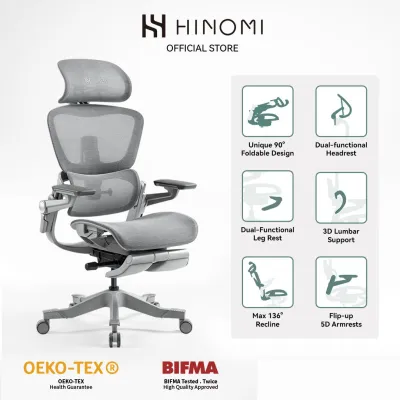
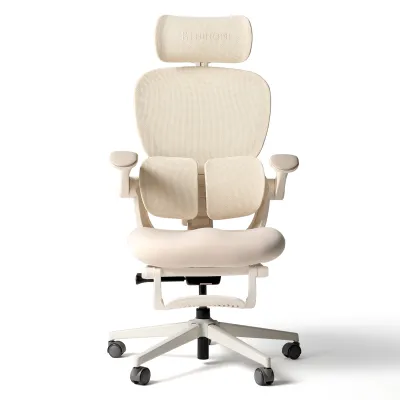
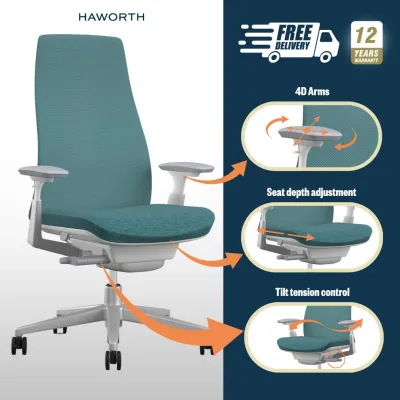
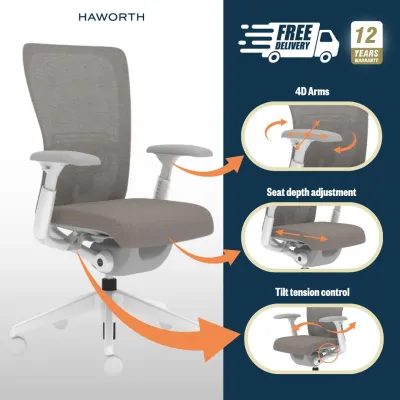
![[SG Ready Stocks] Ergonomic Office Chair - 8.5cm Thick Cushion + Antislip Surface Adjustable Backrest & Detachable Headrest Flip-Up Arms Rocking & Lock Function 15-Min Easy Assemble for Home/Office](https://img.lazcdn.com/g/p/056ecb65b2a442dd9a476ff654362085.jpg_400x400q80.jpg_.webp)
![[SG Ready Stocks] PRO Ergonomic Full Mesh Chair – Lumbar/Headrest/Armrest Support – Adjustable Height & Recline – Home & Office Use](https://img.lazcdn.com/g/p/f29dfd5001316f50493cad61e5b9bc5f.jpg_400x400q80.jpg_.webp)
Prices are valid at publication and may change. Please refer to the product page for the latest price.
To determine if a chair can accommodate your body, you must check the manufacturer’s specified adjustability ranges. Key measurements to verify include the seat height range, seat depth adjustment, and the height and depth of the lumbar support. For instance, if a chair’s minimum seat height is too high for your inseam, your feet will dangle, leading to pressure on the underside of your thighs and restricted circulation.
Conversely, a seat that is too low will push your knees above your hips, flattening the lumbar curve and increasing pressure on your lower back. This is why checking the exact dimensional limits is far more important than relying on generic size recommendations. Weight capacity and structural dimensions are equally critical specifications that must be verified before purchase. Manufacturers test and certify chairs to specific weight limits, which are often tied to the class of the gas lift cylinder used.
Checking these limits ensures the chair remains stable and safe under daily load. Additionally, you should measure your available desk clearance and doorway widths to ensure the chair’s outer dimensions, including the base diameter and armrest height, can easily fit within your workspace. Brand reputation can be a helpful starting point, but it should always be verified through specific model features and the exact terms of the manufacturer’s warranty.
Comparing Comfort, Adjustability, and Build Quality
The comfort of an ergonomic chair during long work-from-home sessions is directly determined by its lumbar support mechanism, seat cushion materials, armrest adjustability, and base stability. Evaluating these components individually allows you to compare different models objectively, regardless of brand name.

Lumbar support is perhaps the most critical element for preventing lower back pain during extended sitting. When comparing chairs, verify whether the lumbar support mechanism is fixed, height-adjustable, or fully adjustable in both height and depth. A fixed lumbar support assumes a one-size-fits-all spinal curve, which rarely fits everyone. A height-adjustable lumbar support allows you to position the curve directly in the small of your back, while depth adjustment lets you control how firmly the support presses against your spine.
Some advanced models feature dynamic lumbar support that automatically adjusts as you recline or shift positions, though you should check if its tension can be customized. The seat cushion material influences comfort and temperature regulation, especially in warm or humid environments. Mesh seats offer excellent breathability, preventing heat buildup in non-air-conditioned home offices. However, low-tension mesh can sag over time, causing your pelvis to bottom out against the hard plastic frame.
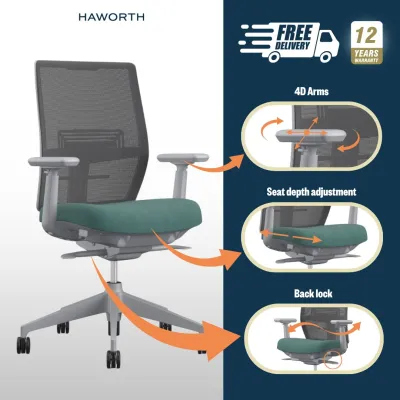
High-density molded foam cushions provide firmer, more consistent support and distribute weight evenly, but they retain more body heat. When choosing foam, check the product labels for density specifications—higher density foam retains its shape and support far longer than low-density cut foam. Armrest and recline adjustability are essential for maintaining a neutral upper body posture. Look for armrests that offer multi-directional adjustments, often referred to as 3D or 4D armrests.
These allow you to adjust the height, depth, width, and angle of the armrests so your elbows rest comfortably at a 90-degree angle, reducing shoulder and neck strain. The recline mechanism should feature tension control and multiple locking positions, allowing you to tilt back easily to relieve spinal pressure during breaks while maintaining a secure, locked upright position for intensive typing. Always verify the maximum recline angle and locking steps from the manufacturer’s specifications.
The base and casters of the chair dictate its overall stability and how smoothly it moves across your floor. High-quality ergonomic chairs typically feature a five-star base made of heavy-duty nylon, aluminum, or steel. You should verify the base diameter and stability ratings from the manufacturer’s technical sheets to ensure the chair will not tip when fully reclined. Additionally, check the caster specifications; hard nylon casters are designed to roll smoothly on carpeted floors, whereas soft polyurethane-coated casters are necessary to prevent scratching on hard surfaces like parquet, vinyl, or tile.
Assessing Durability and Maintenance for Daily Use
Investing in a high-quality ergonomic chair is a long-term decision, making durability and ease of maintenance key considerations. Understanding how to interpret warranty terms and identify wear-and-tear indicators will help you protect your investment and maintain a supportive seating setup.
When comparing brands, look closely at the breakdown of the warranty terms. A comprehensive warranty is a strong indicator of a manufacturer’s confidence in their product’s durability. However, warranties are rarely uniform across the entire chair. For example, a manufacturer might offer a 10-year warranty on the steel frame and base, but only a 3-year warranty on the gas lift cylinder, and a 1-year warranty on the mesh or fabric upholstery.
Be sure to read the fine print to understand what is covered under normal wear and tear versus manufacturing defects. You should also check whether you or the manufacturer will cover the shipping costs for replacement parts. Material care instructions also play a significant role in the chair’s lifespan. Fabric and foam seats absorb sweat and stains, requiring regular vacuuming and spot cleaning. Mesh chairs are easier to clean since they do not absorb liquids, though dust can accumulate in the frame joints. Check if the manufacturer specifies environmental limits, such as avoiding direct sunlight, which degrades plastic components and fades upholstery.
The availability of user-serviceable parts is crucial for long-term maintenance. High-quality chairs often feature modular components, allowing you to replace worn-out casters, armrest pads, or gas cylinders yourself. Choosing a brand that sells individual replacement parts directly to consumers saves you from replacing the entire chair when a single component fails, whereas integrated parts require professional repair. To ensure your chair continues to provide adequate support, you should regularly inspect it for observable signs of structural fatigue. Over years of daily use, even high-quality materials will degrade.
Regularly inspect your chair for structural fatigue. Look for cushion compression, where the foam fails to spring back and leaves a permanent indentation, reducing pressure relief. Mesh sagging is another issue; if the mesh feels loose or you feel the underlying frame, the material has lost its tension. Finally, if the gas cylinder slowly sinks throughout the day, its seals have failed and it must be replaced to prevent poor posture.
Which Ergonomic Chair Should You Choose?
Selecting the right ergonomic chair configuration requires a systematic approach that balances your physical needs, working habits, and home office environment. By using a conditional decision framework, you can narrow down your options to the model that best supports your daily routine.
If you tend to run hot, work in a room without continuous air conditioning, or frequently shift your posture throughout the day, you should prioritize chairs with high-breathability mesh seats and backs, paired with a dynamic recline mechanism. The mesh will facilitate airflow to keep you cool, while the dynamic recline will support your spine as you move between active typing and relaxed viewing positions. This setup is particularly suited for dynamic workers who prefer a weightless, suspended sitting sensation. However, ensure the mesh tension is firm enough to support your weight without sagging against the frame.
If you prefer a firm, structured sitting experience and require precise arm positioning for intensive typing, choose a chair with a high-density molded foam cushion and multi-dimensional adjustable armrests. The foam cushion distributes weight evenly, while the adjustable armrests support your forearms to reduce wrist and shoulder strain. This configuration is ideal for maintaining a disciplined, upright posture. When budgeting, keep in mind that high-quality models in Singapore range from S$300 to over S$1,500, making it essential to verify the foam’s density rating.
However, neither of these configurations will provide the intended ergonomic benefits if your physical measurements fall outside the manufacturer’s stated specifications. Before making a purchase, compare your height, weight, and inseam length against the chair’s recommended user profile. If you are exceptionally tall or short, or if your weight exceeds the certified capacity of the gas lift, the chair’s adjustability ranges will not align with your body, leading to discomfort and potential safety hazards.
Finally, you must verify how the chair will fit into your physical home office space. Measure your desk height and the clearance between the desk legs to ensure the chair’s armrests can slide underneath when not in use, which is crucial for saving space in smaller rooms. Additionally, consider your flooring type; if you have hardwood or vinyl floors, ensure you select soft casters or plan to use a protective chair mat to prevent scratches and ensure smooth, controlled movement.
Frequently Asked Questions (FAQ)
How long should an ergonomic chair last for daily home office use?
To gauge the expected lifespan of an ergonomic chair, you should first check the manufacturer’s warranty period, which typically ranges from 3 to 12 years depending on the brand’s build quality. For daily home office use, a high-quality chair should maintain its structural integrity and support for at least 5 to 10 years. You can monitor its condition by looking for observable signs of wear, such as permanent cushion compression, sagging mesh that contacts the frame, or a sinking gas cylinder, all of which indicate that the chair’s supportive life has ended.
Is a headrest necessary for long work-from-home sessions?
A headrest is not strictly necessary for active, upright tasks like typing, as your neck should naturally support your head in a neutral posture. Instead, headrests are primarily beneficial for supporting the cervical spine during reclined tasks, such as reading, video calls, or taking short breaks. If you choose a model with a headrest, verify that it is fully adjustable in both height and angle so you can position it to fit the natural curve of your neck without pushing your head forward.
Can I use an ergonomic office chair on a carpeted floor?
Yes, you can use an ergonomic chair on a carpeted floor, but you must verify that the casters are designed for that surface. Standard hard nylon casters are typically engineered to roll smoothly over carpet fibers without causing damage. If your chair comes with soft polyurethane casters designed for hard floors, rolling on carpet will be difficult and may strain the chair’s base; in such cases, using a low-profile plastic chair mat is highly recommended to protect the carpet and ensure smooth mobility.
Community discussion
Share your experience or ask a question. Comments are reviewed before publication.