
Selecting a back pain support chair for long working hours requires moving beyond brand marketing and focusing on how a chair’s mechanical adjustments align with your unique skeletal structure. While many premium brands claim to offer the ultimate solution for spinal discomfort, the effectiveness of any office chair depends entirely on its physical adjustability and how well it supports your natural spinal curves during extended sitting. Rather than searching for a single universal winner, the key is to evaluate specific ergonomic mechanisms—such as independent lumbar controls, seat pan depth, and synchro-tilt tension—against your body measurements and daily work habits.
By understanding the engineering behind these features, you can make an informed decision that prevents muscle fatigue and joint strain. A properly configured chair distributes your body weight evenly, reduces pressure on the spinal discs, and encourages subtle movements that keep your muscles active throughout the day.
Key Ergonomic Features to Verify for Back Pain Relief
To find a chair that genuinely mitigates back strain, you must look past generic comfort claims and verify the presence of highly adjustable mechanical features. The most critical of these is independent lumbar support adjustability. Many standard chairs feature a fixed lumbar band that rarely aligns with the user’s actual spinal curve. To provide effective relief, a chair should allow you to adjust both the height and the depth of the lumbar support. Height adjustment ensures the support sits precisely in the lumbar lordosis—the inward curve of your lower spine—while depth adjustment controls the level of forward pressure exerted against your vertebrae.
Products mentioned in this guide
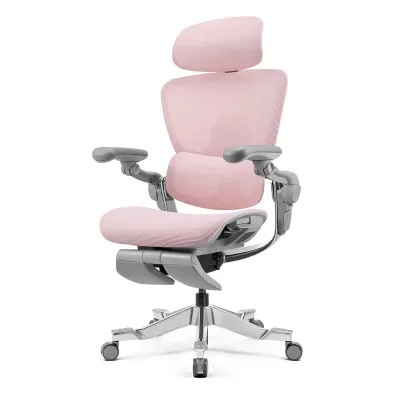
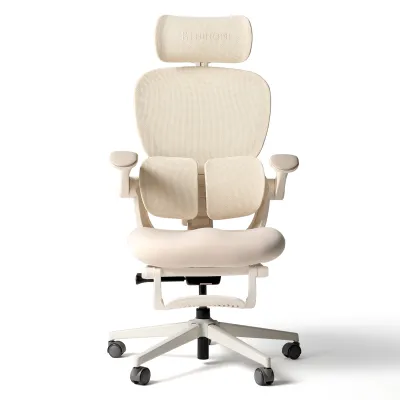
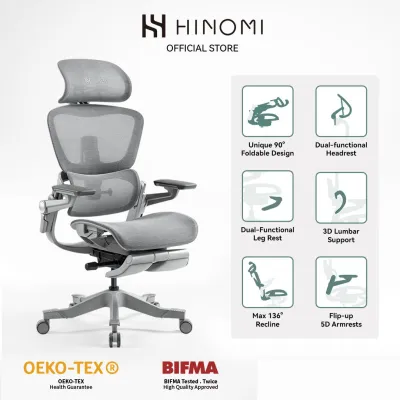
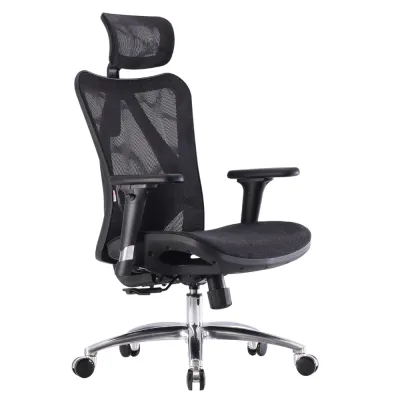
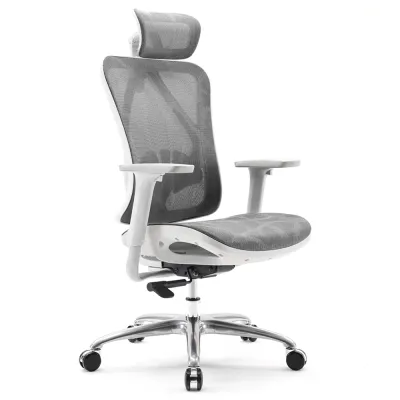
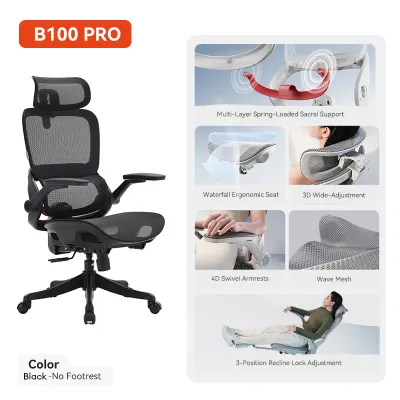
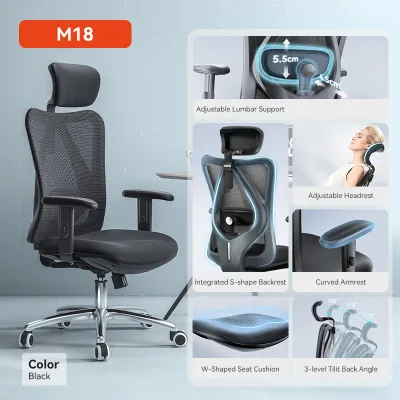
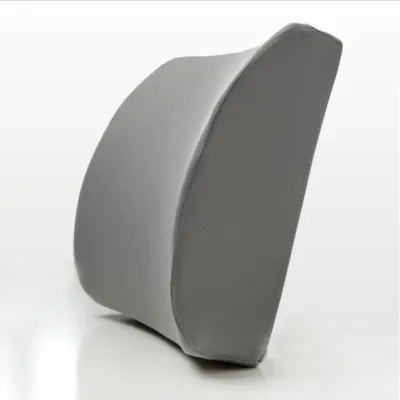
Prices are valid at publication and may change. Please refer to the product page for the latest price.
Another indispensable feature is seat pan depth adjustment. The depth of the seat determines how your thighs and pelvis interact with the backrest. A proper setup requires a two-to-three finger gap between the front edge of the seat cushion and the back of your knees. If the seat pan is too deep, it presses against the sensitive popliteal fossa behind your knees, restricting blood circulation and forcing you to slide forward, which completely detaches your lower back from the lumbar support. Conversely, a seat pan that is too shallow fails to support the full length of your thighs, concentrating your body weight onto a smaller surface area and increasing pressure on your sit bones.
Finally, you must evaluate the recline tension and synchro-tilt mechanisms. Simple tilt mechanisms cause the seat and backrest to tilt backward at the same angle, which lifts your feet off the floor and increases pressure on the underside of your thighs. A synchro-tilt mechanism, however, allows the backrest to recline at a larger ratio than the seat—typically two-to-one. This design keeps your feet flat on the floor and your knees at a comfortable angle, allowing you to open up your hip flexors and stretch your spine without losing stability or support.
Comparing Back Support Technologies Across Premium Chair Brands
Different premium chair manufacturers approach spinal support through distinct engineering philosophies, primarily categorized into dynamic mesh suspension, high-density foam with modular pads, and weight-activated synchro-tilt systems. Dynamic mesh suspension systems utilize tensioned elastomeric fabric stretched over a rigid frame. This technology is designed to conform dynamically to your pelvic movements, distributing your body weight evenly across the seat and backrest to eliminate pressure points. In warm, humid climates, mesh suspension offers excellent ventilation, preventing heat and moisture buildup that can cause discomfort and frequent posture shifting. When evaluating mesh, it is essential to check the tension consistency; low-quality mesh can sag over time, causing your pelvis to sink and misaligning your spine.

High-density foam designs paired with adjustable, modular lumbar pads offer a more traditional, highly structured support profile. Molded high-density foam provides a firm, consistent base that does not bottom out under continuous use. When combined with a highly adjustable lumbar pad, this design allows for precise, targeted pressure on the lower spine. This approach is particularly beneficial for individuals who prefer a solid, stationary feel and require rigid support to maintain an upright posture during intense typing sessions. However, foam seats retain more body heat than mesh, making the quality of the fabric cover and the foam’s breathability key factors to inspect.
Weight-activated synchro-tilt mechanisms represent a more automated approach to ergonomic support. Instead of relying on manual tension knobs, these systems use your body weight as a counterweight to automatically calibrate the recline resistance. As you lean back, the chair adjusts its support dynamically, ensuring continuous contact with your lower back without requiring constant manual adjustments. This technology is ideal for users who frequently transition between active, forward-leaning tasks and relaxed, reflective postures, as it maintains a balanced support profile throughout the entire range of motion.
How to Match Chair Adjustments to Your Body and Work Habits
Selecting the right back pain support chair requires a careful assessment of your physical proportions and daily work patterns. Begin by assessing your torso length relative to the chair’s backrest height. If you have a long torso, a low backrest or a lumbar support with limited vertical travel will sit too low, pressing against your sacrum rather than supporting your lumbar curve. Measure the distance from your seat to the natural curve of your lower back, and compare this with the chair’s lumbar adjustment range to ensure a perfect fit.
Next, evaluate the seat depth relative to your femur length. Taller individuals with longer thigh bones require a deeper seat pan to ensure the thighs are fully supported, which prevents the pelvis from tilting backward. Shorter individuals must verify that the seat pan can be adjusted to a shallow enough setting to prevent pressure behind the knees. If a chair lacks seat depth adjustment, it is highly unlikely to provide adequate back support for users who fall outside of average height ranges.
Your daily work habits should also dictate the mechanical configuration of your chair. If your work involves continuous, focused typing, you require a chair that supports an active, upright posture with firm lumbar pressure and a tilt lock to prevent unwanted reclining. If your routine involves frequent reading, video conferencing, or creative brainstorming, a highly responsive recline mechanism with adjustable tension will serve you better. This flexibility allows you to shift postures easily, promoting blood flow and reducing muscle stiffness over long hours.
Decision Framework: Choosing the Right Back Pain Support Chair
To make a final decision among different brand philosophies and ergonomic technologies, apply this conditional framework to your specific needs:
- Choose a dynamic mesh suspension design if you shift postures frequently throughout the day, prefer a flexible, conforming feel, and operate in a warm environment where temperature regulation is a priority. The breathability of mesh prevents discomfort, while the dynamic tension supports active movement.
- Choose a chair with adjustable modular lumbar pads and high-density foam if you require firm, highly targeted pressure on the lower spine and prefer a structured, stationary sitting experience that encourages a disciplined, upright posture.
- Avoid both options if the chair lacks a seat depth adjustment mechanism that accommodates your specific femur length. Without the ability to maintain a proper two-to-three finger gap behind your knees, you will inevitably slide forward, rendering any lumbar support system ineffective.
- Verify the retailer's trial policy and physical dimensions before purchasing. Ensure the retailer offers an ergonomic trial period of at least 14 days to test the chair in your actual workspace. Additionally, verify the outer dimensions of the chair's five-star base—typically 65 to 70 centimeters—to ensure it clears your study room doorways, narrow hallways, and residential lift doors during delivery.
Essential Setup Steps to Ensure Effective Back Support
Even the most advanced ergonomic chair will fail to relieve back pain if it is not calibrated correctly to your body. Once your chair is in your workspace, follow this systematic setup checklist to ensure optimal spinal alignment:
First, adjust the seat height so your feet rest completely flat on the floor. Your knees should be bent at a 90-degree angle, with your thighs parallel to the ground. If your desk height is fixed and requires you to raise the chair higher to work comfortably, you must use a dedicated footrest. Leaving your feet dangling pulls your pelvis forward, flattening your lumbar curve and causing severe lower back strain.
Second, align the lumbar pad precisely with the natural inward curve of your lower spine, which typically sits just above your beltline. The support should feel like a firm, comfortable hand pressing gently against your lower back. Avoid placing the pad too low against your tailbone or too high against your mid-back, as incorrect placement forces the spine into an unnatural posture and accelerates muscle fatigue.
Third, set the armrest height so your shoulders remain completely relaxed and your elbows are bent at roughly 90 degrees. The armrests should support the weight of your forearms without forcing your shoulders to shrug upward or sag downward. Properly adjusted armrests relieve the load on your trapezius muscles, preventing upper back and neck tension from compounding your lower back discomfort.
Frequently Asked Questions (FAQ)
Can an ergonomic chair completely cure existing back pain?
An ergonomic chair is designed to provide optimal skeletal support and prevent further muscle strain, but it is not a medical cure for existing spinal conditions. While a properly adjusted chair can significantly reduce discomfort by distributing your weight evenly and maintaining natural spinal alignment, chronic or severe back pain often stems from underlying physiological issues. If you experience persistent or debilitating pain, you should consult a qualified healthcare professional to address the root cause of the condition.
How often should I replace my office chair for optimal support?
Rather than relying on an arbitrary timeframe, you should inspect your chair regularly for physical signs of degradation that compromise support. Check the seat cushion to see if the high-density foam has compressed permanently, as flattened foam fails to support your pelvic bones and increases pressure on your spine. Additionally, inspect the gas cylinder for slow sinking during the day, and check the tilt mechanisms for excessive looseness or wobbling, which indicates that the internal support structures are no longer maintaining a stable posture.
Is a headrest necessary for lower back pain relief?
A headrest is not a required feature for lower back pain relief, as lumbar support and seat pan adjustments are the primary mechanisms that protect the lower spine. Headrests are designed to support the cervical spine and neck muscles, primarily when you are in a reclined posture for reading or resting. If your daily work involves sitting upright and typing, a headrest will rarely make contact with your head and will not contribute to lower back support.

Community discussion
Share your experience or ask a question. Comments are reviewed before publication.