
Quick Answer: Which Backrest Design Fits Your Work Style?
Finding the ideal home office chair requires looking beyond brand names and focusing on how a backrest supports your daily work habits. There is no single brand or design that universally fits every body type or working style. The right choice depends on your typical sitting duration, your preferred posture, and the climate of your workspace.
For those who sit for long, uninterrupted hours in warm environments, a high-tension mesh backrest offers excellent breathability and active support. If you prefer a more relaxed, cushioned feel and work primarily in air-conditioned rooms, an upholstered foam backrest provides a plush, pressure-distributing surface. Matching these design characteristics to your specific environment is the first step toward long-term comfort.
Key Backrest Design Differences to Evaluate
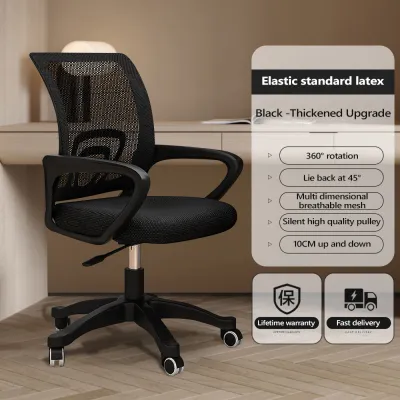
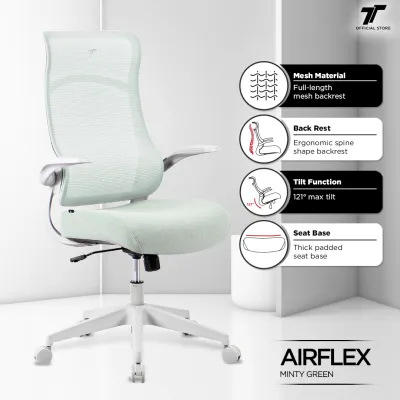
When comparing office chairs, the choice of backrest material significantly impacts both temperature regulation and physical support. Mesh backrests use tightly woven synthetic fibers stretched across a rigid frame. This design allows air to circulate freely, preventing heat buildup during long working sessions. However, the quality of mesh varies; some entry-level options may stretch out over time, while premium mesh maintains its tension to distribute body weight evenly across the backrest.
Products mentioned in this guide
![[SG Ready Stocks] PRO Ergonomic Full Mesh Chair – Lumbar/Headrest/Armrest Support – Adjustable Height & Recline – Home & Office Use](https://img.lazcdn.com/g/p/f29dfd5001316f50493cad61e5b9bc5f.jpg_400x400q80.jpg_.webp)
![[NEW LAUNCH] Hinomi Q2 Pro Ergonomic Office Chair Adjustable Lumbar Support Memory Foam Headrest Armrest Legrest](https://img.lazcdn.com/g/p/0b7241fcc12b459ca71f9ff200c641b3.jpg_400x400q80.jpg_.webp)
Prices are valid at publication and may change. Please refer to the product page for the latest price.

Upholstered and foam backrests offer a traditional, contoured feel. High-density molded foam conforms to the shape of your spine, reducing localized pressure points. While these chairs excel at providing a cozy, enveloped sensation, they tend to retain body heat. If you select a cushioned backrest, look for breathable fabric covers or specialized cooling channels to mitigate heat retention during warm afternoons.
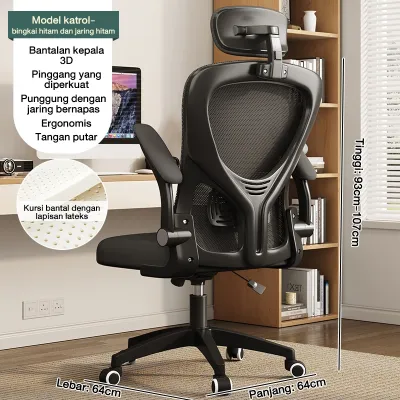
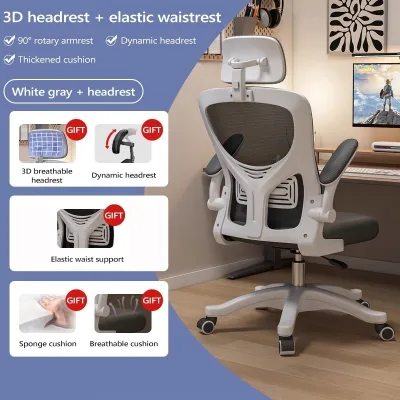
The height of the backrest is another critical factor that influences both physical comfort and spatial layout. Mid-back chairs typically support the lower and middle spine, ending just below the shoulder blades. This design encourages active sitting and fits neatly into compact home offices without dominating the room visually. High-back chairs extend upward to support the upper back, shoulders, and sometimes the neck, making them highly suitable for users who frequently recline during calls or breaks.
Beyond height and material, the recline and tilt mechanism determines how the backrest moves with your body. Basic tilt mechanisms pivot the seat and backrest together at a fixed angle, which can lift your feet off the floor and increase pressure on the back of your thighs. In contrast, synchro-tilt mechanisms allow the backrest to recline at a faster rate than the seat pan (typically a 2:1 ratio). This advanced movement keeps your feet flat on the floor, maintains proper spinal alignment, and encourages dynamic movement throughout the day.
Lumbar Support Systems: Fixed vs. Adjustable
The lumbar region of your spine curves inward, and maintaining this natural curve is essential for preventing lower back strain. Fixed lumbar curves are built directly into the frame of the backrest. This design is highly durable and visually clean, but it relies on a major assumption: that your height and spinal proportions perfectly match the manufacturer’s pre-molded shape. If you fall outside the average height range, a fixed curve may press against the wrong part of your back, causing discomfort rather than relief.
Height-adjustable lumbar pads offer a practical solution for households where multiple people share the same workspace. These systems allow you to slide a dedicated support pad vertically along the backrest frame. To position this correctly, locate the narrowest part of your lower back—just above your belt line—and align the pad so it fills that natural gap. This targeted support helps prevent slouching by encouraging a neutral pelvic tilt.
For more advanced ergonomic needs, depth-adjustable and dynamic lumbar systems offer active customization. Depth-adjustable systems allow you to control how far the lumbar support protrudes forward, letting you fine-tune the pressure against your lower spine. Dynamic systems, on the other hand, use flexible joints or spring-loaded panels that automatically pivot and adjust their tension as you shift from an upright typing posture to a relaxed recline. These systems are highly beneficial for active sitters who constantly change positions.
How to Match Chair Design Types to Your Ergonomic Needs
To simplify your search, it helps to categorize home office chairs into distinct design types based on your daily workflow and physical preferences. If you run hot, work long continuous hours, and prefer firm, active support, prioritize mesh-focused ergonomic brands. These chairs are engineered to keep your posture upright and your body cool. They encourage a disciplined sitting posture, making them excellent for intense, focused tasks.
If you prefer a plush, luxurious feel and work in air-conditioned rooms, look toward executive or cushioned brands. These models prioritize deep foam padding and soft upholstery, making them ideal for users who value a relaxed, slightly reclined posture during long virtual meetings. The trade-off is a bulkier footprint and less active postural correction, which suits those who already maintain good sitting habits naturally.
For those working within a strict budget, focus on budget-friendly adjustable brands that prioritize essential mechanical adjustments over premium materials. You do not need to spend a fortune to get proper support, but you should ensure the budget model offers at least a height-adjustable lumbar pad and a basic tension-adjustable tilt. Avoid ultra-cheap, non-adjustable chairs with flat backrests, as they rarely provide the necessary support for full-time remote work.
It is important to note that standard ergonomic chairs are designed for general comfort and posture maintenance. If you have specific medical spinal conditions, chronic back pain, or are recovering from an injury, standard consumer chairs may not address your needs. In these situations, you should verify your requirements with a healthcare professional or physical therapist before making a purchase, as they can recommend specialized orthopedic seating solutions.
What to Verify Before Buying a Chair Online
Purchasing a home office chair online requires careful verification of specifications to avoid the hassle of returning a bulky item. First, always check the manufacturer’s specified user height and weight limits. A backrest that is too short will fail to support your shoulders, while a chair with a low weight capacity may suffer from premature wear on its gas lift and tilt mechanisms. Compare these limits against your own measurements to ensure a safe and comfortable fit.
Next, measure your home office space carefully, paying close attention to the chair’s physical dimensions. Check the outer width of the base caster wheels to ensure they fit between your desk legs. Additionally, measure the maximum recline depth of the backrest to guarantee you have enough clearance behind your desk, especially if your workspace is set up in a tight corner or a shared bedroom.
Finally, review the e-commerce platform’s return policy in detail before finalizing your order. Returning assembled furniture can be incredibly difficult and expensive. Check whether the seller requires the chair to be returned in its original, unassembled packaging, and verify who covers the return shipping fees for bulky items. Understanding these terms beforehand protects you from being stuck with an ill-fitting chair.
Frequently Asked Questions (FAQ)
Is a high-back chair necessary for proper lumbar support?
No, a high-back chair is not necessary for proper lumbar support. Lumbar support specifically targets the lumbar spine, which is located in the lower back just above the pelvis. This support is independent of whether the chair has a high backrest or a headrest. High-back chairs are primarily designed to support the upper thoracic spine, shoulders, and neck, which is highly beneficial when you recline to rest, but does not change the effectiveness of the lower back support during active typing.
Can I add an aftermarket lumbar pillow to a chair with a flat backrest?
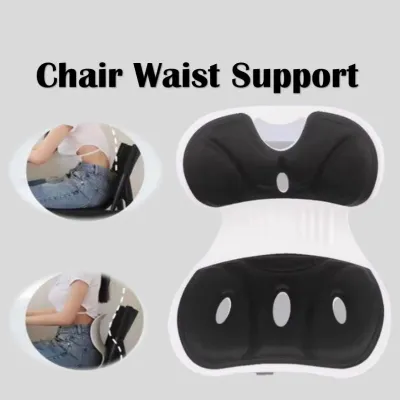
Yes, you can add an aftermarket lumbar pillow to a chair with a flat backrest, but it comes with limitations. While an external cushion can provide temporary relief and add a much-needed curve to a flat chair, it often alters the overall ergonomics of the seat. Thick pillows can push your entire body forward, reducing the effective seat depth and leaving your thighs unsupported. If you use an aftermarket pillow, choose a slim, adjustable model that allows you to maintain proper contact with both the seat pan and the backrest.

Community discussion
Share your experience or ask a question. Comments are reviewed before publication.