
Finding the right ergonomic computer chair for a home office in Singapore requires balancing personal physical needs with the realities of your workspace and local climate. With many options available across various price points, the decision comes down to how well a chair supports your body during long hours of sitting. Rather than relying on marketing buzzwords, a successful comparison focuses on verifiable mechanical features, material durability, and structural adjustability. By evaluating these core elements, you can identify a chair that maintains your posture, prevents discomfort, and offers lasting value for your daily workflow.
Core Comparison Dimensions for Daily Home Office Use
To make an informed choice, you must look closely at the specific mechanical adjustments a chair offers. The most critical area of customization is the armrest configuration. Standard armrests often lock you into a single position, which can strain your shoulders and neck. Look for 4D armrests that adjust in four directions: height, width, depth, and angle. This level of adjustability allows you to align the armrests perfectly with your desk height, keeping your elbows at a comfortable ninety-degree angle and reducing tension in your upper body. When your arms are properly supported, you prevent the unconscious slouching that often leads to chronic upper back pain.
Another essential feature is the seat depth slider. Because thigh lengths vary significantly, a fixed seat pan can either press against the back of your knees, restricting blood circulation, or fail to support your thighs adequately. A seat depth slider allows you to adjust the seat pan forward or backward. Ideally, you should be able to sit with your back fully against the backrest while maintaining a gap of about two to three fingers between the edge of the seat and the back of your knees. This simple adjustment distributes your body weight evenly across the seat cushion, reducing pressure points on your hips and lower thighs.
Products mentioned in this guide
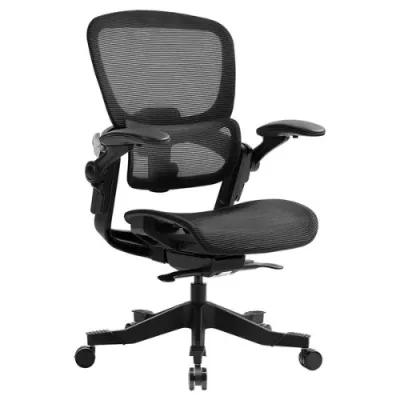
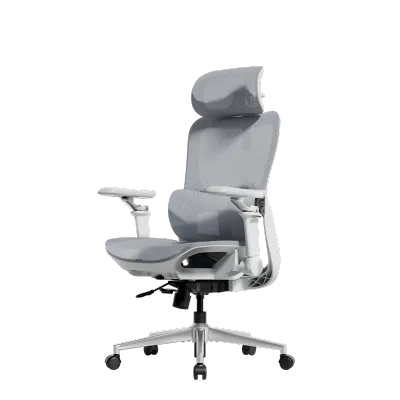
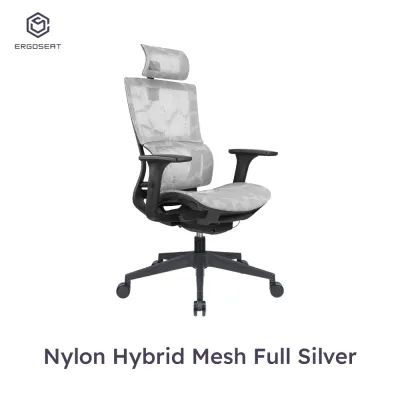
![[SG Ready Stock]Ergonomic Office Chair Computer Desk Chairs Mesh Home Office Desk Chairs with Lumbar Support](https://img.lazcdn.com/g/p/585691bae859ee8d697593367d59d085.jpg_400x400q80.jpg_.webp)
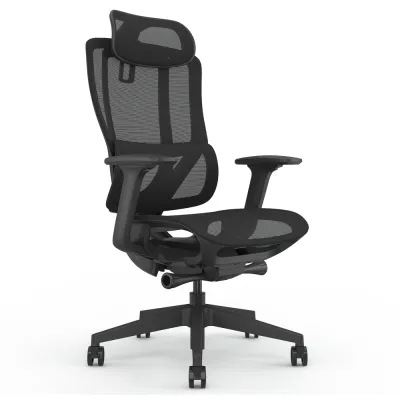
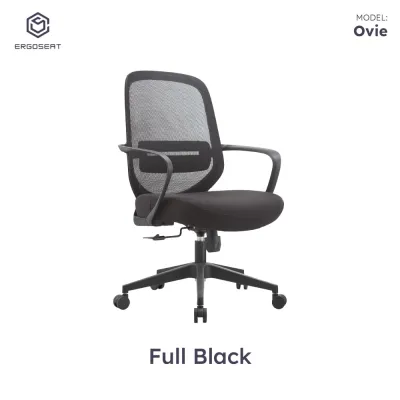
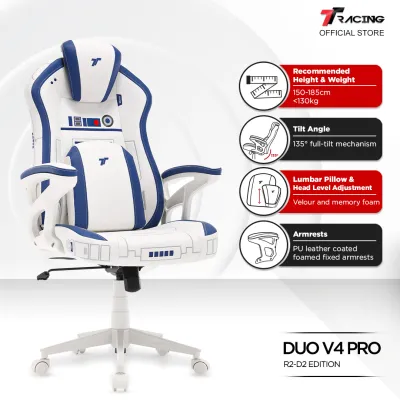
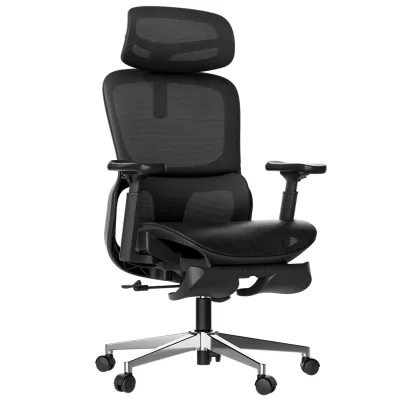
Prices are valid at publication and may change. Please refer to the product page for the latest price.
Lumbar support is the foundation of any ergonomic computer chair, but its effectiveness depends on adjustability. Fixed lumbar supports rarely align with the natural curve of every spine. Seek out chairs with independent lumbar height and depth controls. This allows you to position the support precisely in the lumbar curve of your lower back and adjust the pressure to keep your spine in a neutral alignment throughout the day. Proper lumbar alignment prevents the flattening of the lower back curve, which is a primary cause of muscle fatigue and disc strain during long working sessions.
Beyond adjustability, build quality determines how well the chair performs over years of daily use. Begin your inspection with the base material. Heavy-duty aluminum or reinforced nylon bases offer superior stability compared to thin plastic alternatives. Additionally, check the caster type. Hard nylon casters can scratch parquet or laminate flooring, whereas polyurethane-coated casters glide smoothly and quietly on hard surfaces without causing damage. Always verify the maximum weight capacity limits printed on the manufacturer’s product label to ensure structural safety and long-term durability under daily load.
Comfort features also extend to how the chair handles movement. Recline tension adjustability is crucial because it controls how much resistance the backrest offers when you lean back. If the tension is too loose, you may feel like you are falling backward; if it is too tight, you will struggle to recline at all. A well-calibrated tension control allows you to transition smoothly between an upright working posture and a relaxed recline. Finally, consider the headrest. An adjustable headrest can support your neck during phone calls or relaxed reading, whereas a fixed headrest might push your head forward into an unnatural position if your height does not match the chair’s default dimensions.
Evaluating Brand Tiers and Long-Term Value
When comparing ergonomic computer chairs, you will generally find options split into premium and mid-range categories. Understanding the structural differences between these tiers helps you decide where to invest your budget. Premium chairs are characterized by advanced synchro-tilt mechanisms. This mechanism allows the backrest to recline at a faster rate than the seat pan, keeping your feet flat on the floor and maintaining optimal body angles as you move. These models also feature highly customizable fit options, allowing you to fine-tune almost every contact point, from the tilt tension to the precise angle of the lumbar support.

Another defining feature of the premium tier is the warranty period. Manufacturers of high-end chairs often offer extensive warranties that can span up to twelve years. However, it is vital to read the fine print of these agreements. Some warranties only cover the structural frame for the full duration, while moving parts like gas lifts, armrests, and mesh fabric may have much shorter coverage periods. Checking these manufacturer terms beforehand prevents unexpected repair costs down the road and ensures you are genuinely protected against premature wear.
Mid-range ergonomic chairs, on the other hand, focus on providing essential support without the high price tag. These models typically feature standard tilt mechanisms, where the seat and backrest recline together at a fixed angle. While they offer fewer micro-adjustments, a well-designed mid-range chair still provides reliable daily durability for typical eight-hour shifts. They are often constructed with sturdy materials that hold up well under normal home office conditions, making them a practical choice for many users who do not require highly specialized adjustments.
To verify the true value of any chair, you must look beyond the initial purchase price. Cross-reference the seller’s return policy and warranty details before making a commitment. A long warranty is only valuable if the claim process is straightforward and covers both parts and labor. Some budget brands require you to ship the heavy chair back to a service center at your own expense, which can quickly offset any initial savings. Choosing a brand with local service support in Singapore ensures faster resolution if a component fails, saving you time and hassle.
Practical Fit and Environment Checks for Your Workspace
Before finalizing your purchase, you must ensure the chair physically fits your home office environment. Start by measuring the maximum footprint of the chair, including the outer width of the armrests and the space required for a full recline. Compare these measurements against your desk width and the surrounding room layout. A chair with wide armrests might not slide under a compact desk, forcing you to sit too far from your keyboard and strain your arms. Ensuring proper clearance allows you to maintain a comfortable working distance without cluttering your room.
The local climate is another critical factor when choosing materials. Singapore’s warm and humid weather makes breathability a top priority for home offices without continuous air conditioning. High-density mesh backrests and seats allow air to circulate freely, keeping you cool and dry throughout the day. In contrast, cushioned seats upholstered in fabric or leather tend to trap heat and moisture, which can lead to discomfort during long shifts. If you prefer a cushioned seat for its plush feel, ensure you are prepared for regular cleaning routines to prevent sweat buildup and maintain hygiene.
Floor compatibility is equally important for protecting your home’s interior. Standard office chair wheels are often designed for carpeted floors and can easily scuff or scratch delicate hard flooring like parquet, vinyl, or engineered wood. Inspect the casters to see if they are made of soft polyurethane or rubber. If the chair comes with hard plastic wheels, you should plan to purchase a protective floor mat or swap the casters for floor-friendly alternatives to avoid costly floor repairs and ensure a quiet, smooth glide.
Decision Framework: Matching the Chair to Your Workflow
To choose the right ergonomic computer chair, you must match its features to your specific daily habits and physical needs. A premium, highly adjustable model is the best choice if you experience persistent back or neck pain, or if your work requires you to shift between active typing, video conferencing, and relaxed reading positions. The advanced mechanisms in these chairs adapt to your body’s movements, reducing physical fatigue during extended ten-to-twelve-hour shifts. Investing in high-end adjustability is often a direct investment in your long-term physical well-being.
Conversely, a mid-range, supportive model is highly suitable if you maintain a standard upright posture and do not require frequent adjustments. If you typically sit for shorter periods or have a dedicated routine of taking regular standing breaks, a simpler chair with solid lumbar support will meet your needs perfectly. This option allows you to enjoy essential ergonomic benefits without paying for complex adjustment features you may rarely use, making it a highly cost-effective solution for standard home office setups.
Finally, always verify your personal physical dimensions against the chair’s specifications before buying. Standard chairs are designed for average height and weight ranges. If you are exceptionally tall, short, or require a higher weight capacity, standard models may not provide proper support. Check the minimum and maximum seat heights, as well as the desk clearance, to ensure the chair can be adjusted to keep your feet flat on the floor and your wrists level with your work surface. Taking these measurements beforehand guarantees a successful fit.
Frequently Asked Questions (FAQ)
How often should I check the tightness of the chair's screws and joints?
You should inspect and tighten your chair’s fasteners every six months, or sooner if you notice any wobbling, squeaking, or unusual movement. Daily use causes subtle vibrations that can gradually loosen the screws holding the armrests, seat pan, and mechanism together. Keeping these joints secure prevents premature wear on the frame and ensures the chair remains stable and safe to use.
Is a headrest necessary for an ergonomic computer chair?
A headrest is not strictly necessary for active, upright tasks like typing or writing, as your head should naturally align over your spine. However, a headrest becomes highly beneficial if you frequently recline to read, take calls, or rest during breaks. It supports the weight of your head in a tilted position, reducing strain on your neck muscles. If you decide to get one, ensure it is fully adjustable so it can be positioned to fit the curve of your neck.

Community discussion
Share your experience or ask a question. Comments are reviewed before publication.