
Choosing a computer chair in Singapore for daily home office use requires balancing ergonomic adjustability, material suitability for a humid climate, and spatial constraints like compact room layouts. Instead of looking for a single universal winner, buyers must compare brand profiles based on verifiable specifications, warranty terms, and physical dimensions. This guide provides a structured framework to evaluate these factors, ensuring your investment supports your posture and fits your workspace.
By focusing on objective measurements and material standards, you can cut through marketing jargon and identify which chair profile aligns with your daily routine. Whether you are setting up a dedicated study room or a multi-functional living room workspace, the right chair should prevent physical strain while standing up to years of regular use.
Defining Your Home Office Space and Physical Requirements
Before browsing online catalogs or visiting local showrooms, you must establish the physical boundaries of your workspace. Singaporean homes, particularly HDB flats and condominiums, often require highly efficient spatial planning. Begin by measuring the exact height from the floor to the underside of your desk, taking into account any drawer units, keyboard trays, or support beams that could obstruct a chair’s armrests or seat frame.
Products mentioned in this guide
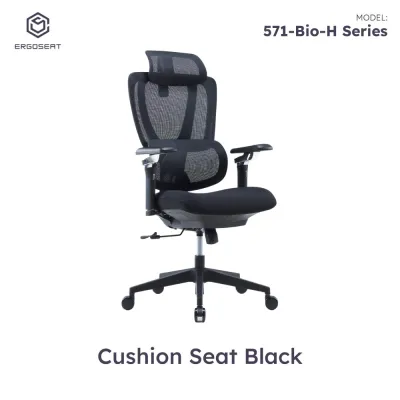
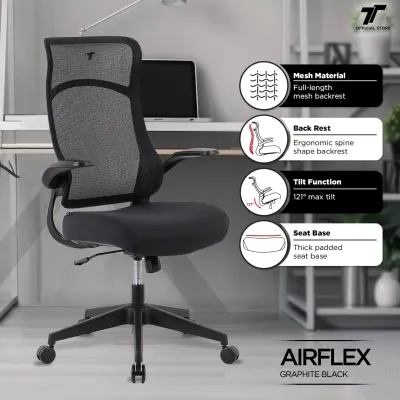
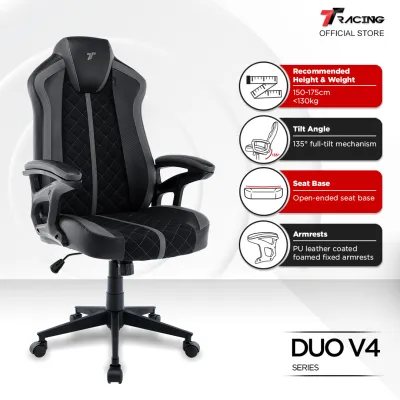
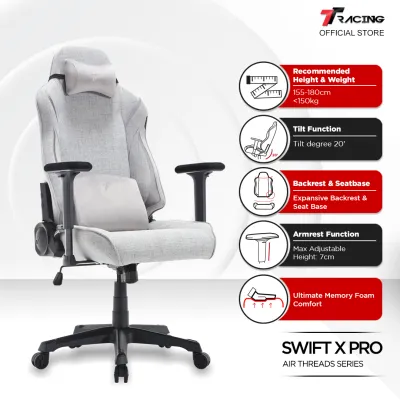
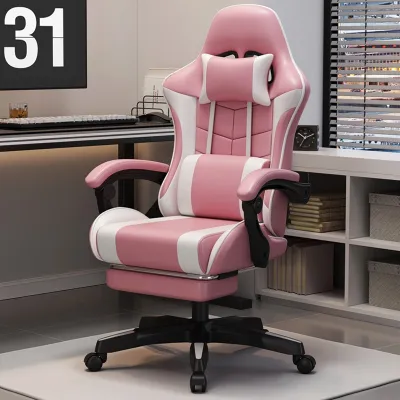
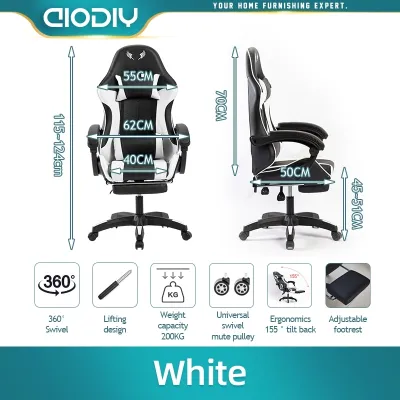
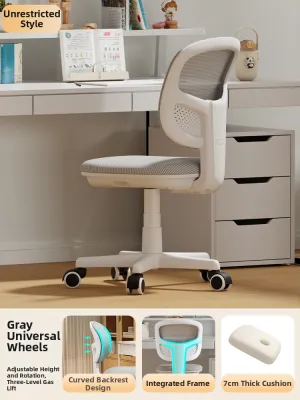
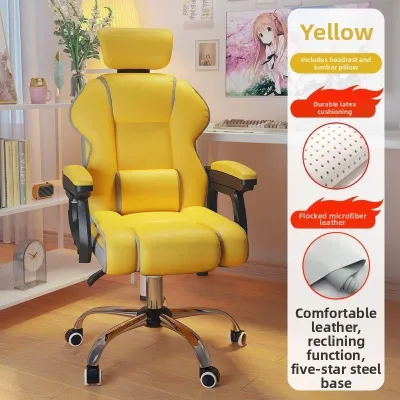
Prices are valid at publication and may change. Please refer to the product page for the latest price.
Next, evaluate the delivery path and placement area within your home. Measure the width of your doorways, hallway turns, and passenger lift entrances to ensure a fully assembled ergonomic chair can pass through without damage. Many premium chairs are delivered pre-assembled in large boxes, making these clearance checks essential for a smooth delivery process.
Your daily usage patterns and physical proportions dictate the level of support you require. If you sit for more than six hours a day, you will need a chair with dynamic adjustability to accommodate natural shifts in posture. Check the manufacturer’s specified weight capacity and recommended height ranges; using a chair outside its engineered limits compromises both safety and ergonomic effectiveness.
Verifying Ergonomic Adjustability and Support Features
Ergonomic claims are often used loosely in marketing, making it vital to verify specific adjustability ranges through official product specification sheets. A true ergonomic computer chair should adapt to your body, rather than forcing your body to adapt to the chair. Start by examining the lumbar support mechanism, which should ideally offer both height and depth adjustments to align precisely with the curve of your lower spine.

Armrest adjustability is another critical factor for preventing shoulder and neck strain. Look for three-dimensional (3D) or four-dimensional (4D) armrests that adjust for height, width, depth, and angle. This level of customization ensures your elbows remain supported at a 90-degree angle while typing, keeping your shoulders relaxed and reducing tension in the upper back.
Seat depth adjustment, often controlled by a sliding seat pan, is essential for maintaining proper circulation in your legs. When sitting fully back against the backrest, there should be a gap of approximately two to three fingers between the front edge of the seat and the back of your knees. Verify this adjustment range on the manufacturer’s dimension chart to ensure the seat pan is neither too deep nor too shallow for your thigh length.
Finally, evaluate the tilt mechanism and tension controls. A high-quality tilt mechanism allows you to recline comfortably while keeping your feet flat on the floor, distributing your body weight evenly. Check whether the chair offers a synchro-tilt function, where the backrest reclines at a faster rate than the seat pan, preserving a supportive angle for your pelvis throughout the movement.
Checking Build Quality, Materials, and Structural Limits
Singapore’s warm and humid climate places unique demands on furniture materials, making build quality a primary consideration for long-term durability. Upholstery choice directly impacts your daily comfort and the chair’s lifespan. While synthetic leather offers a sleek appearance, standard polyurethane (PU) leather is prone to peeling and cracking over time when exposed to humidity and sweat. If you prefer a solid surface, look for high-durability hybrid leathers or breathable fabrics with moisture-wicking properties.
Mesh upholstery is highly popular in local home offices due to its superior breathability and airflow. However, not all mesh is created equal; low-grade mesh can stretch and sag within a few months of use, destroying the chair’s ergonomic support. Inspect product specifications for elastomeric mesh blends, which retain their tension and shape over years of continuous use while distributing pressure evenly.
Underneath the upholstery, the structural components determine the chair’s stability and safety. The base should be constructed from heavy-duty materials such as reinforced nylon, fiberglass-reinforced plastic, or polished aluminum. Check the gas lift cylinder classification on the product documentation; a Class 4 gas lift is the industry standard for safety, smooth height adjustments, and reliable weight bearing.
Caster wheels must be matched to your home’s flooring type to prevent surface damage and ensure smooth mobility. Hard nylon casters are ideal for low-pile carpets but can scratch parquet, laminate, or vinyl flooring. For hard surfaces, verify if the brand offers soft polyurethane (PU) casters, which glide quietly without leaving marks or wearing down your floor’s protective finish.
Weighing Value, Warranty Coverage, and Local Support
Evaluating the value of a computer chair requires looking beyond the initial purchase price to consider the total cost of ownership. A cheaper chair that needs replacement every two years often costs more in the long run than a premium model backed by a comprehensive warranty. When comparing brands, read the warranty terms carefully to understand what is actually covered.
Many manufacturers advertise long warranty periods, but a closer look at the fine print may reveal that the coverage is tiered. For example, the structural frame might be covered for ten years, while the moving mechanisms, gas lift, mesh, and armrest pads may only be covered for two or three years. Ensure you choose a brand that offers transparent warranty terms and has a clear process for claiming replacement parts.
Local customer support and service availability are crucial when issues arise. Check if the brand has a physical presence, showroom, or authorized distributor in Singapore. Having a local service center means you can easily source replacement casters, armrest pads, or gas cylinders without waiting weeks for international shipping or paying exorbitant freight fees.
Additionally, consider the assembly and return policies offered by the retailer. Some brands include professional on-site assembly in their delivery service, which ensures the chair is put together correctly and safely. If you are purchasing online, verify the return policy terms, including whether you are responsible for return shipping costs or restocking fees if the chair does not fit your body comfortably.
Decision Framework: Which Brand Profile Fits Your Needs?
To narrow down your choices, categorize the available computer chair brands into distinct profiles based on your budget, space, and usage requirements. Premium ergonomic brands are ideal for users who spend eight or more hours a day at their desks and view the purchase as a long-term investment in their physical health. These brands offer highly granular adjustments, advanced materials, and extensive warranties that guarantee performance for a decade or more.
Value-focused brands are well-suited for hybrid workers or students who use their home office for moderate periods. These chairs typically offer essential adjustments like seat height, tilt lock, and basic lumbar support at a more accessible price point. While they may use standard nylon bases and simpler mesh patterns, they provide reliable comfort for everyday tasks without a significant upfront investment.
Compact or specialized brands cater to unique spatial constraints or specific aesthetic preferences. If your workspace is integrated into a bedroom or living room corner, look for armless designs, folding armrests, or low-back profiles that can be tucked completely under the desk when not in use. These models prioritize a minimal footprint while still offering basic ergonomic support for shorter sitting sessions.
Before making a final decision, remember that individual physical comfort is highly subjective. If you have pre-existing musculoskeletal conditions, chronic back pain, or specific orthopedic needs, consult a qualified healthcare professional or ergonomic specialist. Their guidance can help you identify the exact adjustment ranges and support features required to manage your condition effectively before you commit to a specific brand.
Frequently Asked Questions (FAQ)
How do I know if a computer chair will fit under my desk?
To determine if a chair will fit, measure the distance from the floor to the lowest point under your desk surface. Compare this measurement with the chair’s maximum armrest height and minimum seat height listed in the manufacturer’s specification sheet. If the armrests are adjustable, check their lowest setting to ensure they can slide under the desk frame when the chair is not in use, allowing you to save valuable floor space.
Are expensive computer chairs always better for posture?
An expensive price tag does not automatically guarantee better posture, as ergonomic benefits depend entirely on how well the chair fits your unique body proportions. While premium chairs offer more adjustment points to customize the fit, a mid-range chair that aligns perfectly with your height, weight, and desk setup will support your posture far better than an expensive model that is poorly adjusted or designed for a different body type.

Community discussion
Share your experience or ask a question. Comments are reviewed before publication.