
Selecting the right chairs for study requires evaluating how well a seat supports your body during hours of focused reading, writing, and typing. A poorly fitted chair can lead to physical fatigue, discomfort, and distraction, which directly impacts your productivity. By focusing on key ergonomic features, adjustability mechanisms, and material specifications, you can narrow down your options to find a chair that matches your body proportions and study habits.
Core Ergonomic Adjustments for Extended Sitting
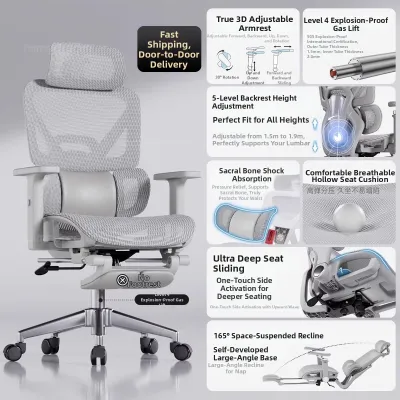
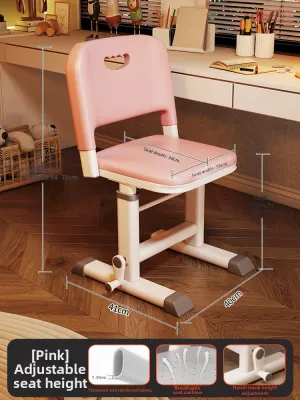
The foundation of any ergonomic study chair is its adjustability, which allows you to customize the seat to your unique body dimensions. A primary feature to evaluate is the seat height adjustment range. To verify the correct height, you should be able to adjust the seat so that your feet rest completely flat on the floor while your thighs remain parallel to the ground, forming a 90-degree angle at your knees. This position distributes your weight evenly across your thighs and prevents pressure from accumulating on the underside of your legs.
Seat depth adjustment is another critical mechanism that is often overlooked. A proper seat pan should support the majority of your thighs without pressing against the back of your knees. When sitting fully back against the backrest, there should be a gap of about two to three fingers between the edge of the seat and the back of your knees. If the seat is too deep, it can restrict circulation or force you to slouch forward, losing the support of the backrest entirely.
Products mentioned in this guide
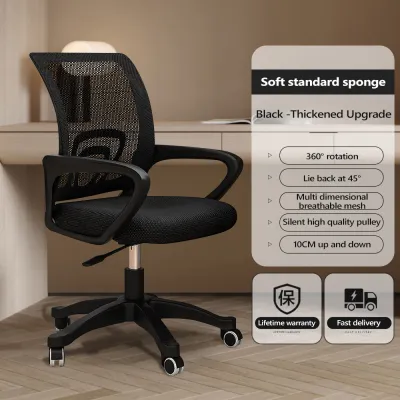
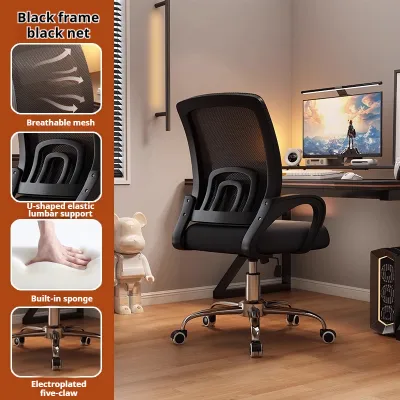
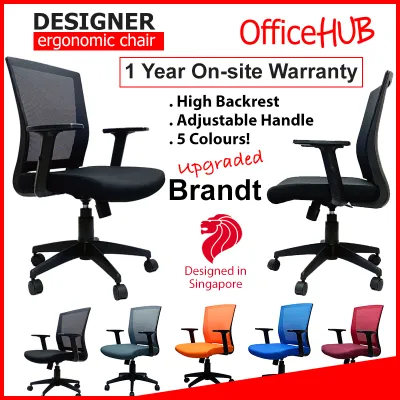
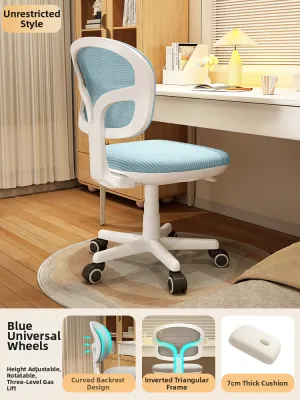
Prices are valid at publication and may change. Please refer to the product page for the latest price.
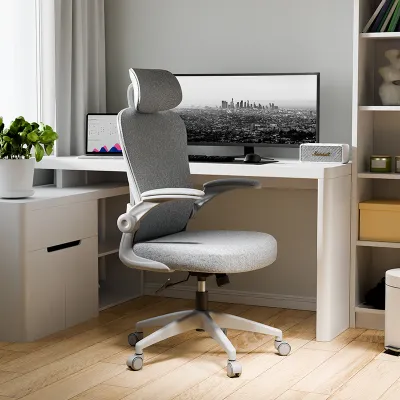
Armrest adjustability is equally important for reducing strain on your upper body. Look for armrests that adjust in height, width, or angle, often referred to as 3D or 4D armrests. When typing or writing, your shoulders should remain relaxed, and your elbows should rest comfortably on the armrests at a 90-degree angle. This support prevents your shoulders from hunching and reduces tension in your neck and upper back during long reading or typing sessions.
Lumbar Support and Backrest Design
A well-designed backrest must support the natural inward curve of your lower spine, known as the lumbar curve. When evaluating chairs for study, look for lumbar support systems that can be adjusted both vertically and in depth. This adjustability ensures that the support pad aligns precisely with the curve of your lower back, preventing slouching and reducing muscle fatigue over time. Built-in, non-adjustable curves may not fit your height, leading to discomfort during extended sitting.

The backrest recline tension and locking mechanisms are also vital for maintaining comfort throughout the day. A chair should allow you to tilt back safely to shift your posture when transitioning from active typing to reflective reading. Look for a mechanism that lets you adjust the tension of the recline so that the chair moves smoothly with your body weight, or lock the backrest in place at your preferred angle. This flexibility encourages dynamic sitting, which helps relieve pressure on your spinal discs.
Whether you need a headrest depends largely on your height, neck support needs, and study habits. If you spend significant time reclined while reading textbooks or watching lectures, an adjustable headrest can provide essential support for your neck and head. However, if you primarily sit upright while typing on a laptop, a headrest may not be necessary, provided the backrest offers sufficient mid-back and upper-back support.
Seat Cushion Materials and Breathability
The choice of seat and backrest materials directly impacts your physical comfort and temperature regulation, especially in warm and humid environments like Singapore. Mesh chairs offer excellent breathability by allowing air to circulate freely, which helps prevent heat and moisture buildup during long study sessions. However, it is important to check the tension of the mesh; low-quality mesh can stretch and sag over time, reducing the support it provides.
High-density foam cushions wrapped in fabric offer a different type of comfort, providing a plush feel and distributing pressure evenly. When evaluating foam, check the manufacturer’s specifications for density rather than just thickness. High-density molded foam tends to retain its shape and support for years, whereas low-density cut foam may flatten quickly, leading to discomfort. Additionally, look for a seat cushion with a waterfall edge—a downward-sloping front edge—which helps maintain healthy blood circulation in your lower legs.
Before making a decision, review the manufacturer’s care labels for material durability, stain resistance, and specific cleaning requirements. Fabric seats can accumulate dust and spills over time, requiring regular vacuuming or spot cleaning. Mesh and synthetic materials are often easier to wipe down, making them a practical choice if you tend to consume drinks or snacks at your study desk.
Stability, Mobility, and Space Compatibility
A study chair must be structurally stable and compatible with your physical study environment. Look for a robust base design, typically a five-point star base made of heavy-duty nylon, aluminum, or steel. Check the manufacturer’s weight capacity labels to ensure the chair is rated to support your body weight safely. A stable base prevents tipping, especially when you recline or shift your weight.
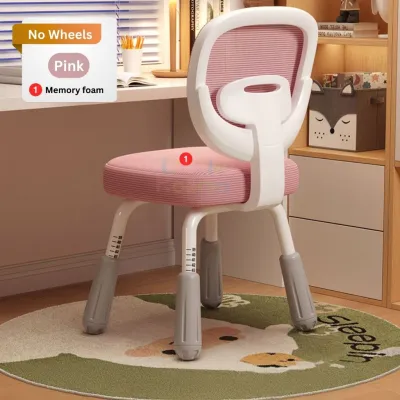
The type of casters on the base should match your flooring to ensure smooth movement and prevent surface damage. Hard casters made of nylon are suitable for carpeted floors, as they roll easily over fibers. For hard surfaces like vinyl, laminate, or parquet, look for soft casters made of polyurethane or rubber, which glide quietly and protect the floor from scratches. If you prefer a stationary chair, check if the manufacturer offers glides as an alternative to wheels.
Before purchasing, measure your available desk clearance and room space against the chair’s maximum footprint and recline clearance. Ensure the chair’s armrests can slide under your desk when not in use to save space in smaller rooms. Additionally, consider the practical logistics of delivery and installation, such as verifying that the packaged box can fit through your doorways and lift access, and checking whether the chair requires complex assembly or comes pre-assembled.
Creating Your Personalized Study Chair Checklist
To find the right chair for study, consolidate these criteria into a personalized checklist based on your body proportions and primary tasks. If your study routine involves a mix of laptop work and physical writing, prioritize highly adjustable armrests and a flexible recline mechanism. If you are taller or shorter than average, focus heavily on finding a chair with a wide seat height and depth adjustment range to ensure a proper fit.
Set a realistic budget in S$ that balances essential ergonomic features against overall build quality. While basic chairs may be budget-friendly, investing in a model with robust adjustability and durable materials can prevent the need for frequent replacements. Compare options within your budget, focusing on the quality of the joints, adjustment levers, and base materials.
Finally, verify the warranty terms, return policies, and assembly requirements before finalizing your purchase from an online store or showroom. A comprehensive warranty on the gas lift, frame, and mechanisms provides peace of mind. If purchasing online, check if the retailer offers a trial period or a clear return policy, allowing you to test the chair’s comfort in your own study space before making a permanent commitment.
Frequently Asked Questions (FAQ)
Are gaming chairs suitable for long study sessions?
Gaming chairs can be suitable for study sessions, but they differ significantly from ergonomic office chairs. Many gaming chairs feature a bucket seat design inspired by race cars, which has raised side bolsters that can restrict your movement and limit your sitting postures. They also frequently rely on removable, fixed lumbar pillows rather than built-in, adjustable lumbar support. If your study habits require you to sit upright and move naturally, an adjustable ergonomic office chair is generally more adaptable to different desk heights and tasks than a heavily bolstered gaming chair.
How often should I take breaks even with an ergonomic chair?
Even the most supportive ergonomic chair cannot replace the physiological need for regular movement. It is recommended to take a short break every 30 to 60 minutes to stand, stretch, and rest your eyes. You can also use your chair’s recline feature to engage in dynamic sitting, shifting your weight and changing your backrest angle periodically to engage different muscle groups. Taking regular breaks helps maintain healthy circulation, reduces muscle stiffness, and keeps you focused during long study blocks.

Community discussion
Share your experience or ask a question. Comments are reviewed before publication.