
Working from home in a Singapore HDB flat often requires maximizing every square inch of available space. With standard Build-To-Order (BTO) study rooms or bedroom corners typically measuring under ten square meters, fitting a functional desk without cluttering the room is a constant challenge. Traditional bulky chest drawers or fixed under-desk cabinets eat into precious floor space and restrict legroom, making long working hours uncomfortable. A foldable under desk organizer offers a practical compromise by providing accessible storage that can be collapsed or retracted when not in use.
These space-saving accessories attach directly to the underside of your work surface, keeping your desktop clean and your floor clear of clutter. When you need to store items like notebooks, tablets, or stationery, the organizer expands to hold them securely. When empty, it folds flat against the underside of the desk, restoring full ergonomic clearance for your knees and legs. To find the right model for a compact home office, you must prioritize non-destructive installation methods that protect your furniture, a slim folded profile, and a weight capacity suited to your daily office essentials.
Key Selection Criteria for Compact HDB Desks
Before purchasing an under-desk storage solution, it is essential to understand how different designs interact with your workspace. HDB home offices often feature dual-purpose desks, standing desks, or custom built-in carpentry, each with unique structural limitations. Evaluating several technical factors before buying will prevent you from ending up with an incompatible organizer that restricts your movement or damages your table.
Products mentioned in this guide
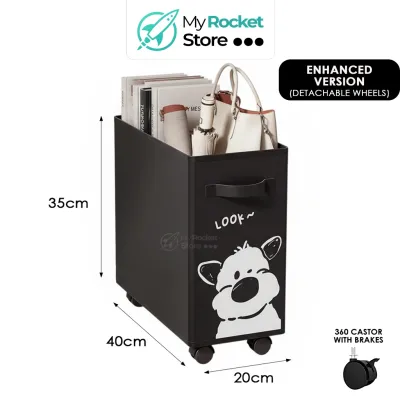
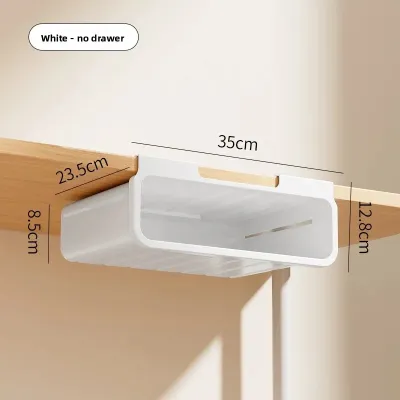
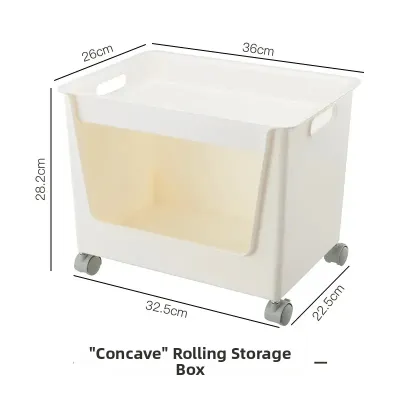
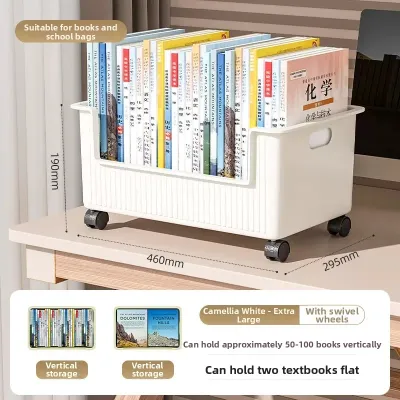
![[SG Stock] Extendable Under Desk Cable Organizer Cable Management Under Table Cable Tray Wire Cord Storage Holder Tray Wire Organizer](https://img.lazcdn.com/g/p/a33d82f231ede6158bf7d738dd79eb79.jpg_400x400q80.jpg_.webp)
Prices are valid at publication and may change. Please refer to the product page for the latest price.
First, evaluate the folded profile and clearance of the unit. The primary benefit of a foldable organizer is its ability to disappear when not needed. A well-designed collapsible unit should have a folded thickness of no more than 2 to 3 inches (approximately 5 to 7.5 cm). This ensures that even when the organizer is mounted directly above your knees, it does not cause you to bump your legs when shifting positions or adjusting your chair height. If an organizer remains bulky even when collapsed, it defeats the purpose of choosing a space-saving model.
Second, consider the installation method. In Singapore, many homeowners live in rented flats or have expensive custom-built study tables where drilling holes is not an option. Non-destructive installation methods, such as padded C-clamps or heavy-duty adhesive tapes, are highly preferred. Clamps provide a mechanical grip that can be tightened or removed easily, making them ideal for standing desks or solid wood tables. Adhesives offer a completely hidden look but require careful application to ensure they do not fail under the weight of your items or peel off the delicate wood veneer when removed.
Third, look closely at the relationship between weight capacity and materials. While marketing descriptions often highlight materials like ABS plastic, industrial felt, or Oxford cloth, these names alone do not guarantee structural strength. Instead, check the manufacturer’s specified maximum weight limit. An organizer meant for lightweight stationery may only support 1 to 2 kg, while a metal cable tray or reinforced fabric bin might handle up to 5 or 10 kg. Overloading a low-capacity organizer can lead to sagging, adhesive failure, or permanent warping of the plastic frame.
Finally, assess the accessibility and mechanical operation of the organizer. Different folding mechanisms require different physical paths to open and close. Slide-rail drawers need horizontal clearance to pull forward, which might conflict with your office chair’s armrests. Hinged drop-down shelves swing downwards, requiring temporary vertical space during transition. Collapsible fabric bins fold upward or inward, which means you must empty them completely before flattening them. Choose a mechanism that aligns with your physical habits and the layout of your chair and desk.
Recommended Foldable Under Desk Organizer Types
To help you choose the right style of storage, let us break down the four primary categories of foldable under-desk organizers. Each type serves a distinct organizational purpose and carries specific structural trade-offs.

Foldable Under Desk Drawer Units
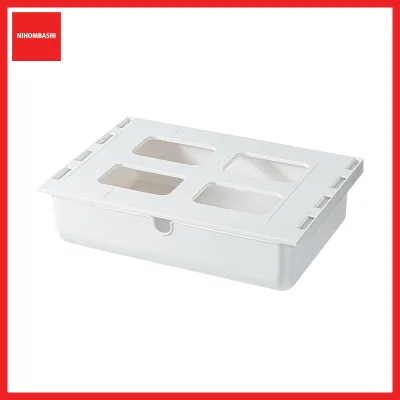
Foldable under-desk drawers are rigid compartments designed to hold small, loose items that typically clutter your desktop. These are best for pens, sticky notes, charging cables, USB drives, and small electronic accessories. Unlike traditional fixed drawers, foldable or retractable drawers use a slim slide-rail or a pivoting hinge mechanism that allows the drawer to sit flush against the bottom of your desk when closed.
The main advantage of a rigid, foldable drawer is protection. Because the outer shell is made of hard plastic or metal, fragile items like external SSDs or spare glasses are shielded from accidental bumps. Furthermore, because the drawer slides completely out of sight, it maintains a clean, minimalist aesthetic that is highly valued in modern Scandinavian or industrial HDB interior designs.
However, these units require careful physical checks before purchase. You must measure the available depth under your desk to ensure the slide rails can be mounted flat without hitting any structural support beams. Additionally, check the fully extended length of the drawer. When pulled open, the drawer must not collide with your stomach, thighs, or the armrests of your ergonomic office chair, which can be a common issue with shallow desks.
Collapsible Mesh and Fabric Storage Bins
For those who need to store bulkier but lightweight items, collapsible mesh or fabric storage bins are an excellent alternative to rigid plastic drawers. These organizers typically hang from a metal frame that clamps onto the edge of your desk. They are best for holding physical notebooks, reference documents, headphones, or personal items like tissues and hand cream.
The primary benefit of fabric or mesh organizers is their lightweight construction and extreme flexibility. When your workday is over, you can empty the bin and collapse it completely flat against the underside of the desk, or unclip the fabric portion entirely. Mesh designs also offer excellent visibility, allowing you to see exactly what is inside without having to reach under the desk and rummage through the bin blindly.
The trade-off with soft-sided bins is their lack of structural rigidity. If you place heavy items like a thick textbook or a heavy power bank inside a fabric bin without a reinforced base, the bottom will sag. This sagging reduces your leg clearance and can make the organizer look unsightly. When shopping for fabric bins, look for models that include a removable, rigid base plate or a wire frame that maintains the bin’s shape while still allowing the fabric sides to fold flat when empty.
Fold-Down Shelves and Cable Management Trays
Managing power strips, adapters, and long cables is one of the most frustrating aspects of setting up an HDB home office. Fold-down shelves and hinged cable management trays are designed specifically to solve this problem by keeping electrical accessories off the floor and tucked neatly beneath the work surface.
These trays are best for housing Wi-Fi routers, multi-plug power strips, laptop power bricks, and excess cable coils. The key feature of a fold-down tray is its hinged mechanism. Instead of being a fixed, hard-to-reach basket, the tray can swing down or drop on one side, giving you direct, comfortable access to your plugs and outlets. Once everything is connected, you swing the tray back up and lock it into place, flat against the desk underside.
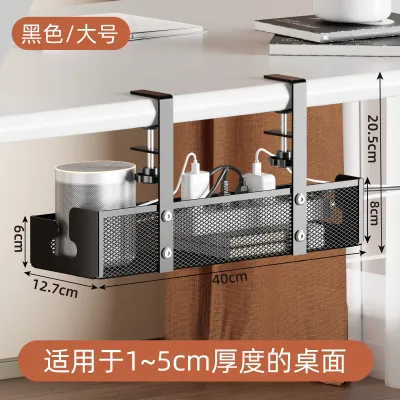
When selecting a fold-down cable tray, pay close attention to the mounting system. Many adhesive-mounted models are only rated for very light loads. A heavy-duty power strip filled with multiple large adapters can easily exceed the weight limit of standard mounting tape, causing the tray to fall. If you have a desk with a lip or a solid wood edge, a clamp-on metal hinged tray is a much safer option that can reliably support several kilograms of electrical equipment without risk.
Retractable Keyboard and Laptop Trays
If your primary goal is to free up space on your desktop for writing, drawing, or reviewing physical documents, a retractable keyboard and laptop tray is the most effective solution. These wide, flat platforms slide out from under the desk to position your keyboard and mouse at an ergonomically correct height, then slide back out of the way when your typing tasks are finished.
The major advantage of these trays is the immediate recovery of desktop space. By moving your input devices off the main table, you can use a much shallower desk—such as a 60 cm deep desk, which is common in tight HDB bedrooms—without feeling cramped. Some advanced models also allow you to adjust the tilt angle of the tray, which helps reduce wrist strain during long typing sessions.
However, retractable trays are the bulkiest and heaviest of all under-desk organizers. They require a sturdy desk surface that can handle the downward torque of your hands pressing on the tray. More importantly, they significantly reduce vertical legroom. Before buying, you must carefully calculate whether there is enough space between your thighs and the bottom of the tray when you are seated in your preferred working position. If the tray sits too low, it will force you to lower your chair, which can ruin your overall ergonomic posture.
How to Measure Your HDB Desk for Under-Desk Fit
Measuring your workspace accurately is the single most important step in choosing an under-desk organizer. Many buyers skip this step, only to find that their new organizer cannot be installed due to hidden structural elements or because it blocks their legs. Follow these precise measurement steps to ensure a perfect fit.
First, measure your desktop thickness. This is particularly critical if you plan to use a clamp-on organizer. Use a tape measure to find the exact thickness of your desk edge. Most standard clamp-on organizers are designed for desk thicknesses between 1.5 cm and 5 cm. If your desk has a beveled or sloped edge, or if there is a decorative trim on the underside, standard clamps may not sit flush, which compromises their stability. If you have a custom built-in desk with a very thick front fascia, you may need to look for extra-wide clamps or opt for adhesive mounting instead.
Second, check for under-desk obstructions. Peer underneath your desk and look for structural crossbars, metal support beams, or existing cable management trays. Many modern standing desks use a central steel frame that runs horizontally beneath the desktop. These metal beams can block slide-out drawers or prevent clamp-on organizers from sliding fully onto the desk edge. Measure the distance from the front edge of your desk to the first obstruction to determine the maximum depth your new organizer can have.
Third, calculate your true usable legroom and chair clearance. Sit in your office chair and adjust it to your ideal working height, where your feet are flat on the floor and your elbows are at a 90-degree angle to the desktop. Have someone measure the distance from the top of your thighs to the underside of the desk. This number represents your maximum allowable vertical clearance. When shopping, subtract the thickness of the organizer (both when open and when folded) from this clearance. If the remaining space is less than 15 cm, the organizer will likely restrict your leg movement and cause discomfort.
Finally, verify the depth and width limits of your desk. Measure the total width of the desk’s underside, keeping in mind where your legs normally sit. You want to ensure the organizer is mounted far enough to the side that it does not interfere with your natural sitting position. Additionally, measure the front-to-back depth of your desk. If your desk is pushed flush against a concrete HDB wall, any organizer that slides out or swings backward will need sufficient clearance to operate without scraping the wall or forcing you to pull your desk forward into the room.
Installation Limits and Desk Protection
Once you have selected and measured your organizer, proper installation is key to protecting both your organizer and your desk. Because HDB homes often feature a mix of high-end custom carpentry, flat-pack furniture, and rented pieces, you must choose an installation method that minimizes the risk of structural damage.
To protect your desk surface from scratches and dents, always use protective barriers with clamp-on models. High-torque metal C-clamps can easily bite into soft wood, laminate, or veneer, leaving permanent circular marks. You can prevent this by placing thin felt pads, rubber adhesive grips, or silicone sheets between the clamp’s metal plates and the desk surface. This not only prevents cosmetic damage but also increases friction, keeping the organizer from sliding or shifting during use.
If you are using adhesive-mounted organizers, understand the limits of heavy-duty mounting tape. Adhesives require a clean, non-porous surface to bond effectively. Before applying the tape, clean the underside of your desk with isopropyl alcohol to remove dust and oils, and let it dry completely. Always test the adhesive on a small, hidden area first to ensure it does not react with the desk’s finish. When it comes time to remove the adhesive—especially if you are moving out of a rented flat—do not pull the organizer straight down, as this can rip off the wood veneer. Instead, use a hairdryer on a low heat setting to gently warm and soften the adhesive, then slide a piece of dental floss or fishing line behind the mounting plate to slice through the tape cleanly.
Special caution must be exercised with glass and honeycomb-core desks. If you have a tempered glass desk, never use high-torque clamp-on organizers. The concentrated point pressure from a metal clamp can cause the entire glass pane to shatter instantly. For glass desks, adhesive-mounted organizers or freestanding floor units are the only safe options. Similarly, popular flat-pack desks often use a hollow-core honeycomb paper structure inside a thin fiberboard shell. Tightening a heavy-duty clamp on these desks can crush the internal structure, causing the desk surface to cave in. If you are mounting an organizer to a honeycomb-core desk, use wide-grip clamps that distribute weight over a larger surface area, or stick to lightweight adhesive options.
Frequently Asked Questions (FAQ)
Can I use clamp-on organizers on a glass or honeycomb desk?
Standard C-clamp organizers should not be used on glass desks due to the high risk of concentrated pressure causing the glass to shatter. If you have a tempered glass workspace, look for adhesive-mounted alternatives or freestanding under-desk storage units instead. For hollow-core desks, which are common in affordable flat-pack furniture, the internal paper honeycomb structure can easily crush under the tight grip of a standard metal clamp. To prevent this, use wide, padded clamps designed to distribute weight across a larger surface area, or choose lightweight adhesive models that do not exert mechanical clamping force on the desk edge.
How do I remove adhesive under desk organizers without damaging the finish?
To remove an adhesive-mounted organizer safely, never pull or yank the unit directly downward, as this can easily tear off the wood veneer or laminate finish of your desk. Instead, use a hairdryer on a low or medium heat setting to apply gentle warmth directly to the adhesive mounting plate for one to two minutes. The heat will soften the acrylic or foam tape, making it pliable. Once warmed, take a long piece of dental floss or high-test fishing line, slip it behind the mounting plate, and use a sawing motion to slice through the softened adhesive tape. Any remaining sticky residue can be wiped away gently using a microfiber cloth and a mild adhesive remover or a drop of eucalyptus oil.
What is the minimum legroom clearance needed for under desk storage?
For comfortable and ergonomic working conditions, standard guidelines recommend maintaining at least 15 to 20 cm (approximately 6 to 8 inches) of clear vertical space between the top of your thighs and the lowest point of any under-desk organizer. When planning your setup, you must factor in the total thickness of the organizer in its open state, as well as when it is folded. If installing the organizer forces you to lower your office chair to an uncomfortable height where your feet can no longer rest flat on the floor, or if it forces you to sit with your shoulders hunched, the organizer is too deep for your current desk height. In such cases, a slimmer, wider, or fully collapsible fabric model is highly recommended to preserve your physical well-being.

Community discussion
Share your experience or ask a question. Comments are reviewed before publication.