
To choose the right TV riser size, you must match the riser’s physical top dimensions to the actual leg span of your television and verify that the riser’s weight capacity exceeds the weight of your TV with its stand attached. Relying solely on your TV’s diagonal screen size will often lead to an incorrect purchase because modern televisions feature widely varying stand designs and physical footprints.
Selecting the correct TV riser requires a systematic evaluation of your television’s base dimensions, the weight limits of both the riser and your underlying furniture, and the ergonomic height requirements of your living space. By taking precise measurements and understanding how different materials perform under load, you can create a stable, safe, and visually appealing home entertainment setup.
Why Screen Size Alone Isn't Enough: The Base Span Factor
When shopping for home entertainment accessories, it is common to see products labeled for specific screen sizes, such as a “55-inch TV riser.” However, this diagonal screen measurement only describes the display itself, not the physical structure supporting it. Two different 55-inch televisions can have completely different base designs, meaning they require entirely different riser sizes to sit safely.
Products mentioned in this guide
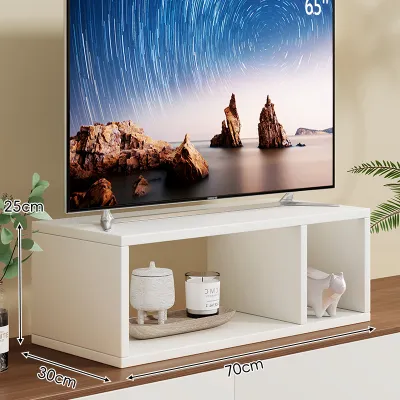
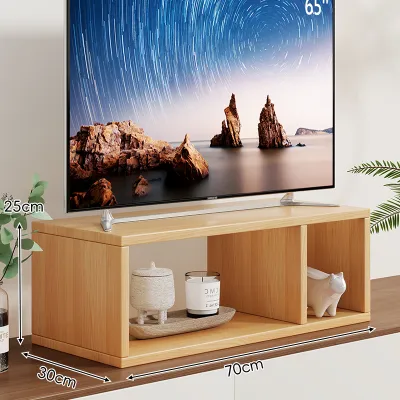
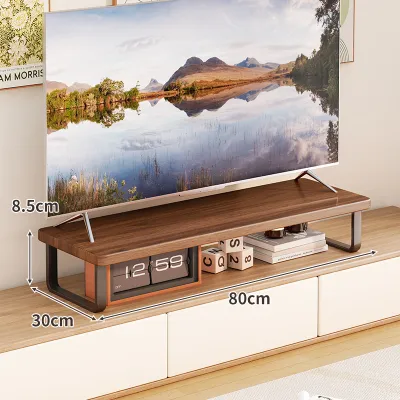
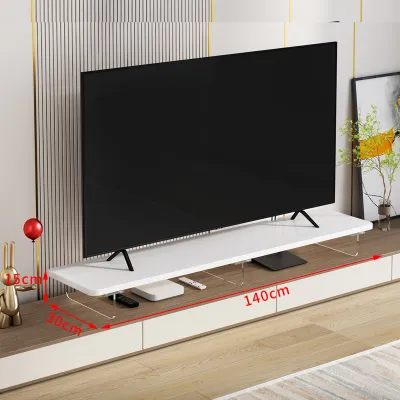
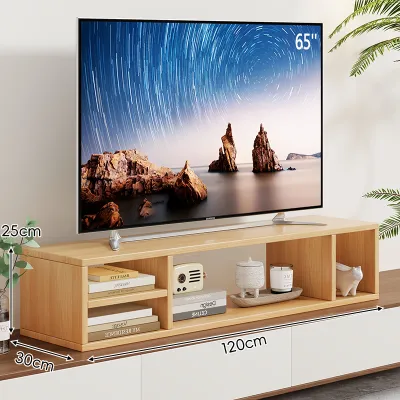
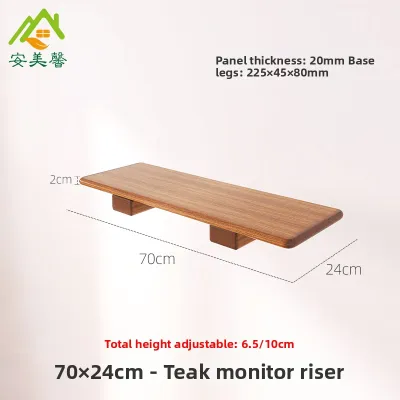
Prices are valid at publication and may change. Please refer to the product page for the latest price.
Modern television manufacturers have largely shifted away from heavy central pedestal stands in favor of two individual, wide-set legs positioned near the outer edges of the screen frame. This design shift reduces production costs and accommodates increasingly thin bezels, but it significantly widens the physical footprint of the television. A television with a 55-inch diagonal display might have a physical horizontal width of approximately 123 centimeters, with the support legs positioned at the very outer edges of the frame.
If you purchase a riser based strictly on the diagonal screen size, you risk buying a platform that is too narrow for these wide-set feet. When the legs of a television overhang the edges of a riser even by a fraction of a centimeter, the physical stability of the entire unit is compromised. This creates an immediate tipping hazard that can lead to costly equipment damage or personal injury.
In compact urban living environments, such as Singapore’s HDB flats or condominiums, space on living room consoles is highly optimized. An oversized riser can look bulky and disproportionate, while an undersized one is physically dangerous. Understanding the exact relationship between your television’s physical leg span and the top surface of the riser is the first and most critical step in making a safe purchase.
How to Measure for the Perfect TV Riser Fit
To ensure a secure installation, you must take precise physical measurements of both your television’s stand and the surface where the riser will sit. Do not rely on the general dimensions listed in marketing materials; instead, use a physical tape measure to capture the exact layout of your current setup.

Measuring Your TV's Footprint
Determining the exact physical footprint of your television stand ensures that the entire base rests securely on the flat top surface of the riser.
- For Wide-Set Legs: Place your tape measure at the outermost edge of the left foot and measure horizontally to the outermost edge of the right foot. This is your minimum required width. Next, measure the depth of the feet from the very front tip to the furthest back point to establish your minimum required depth.
- For Central Pedestal Stands: Measure the maximum width of the central base plate from left to right, and the maximum depth from front to back. Even though pedestal bases generally have a smaller horizontal footprint than wide-set legs, they often require a deeper surface to maintain front-to-back balance.
- Applying a Safety Margin: Once you have these exact measurements, add a safety margin of at least 3 to 5 centimeters to both the width and depth. This buffer ensures that the television feet do not sit flush with the very edges of the riser, reducing the risk of the stand slipping off if the furniture is accidentally bumped.
Measuring Your Available Surface Space
Your new TV riser must sit entirely within the boundaries of your existing TV cabinet, console, or sideboard to prevent structural instability.
- Console Width and Depth: Measure the flat top surface of your underlying furniture. The riser's bottom feet or support base must fit fully on this surface with no overhang. Overhanging furniture is highly unstable and prone to tipping.
- Wall and Skirting Board Clearance: Measure the distance from the front of your console to the wall behind it. If your console sits flush against a skirting board, the top surface may be slightly further from the wall than the base. Ensure there is adequate depth clearance for both the riser and any cables that must route behind it.
- Spatial Obstructions: Check for nearby power outlets, light switches, wall-mounted shelving, or built-in carpentry features. A tall riser might block access to wall switches or push the television screen into the path of decorative wall sconces.
Matching Weight Capacity to Your TV Model
Weight capacity is a non-negotiable safety specification when choosing a TV riser. A platform that is structurally insufficient will sag over time, warp, or suffer sudden joint failure, putting your electronics at risk.
To find your television’s exact weight, consult the manufacturer’s instruction manual or locate the product specification sticker on the back of the TV panel. Always verify the “weight with stand” rather than the “weight without stand,” as you are placing the entire physical assembly onto the riser platform.
Once you know the weight of your television, verify the maximum load rating of the TV riser by checking the manufacturer’s product label or official specification sheet. Never assume a riser is strong enough based solely on visual thickness or material type. Different materials and construction methods offer varying levels of structural integrity:
- Solid Timber (e.g., Teak, Oak): Offers excellent natural load-bearing capacity and structural rigidity. When selecting solid wood, inspect the joints to ensure they are reinforced with dowels, pocket screws, or internal bracing rather than simple adhesive. Verify that the wood is properly sealed with a moisture-resistant finish to withstand local humidity levels without warping.
- Engineered Wood (MDF or Particle Board): A common and budget-friendly option, but highly susceptible to sagging (known as deflection) over long spans. If choosing engineered wood, ensure the panel thickness is at least 15 to 18 millimeters and look for models that include a central support column or a vertical back divider to distribute the weight evenly.
- Tempered Glass: Provides a sleek, modern aesthetic and is easy to clean, but must be certified tempered safety glass. Verify the thickness of the glass plate (typically 8 to 12 millimeters) and check that the support legs are securely bonded to the glass with heavy-duty metal collars.
- Metal (Steel or Aluminum): Provides the highest strength-to-weight ratio and is highly resistant to bending. Ensure the metal legs are equipped with non-slip rubber or felt pads on the bottom to prevent scratching the delicate finish of your underlying TV console.
Always select a TV riser with a rated weight capacity that exceeds your television’s actual weight by a comfortable margin of at least 15% to 20%. This structural headroom accounts for physical stress over time and prevents long-term material fatigue.
Choosing the Right Height for Viewing and Storage
An ideal TV riser does more than support your television; it optimizes your viewing ergonomics and provides functional storage space for auxiliary media equipment.
To prevent neck and shoulder strain, the top third of your television screen should align naturally with your eye level when you are seated comfortably in your primary viewing position. If you find yourself tilting your head upward to watch television, the screen is too high; if you are constantly looking downward, it is too low. To calculate your ideal riser height, follow these steps:
- Sit on your living room sofa or armchair in your normal viewing posture and measure the distance from the floor to your eyes.
- Measure the height of your existing TV console from the floor to the top surface.
- Measure the distance from the bottom of your television stand to the vertical center of the screen.
- Subtract the console height and the screen-center measurement from your eye-level height. The remaining value represents the approximate height your TV riser should be to achieve an ergonomic viewing angle.
If you plan to use the open space beneath the riser for storage, you must measure your media devices carefully. Common items like soundbars, gaming consoles, media players, and streaming receivers require specific clearances:
- Internal Clearance Dimensions: Check the riser's internal width (the distance between the inner edges of the support legs) and internal height (the distance from the console surface to the underside of the riser shelf). These dimensions are always smaller than the external product dimensions.
- Thermal Management: Electronic devices generate heat during operation. To prevent overheating and premature hardware failure, leave a ventilation gap of at least 3 to 5 centimeters above and around all sides of any device stored under the riser. Never crowd devices tightly into an enclosed space.
- Cable Management: Ensure there is sufficient depth behind the stored devices to accommodate power cables, HDMI cords, and optical lines without bending them at sharp, damaging angles.
Adjustable-height TV risers offer excellent flexibility if you frequently change your seating arrangement or upgrade your media devices. However, you must verify if the manufacturer’s rated weight capacity decreases when the riser is adjusted to its maximum height setting, as telescoping legs can lose lateral stability when fully extended.
Common TV Riser Sizing Mistakes to Avoid
Avoiding common purchasing errors will save you the hassle of returning heavy items and protect your living room equipment from structural damage.
- Buying Solely by Screen Size: As emphasized, diagonal screen size does not correlate directly with the physical footprint of the TV legs. Always measure the actual leg span.
- Ignoring Base Depth: A riser may be wide enough to accommodate your TV's legs but too shallow from front to back. If the feet of your television stand overhang the front or rear edges of the riser, the unit can easily slide off or tip forward when cables are adjusted.
- Neglecting Accessory Weight: If you mount a soundbar directly to the bottom of your television, or place heavy external hard drives, gaming controllers, and decorative items on the riser platform, you must add their combined weight to your television's weight when calculating the required load capacity.
- Exceeding Console Weight Limits: A solid wood or heavy metal TV riser adds substantial dead weight to your setup. Ensure that the combined weight of the riser, the television, and all accessories does not exceed the maximum safe load capacity of your underlying TV cabinet or console.
- Blocking Infrared Sensors: Placing a tall soundbar on the console directly in front of a low-profile TV riser can block the infrared receiver on the bottom bezel of your television, preventing your remote control from functioning properly. Ensure the riser lifts the television high enough to clear any front-facing obstructions.
Frequently Asked Questions (FAQ)
Can I use a TV riser if my TV has a central pedestal stand?
Yes, you can use a TV riser with a central pedestal stand, provided the riser’s top surface is wide and deep enough to support the entire pedestal base plate. The base plate must sit completely flat on the riser surface with no part of the plate hanging over the edges. Because central pedestals concentrate the television’s entire weight onto a single localized area rather than distributing it across two wide-set legs, it is crucial to choose a sturdy riser made of solid wood, thick tempered glass, or reinforced metal to prevent the center of the platform from bowing or sagging over time.
How much extra space should I leave around the TV riser for ventilation?
To ensure proper airflow and prevent heat buildup, you should maintain a clearance of at least 5 centimeters behind the TV riser and any electronic devices stored beneath it. Electronic components like gaming consoles, soundbars, and streaming boxes rely on natural convection or small internal fans to dissipate heat. If these devices are crowded into a tight space without adequate clearance, the ambient temperature will rise rapidly, which can lead to system throttling, unexpected shutdowns, or permanent hardware degradation. Always refer to your specific device manuals for any manufacturer-recommended clearance distances.
Community discussion
Share your experience or ask a question. Comments are reviewed before publication.