
Choosing the right TV table is not just about finding a piece of furniture that fits your living room aesthetic; it is a critical decision that affects the safety, viewing comfort, and visual balance of your entire home. To achieve the perfect proportions, your TV table should ideally be at least 20 to 40 centimetres wider than the actual physical width of your television screen. This creates a balanced 10 to 20-centimetre buffer zone on each side of the television, ensuring the setup does not look top-heavy or unstable.
While matching a television to a console seems straightforward, many homeowners make the mistake of relying solely on the advertised screen size. Because television screens are measured diagonally, their physical horizontal width is always shorter than the advertised class size. Understanding how to translate these diagonal screen sizes into physical dimensions, while accounting for the layout constraints of modern apartments, is key to selecting the perfect media console.
The Proportion Rule: Matching TV Width to Table Width
The fundamental design principle governing media setups is the proportion rule, which dictates that the supporting furniture must always be wider than the item sitting on top of it. A television console serves as a visual anchor for the entire wall; if the television overhangs or matches the table’s width exactly, the arrangement looks cramped, awkward, and structurally precarious. Creating a buffer zone on both sides of the screen softens the transition between the technology and the surrounding wall decor.
Products mentioned in this guide
![[Cozy ]Solid Wood TV Cabinet and Coffee Table Combination Modern Multifunctional TV Console Floor to Cabinet Luxury Black](https://img.lazcdn.com/g/p/aeb0446fdde9fea3ac105cd3be361faa.jpg_webp_400x400q80.jpg_.webp)
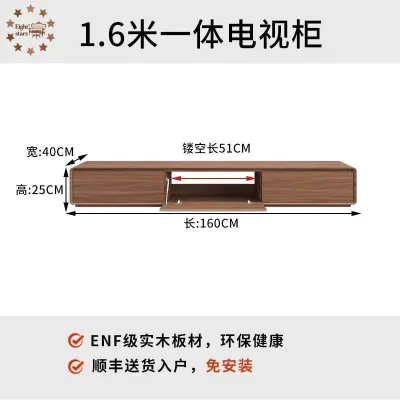

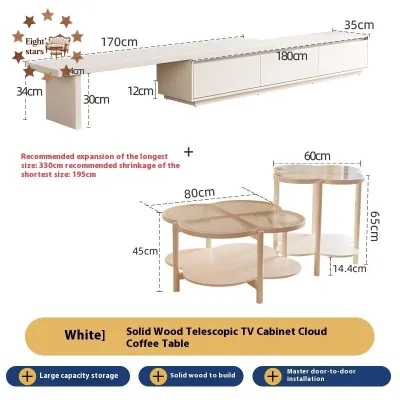
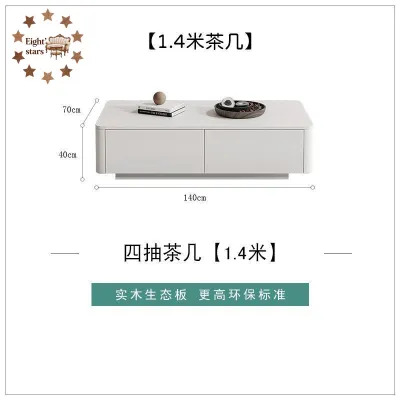
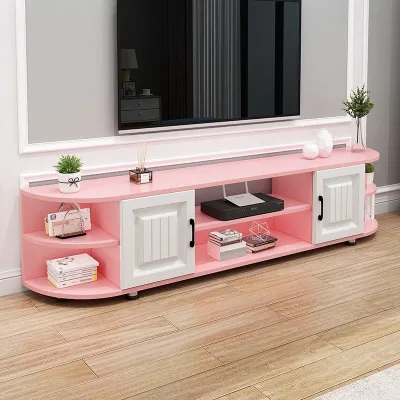
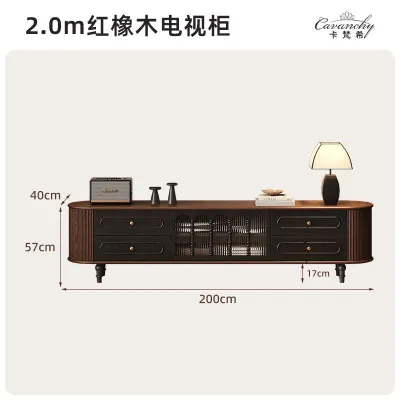
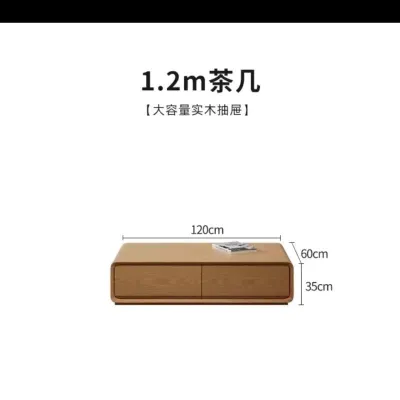
Prices are valid at publication and may change. Please refer to the product page for the latest price.
To apply this rule effectively, you must first distinguish between diagonal screen size and actual horizontal width. A 55-inch television does not measure 55 inches (or 140 centimetres) from left to right. The 55-inch specification is a diagonal measurement of the screen glass itself, excluding the outer frame or bezel. The actual physical horizontal width of a modern 55-inch television is typically around 122 centimetres. Knowing this physical width allows you to calculate the necessary table size accurately.
Visual grounding is another critical factor in interior design. A massive black screen naturally draws the eye and carries significant visual weight. If placed on a console that is too short, the setup creates an inverted triangle effect, making the room feel top-heavy and visually cluttered. A wider table distributes this visual weight horizontally, creating a clean, grounded base that harmonises with the rest of your furniture.
Ideal TV Table Widths for Common Screen Sizes
To simplify your shopping process, it helps to look at standard television sizes alongside their corresponding physical widths and recommended console dimensions. Below is a quick-reference guide to help you find the right match for your screen size.

| TV Diagonal Size | Approx. Physical TV Width | Recommended Minimum Table Width | Ideal Table Width for Visual Balance |
|---|---|---|---|
| 32-inch | 73 cm | 100 cm | 120 cm |
| 43-inch | 97 cm | 120 cm | 140 cm |
| 50-inch | 112 cm | 140 cm | 160 cm |
| 55-inch | 122 cm | 150 cm | 180 cm |
| 65-inch | 145 cm | 180 cm | 200 cm to 220 cm |
| 75-inch | 168 cm | 200 cm | 240 cm |
| 85-inch or larger | 190 cm+ | 240 cm | 270 cm to 300 cm (or Custom) |
Compact Screens (32 to 43 Inches)
Compact televisions are popular choices for smaller bedrooms, study rooms, or cozy dining areas. A 32-inch television has an average physical width of 73 centimetres, while a 43-inch model measures roughly 97 centimetres across.
For these screen sizes, a TV table measuring between 120 and 140 centimetres in width is highly recommended. This size range provides a comfortable buffer that prevents the setup from looking swallowed by the room, while still offering enough surface space for a small remote tray or a decorative candle. It is an excellent, space-efficient solution for tight corners or secondary viewing areas.
Mid-Sized Screens (50 to 55 Inches)
Mid-sized televisions represent the standard for most medium-sized living rooms, particularly in typical Singapore HDB flats and condominium apartments. A 50-inch television is approximately 112 centimetres wide, whereas a 55-inch screen spans about 122 centimetres horizontally.
To accommodate these popular sizes, look for a console that is at least 150 to 180 centimetres wide. A 180-centimetre table is widely considered the sweet spot for a 55-inch television, offering an elegant 29-centimetre border on each side. This extra surface area is invaluable for housing basic media devices, smart home hubs, or a small indoor plant without crowding the screen.
Large Screens (65 to 75 Inches)
As home entertainment preferences lean toward cinematic experiences, 65-inch and 75-inch screens have become incredibly common. A 65-inch television measures roughly 145 centimetres in physical width, while a massive 75-inch screen measures around 168 centimetres across.
To balance these screens, you will need a substantial console measuring between 200 and 240 centimetres in width. Modern bezel-less televisions have very wide physical footprints, and a narrow console will make the entire wall look disproportionate. Transitioning to a wider, low-profile entertainment unit keeps the screen at a comfortable viewing height while maintaining a sleek, modern aesthetic.
Extra-Large Screens (85 Inches and Above)
Extra-large screens of 85 inches or more are designed for dedicated home theatres or expansive, open-concept living spaces. These screens have an actual physical width starting at 190 centimetres and can easily exceed two metres.
Finding standard, ready-made furniture for screens of this scale can be challenging, as retail options often cap out at 240 centimetres. If you are installing an extra-large screen, consider modular consoles that can be placed side-by-side, or invest in a custom-built media wall. This ensures the unit can handle the immense physical weight of the screen while providing the necessary visual scale to match the room’s architecture.
Accounting for TV Stands, Soundbars, and Media Devices
Beyond the physical dimensions of the television screen, you must consider the design of the television’s stand and any accompanying peripheral devices. The base of your television dictates how much physical surface area is required for safe placement.
- Central Pedestal vs. Wide Outer Feet: Televisions with a central pedestal stand can sit on shorter tables because the weight is concentrated in the middle. However, many modern televisions use two wide-set feet positioned at the outer edges of the screen. If your television has outer feet, you must measure the exact distance between them to ensure they do not sit dangerously close to the edges of your console.
- Soundbar Integration: If you plan to place a soundbar directly in front of your television, the table must have sufficient depth and width. A soundbar should ideally sit centered below the screen without hanging off the front edge of the table or blocking the television's infrared remote receiver.
- Media Device Footprint: Set-top boxes, gaming consoles, and Wi-Fi routers require dedicated space. Measure the combined footprint of these devices before purchasing your furniture. Ensure there is enough space on the top surface or within open shelving compartments to prevent a cluttered, disorganized appearance.
Measuring Your Space and Delivery Clearances
Before finalizing your purchase, you must verify that the chosen TV table fits your room layout and can be safely delivered into your home. In Singapore’s high-density housing layouts, spatial efficiency and accessibility are paramount.
First, measure the total length of the wall where the console will stand. Ensure the table leaves at least 30 to 50 centimetres of clearance from adjacent walkways, doorways, or dining tables to maintain a smooth traffic flow. Additionally, consider the viewing distance; a deeper console pushes the television closer to your seating area, which may affect eye comfort in narrower living rooms.
Second, check the delivery clearances of your building. Large, fully assembled consoles—especially those exceeding 200 centimetres in length—can be incredibly difficult to transport. Use this checklist to verify access before scheduling delivery:
- Passenger Lift Dimensions: Measure the height, width, and diagonal depth of your building's lift carriage to ensure the packaged console can fit inside.
- Stairwell Turn Radius: If the item must be carried up stairs, check for low ceilings or tight landing corners that could block passage.
- Main Entrance and Hallways: Measure your home's front door frame and any internal corridor widths to guarantee the delivery team can maneuver the piece into your living room.
Common TV Table Sizing Mistakes to Avoid
Avoiding common design and functional pitfalls will save you time, money, and frustration during your living room setup.
One of the most frequent mistakes is buying a console that matches the physical width of the television exactly. This creates a harsh, boxy silhouette that lacks visual breathing room. It also increases the risk of the television being accidentally bumped or knocked over by passing pets or family members.
Another common oversight is ignoring the depth of the table. Standard consoles range from 40 to 45 centimetres in depth. While this is generally sufficient, modern gaming consoles and heavy-duty audio receivers often require deeper shelving and extra space at the rear for cable management and ventilation. Forcing these devices into a shallow console can cause cables to bend sharply, leading to connection issues or damage.
Finally, always account for wall fixtures such as skirting boards, electrical sockets, and cable trunking. Skirting boards can prevent your TV table from sitting completely flush against the wall, leaving a small gap. If your power outlets are located directly behind the console, you may need to pull the table forward by several centimetres to accommodate bulky plugs, which reduces your usable floor space. Look for consoles with built-in cable management cutouts or recessed backs to mitigate these placement challenges.
Frequently Asked Questions (FAQ)
Can a TV be wider than the TV table?
No, a television should never be wider than its supporting table if it is placed on a stand. This setup is highly unstable, top-heavy, and poses a severe tip-over risk. However, if your television is securely wall-mounted, it is acceptable for the screen to be wider than the console below. In this scenario, the console serves primarily as a decorative accent and storage unit rather than a structural support.
Does the TV table need to be centered on the wall?
While centering the console on the wall is the most common layout, it is not strictly necessary. The primary goal is to center the television and table with your main seating area to ensure a comfortable, direct viewing angle. If your layout is asymmetrical, you can balance the visual weight on the wall by placing a tall indoor plant, a floor lamp, or a stack of books on the open side of the console.
Community discussion
Share your experience or ask a question. Comments are reviewed before publication.