
A stone TV console brings an undeniable sense of permanence, luxury, and organic texture to a living room. Whether you are eyeing a polished marble slab, a textured travertine unit, or a sleek sintered stone cabinet, this piece of furniture serves as a major visual anchor in your home. However, choosing the wrong dimensions can quickly disrupt the balance of your space, lead to neck strain, or even prevent the unit from being delivered into your home.
Selecting the ideal size requires a careful balance of physical measurements, visual proportions, and logistical planning. Because stone is significantly heavier and less forgiving than wood or metal, mistakes are costly and difficult to rectify. By understanding how to measure your layout, match your television’s physical dimensions, and account for the unique structural properties of stone, you can select a console that is both highly functional and visually stunning.
How to Measure Your Wall and Floor Space for a Stone Console
Before browsing designs, establish the physical limits of your living room. Measure the total width of the wall where you plan to place the console. Identify permanent architectural features that could restrict placement, such as light switches, power sockets, data ports, and adjacent doorways. A stone console that blocks a light switch or protrudes past a door frame will create daily inconveniences and disrupt the room’s flow.
Products mentioned in this guide
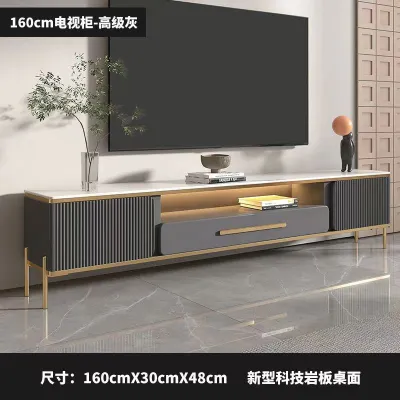
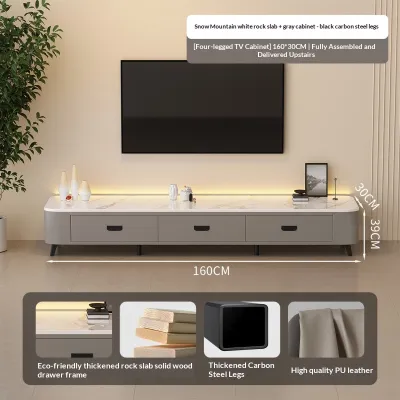
![[CozyNest ]TV Console Free Type Sintered Stone TV Cabinet Modern Light luxury Living Room TV cabinet](https://img.lazcdn.com/g/p/1ee51ffed74f75861345a6884a2aa521.jpg_webp_400x400q80.jpg_.webp)
![DEBRAH Modern Sintered Stone TV Console & Coffee Table [ETA 4-9 WEEKS]](https://img.lazcdn.com/g/p/0b6d23503ceb99c05e4bd866256d8991.png_400x400q80.png_.webp)
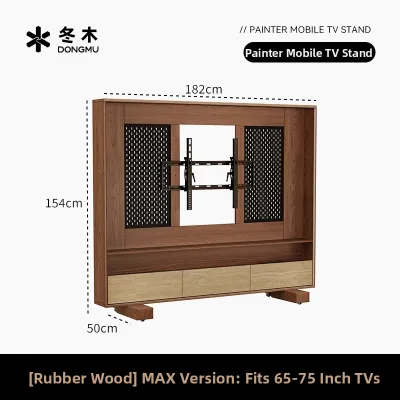
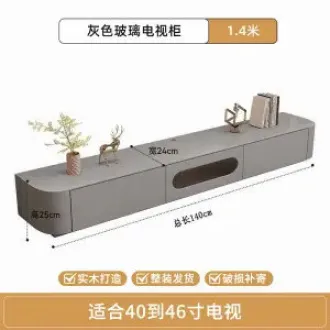
![[CozyNest ]Solid wood rock plate TV cabinet / Glass high cabinet for living room / Integrated storage cabinet / TV cabinet](https://img.lazcdn.com/g/p/46646f6c4a5ba9fe7a138b1dbca319ce.jpg_webp_400x400q80.jpg_.webp)
![[CozyNest ]Solid Wood GY TV Console Suspended Rock Panel Cabinet Living Room Household Small Unit Modern And Simple Hanging Storage](https://img.lazcdn.com/g/p/5f695c03419a3e65d66237a063e8b639.jpg_webp_400x400q80.jpg_.webp)
Prices are valid at publication and may change. Please refer to the product page for the latest price.
Next, factor in the thickness of your skirting boards. Most Singapore HDB flats and condominiums feature skirting boards that extend 1.5 to 2 cm from the wall. Because stone consoles are rigid and cannot be easily shaved or customized at home, a console with a flush back design will sit slightly away from the wall unless it has a built-in skirting cutout. Measure the height and depth of your skirting boards to verify if the console’s base or legs are designed to accommodate them.
Floor space depth is another critical dimension in compact open-plan living rooms. A standard stone console typically ranges from 40 cm to 50 cm in depth. Ensure that once the console is placed, there remains a comfortable walkway between the front edge of the cabinet and your coffee table or sofa. Maintaining a clearance of at least 60 cm to 90 cm allows for comfortable foot traffic and lets cabinet doors or drawers open fully without obstruction.
Finally, conduct a thorough logistical check. Stone furniture is exceptionally heavy and is often delivered fully assembled or in large, solid sections. Measure the height, width, and diagonal clearance of your building’s lift car, as well as the width of your corridor turns and the main entrance door. If you live in an older walk-up apartment or a condominium with tight elevator corridors, a long, single-piece stone console may not physically fit through the access routes. Always verify these delivery dimensions with the retailer before finalizing your purchase.
Matching Console Width to Your TV Screen Size
A common design misstep is pairing a large television with a console of almost identical width. To create a balanced, visually stable setup, your TV console should always be wider than the television itself. When a TV is wider than or equal to the console below it, the entire arrangement looks top-heavy, making the room feel cramped and unstable.

To determine the correct proportions, look at the physical width of your television rather than its diagonal screen size. For example, a 65-inch television refers to the diagonal measurement of the screen; its actual physical width is usually around 145 cm. To achieve a balanced look, aim to have at least 15 to 30 cm of clearance on each side of the TV. This means that for a 145 cm wide television, your stone tv console should ideally be between 175 cm and 205 cm wide. This extra space ensures the television looks comfortably framed.
The material of the console also plays a significant role in how we perceive its size. Natural stone, marble, and sintered stone possess immense visual weight. Unlike slender metal frames or light-toned woods, a stone surface draws the eye downward and anchors the entire wall. Because stone looks visually heavier, a slightly wider console actually works in your favor. A longer stone console prevents the television from overpowering the room, distributing the visual mass evenly across the lower half of the wall and creating a more grounded, premium aesthetic.
Determining the Right Height and Depth for Comfort
Ergonomics should dictate the height of your TV console. When you are seated on your sofa, your eyes should naturally align with the center of the television screen, or slightly above it. If the TV is positioned too high, you will constantly tilt your head backward, leading to neck and shoulder strain over long viewing sessions. To find your ideal height, sit comfortably on your sofa and measure the distance from the floor to your eye level.
Once you have your seated eye level (which typically ranges between 95 cm and 110 cm for most standard sofas), subtract half of your television’s height. The resulting number is the ideal height for the top surface of your console if your TV is sitting on its stand. Because many stone consoles favor low-profile, modern designs—often standing between 30 cm and 45 cm tall—you may find that a low console places a stand-mounted TV below your optimal eye line. In such cases, you can compensate by wall-mounting the television slightly higher or selecting a console model that features a thicker stone top or taller legs.
Console depth is equally important for both stability and equipment storage. If you plan to place your television on its factory stand rather than wall-mounting it, measure the depth of the stand’s base. Some wide-set TV stands require a depth of 30 cm or more to sit securely. The stone console must be deep enough to accommodate this stand with a safety margin of at least 5 to 10 cm at the front and back to prevent accidental tipping. Furthermore, if you use a dedicated soundbar, media receiver, or gaming console, verify that these devices can sit comfortably on or inside the unit without hanging over the edges.
Planning for Cable Management and Device Ventilation
One of the most overlooked aspects of buying a stone TV console is how you will manage cables and power cords. Unlike wooden cabinets, which can be easily drilled or modified at home with a standard hole saw, stone surfaces are incredibly difficult to alter. Attempting to drill through marble, granite, or sintered stone without specialized industrial equipment and diamond-tipped bits will almost certainly result in expensive cracking, chipping, or shattering.
Therefore, carefully inspect the product specifications and photos for pre-drilled cable routing holes before making a purchase. Check where these holes are located and ensure they align with the positions of your wall sockets and media devices. If you plan to place devices inside the cabinet shelves, ensure there are corresponding cutouts in the back panels of those specific compartments. If a console lacks these pathways, you will be forced to run cables over the top of the pristine stone surface, ruining the clean, minimalist look.
Device ventilation is another critical factor when dealing with stone cabinetry. Stone is an excellent thermal mass, but enclosed stone cabinets can act as heat traps for high-performance electronics like gaming consoles, AV receivers, and media boxes. If your console features solid stone doors or tightly sealed compartments, check if the manufacturer has included passive ventilation slots or mesh backings. Operating electronics in a sealed cabinet without adequate airflow can lead to overheating, reducing the lifespan of your devices or causing them to shut down unexpectedly.
Common Sizing and Placement Mistakes to Avoid
One frequent mistake is failing to account for the gap created by the skirting board, which prevents the back of the console from sitting flush against the wall. If your stone console has a completely flat back and straight legs, it will be pushed forward by the skirting board, leaving a gap of up to 2 cm. This gap not only traps dust and dropped items but can also cause minor instability if the console’s weight distribution is front-heavy. Look for designs with recessed back panels or inset legs that naturally clear the skirting.
Another serious error is underestimating the sheer weight of natural stone or thick sintered stone. While standard concrete floors in Singapore HDB flats and private condominiums are designed to support typical residential loads, exceptionally massive solid stone consoles can place concentrated stress on your flooring. If you are installing a heavy marble unit on top of raised access flooring, engineered timber, or delicate vinyl planks, check the floor manufacturer’s guidelines. You may need to use protective felt pads or load-distributing glides under the console’s feet to prevent cracking your tiles or denting your wood floors.
Lastly, do not size your console purely based on the length of your wall without considering your viewing distance. A massive, 2.4-meter stone console in a narrow, long living room can make the space feel incredibly cramped. If your sofa is positioned close to the TV wall, a giant console will dominate your peripheral vision, making the room feel smaller than it actually is. Always balance the length of the console with the depth of the room to maintain a sense of openness and comfort.
Frequently Asked Questions (FAQ)
Do I need to reinforce my floor for a stone TV console?
For most standard Singapore HDB flats and private condominiums, the reinforced concrete floor slabs are structurally capable of supporting standard residential furniture, including heavy stone TV consoles. However, if you are purchasing an exceptionally large, solid natural marble or granite unit that weighs several hundred kilograms, or if you have installed raised timber decking or sensitive laminate flooring, you should exercise caution. Always check the weight specifications of the console and consult your interior designer, flooring contractor, or building management to ensure the weight is distributed safely and will not cause localized cracking or indentation.
Can I drill extra cable holes into a stone TV cabinet myself?
You should strongly avoid attempting to drill extra cable holes or routing paths into a stone TV console yourself. Materials such as sintered stone, marble, and granite are highly brittle and require specialized tools, constant water cooling, and professional expertise to cut without fracturing. Performing DIY drilling will almost certainly void your manufacturer’s warranty and carries a high risk of ruining the entire stone top. If you require additional cable holes, always request these customization options from the manufacturer or retailer prior to delivery, or utilize external cable management solutions such as adhesive clips and surface-mounted raceways.
Community discussion
Share your experience or ask a question. Comments are reviewed before publication.