
Finding the right router holder for a Housing & Development Board (HDB) flat is a balancing act between signal optimization and space efficiency. Due to the structural nature of HDB flats—notably thick reinforced concrete walls—where you place your router directly dictates your home network’s performance. By utilizing a dedicated router holder, you can lift your networking equipment off precious countertop space, manage unsightly cords, and position your device at an elevated height that maximizes coverage throughout your home.
Why HDB Flats Need Dedicated Space-Saving Router Holders
HDB flats are renowned for their highly efficient, compact layouts, but this efficiency often leaves homeowners with limited surface area in high-traffic zones. Entryways, living rooms, and household shelter surrounds are typical spots where fiber termination points (FTPs) are installed. Placing a bulky router, along with its modem and associated power adapters, on a small console table or shoe cabinet quickly consumes valuable space and creates immediate visual clutter.
Beyond aesthetics, the physical layout of an HDB flat presents unique challenges for wireless signals. Reinforced concrete walls, which form the structural backbone of these apartments, are highly effective at blocking radio frequencies. If a router is tucked away inside a closed wooden TV console or placed low to the ground behind a sofa, the Wi-Fi signal must fight through both the furniture and the concrete walls to reach bedrooms or the kitchen. This often results in dead zones and dropped connections.
Products mentioned in this guide
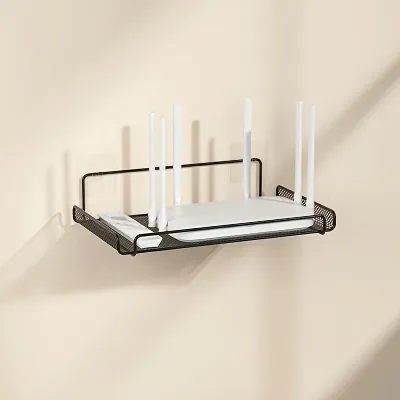
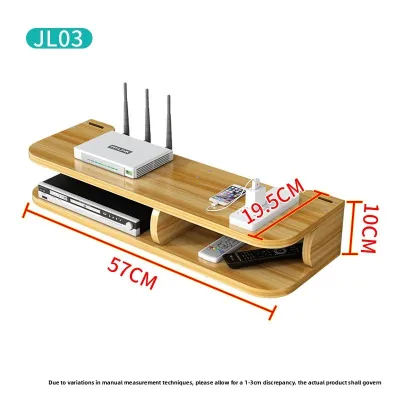
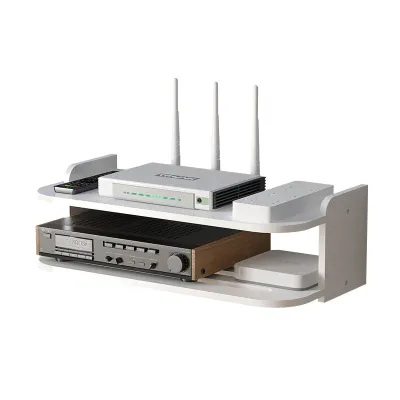
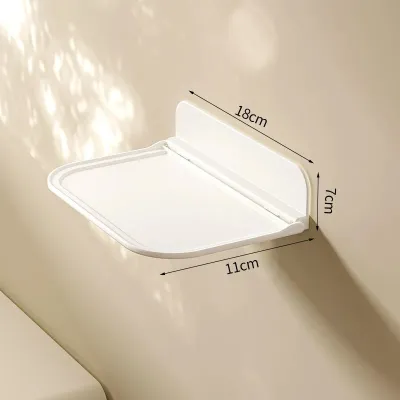
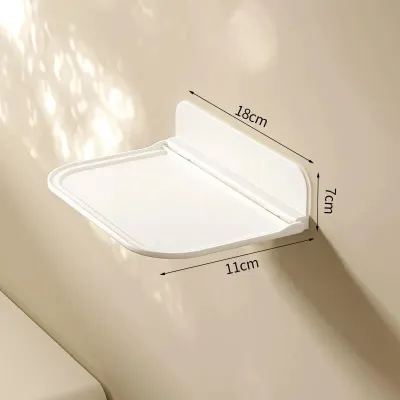
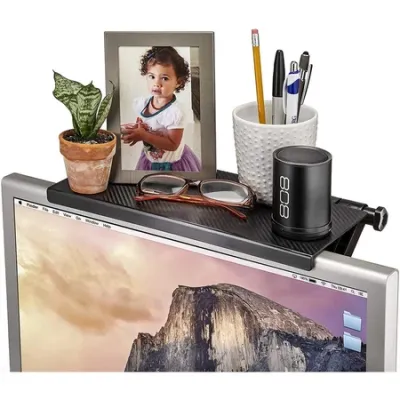
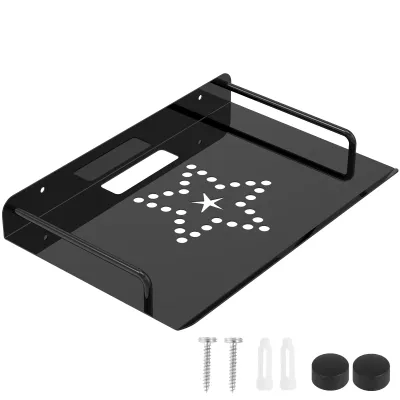
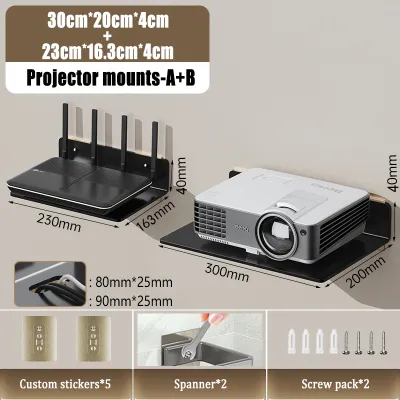
Prices are valid at publication and may change. Please refer to the product page for the latest price.
Elevating the router using a specialized holder is one of the most effective ways to bypass these spatial and structural obstacles. By mounting the device higher on a wall or suspending it beneath a desk, you create a clearer line of sight for the wireless signal to travel down corridors and through doorways. A dedicated holder also ensures that the router remains safe from accidental knocks, spills, or dust accumulation, preserving both your floor space and your hardware’s lifespan.
Key Features to Look for in a Space-Saving Router Holder
Choosing the right router holder requires evaluating several physical and technical criteria to ensure it supports your hardware safely without compromising your network’s speed.

Ventilation and Heat Dissipation Routers and modems run continuously, generating constant heat that must be dissipated to maintain optimal processing speeds and prevent hardware degradation. When selecting a holder, look for designs featuring open-grid patterns, slatted bases, or perforated panels. Fully enclosed plastic or wooden boxes without ventilation holes trap heat, which can cause the router to throttle its performance or shut down entirely. Ensure there is a gap of at least a few centimeters around the vents of your router when placed inside the holder.
Weight Capacity and Dimensions Before purchasing any holder, measure the physical footprint of your router, including any external antennas that may need to be angled upward or outward. You must also account for the weight of the router combined with its power adapter and any connected ethernet cables. Verify the manufacturer’s specified load limits for the holder. For plasterboard or drywall partitions, lightweight holders are generally safe, but heavier setups require robust anchoring or high-strength adhesives rated for the total weight.
Cable Management Integration A router holder is only as good as its ability to hide the wires feeding into it. Look for models that feature dedicated cable pass-through slots, built-in spools for winding up excess cord lengths, or hidden bottom compartments designed to house a small power strip. This keeps the power cables, fiber patch cords, and LAN wires organized and out of sight, preventing a tangled nest of dust-gathering wires from hanging down your wall.
Mounting Mechanisms The ideal mounting method depends heavily on whether you own the flat or are renting, as well as the specific wall surface where the FTP is located.
- Adhesive Mounts: Excellent for renters or those who prefer a damage-free installation. They work best on smooth, non-porous surfaces like tiles, glass, or properly primed and painted drywall. However, their weight capacity is limited, and improper removal can peel off wall paint.
- Drilled Mounts: Essential for heavy routers, multi-device setups, or concrete walls. Drilling provides a permanent, high-load capacity anchor, though it requires specific tools and leaves holes that must be patched later if the holder is relocated.
Best Types of Router Holders for Small HDB Spaces
To maximize the limited footprint of your HDB flat, you can choose from several specialized design categories, each catering to different room layouts and aesthetic preferences.
Wall-Mounted and Adhesive Shelves
Wall-mounted shelves are the most popular choice for HDB flats because they utilize vertical space that would otherwise go unused. These designs range from simple floating acrylic shelves to modular pegboard systems and dedicated steel router cradles. By mounting a shelf high on the living room wall—ideally central to the flat’s layout—you elevate the router above furniture obstacles, allowing the Wi-Fi signal to propagate more freely across corridors and into distant bedrooms.
When opting for adhesive-mounted shelves, it is critical to verify the weight limits specified by the adhesive manufacturer. Many heavy-duty double-sided tapes or command strips can support small, lightweight routers, but they may struggle under the weight of larger, multi-antenna gaming routers or setups that include a separate optical network terminal (ONT). If you are using adhesives, choose a shelf with a wide backplate to maximize the surface contact area with the wall.
Under-Desk and Concealed Mounts
For homeowners who prefer a completely minimalist look where technology is felt but not seen, under-desk and concealed mounts are an excellent alternative. These holders include metal wire baskets that screw to the underside of a study desk, clamp-on trays that attach to table edges without drilling, and brackets designed to mount directly to the back of a wall-mounted TV using the existing VESA holes.
While concealed mounts are outstanding for keeping workspaces and entertainment centers clean, they introduce a distinct trade-off between aesthetics and signal strength. Placing a router directly behind a large metal television screen or tucking it under a heavy solid-wood desk can obstruct and weaken the wireless signal. Consequently, concealed mounts are best reserved for secondary mesh nodes, wired switches, or setups where the primary router is located in an open area and these hidden devices merely extend the network’s reach.
Multi-Functional and Storage Box Designs
Multi-functional storage boxes are designed to act as centralized hubs, housing the router, modem, power strip, and excess cabling within a single, neat enclosure. These boxes often feature a flat top surface that can double as a small display shelf for keys or light decor, making them highly suited for narrow HDB entryways or small bedside tables. Some modular designs are stackable, allowing you to expand your storage as you add smart home hubs or external hard drives to your network.
The primary concern with multi-functional boxes is material selection. You must avoid boxes made of solid metal or dense, unventilated wood, as these materials act as shields that severely degrade Wi-Fi signals. Instead, look for boxes constructed from signal-permeable materials such as high-quality ABS plastic, open-slat wood, or breathable fabric panels. Always check that the box features multiple ventilation paths and easy-access cutouts so you can reach the power buttons or reset switches without having to disassemble the entire unit.
Installation and Cable Management Tips for HDB Walls
Installing a router holder in an HDB flat requires careful preparation, especially when dealing with the tough structural concrete walls common in local housing.
If you decide to drill into an HDB concrete wall, you will need a rotary hammer drill equipped with a masonry drill bit. Standard impact drills often struggle to penetrate HDB structural concrete. Before drilling, always use a digital wall scanner to check for concealed electrical wiring or water pipes, particularly if you are mounting the holder near light switches, power outlets, or DB boxes. Insert high-quality plastic wall plugs (anchors) that match the size of your drill bit, then secure the holder firmly with screws to ensure it remains stable under load.
For those choosing damage-free adhesive mounts on painted HDB walls, proper surface preparation is essential to prevent the holder from falling and damaging your equipment. Start by cleaning the wall surface with isopropyl alcohol to remove any oils, dust, or residue; avoid using household spray cleaners, which can leave a slippery film. Allow the surface to dry completely. Apply the adhesive strips to the holder’s backplate, press it firmly against the wall for at least 30 seconds, and then—crucially—leave the holder empty for 24 hours to let the adhesive fully cure before placing your router on it.
To complete the installation, address the trailing cables to maintain a polished look. Run your power and ethernet cables neatly along your skirting boards using paintable plastic cable raceways, which can be color-matched to your wall paint for a seamless finish. Use reusable Velcro ties instead of single-use plastic zip ties to bundle excess cable lengths behind or inside the holder; this makes it much easier to adjust your setup or swap out cables in the future without having to cut the ties.
Frequently Asked Questions (FAQ)
Can I mount a router holder on HDB walls without drilling?
Yes, you can mount lightweight router holders on HDB walls using heavy-duty double-sided mounting tapes or adhesive hooks. To ensure a secure hold, verify that the combined weight of your router, power adapter, and cables does not exceed the rated weight limit of the adhesive. These adhesives work best on smooth, clean, painted walls or tiled surfaces, but they can peel the paint or plaster layer if removed too quickly or if the wall has underlying moisture issues.
Does hiding a router in a storage box affect Wi-Fi signal?
Hiding a router inside a storage box can affect your Wi-Fi signal depending on the material of the box. Dense materials like metal, solid hardwood, or thick glass block or scatter wireless signals, leading to reduced coverage and slower speeds. To maintain optimal Wi-Fi performance throughout your HDB flat, choose storage boxes made from signal-permeable materials like ABS plastic, acrylic, or open-slat wood, and ensure the box has plenty of ventilation holes to prevent heat buildup.
How do I manage power strips and cables inside a router holder?
To manage power strips and cables inside a router holder, select a model that features a dedicated lower compartment or a hollow base specifically designed to conceal a multi-outlet power strip. Use short, high-quality ethernet cables (such as 0.5-meter or 1-meter patch cords) to connect your modem and router, which eliminates the need to coil long, bulky wires. Secure any remaining power cords with Velcro ties, and arrange the power adapters so they do not block the holder’s ventilation paths.
Community discussion
Share your experience or ask a question. Comments are reviewed before publication.