
Choosing the right pc chair is a significant decision, especially when deciding between two of the most prominent brands in the premium seating market: Secretlab and Razer. For professionals and gamers in Singapore spending long hours at their desks, the ideal choice is rarely universal. Instead, finding the right option depends heavily on your unique body metrics, preferred sitting posture, and specific feature priorities. Both brands offer distinct approaches to ergonomic support, material selection, sizing, and warranty coverage. By evaluating these core dimensions against your daily habits and workspace constraints, you can determine which brand delivers the best long-term value for your setup.
Comparing Ergonomic Design and Support Mechanisms
Ergonomic support is the foundation of any high-quality pc chair, directly influencing your comfort and posture during extended sitting sessions. When comparing Secretlab and Razer, the primary differentiator lies in how each brand designs its lumbar support. Secretlab models frequently feature an integrated, internal lumbar support system that allows users to adjust both the height and depth of the curve using side dials. This design is built directly into the backrest, offering a clean aesthetic and highly customizable support. In contrast, Razer often utilizes a prominent, externally sculpted lumbar support system on models like the Iskur, which uses a mechanical hinge to push the support forward, or more traditional memory foam cushions on other models. You should check the manufacturer specifications for each model to see which mechanism aligns with your spinal curve.
Beyond lumbar support, the recline and tilt mechanisms dictate how dynamic your seating experience can be. Both brands offer multi-functional tilt mechanisms that allow you to tilt the seat base and lock it at various angles. However, you should verify the exact recline range on official product pages, as some models allow for a deep tilt suitable for relaxation, while others prioritize a more upright, task-focused posture. A multi-position lock is essential if you prefer to secure the chair at a specific angle rather than relying solely on tension-based tilting.
Products mentioned in this guide
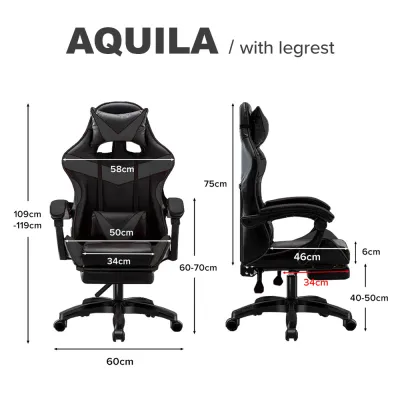
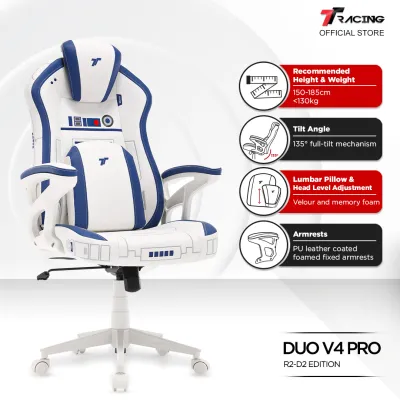
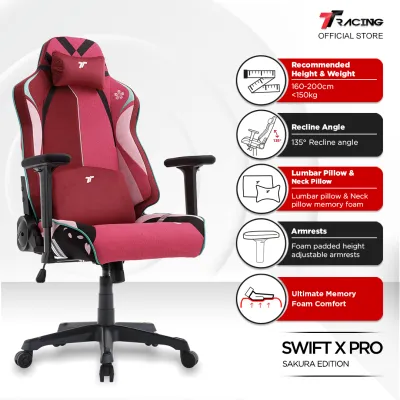
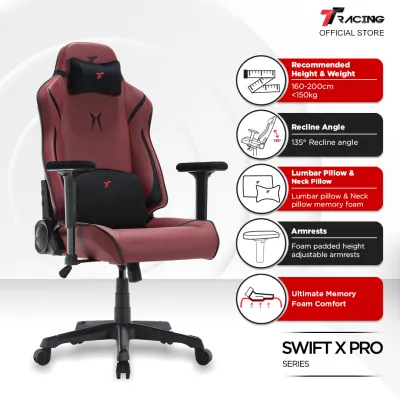
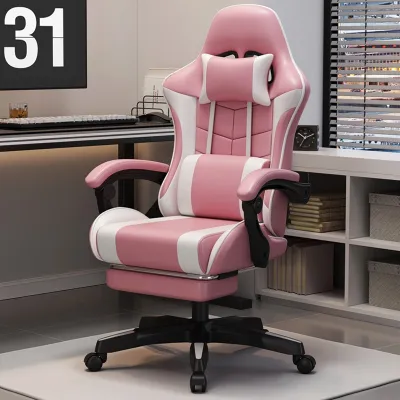
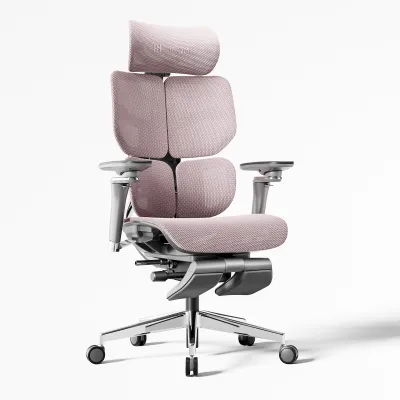
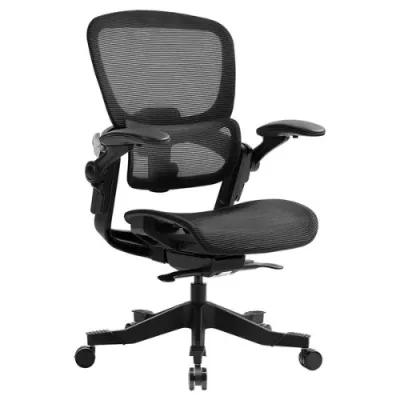
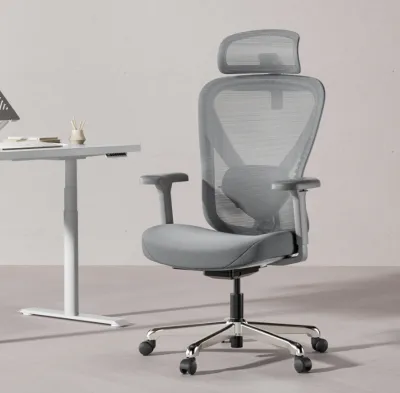
Prices are valid at publication and may change. Please refer to the product page for the latest price.
Armrest adjustability is another critical factor for preventing shoulder and neck strain. Most premium options from both brands feature multi-directional armrests, often referred to as 4D armrests. These allow you to adjust the height, slide the armrests forward or backward, shift them sideways, and angle them inward or outward. When evaluating these features, measure your desk height to ensure the armrests can slide underneath or sit flush with your desk surface, allowing your elbows to rest comfortably at a 90-degree angle while typing.
Evaluating Build Quality and Material Options
The structural integrity of a pc chair determines its safety, stability, and overall lifespan. To evaluate build quality, start by reviewing the frame and base materials specified by the manufacturer. High-quality chairs typically feature a reinforced steel frame paired with a heavy-duty aluminum wheelbase. Nylon bases are sometimes used in entry-level models, but aluminum offers superior long-term durability and a higher weight capacity. Always check the maximum weight capacity limits listed on the product specifications to ensure the chair can safely support your body weight over years of daily use.

Upholstery choice is particularly important in Singapore’s warm and humid tropical climate. Both brands offer synthetic leather, woven fabric, and occasionally mesh options. Synthetic leather (often polyurethane or hybrid leatherette) is easy to wipe clean but can trap heat and moisture if your workspace is not consistently air-conditioned. If you prefer a cooler seating experience, look for proprietary woven fabrics or mesh materials, which offer significantly higher breathability. When comparing these materials, check the manufacturer’s care instructions and any stated abrasion resistance ratings, such as Martindale cycle counts, to gauge how well the fabric resists wear and pilling.
The type of caster wheels attached to the base also affects your daily experience and floor maintenance. Standard nylon casters are common but can scratch delicate hardwood floors or make excessive noise on hard surfaces. Some models come equipped with polyurethane-coated casters, which roll more quietly and are gentler on hard flooring. If your workspace has thick carpeting, you may need to verify whether the included casters are designed to glide smoothly over carpet fibers or if you need to purchase specialized wheels or a chair mat.
Finding the Right Size and Adjustability for Your Body
A pc chair can only provide proper ergonomic support if it matches your physical dimensions. Using a chair that is too large or too small can lead to poor posture, restricted blood circulation, and discomfort. Both Secretlab and Razer provide detailed sizing charts on their official websites, categorizing chairs by recommended height and weight ranges. It is crucial to consult these charts rather than assuming a standard size will fit.
When analyzing sizing specifications, pay close attention to seat depth, backrest height, and shoulder width. The seat depth should allow you to sit fully back against the lumbar support while leaving a small gap (about two to three fingers wide) between the edge of the seat and the back of your knees. If the seat is too deep, it will press against your calves and restrict circulation; if it is too shallow, your thighs will lack adequate support. Similarly, the backrest height and shoulder width must accommodate your torso length to ensure the headrest and shoulder wings align correctly with your body.
In Singapore, where residential spaces like HDB flats and condominiums often feature compact layouts, physical environment measurements are just as important as body measurements. Before finalizing your purchase, measure your available floor space and the clearance of your desk. Ensure the outer dimensions of the chair, including the widest part of the wheelbase and armrests, can move freely within your workspace. Additionally, check your doorway and lift widths to guarantee the packaged box or fully assembled chair can be easily transported into your home.
Assessing Pricing, Warranty, and Long-Term Value
Investing in a premium pc chair requires a clear understanding of the total cost of ownership, warranty terms, and after-sales support. Base prices for entry-level and premium models from both brands generally range from S$500 to over S$1,000 in Singapore. To find the best value, compare prices across official brand stores and authorized online marketplaces, keeping an eye out for seasonal promotions or bundle deals that may include accessories like magnetic neck pillows or footrests.
A long warranty period is a strong indicator of a manufacturer’s confidence in their product’s durability. When comparing warranties, look beyond the headline number (such as a “up to 5 years” claim) and read the fine print. Verify which components are covered for the full duration. Often, structural elements like the steel frame and hydraulics carry longer coverage, while wear-and-tear items like upholstery, armrest padding, and moving plastic parts may have shorter warranty periods. Check the process for filing a claim in Singapore, including whether you must ship the faulty part back at your own expense or if local technicians handle replacements.
Finally, consider the logistics of direct-to-consumer purchases. Check the shipping costs and delivery timelines for Singapore addresses, as heavy furniture items can incur significant delivery fees. Some brands offer free shipping or local warehouse pickup options. You should also review the return policy carefully; many manufacturers charge restocking and return shipping fees if you decide to return the chair simply because you do not find it comfortable, making it essential to research sizing and specifications thoroughly before buying.
Decision Framework: Choosing the Right PC Chair
To make an informed decision, you must align the specific design philosophies of each brand with your personal comfort preferences and workspace requirements. Secretlab chairs are widely recognized for their firm, supportive seat bases and highly integrated, adjustable ergonomic features, making them suitable for users who prefer a structured sitting posture. Razer chairs often appeal to those who want pronounced, active lumbar support or specific aesthetic integrations that match an existing ecosystem of peripherals.
Use the following conditional framework to guide your final choice:
- Choose Secretlab if: You prefer a firmer, highly supportive seat cushion, require a highly customizable integrated lumbar system without external pillows, want a wide variety of upholstery options (including specialized breathable fabrics), and need precise sizing options ranging from small to extra-large.
- Choose Razer if: You prefer a highly pronounced, mechanical lumbar support curve that actively pushes against your lower back, want a design that matches a specific gaming aesthetic, or find their specific model dimensions align perfectly with your height and weight.
- Neither may fit if: You prefer a plush, soft, couch-like seating experience, require a highly breathable all-mesh chair for a non-air-conditioned room, or have a very compact workspace that cannot accommodate the wide wheelbase of standard premium gaming chairs.
- Verify first if: You have pre-existing chronic back conditions, in which case you should consult a medical professional regarding the ideal level of firmness and support before purchasing. Always double-check your desk height and doorway clearances to ensure a seamless setup.
Frequently Asked Questions (FAQ)
Do these gaming chairs require professional assembly?
Most premium pc chairs purchased online are shipped flat-packed and require self-assembly. The package typically includes all necessary tools, such as Allen keys, along with a detailed instruction manual or a link to an assembly video. While one person can assemble the chair, the individual components—especially the seat base and the steel multi-functional mechanism—can be heavy and awkward to align. It is highly recommended to have a second person assist you with lifting and securing the heavy parts to prevent accidental damage to the chair or personal injury during setup.
How do I maintain the upholstery to extend its lifespan?
Proper maintenance is essential for preserving the appearance and structural integrity of your chair’s upholstery, especially in Singapore’s humid climate. For synthetic leather, regularly wipe the surface with a slightly damp microfiber cloth to remove sweat, body oils, and dust, then dry it with a clean towel. For fabric or mesh upholstery, vacuum the surface weekly using an upholstery attachment to prevent dust from settling into the fibers. Avoid using harsh chemical cleaners, alcohol-based sanitizers, or abrasive brushes, as these can degrade the protective coatings. Always keep the chair away from direct sunlight to prevent fading and material breakdown, and consult the manufacturer’s care manual for approved cleaning solutions.

Community discussion
Share your experience or ask a question. Comments are reviewed before publication.