
Transitioning to a standing desk is an excellent way to break up sedentary work habits, boost daily energy levels, and reduce the physical strain associated with sitting all day. However, many people who make the switch too quickly find themselves dealing with sore calves, lower back stiffness, and overall physical fatigue within the first few days. To successfully transition to a standing desk without hurting your legs or feeling exhausted, you must adopt a gradual sitting-to-standing schedule, optimize your desk’s ergonomic height, use supportive footwear, and integrate active movement into your daily routine.
What is the best sitting-to-standing ratio for beginners?
The ideal starting ratio for beginners is to stand for 15 to 20 minutes for every hour of work, sitting for the remaining 40 to 45 minutes. This conservative balance allows your muscles, joints, and cardiovascular system to adapt gradually to the increased physical demands of standing without overloading your lower body.
Over the course of several weeks, you can slowly increase your standing intervals as your stamina improves. A common progression is to move toward a 1:1 ratio, such as alternating between 30 minutes of sitting and 30 minutes of standing. Some users eventually prefer a 1:2 ratio, standing for 40 minutes and sitting for 20 minutes of every hour. The key is to make these adjustments incrementally, giving your body at least a week or two to adjust to each new baseline before increasing your standing time further.
Products mentioned in this guide
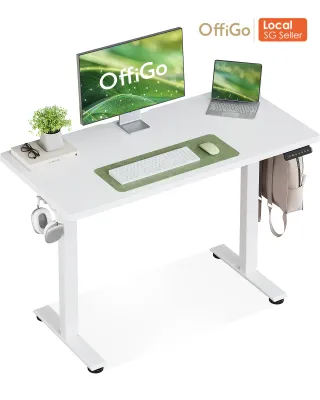
28 Lazada user ratings
Delivery for table was super fast (came the next day after i ordered) I opted for installation service and the installation guy contacted me…Read full reviewShow less
Delivery for table was super fast (came the next day after i ordered) I opted for installation service and the installation guy contacted me over whatsapp to arrange for it. They will ask when your table arrives and when is a good time for them to come down Love the table for the functionality and design! Js a note that the socket pops out a little from the wall so need to leave a bit of space outwards so the table doesnt hit the socket when youre adjusting its height
Best first - value for $$$ during 9/9, super fast delivery 2d, metal parts extremely well made, solid heavy & powder painted. Never seen a b…Read full reviewShow less
Best first - value for $$$ during 9/9, super fast delivery 2d, metal parts extremely well made, solid heavy & powder painted. Never seen a better instruction manual, parts labelling & packaging than this. Superb 👏 Good - top is mica but underneath is mdf. Screws won’t bite&hold. So be careful in picking using top. Otherwise decent Motor longevity needs time to seen Overall satisfied with delivery & item
Everything is nicely packed and the manual is easy to understand. Installation is also easy and setup for the table is easy. Only thing the …Read full reviewShow less
Everything is nicely packed and the manual is easy to understand. Installation is also easy and setup for the table is easy. Only thing the table top is 2 pieces wood so it is not so nice. For daily use the table still is ok.
Fast shipping, Sturdy legs base, the manual is very easy to understand during self installation. But adjustable button one side is loose .
good quality
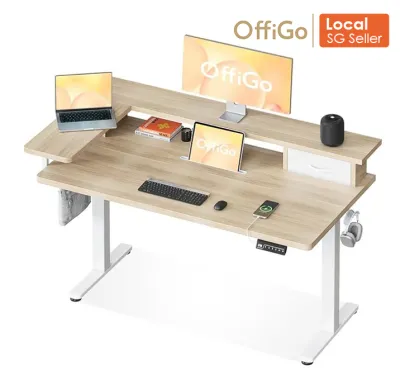
24 Lazada user ratings
Worth it. All in condition fast shipping. Nice packing and done well in protection for the wood and part not like tao bao furniture all come…Read full reviewShow less
Worth it. All in condition fast shipping. Nice packing and done well in protection for the wood and part not like tao bao furniture all come with defects, broke and cracks without any good protection packing. Have details self assembly manuals for self installation.
it is quite value for money and seems to work well for the time being. but if you are picky, not that recommended as there are minor flaws. …Read full reviewShow less
it is quite value for money and seems to work well for the time being. but if you are picky, not that recommended as there are minor flaws. see photo.
All parts received in good order, free from any defects. Simple & clear instructions for assembly. All parts are labeled clearly. Value for …Read full reviewShow less
All parts received in good order, free from any defects. Simple & clear instructions for assembly. All parts are labeled clearly. Value for $$$👍👍👍
Easy to assemble, Adjustable height, Quality not bad. Fast delivery 🤙
Nice design and strong frame. Worth the price 👍🏿👍🏿
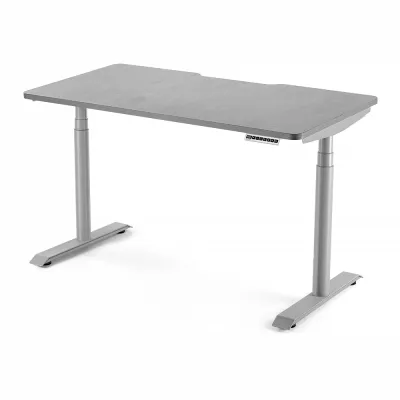
205 Lazada user ratings
Very satisfied with the purchase, table is sturdy and good quality with 4 different modes of height adjustment, opt for installation and I a…Read full reviewShow less
Very satisfied with the purchase, table is sturdy and good quality with 4 different modes of height adjustment, opt for installation and I am glad I did cause it seems complicated for me to send setup, installer was professional and took ard 30min, all in all Great service and delivery!
Order received in good condition, they allowed me to slightly delay my delivery due to renovation which was nice. Table is really high quali…Read full reviewShow less
Order received in good condition, they allowed me to slightly delay my delivery due to renovation which was nice. Table is really high quality, motor is quiet and the parts are really heavy. would definitely need 2 or more pple to assemble.
Sturdy and stable construction., Great adjustable desk for home office., The lift function is smooth and quiet., Good seller service, highly…Read full reviewShow less
Sturdy and stable construction., Great adjustable desk for home office., The lift function is smooth and quiet., Good seller service, highly recommended., The size options cater to different needs.,
Great adjustable desk for home office., Sturdy and stable construction., Bought during roadshow at a good discount. Assembly quite fast. No …Read full reviewShow less
Great adjustable desk for home office., Sturdy and stable construction., Bought during roadshow at a good discount. Assembly quite fast. No frills
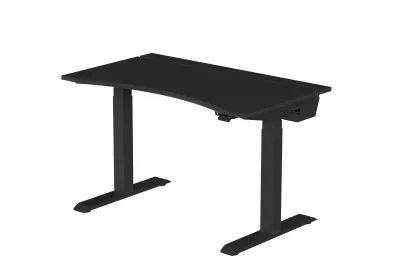
62 Lazada user ratings
I’ve yet to open the boxes to assemble the table as waiting for my new office to be ready so can’t really comment on the quality. What I can…Read full reviewShow less
I’ve yet to open the boxes to assemble the table as waiting for my new office to be ready so can’t really comment on the quality. What I can comment on is the delivery, which is very long. Upon order you’ll have to wait a month, and during this time there was no follow up on when they will deliver. Worst of all, when delivery date finally came, I received an ULTI polishing cloth instead of my table and received a notification that my table has been delivered. Naturally, I thought I was being scammed and wrote in to Lazada to cancel the order and get my money back. To be fair, ULTI did get in touch after but their explanation was that they could reach me to confirm the delivery date. I do not find that satisfactory, hence my low rating on service. Will follow up once I set the table up.
During the 12.12 sale, purchase the Arc Pro Standing desk (Ergo Walnut). Excellent value for money and a great product! Installation takes a…Read full reviewShow less
During the 12.12 sale, purchase the Arc Pro Standing desk (Ergo Walnut). Excellent value for money and a great product! Installation takes a while, but it looks fantastic! They definitely use high-quality materials in their products, and I'm very sure you won't find them anywhere else for this price. Since it took me nearly five hours to install it alone, I would also advise purchasing the installation service. 💀 But all in all, I adore the table; the color is stunning.
Table arrived in good condition and nicely packaged on the scheduled delivery date. 🔧Durability: Surface and finish appears to be of good qu…Read full reviewShow less
Table arrived in good condition and nicely packaged on the scheduled delivery date. 🔧Durability: Surface and finish appears to be of good quality, looking sturdy and seemingly scratch resistent. 🎨Design: looks good with the matt black in colour.
buy during 5/5 sale. table is very heavy and recommend to get the M8 screw castor wheels together.
Quality of the table is very good. Cable tray make it look similar to those in offices
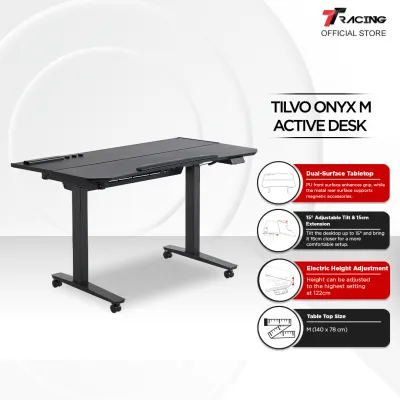
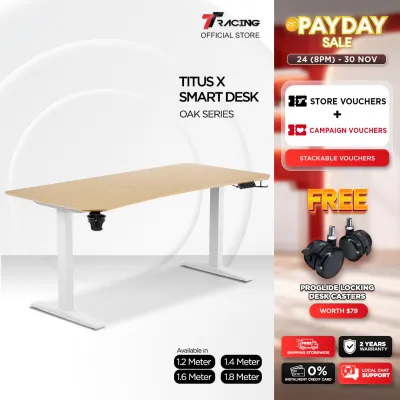
160 Lazada user ratings
All good! Motor works well! Just wish that some parts can be more refined for a better experience but still, i like this able a lot. Photo s…Read full reviewShow less
All good! Motor works well! Just wish that some parts can be more refined for a better experience but still, i like this able a lot. Photo shows the screws jutting out from under the table
💰Price: cheap 🔧Durability: very durable 🎨Design: idk I didn’t really like the one I got but it still looks quite good
Nicely design desk with good quality of table top! The desk feels solid and stable. Delivered in good packaging!
Very good table . Definitely worth the price . Took me an hour to assemble it. Get yours before it runs out !
The product looks great and sturdy. In my personal opinion, the motor movement is quiet and smooth.
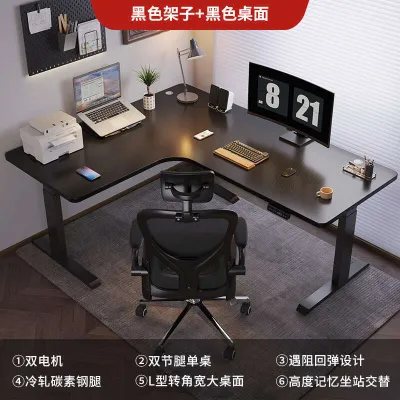
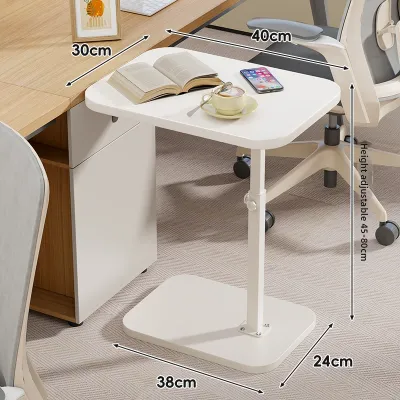
Prices are valid at publication and may change. Please refer to the product page for the latest price.
Paying attention to physical cues is essential during this transition period. Observable signs that you are standing too long too soon include shifting your weight constantly from side to side, locking your knees, leaning heavily on your desk, or feeling a dull ache in your heels and lower back. If you experience any of these symptoms, it is a clear signal to sit down immediately and reduce your standing intervals for the remainder of the day.
How do you set up a standing desk for proper ergonomic posture?
Setting up a standing desk correctly requires aligning your work surface so your elbows rest at a 90-degree angle and positioning your monitor so the top of the screen is at or slightly below eye level. Proper alignment prevents you from hunching forward, tilting your head, or straining your shoulders, which are primary causes of early fatigue.

Before adjusting your workspace, check the manufacturer’s instructions for your specific standing desk to verify its weight capacity, motor limits, and stability guidelines. Ensure that all cables have enough slack to move freely when the desk rises, and confirm that the desk remains stable and wobble-free at its fully extended height. Overloading a motorized desk or failing to distribute equipment weight evenly can strain the motor and compromise the safety of your setup.
Once the desk is stable, adjust the height of the work surface so that your shoulders remain relaxed and your upper arms hang naturally by your sides. When you place your hands on the keyboard, your elbows should form a 90-to-100-degree angle, and your wrists should remain straight and neutral. If your wrists bend upward or downward to type, adjust the desk height slightly until your forearms are parallel to the floor.
Your monitor positioning is equally critical for preventing neck and upper back strain. Place the screen directly in front of you, approximately an arm’s length away, with the top third of the display at eye level. If you work on a laptop, using a separate external keyboard and mouse alongside a laptop stand is highly recommended; this allows you to elevate the screen to eye level without forcing your hands and wrists into an awkward, elevated typing position.
Do you need an anti-fatigue mat or specific shoes for a standing desk?
While not strictly mandatory, using an anti-fatigue mat and wearing supportive, flat shoes can significantly reduce the impact on your joints and lower back compared to standing barefoot on hard floors. These tools distribute your body weight more evenly and encourage subtle, subconscious muscle contractions in your calves and feet, which helps maintain healthy blood circulation.
When evaluating an anti-fatigue mat, consider your specific workspace layout, desk clearance, and how easily you can transition between sitting and standing. Choose a mat with a supportive foam or polyurethane core that cushions your feet without being so soft that you sink completely through to the floor. Ensure the mat has tapered edges to prevent tripping hazards, and verify that it can be easily slid out of the way when you want to roll your office chair back into position.
Your footwear choices also play a major role in how long you can stand comfortably. Avoid standing barefoot, in high heels, or in flat, unsupportive slippers, as these options offer little to no shock absorption or arch support. Opt instead for supportive, closed-toe shoes with cushioned insoles. Keep in mind that adding a thick mat or wearing shoes with thick soles will slightly increase your overall height, meaning you will need to adjust your standing desk upward by a few centimeters to maintain your correct elbow and monitor alignment.
How can you build a daily routine to alternate between sitting and standing?
Building a sustainable routine relies on scheduling transitions around natural work triggers and using physical reminders rather than relying on memory alone. Alternating positions regularly keeps your muscles active and prevents the static fatigue associated with both prolonged sitting and prolonged standing.
To establish a consistent habit, utilize digital tools such as smartwatch alerts, desktop timer apps, or calendar blocks to prompt a change in posture. Setting a simple repeating timer for 45 minutes of sitting followed by 15 minutes of standing is an easy way to build the habit. If you find timers disruptive to your focus, try tying your transitions to specific daily tasks; for example, make it a rule to stand during virtual meetings, phone calls, or when sorting through emails, and sit down when performing tasks that require deep focus, precise writing, or heavy typing.
Standing completely still for long periods can cause blood to pool in your lower legs, leading to discomfort and fatigue. To prevent this, incorporate gentle movements into your standing intervals to keep your circulation active. Try performing gentle calf raises, slow ankle rolls, or shifting your weight from one foot to the other. Taking brief walks around the room during your transitions is also an excellent way to release tension in your hip flexors and lower back.
When should you stop standing and consult a professional about leg pain?
You should stop using your standing desk and consult a healthcare professional if you experience sharp, shooting pain, persistent swelling in your feet or ankles, or numbness and tingling in your legs. While mild, temporary muscle tiredness is a normal part of building stamina, localized or radiating pain indicates a physical strain or underlying condition that requires medical evaluation.
It is important to differentiate between normal muscle fatigue and warning signs that require attention. Normal fatigue feels like a dull, generalized ache in the calves or lower back that resolves quickly after sitting down or resting overnight. Warning signs include sharp joint pain in the knees or hips, throbbing pain in the arches of your feet, or persistent swelling that does not subside.
If you have pre-existing circulatory issues (such as varicose veins), joint disorders, or spinal conditions, consult a physical therapist or doctor before attempting a standing desk routine. They can provide personalized guidance on safe standing limits and specific ergonomic adjustments.

Community discussion
Share your experience or ask a question. Comments are reviewed before publication.