
Choosing the right size for a wall-mounted TV console requires balancing the physical width of your television, the structural capacity of your wall, and the surrounding clearance of your living space. As a baseline rule of thumb, your console should be at least 20 to 30 cm wider than your television screen to maintain visual balance and prevent a top-heavy look. In compact residential spaces, such as Singapore’s HDB flats or modern condominiums, optimizing a tv console wall setup is as much about functional clearance and structural safety as it is about aesthetics. Selecting the wrong size can lead to cramped walkways, visible cable clutter, or even dangerous structural failures if the wall cannot support the weight.
Measure Your Wall Space and TV Dimensions
Before browsing online marketplaces or visiting local furniture showrooms, you must establish the exact physical boundaries of your room. Relying on guesswork can result in a console that blocks doorways or fails to align with your existing electronics.
Start by measuring the total available wall width where you intend to mount the unit. Do not just measure the open space; take careful note of physical obstacles such as door frames, window frames, air-conditioner trunking, light switches, and adjacent furniture. If your wall features decorative wall molding or feature panels, measure the flat surface area within those boundaries to ensure the console will sit flat against the wall.
Products mentioned in this guide
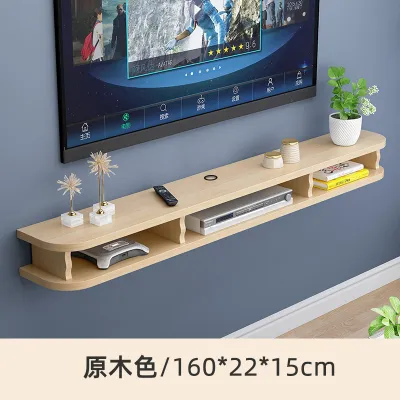
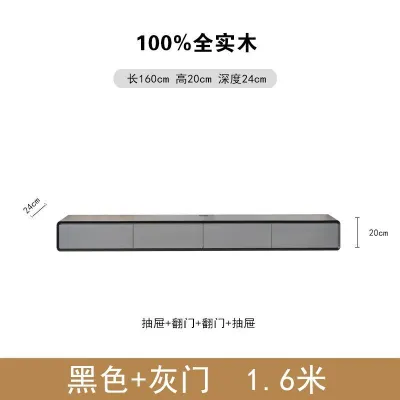
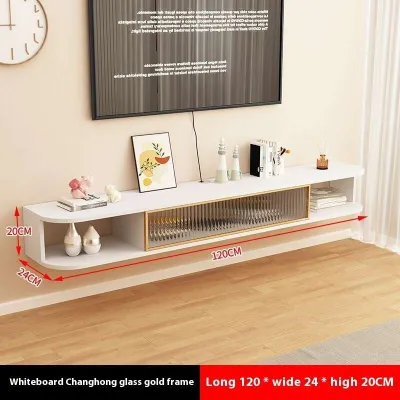
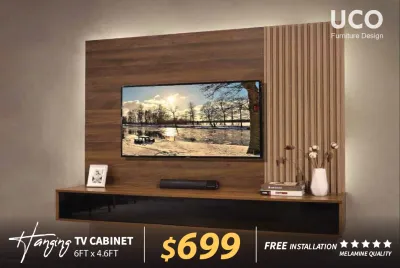
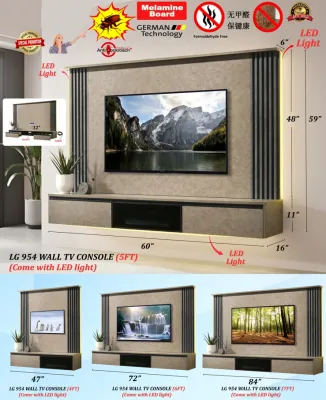
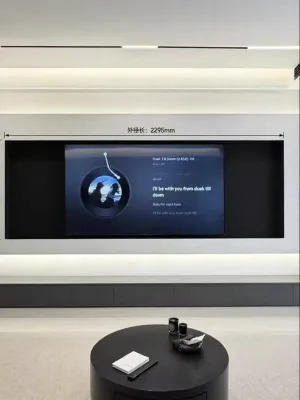
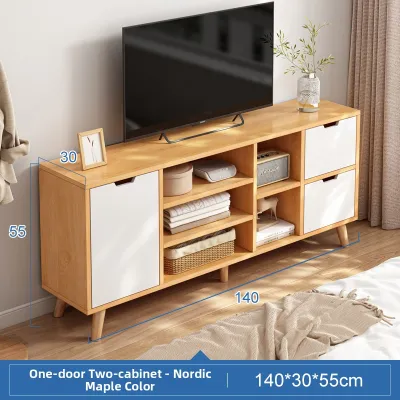
Prices are valid at publication and may change. Please refer to the product page for the latest price.
Next, measure the exact physical width and height of your television bezel. It is a common mistake to use the diagonal screen size (such as 55 inches or 65 inches) as the physical width. A 55-inch TV, for example, typically has an actual physical width of around 121 to 124 cm, depending on the brand and model. Always use a physical tape measure to get the true outer dimensions of the TV frame.
Locating your power sockets, data ports, and fiber termination points is another critical step. Mark their exact coordinates on your wall. A well-designed console should either completely conceal these outlets within an open back panel or sit just below them to allow easy cable access. If the console is too shallow or lacks rear cutouts, your plugs may be crushed against the wall, preventing the unit from mounting flush.
Finally, record the ceiling height and note any overhead features like false ceilings, structural beams, or wall-mounted air conditioning units. Understanding this vertical envelope ensures you can position both the console and the TV at comfortable, ergonomic heights without crowding the upper portion of the wall.
Match Your TV Console Wall Width to Your TV for Visual Balance
Achieving a visually grounded and aesthetically pleasing living room depends heavily on the proportional relationship between your television and your tv console wall unit. If the console is too short, the entire setup will look top-heavy, precarious, and visually jarring.

The core design principle is that the console must always be wider than the television. This creates an anchoring effect, drawing the eye downward and establishing a stable base. Ideally, you should aim for a minimum visual overhang of 10 to 15 cm on each side of the television screen. For larger, more spacious living rooms, an overhang of 20 to 30 cm on each side provides a more luxurious, balanced frame.
Modern ultra-slim or bezel-less televisions present a unique visual challenge. Because these screens have almost no frame, they can appear lighter and more floating than older, bulkier models. To balance this floating effect, pairing them with a slightly wider console helps ground the screen and prevents the TV from looking like an afterthought on a vast wall.
While actual wall limits and personal preferences always take precedence, you can use this general, non-exhaustive reference framework for standard pairings:
- 43-inch TV (approx. 97 cm wide): Pair with a 120 cm to 140 cm console.
- 55-inch TV (approx. 122 cm wide): Pair with a 150 cm to 180 cm console.
- 65-inch TV (approx. 145 cm wide): Pair with an 180 cm to 210 cm console.
- 75-inch TV (approx. 168 cm wide): Pair with a 210 cm to 240 cm console.
When opting for longer consoles, particularly those over 200 cm, you must prioritize delivery and installation logistics. Many standard apartment lifts and tight stairwells in Singapore cannot accommodate exceptionally long, fully assembled furniture. Before finalizing your purchase, measure your building’s lift door height, interior cabin depth, and corridor corners to ensure the delivery team can safely transport the unit to your home.
Adapt to Room Layout and Walking Clearances
A wall-mounted console is an excellent space-saving solution, but its dimensions must harmonize with the overall layout of your room. In compact living rooms, maintaining a clear traffic flow is essential for daily comfort.
First, evaluate the remaining wall space on either side of the console. Avoid a cramped, wall-to-wall look where the console tightly wedges between two corners or adjacent pieces of furniture. Leaving at least 20 to 30 cm of clear wall space on both ends prevents the room from feeling closed-in and preserves an airy, spacious atmosphere.
Second, pay close attention to the console’s depth. While lifting the unit off the floor frees up visual floor space, the physical depth of the cabinet still projects into your walking path. Standard console depths range from 30 cm to 45 cm. For narrow, corridor-like living rooms common in modern BTO flats, selecting a slim-profile console with a depth of 30 to 35 cm is highly recommended to preserve comfortable walking clearance.
You must also balance the console’s size with your viewing distance and other living room furniture. Ensure there is a comfortable clearance—ideally at least 60 cm—between the front of the console and your coffee table or sofa. This allows you to walk past easily without bumping your knees or shuffling sideways.
Additionally, account for the swing radius of nearby doors, such as balcony glass doors or bedroom entryways. Ensure that the console’s placement does not obstruct these doors or interfere with the positioning of essential household items like standing fans, air purifiers, or floor lamps.
Check Structural Limits and Installation Clearances
Wall-mounted furniture requires careful technical planning to ensure safety, durability, and daily functionality. Unlike floor-standing cabinets, a wall-mounted unit relies entirely on the structural integrity of your wall and the anchoring hardware used.
Before purchasing, verify your wall’s construction material. Solid concrete walls (such as structural columns or standard HDB precast concrete panels) and solid brick walls are ideal, as they can easily support the heavy point-load of a console, a television, and stored media equipment. Conversely, standard drywall, plasterboard, or hollow partition walls cannot safely support these heavy loads without professional structural reinforcement, such as internal timber backing or metal studs. Always check the manufacturer’s load capacity rating and consult a qualified professional installer to assess your wall’s suitability.
For daily maintenance, recommend a practical bottom clearance between the floor and the underside of the console. A gap of 15 to 25 cm is generally ideal. This height provides sufficient clearance for standard mops, brooms, and most modern robotic vacuums to pass underneath easily, preventing dust bunnies from accumulating in hard-to-reach spots.
Effective cable management is another critical functional requirement. Ensure the console’s internal compartments are designed to accommodate thick HDMI cables, optical cords, and bulky power bricks. Look for units featuring built-in cable grommets, rear ventilation cutouts, or dedicated cable routing channels that allow you to run wires behind the unit without pinching them.
Finally, consider heat dissipation for your electronic devices. Media players, internet routers, and gaming consoles generate significant heat during operation. Storing these devices inside tightly enclosed wooden or laminate compartments can cause overheating, which may damage both the electronics and the furniture itself. If you plan to store active electronics inside, choose a console with slatted doors, open shelving, or active ventilation cutouts, and check the manufacturer’s care instructions regarding heat exposure.
Common Sizing and Placement Mistakes to Avoid
Avoiding common installation and sizing pitfalls will save you time, money, and frustration during your living room setup.
One of the most frequent errors is choosing a console that is narrower than the television. This creates an awkward visual “arrow” pointing downward, making the entire setup look unstable and exposing mounting brackets or dangling cables in an unsightly manner.
Another common oversight is ignoring the console’s depth in relation to high-traffic zones. A console that projects too far into a narrow walkway leads to constant stubbed toes and restricted movement, defeating the space-saving purpose of a wall-mounted design.
Many homeowners also forget to account for skirting boards. Skirting boards running along the base of the wall can prevent a semi-wall-mounted console or adjacent furniture from sitting perfectly flush. If you require a flush fit, check whether the console features a recessed back panel to accommodate the skirting board, or if you need to install spacer brackets.
Lastly, overlooking the exact height of your power sockets can lead to major headaches. If your sockets are positioned too high, cables will dangle visibly beneath the console. If they are too low, the solid back panel of the console may cover the outlets completely, making it impossible to plug in your devices without cutting custom holes in the furniture. Measure and plan your mounting height relative to your sockets before drilling any holes.
Frequently Asked Questions (FAQ)
How high should a wall-mounted TV console be installed?
The ideal installation height depends on your sofa’s seat height and your seated eye level. As a general guideline, the top surface of the console is typically installed around 40 to 50 cm from the floor. This placement ensures that when your television is mounted above the console, its center point aligns comfortably with your eye level when seated, preventing neck strain and maintaining a balanced visual proportion.
Can I mount a TV console on a drywall partition?
Standard drywall or hollow partition walls cannot safely support the heavy point-load of a wall-mounted TV console and its stored electronics. Before proceeding, verify your wall type. If you have a drywall partition, you must consult a qualified contractor to install internal timber backing or structural reinforcement. If reinforcement is not possible, it is highly recommended to opt for a floor-standing TV cabinet instead to ensure safety and prevent structural damage.
Community discussion
Share your experience or ask a question. Comments are reviewed before publication.