
To accommodate a large TV while leaving dedicated space for side displays, your TV cabinet must be significantly wider than the screen itself. A cramped media setup detracts from the room’s aesthetics and limits the functionality of your display zones.
The baseline formula for a balanced setup is to allocate at least 30 cm to 50 cm of extra cabinet width on each side of the TV screen. This ensures you have enough flat surface or shelving space to place decorative items, books, or small plants without crowding the screen.
In practical terms, this means the total width of your TV cabinet should be roughly 60 cm to 100 cm wider than the actual physical width of your TV. For example, if your TV is 145 cm wide, your ideal cabinet width should range between 205 cm and 245 cm.
Products mentioned in this guide

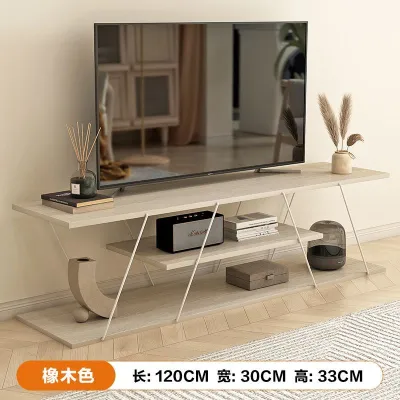
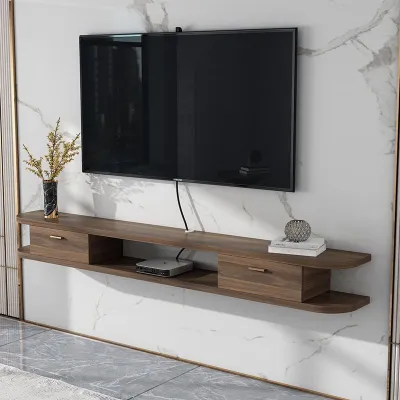
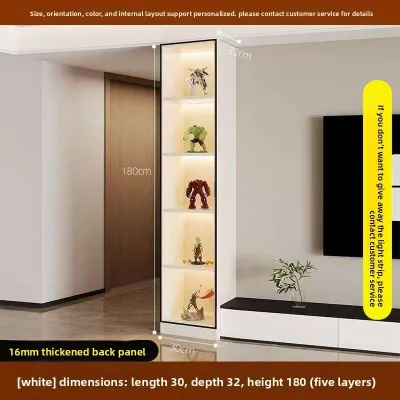
Prices are valid at publication and may change. Please refer to the product page for the latest price.
Before finalizing any purchase, you must verify the exact physical dimensions of your specific TV model, including its bezel thickness and stand footprint, as these specifications vary across brands.
Calculating Total Width: TV Dimensions Plus Display Zones
When planning a media wall, relying on diagonal screen sizes can lead to costly ordering mistakes. Screen sizes like 65-inch, 75-inch, or 85-inch refer strictly to the diagonal measurement of the glass, not the actual horizontal width of the frame.
A typical 65-inch TV has a physical horizontal width of approximately 145 cm. A 75-inch model generally measures around 168 cm wide, while a massive 85-inch screen spans about 190 cm in physical width. These dimensions are approximate and can vary based on the manufacturer’s bezel design and built-in speaker configurations.
To design the layout, you must distinguish between visual clearance and functional display space. Visual clearance is the empty buffer zone (usually 10 cm to 15 cm on each side) required to let the screen “breathe” visually so the setup does not look squeezed. Functional display space refers to the actual footprint needed for physical objects, such as books, potted plants, smart speakers, or decorative sculptures, which typically requires 30 cm to 50 cm of dedicated space on either side.
The table below outlines the recommended minimum cabinet widths based on these two display options:
| TV Screen Size (Diagonal) | Approx. TV Physical Width | Min. Cabinet Width (30 cm Side Displays) | Min. Cabinet Width (50 cm Side Displays) |
|---|---|---|---|
| 65-inch | 145 cm | 205 cm | 245 cm |
| 75-inch | 168 cm | 228 cm | 268 cm |
| 85-inch | 190 cm | 250 cm | 290 cm |
Spanning these wide distances introduces critical structural considerations for your furniture. A single-piece console stretching over 2.4 meters is highly susceptible to sagging in the middle under the weight of a heavy TV and decorative items.
To prevent structural failure, look for cabinets with reinforced central support legs, heavy-duty internal framing, or solid wood construction. Alternatively, you can opt for a modular setup consisting of a central low-profile console flanked by two matching independent side units or bookshelves.
Always check the manufacturer’s specified maximum load capacity for the cabinet. If you plan to place the TV on its stand rather than wall-mounting it, verify that the cabinet’s top surface can safely support the concentrated weight of the TV stand.
Depth, Height, and Proportions for Visual Balance
Achieving a harmonious living room design requires looking beyond simple width calculations to evaluate depth, height, and overall visual proportions.

Cabinet Depth A large TV setup with side displays requires a cabinet depth of at least 40 cm to 50 cm. This depth ensures that the TV stand does not overhang the front edge, which is a major safety hazard. Adequate depth also provides a stable, secure foundation for side display items, preventing them from being easily knocked over in high-traffic areas.
Cabinet Height For optimal viewing comfort, the center of your TV screen should align with your eye level when you are seated on your sofa. Because larger screens have more vertical height, the cabinet supporting them must be lower to keep the screen at a comfortable viewing angle. Low-profile cabinets standing between 35 cm and 45 cm high are ideal for 75-inch and 85-inch screens, preventing the setup from feeling top-heavy or causing neck strain.
Visual Proportions Balancing the visual weight of a massive screen with your side displays is essential for a cohesive look. Low, open side shelving units create a modern, airy feel that makes smaller living rooms feel more spacious. Conversely, tall vertical side towers or flanking bookshelves offer substantial storage but can easily overwhelm a room if the cabinet is too dark or bulky.
Measuring Your Wall and Room Constraints
Before purchasing a wide TV cabinet setup, you must carefully evaluate the physical limitations of your living space, particularly in compact urban layouts like Singapore apartments.
Wall Width Assessment Measure the total uninterrupted wall space where you plan to position the cabinet. Ensure the projected width of your cabinet does not block essential room features, such as doorways, light switches, electrical distribution boards (DB boxes), air conditioning trunking, or access to balconies.
Viewing Distance Larger screens require a longer viewing distance to prevent eye strain and pixelation. A 75-inch screen typically requires a viewing distance of at least 2.3 to 3 meters. Ensure your room’s layout allows your seating to be positioned at this distance while still leaving room for the cabinet’s depth.
Walkway Clearance Maintain a clear, unobstructed pathway in front of the TV cabinet. In busy living areas, you should leave a minimum walkway clearance of 60 cm to 90 cm between the front edge of the cabinet and other furniture, such as coffee tables or lounge chairs, to allow safe passage.
Doorway and Lift Access A cabinet spanning 2.4 to 2.9 meters is exceptionally long. Before ordering, measure your apartment’s entry doorway, hallway corners, and passenger lift dimensions. If a single-piece console cannot fit in the lift, you may face steep delivery surcharges or have to return the item. Modular units that are assembled on-site offer a practical solution to these access constraints.
Stability and Anchoring If your side display space consists of tall vertical towers or bookshelves, anchoring them to the wall is critical to prevent tip-over accidents. Always check the manufacturer’s assembly instructions for recommended anchoring hardware suitable for your wall type (e.g., masonry plugs for concrete walls).
Power and Cable Management Examine the location of your wall power outlets, cable TV points, and internet ports. A wide cabinet with side displays can easily block access to these outlets. Choose a cabinet with built-in cable management cutouts or wire routing channels to keep cords hidden from view behind your side display items.
Common Sizing and Placement Mistakes to Avoid
Avoiding common design and installation pitfalls will ensure your large TV and side display setup remains safe, functional, and visually appealing.
The “Exact Fit” Error Purchasing a TV cabinet that is the exact same width as your TV screen is a frequent mistake. This creates an unbalanced, top-heavy look and leaves absolutely no room for side displays, defeating the purpose of your design.
Ignoring the TV Stand Footprint Some large TVs feature wide-set dual feet rather than a central pedestal stand. If you plan to place the TV on the cabinet, these feet might extend nearly to the edges of the screen, potentially colliding with your side display shelves or overhanging the cabinet’s front or sides.
Overcrowding Displays While side displays are meant for decor, placing tall, bulky, or highly reflective items directly next to the screen can distract from your viewing experience. Keep decorative items slightly shorter than the TV’s midpoint and choose matte finishes to minimize screen glare.
Neglecting Ventilation Electronic devices generate substantial heat during operation. Placing a large TV too close to enclosed side shelving or tight cabinetry can trap heat and shorten the lifespan of your television and media players.
Assuming Material Performance When choosing a cabinet material (such as engineered wood, MDF, or solid timber), do not assume a material name guarantees scratch or moisture resistance. Instead, check the manufacturer’s care instructions and verify if the surface has a protective finish (like melamine or polyurethane) that suits your daily use and cleaning habits.
Frequently Asked Questions (FAQ)
How much ventilation space does a large TV need above and around the cabinet?
Large televisions require adequate airflow to dissipate heat and prevent internal components from overheating. You should maintain a minimum clearance gap of 10 cm to 15 cm above, behind, and on both sides of the TV screen. Ensure that your side display shelves, decorative panels, or books do not obstruct the TV’s built-in ventilation ports. Always consult your television manufacturer’s user manual for specific clearance and safety instructions.
Should I wall-mount a large TV if my cabinet has tall side display shelves?
Wall-mounting a large TV is highly recommended when using tall side display shelves. This configuration frees up the entire top surface of your central cabinet for decor and eliminates the risk of the TV stand interfering with your side shelves. However, before wall-mounting, you must verify the structural integrity of your wall; solid concrete or brick walls (common in Singapore HDB flats) can easily support heavy screens, whereas drywall or partition walls require specialized anchors or stud-mounting. Ensure you use a high-quality wall mount rated for your TV’s specific weight and VESA hole pattern, and follow all manufacturer installation guidelines. If you choose to use the TV’s stand instead, ensure the stand’s footprint sits entirely on a level, stable surface and use anti-tip safety straps anchored to the wall.
Community discussion
Share your experience or ask a question. Comments are reviewed before publication.