
Transitioning to a standing desk is an excellent step toward reducing sedentary behavior, but simply standing up does not automatically eliminate physical strain. Without proper alignment, you may find yourself swapping lower back stiffness for neck tension, shoulder aches, or sore feet. Achieving a pain-free workspace requires a systematic approach to positioning your desk, monitor, and input devices so they support your body’s natural alignment rather than forcing you to adapt to them. By establishing a neutral posture as your baseline, you can enjoy the active benefits of a standing desk while keeping discomfort at bay.
Establish Your Baseline Posture and Desk Height
To set up your standing desk correctly, you must first find your body’s natural baseline posture. Stand up straight but relaxed, with your feet flat on the floor, about shoulder-width apart. Let your shoulders drop naturally, ensuring you are not tensing your neck or pulling your shoulder blades too tightly together. Your head should rest comfortably over your neck without jutting forward. This relaxed, upright stance serves as the foundation for all subsequent adjustments.
Once you are standing comfortably, bend your elbows to a 90-degree angle, keeping your upper arms close to your sides. This elbow position determines the optimal height for your desk surface or keyboard tray. Adjust your standing desk so that the top of the desk surface or the keyboard tray meets your forearms. When you place your hands on the keyboard, your wrists should remain straight and parallel to the floor, rather than bending upward or downward. This alignment prevents wrist strain and minimizes the risk of repetitive strain injuries.
Products mentioned in this guide
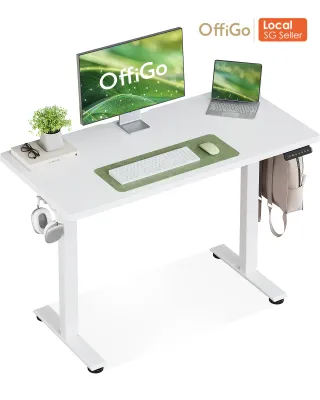
28 Lazada user ratings
Delivery for table was super fast (came the next day after i ordered) I opted for installation service and the installation guy contacted me…Read full reviewShow less
Delivery for table was super fast (came the next day after i ordered) I opted for installation service and the installation guy contacted me over whatsapp to arrange for it. They will ask when your table arrives and when is a good time for them to come down Love the table for the functionality and design! Js a note that the socket pops out a little from the wall so need to leave a bit of space outwards so the table doesnt hit the socket when youre adjusting its height
Best first - value for $$$ during 9/9, super fast delivery 2d, metal parts extremely well made, solid heavy & powder painted. Never seen a b…Read full reviewShow less
Best first - value for $$$ during 9/9, super fast delivery 2d, metal parts extremely well made, solid heavy & powder painted. Never seen a better instruction manual, parts labelling & packaging than this. Superb 👏 Good - top is mica but underneath is mdf. Screws won’t bite&hold. So be careful in picking using top. Otherwise decent Motor longevity needs time to seen Overall satisfied with delivery & item
Everything is nicely packed and the manual is easy to understand. Installation is also easy and setup for the table is easy. Only thing the …Read full reviewShow less
Everything is nicely packed and the manual is easy to understand. Installation is also easy and setup for the table is easy. Only thing the table top is 2 pieces wood so it is not so nice. For daily use the table still is ok.
Fast shipping, Sturdy legs base, the manual is very easy to understand during self installation. But adjustable button one side is loose .
good quality
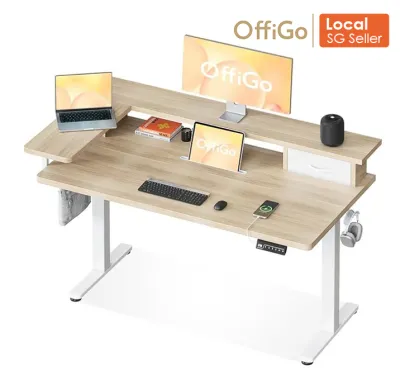
24 Lazada user ratings
Worth it. All in condition fast shipping. Nice packing and done well in protection for the wood and part not like tao bao furniture all come…Read full reviewShow less
Worth it. All in condition fast shipping. Nice packing and done well in protection for the wood and part not like tao bao furniture all come with defects, broke and cracks without any good protection packing. Have details self assembly manuals for self installation.
it is quite value for money and seems to work well for the time being. but if you are picky, not that recommended as there are minor flaws. …Read full reviewShow less
it is quite value for money and seems to work well for the time being. but if you are picky, not that recommended as there are minor flaws. see photo.
All parts received in good order, free from any defects. Simple & clear instructions for assembly. All parts are labeled clearly. Value for …Read full reviewShow less
All parts received in good order, free from any defects. Simple & clear instructions for assembly. All parts are labeled clearly. Value for $$$👍👍👍
Easy to assemble, Adjustable height, Quality not bad. Fast delivery 🤙
Nice design and strong frame. Worth the price 👍🏿👍🏿
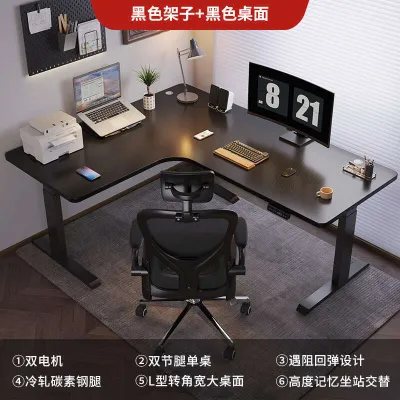
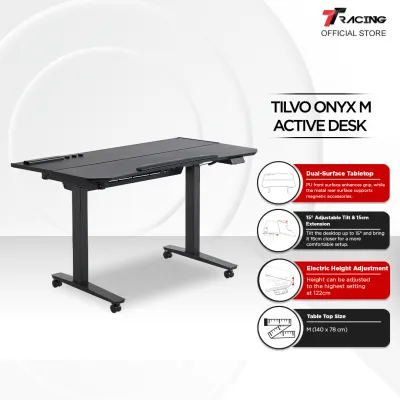
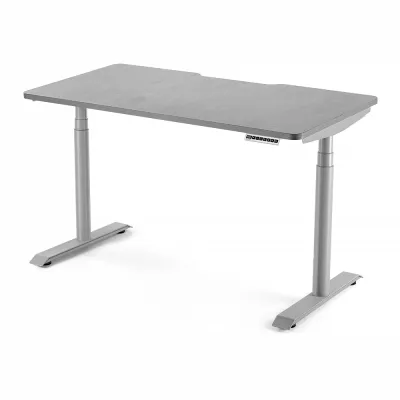
205 Lazada user ratings
Very satisfied with the purchase, table is sturdy and good quality with 4 different modes of height adjustment, opt for installation and I a…Read full reviewShow less
Very satisfied with the purchase, table is sturdy and good quality with 4 different modes of height adjustment, opt for installation and I am glad I did cause it seems complicated for me to send setup, installer was professional and took ard 30min, all in all Great service and delivery!
Order received in good condition, they allowed me to slightly delay my delivery due to renovation which was nice. Table is really high quali…Read full reviewShow less
Order received in good condition, they allowed me to slightly delay my delivery due to renovation which was nice. Table is really high quality, motor is quiet and the parts are really heavy. would definitely need 2 or more pple to assemble.
Sturdy and stable construction., Great adjustable desk for home office., The lift function is smooth and quiet., Good seller service, highly…Read full reviewShow less
Sturdy and stable construction., Great adjustable desk for home office., The lift function is smooth and quiet., Good seller service, highly recommended., The size options cater to different needs.,
Great adjustable desk for home office., Sturdy and stable construction., Bought during roadshow at a good discount. Assembly quite fast. No …Read full reviewShow less
Great adjustable desk for home office., Sturdy and stable construction., Bought during roadshow at a good discount. Assembly quite fast. No frills
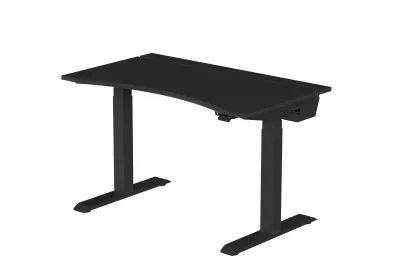
62 Lazada user ratings
I’ve yet to open the boxes to assemble the table as waiting for my new office to be ready so can’t really comment on the quality. What I can…Read full reviewShow less
I’ve yet to open the boxes to assemble the table as waiting for my new office to be ready so can’t really comment on the quality. What I can comment on is the delivery, which is very long. Upon order you’ll have to wait a month, and during this time there was no follow up on when they will deliver. Worst of all, when delivery date finally came, I received an ULTI polishing cloth instead of my table and received a notification that my table has been delivered. Naturally, I thought I was being scammed and wrote in to Lazada to cancel the order and get my money back. To be fair, ULTI did get in touch after but their explanation was that they could reach me to confirm the delivery date. I do not find that satisfactory, hence my low rating on service. Will follow up once I set the table up.
During the 12.12 sale, purchase the Arc Pro Standing desk (Ergo Walnut). Excellent value for money and a great product! Installation takes a…Read full reviewShow less
During the 12.12 sale, purchase the Arc Pro Standing desk (Ergo Walnut). Excellent value for money and a great product! Installation takes a while, but it looks fantastic! They definitely use high-quality materials in their products, and I'm very sure you won't find them anywhere else for this price. Since it took me nearly five hours to install it alone, I would also advise purchasing the installation service. 💀 But all in all, I adore the table; the color is stunning.
Table arrived in good condition and nicely packaged on the scheduled delivery date. 🔧Durability: Surface and finish appears to be of good qu…Read full reviewShow less
Table arrived in good condition and nicely packaged on the scheduled delivery date. 🔧Durability: Surface and finish appears to be of good quality, looking sturdy and seemingly scratch resistent. 🎨Design: looks good with the matt black in colour.
buy during 5/5 sale. table is very heavy and recommend to get the M8 screw castor wheels together.
Quality of the table is very good. Cable tray make it look similar to those in offices
160 Lazada user ratings
All good! Motor works well! Just wish that some parts can be more refined for a better experience but still, i like this able a lot. Photo s…Read full reviewShow less
All good! Motor works well! Just wish that some parts can be more refined for a better experience but still, i like this able a lot. Photo shows the screws jutting out from under the table
💰Price: cheap 🔧Durability: very durable 🎨Design: idk I didn’t really like the one I got but it still looks quite good
Nicely design desk with good quality of table top! The desk feels solid and stable. Delivered in good packaging!
Very good table . Definitely worth the price . Took me an hour to assemble it. Get yours before it runs out !
The product looks great and sturdy. In my personal opinion, the motor movement is quiet and smooth.
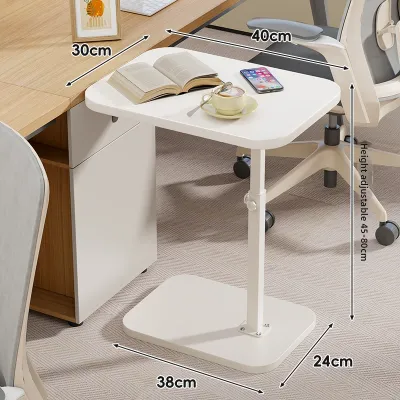
Prices are valid at publication and may change. Please refer to the product page for the latest price.
After finding this optimal height, verify that your desk is stable and secure. If you use a motorized standing desk, save this position into one of the memory presets if available, so you can easily return to it. For manual or crank-operated desks, ensure the locking mechanism is fully engaged and secure before placing any weight on the surface. A stable, locked desk prevents sudden shifts in height that could disrupt your typing posture or cause you to lean forward.
Align Your Monitor to Prevent Neck Strain
Once your desk height is set, the next step is to position your monitor to support a neutral cervical spine. Looking down at a screen for hours puts immense pressure on your neck muscles, while looking up can strain your eyes and upper back. Start by placing your monitor directly in front of you, centering it with your keyboard. The screen should be positioned approximately an arm’s length away from your face, which is generally between 50 and 70 centimeters. If you have to lean forward to read the text, increase the font size on your computer rather than moving your head closer to the screen.

Next, adjust the height of the monitor so that the top third of the display aligns with your eye level. When you look straight ahead, your eyes should naturally rest on the upper portion of the screen, allowing you to read the rest of the display with a slight downward gaze of about 15 to 20 degrees. This angle keeps your neck in a relaxed, neutral position. If you wear bifocals or progressive lenses, you may find yourself tilting your head back to read through the lower portion of your glasses. In this specific case, tilt the screen slightly upward and lower the monitor slightly to maintain a comfortable head position.
To achieve this precise alignment, consider using an adjustable monitor arm or a dedicated monitor stand. Standard monitor bases often lack the height range needed to accommodate taller users or specific desk configurations. A monitor arm allows you to adjust the height, depth, and tilt of your screen independently, making it easy to fine-tune your setup throughout the day. Additionally, lifting the monitor off the desk surface frees up valuable workspace, reducing clutter and making it easier to keep your essential tools within reach.
Optimize Your Keyboard, Mouse, and Document Placement
With your desk and monitor aligned, you must organize your input devices to prevent overextending your shoulders and upper back. Keep your keyboard and mouse close together on the same level. If your mouse is placed too far to the side or at a different height, you will constantly elevate or reach with one shoulder, leading to muscle imbalances and upper back pain. Your elbows should remain tucked close to your body, forming that crucial 90-degree angle as you navigate between typing and navigating with your mouse.
To minimize unnecessary reaching and twisting, organize your desk into primary and secondary reach zones. The primary reach zone is the area you can easily access with your elbows bent and tucked at your sides. Place your keyboard, mouse, and any other frequently used items, such as a notepad or phone, within this zone. The secondary reach zone extends to the area you can reach with your arms fully extended. Keep less frequently used items here, ensuring you do not have to twist your torso or stretch awkwardly to grab them.
If your work involves referencing physical documents while typing, avoid placing them flat on the desk surface next to your keyboard. Looking down and to the side repeatedly to read papers forces your neck into a twisted, flexed position. Instead, use an angled document holder placed directly between your keyboard and monitor. This setup keeps your reading material in line with your screen, allowing you to transition your gaze smoothly without rotating your neck.
When typing or using the mouse, avoid resting your wrists or forearms on the hard, sharp edges of your desk. Pressing your wrists against a hard surface can compress nerves and blood vessels, leading to discomfort or numbness. If your desk has sharp edges, consider adding a soft, padded wrist rest, but use it only to support your palms during brief pauses in typing. While actively typing, your hands should float freely above the keys, maintaining a straight line from your forearms to your knuckles.
Validate Your Setup with an Ergonomic Self-Check
Even with careful adjustments, it is easy to slip back into poor habits as the workday progresses. Performing a regular ergonomic self-check helps you maintain proper alignment and catch posture issues before they cause pain. Start from the ground up by checking your feet. Ensure your feet are flat on the floor or on a supportive anti-fatigue mat, with your weight distributed evenly between both legs. Avoid leaning heavily on one hip or crossing your legs, as this tilts your pelvis and puts uneven pressure on your lower spine.
Next, bring your awareness to your lower back. Your spine has a natural, gentle S-curve that should be maintained whether you are sitting or standing. Avoid slouching forward, which flattens the lower back, and resist the urge to overarch your back by pushing your hips too far forward. Engage your core muscles slightly to support your torso and keep your pelvis in a neutral position. If you feel your lower back tightening, it may be a sign that your muscles are fatiguing and it is time to change positions.
Move your attention up to your shoulders and head. Check that your shoulders are relaxed and down, not hunched up toward your ears. Your head should be balanced directly over your shoulders, with your chin tucked slightly. A common habit is to let the head drift forward toward the screen, creating a “forward head posture” that significantly increases the load on your neck muscles. Imagine a straight line running from your earlobe down through your shoulder, hip, and ankle.
Make it a habit to perform this self-check every time you transition between sitting and standing. When you adjust your desk height, do not rely solely on memory presets; take a moment to feel how your arms rest on the surface and how your eyes align with the screen. This quick, conscious check ensures that your setup remains accurate and supportive throughout your entire shift.
Build a Sustainable Standing and Sitting Routine
Using a standing desk does not mean you should stand for your entire eight-hour workday. In fact, prolonged standing can lead to its own set of physical issues, including lower back soreness, leg fatigue, and pooled blood in the lower extremities. The key to a healthy workspace is movement and variation. Aim to alternate between sitting and standing throughout the day, observing your body’s natural fatigue signals to guide your transitions. A common recommendation is to stand for 30 to 45 minutes out of every hour, but you should adjust this ratio based on what feels comfortable for your body.
To make standing more comfortable and sustainable, incorporate a high-quality anti-fatigue mat into your workspace. Standing on hard surfaces like concrete, tile, or hardwood floors for extended periods places significant stress on your feet, knees, and lower back. An anti-fatigue mat provides a cushioned surface that encourages subtle, subconscious muscle contractions in your calves and feet. This micro-movement promotes better blood circulation and reduces joint compression, allowing you to stand comfortably for longer intervals.
Your footwear also plays a critical role in your standing comfort. Avoid standing for long periods in high heels, stiff dress shoes, or completely flat, unsupportive slippers. Opt for supportive, flat shoes with adequate cushioning and arch support. If you prefer to work barefoot or in socks, ensure your anti-fatigue mat offers sufficient density to support your weight without bottoming out against the hard floor.
Regardless of whether you are sitting or standing, your body is designed to move. Do not remain completely static in either posture. Take brief movement breaks every hour to stretch your calves, hamstrings, and shoulders. Simple actions like rolling your shoulders, gently turning your head from side to side, or doing a few calf raises can stimulate blood flow, relieve muscle tension, and keep your joints lubricated.
Address Persistent Discomfort and Know When to Stop
While optimizing your standing desk and monitor setup can dramatically reduce everyday muscle strain, it is important to recognize the limits of ergonomic adjustments. Changing the height of your desk or screen is a preventative measure designed to support healthy posture; it is not a cure for underlying medical conditions or chronic injuries. If you have pre-existing back, neck, or joint issues, ergonomic tweaks may provide relief, but they should be part of a broader wellness plan.
Pay close attention to your body’s warning signs. Mild muscle fatigue is normal when you first transition to a standing desk, as your body adapts to using new muscle groups. However, sharp pain, persistent throbbing, numbness, tingling, or a “pins and needles” sensation in your hands, arms, neck, or back are clear indicators of nerve compression or joint strain. If you experience any of these symptoms, stop standing immediately, return to a supportive sitting position, or take a break from your desk.
If persistent neck or back pain continues despite making precise ergonomic adjustments, consult a qualified healthcare professional, physical therapist, or occupational ergonomist. They can conduct a comprehensive assessment of your movement patterns, identify specific muscle weaknesses or tightness, and provide targeted exercises to help you build the strength and flexibility needed for a healthy workspace.
Finally, always prioritize safety and stability when using your standing desk. Review the manufacturer’s guidelines regarding weight limits and stability. If your desk wobbles or vibrates when you type, it can cause you to tense your shoulders and arms to compensate, leading to upper body strain. Ensure all bolts are tightened, the desk is placed on an even surface, and your equipment is distributed evenly across the desktop to maintain a stable, secure working environment.
Frequently Asked Questions (FAQ)
Is an anti-fatigue mat necessary for a standing desk?
While not strictly mandatory, an anti-fatigue mat is highly recommended if you stand for more than 15 to 20 minutes at a time. Standing on hard, unyielding floors increases pressure on your feet, ankles, knees, and lower back, which can lead to premature fatigue and joint soreness. A good anti-fatigue mat provides a supportive, cushioned surface that encourages micro-movements in your legs, promoting healthy blood circulation. When choosing a mat, look for a thickness of about 1.5 to 2 centimeters and ensure it has bevelled edges to prevent it from becoming a tripping hazard when you step on and off your workspace.
How should I adjust my setup if I use a laptop instead of a monitor?
Laptops present a unique ergonomic challenge because the screen and keyboard are physically joined together. If you set the laptop at elbow height for comfortable typing, the screen will be too low, forcing you to hunch your neck. If you raise the laptop to eye level, your hands will be positioned too high, straining your shoulders and wrists. To resolve this conflict, use a dedicated laptop stand to raise the top of the screen to your eye level, and pair it with an external keyboard and mouse placed at elbow height on your desk surface. This simple addition allows you to maintain a neutral neck posture while keeping your wrists straight and relaxed.

Community discussion
Share your experience or ask a question. Comments are reviewed before publication.