
Designing a home office in Singapore often means working with compact, multi-functional spaces where standard, off-the-shelf desks and cabinets fail to fit the exact layout or meet specific storage needs. Configuring a USM Haller modular unit allows you to build a highly customized, scalable workspace by systematically measuring your room’s physical constraints, selecting specialized panels and doors that match your daily workflow, integrating targeted organization accessories, and following precise assembly and anchoring steps to ensure structural stability. By taking a methodical approach to the planning phase, you can create a durable, tailored furniture piece that optimizes your productivity and adapts to your changing needs over time.
Planning a modular setup requires a balance between aesthetic desire and spatial reality. Because these steel-framed systems are built to last for decades, investing time in the initial configuration prevents costly adjustments later. Understanding how to navigate the physical limits of your room, select the right functional components, and assemble the structure safely will ensure your home office remains both organized and inspiring.
What Space and Dimensions Must You Measure Before Configuring?
To configure a modular unit that fits seamlessly, you must measure your available floor width, depth, and vertical clearance while accounting for the system’s fixed modular grid increments. This ensures the finished steel frame does not obstruct room features or exceed the physical limits of your home office. Taking precise measurements before ordering components prevents alignment issues during installation and guarantees that the furniture integrates naturally with your existing layout.
Products mentioned in this guide
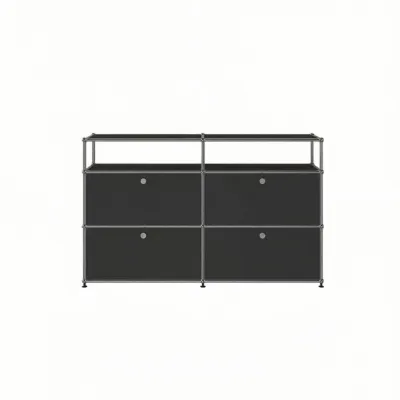
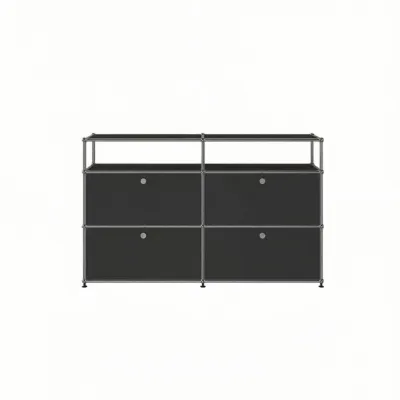
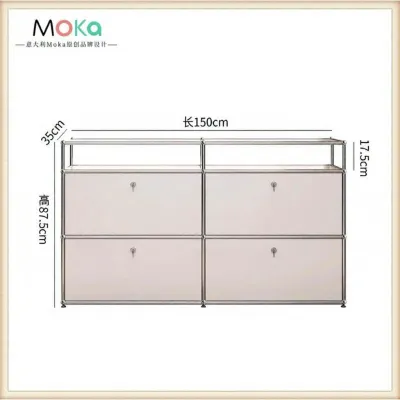
5 Lazada user ratings
Always reliable, always good quality — that's ANLIANXI for you. This purchase was no exception. Very satisfied customer here.
Friends keep asking me where I got this — it's ANLIANXI of course! Quality you can feel right away. Highly recommended.
I was pleasantly surprised by the quality. Everything about it feels well-made. Would definitely buy again.
Honestly one of my best online purchases. Everything was seamless from order to delivery.
Couldn't resist this deal and I'm thrilled with my purchase. Everything was top-tier.
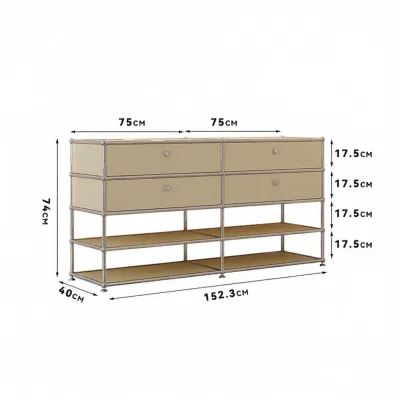
5 Lazada user ratings
Everything about this purchase was smooth — from ordering to delivery. The quality is exactly as described. Thumbs up!
Always reliable, always good quality. This purchase was no exception. Very satisfied customer here.
Bought this as a gift and the recipient loved it. Great quality and reliable. Highly recommend!
Honestly one of my best online purchases. Everything was seamless from order to delivery.
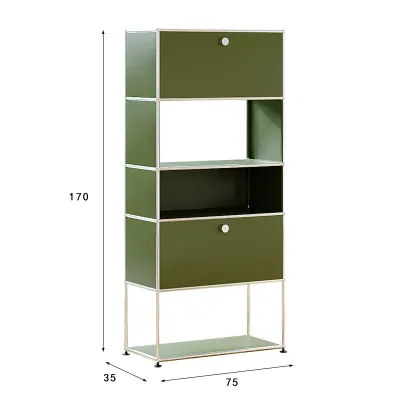
Prices are valid at publication and may change. Please refer to the product page for the latest price.
When measuring your walls, look closely for architectural obstacles that might interfere with a flush fit. Skirting boards along the base of the wall can push the unit forward by several centimeters, so always measure the width at both the floor level and the mid-wall level. Note the locations of wall-mounted power outlets, light switches, data ports, and air-conditioning trunking. If your planned configuration blocks an outlet, you will lose access to essential power sources unless you design an open-backed compartment or position the unit to leave a gap for cable clearance.
Understanding the modular grid system is the next critical step in your planning process. Modular furniture of this type operates on standard metric dimensions based on center-to-center tube measurements, which typically range from 100mm to 750mm increments. Because these dimensions represent the distance between the metal ball joints rather than the absolute outer edges of the panels, you must add the external clearance of the outer tubes and connectors to your final calculations. Always verify the manufacturer’s exact technical specifications for outer dimensions to ensure the unit does not pinch against adjacent walls or doors.
Finally, consider the logistical path from the delivery vehicle to your home office. In Singapore apartments, tight corridors, low elevator ceilings, and narrow door frames can present significant delivery challenges. Measure the clear width and height of your apartment’s entry doors, internal hallways, and lift doors before finalizing a large, pre-assembled configuration. If a fully assembled unit cannot navigate these tight spaces, you must plan to have the unit delivered as individual components and assembled directly inside your designated workspace.
Which Modules and Panels Best Fit Your Home Office Storage?
Selecting the right combination of open shelves, closed doors, and support bases depends on whether you prioritize mobility, dust protection, or quick access to your daily work tools. Matching these components to your specific document sizes and equipment weight ensures a highly functional workspace. A well-thought-out combination of storage types keeps your desk clear of clutter while keeping essential items within arm’s reach.

Your first major decision involves choosing between a mobile or a fixed base for your unit. Configurations equipped with lockable castors provide excellent flexibility, allowing you to roll a small storage cabinet under your desk or move a larger unit aside when cleaning or rearranging a multi-purpose room. However, castors add height to the unit and are best suited for lower, wider configurations. For tall, heavy, or multi-tiered storage units, adjustable leveling feet are essential to compensate for slightly uneven flooring and to guarantee maximum structural stability.
Next, evaluate how you want to access your stored items by choosing between open shelves, drop-down doors, and hinged doors. Drop-down doors open downward to create a temporary horizontal surface, making them ideal for accessing active files or housing small printers that need to slide forward during use. Hinged doors swing outward, which requires clear floor space in front of the unit but provides unobstructed access to deep compartments. Open shelves are highly efficient for frequently used reference books, decorative items, or storage baskets, though they expose contents to dust and require regular organizing to maintain a clean aesthetic.
To ensure your unit is truly functional, size the compartments to match the specific items you need to store. Standard lever-arch files, binders, and A4 document trays require specific compartment heights and depths, typically requiring at least a 350mm grid height to stand upright without bending. If you plan to store heavy hardware like laser printers, paper shredders, or desktop towers, verify the load capacity of the metal panels and ensure the depth of the unit accommodates the machine’s cables and ventilation requirements without protruding past the front edge.
How Do You Choose Accessories for Better Workspace Organization?
Integrating specialized internal accessories and cable management tools transforms a basic modular frame into an efficient, clutter-free workstation. These additions target the specific pain points of daily office tasks, such as tangled cords and disorganized paperwork. By customizing the interior of your compartments, you maximize the usable volume of the unit and save time spent searching for supplies.
Managing power cords and charging cables is essential for maintaining a professional and safe home office environment. Look for dedicated cable baskets that clip directly onto the metal tubes, or select panels with integrated grommet holes that allow cords to pass cleanly from the desktop to lower compartments. This prevents cords from hanging loose behind the unit, reducing dust accumulation and protecting cables from accidental kicks or pet damage. Keeping power strips mounted within the unit also makes it easier to plug in laptops, monitors, and chargers without stretching cords across the floor.
To prevent small stationery, USB drives, and loose papers from getting lost in deep metal compartments, configure your unit with internal drawer inserts or metal divider shelves. Slotted drawer organizers allow you to customize the interior layout for pens, notebooks, and small electronics. For sensitive documents, tax papers, or personal valuables, consider adding lockable handle mechanisms to specific door panels. This adds an extra layer of security to your home office, especially if your workspace is located in a shared family area.
If your home office is situated within a larger living room or bedroom, a multi-tier modular unit can serve as a highly effective freestanding room divider. Adding solid metal back and side panels creates a visual barrier that blocks out household distractions and defines your workspace. You can choose contrasting panel colors on the office-facing side to stimulate focus, while keeping the outward-facing panels neutral to match the rest of your home’s decor, achieving a balanced look that respects both work and leisure zones.
What Are the Safe Steps to Assemble and Secure the Modular Unit?
Assembling a modular steel unit requires a methodical, bottom-up approach to ensure every ball-and-tube connection is perfectly aligned and locked. Following the correct structural sequence prevents instability and ensures the furniture can safely support your office equipment. Taking your time during this phase guarantees the long-term durability of the configuration and protects your investment.
Begin the assembly process by laying out all components on a soft, protective surface, such as a large rug or cardboard packaging, to prevent scratching the chrome tubes or painted panels. Insert the connector elements into the brass balls, then slide the tubes over them, tightening the internal mechanism using the manufacturer’s specialized tool. Work systematically from the bottom level upward, checking that each corner is square and level before moving to the next tier. Adding the metal panels should only occur once the entire skeleton frame is fully tightened and verified.
Once the frame is assembled, place it in its final position and use a spirit level to check both horizontal and vertical alignment. If the floor is uneven, adjust the leveling feet individually until the unit is perfectly stable and does not rock when pushed. Before loading heavy items like books, paper reams, or dual-monitor setups, double-check that all connections are rigid; any wobble indicates a loose internal connector that must be tightened before use to prevent structural failure.
Tall configurations—especially those exceeding three tiers or units with heavy, top-opening drawers—must be anchored securely to the wall to prevent accidental tip-over. Use appropriate wall anchors suited for your specific wall material, whether concrete, brick, or drywall. If you encounter complex configurations, lack the specialized tools, or feel unsure about drilling into your walls, contact a certified professional installer to complete the setup safely and preserve the integrity of your modular system.
Community discussion
Share your experience or ask a question. Comments are reviewed before publication.