
To choose the right ultra-thin TV cabinet size, you must balance your television’s physical dimensions, optimal viewing ergonomics, and the spatial constraints of your living area. The ideal cabinet should be at least 10 to 20 centimeters wider than your TV on each side, feature a depth that accommodates your media devices without blocking walkways, and sit at a height that places the center of the screen at eye level when seated.
In compact homes, such as Singapore’s HDB flats and condominiums, space is at a premium. An ultra-thin TV cabinet offers a streamlined footprint that preserves precious floor space while keeping your entertainment setup organized. However, achieving a balanced look and ensuring structural safety requires careful planning and precise measurements before making a purchase.
Measure Your TV and Viewing Space
Before browsing cabinet designs, establish the physical footprint of your television and the available wall space. Do not rely solely on the diagonal screen size advertised by manufacturers, as this measurement excludes the outer bezel and any attached stand. Use a physical tape measure to find the exact horizontal width, vertical height, and total depth of your TV. If you plan to place the TV directly on the cabinet rather than mounting it on the wall, measure the footprint of the TV stand itself to ensure it fits securely on a shallow surface.
Products mentioned in this guide
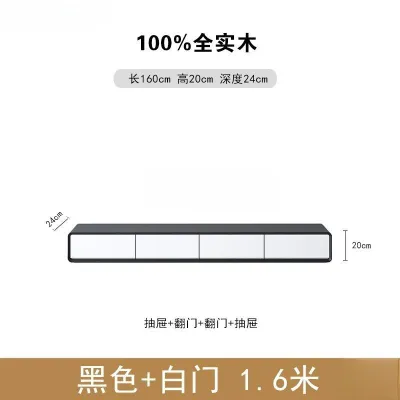
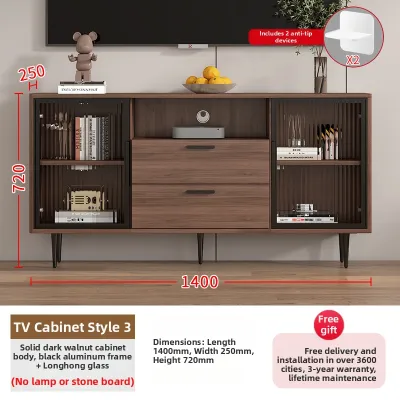
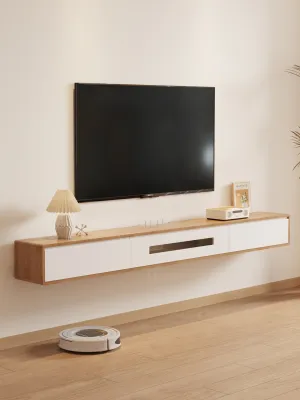
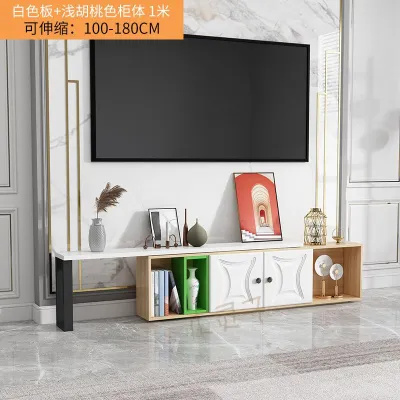
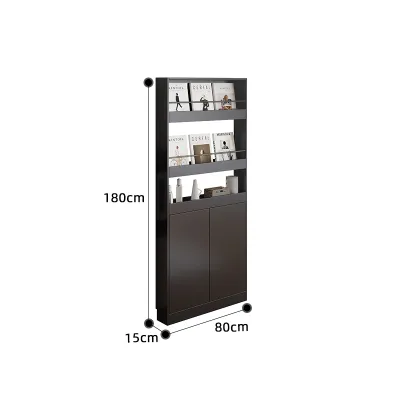
![[CozyNest ]Storage Cabinet Ultra Narrow TV Cabinet Luxurious Modern Style TV Console Simple Bedroom](https://img.lazcdn.com/g/p/5889d171b1691b3ffe8cb2b16ff7f5fe.jpg_webp_400x400q80.jpg_.webp)
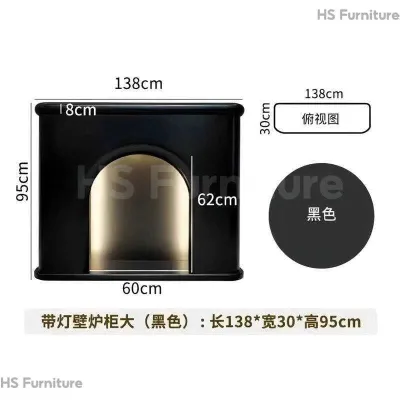
![17vm [Ready Stock] TV Console Cabinet American TV 60Cm High Living Room French Fireplace Decoration Cabinet Ultra-Thin Cream Wind Floor Standing Cabinet 2M7P4](https://img.lazcdn.com/g/p/fc3c8f23124231dfe66310f224a5e4a9.jpg_webp_400x400q80.jpg_.webp)
Prices are valid at publication and may change. Please refer to the product page for the latest price.
Next, assess the distance from your primary seating area to the wall. In narrow living rooms, every centimeter counts. An ultra-thin cabinet is designed to minimize protrusion, but you must still ensure that the cabinet’s depth does not interfere with walking paths or create a cramped environment. Walkways should ideally maintain a clear path of at least 60 to 90 centimeters to allow comfortable movement.
Finally, account for the visual and physical breathing room needed on both sides of the television. Placing a large TV on a cabinet of identical width creates a cramped, top-heavy appearance that dominates the room. Leaving open wall space on either side of the setup helps maintain a balanced, airy aesthetic, which is particularly important in smaller apartment layouts where visual clutter can make a room feel smaller than it is.
Determine the Ideal Cabinet Width and Proportions
Selecting a cabinet width that provides visual balance and physical stability is crucial for a cohesive living room design. A general rule of thumb is to choose a cabinet that is at least 20 to 30 percent wider than the actual horizontal width of your television. This extension on both sides prevents a top-heavy look, anchors the entertainment zone visually, and provides a safer base if the TV is freestanding.

For larger screens, consider extended or modular ultra-thin designs. These configurations allow you to stretch the furniture across a wider portion of the wall, maintaining a streamlined, low-profile aesthetic without sacrificing surface area. Modular units also offer the flexibility to adapt to different wall lengths, making them a practical choice if you plan to rearrange your layout or move to a new home in the future.
Pay close attention to how the cabinet’s edges align with the TV and surrounding wall features. If your TV is wall-mounted, centering the screen perfectly above the cabinet is essential for symmetry. If you have architectural features like recessed walls, columns, or nearby windows, ensure the cabinet’s width respects these boundaries to avoid an awkward, asymmetrical alignment that disrupts the room’s visual flow.
Evaluate Depth Constraints for Ultra-Thin Profiles
While the shallow depth of an ultra-thin cabinet is excellent for saving floor space, you must verify that it can accommodate your media equipment without compromising safety or functionality. Standard media consoles often have a depth of 40 to 50 centimeters, whereas ultra-thin profiles typically range from 25 to 35 centimeters. This reduced depth means you must carefully measure your set-top boxes, gaming consoles, routers, and audio receivers.
Cross-reference the depth and ventilation requirements of your devices against the cabinet’s internal or open-shelf dimensions. Electronic equipment generates heat during operation and requires adequate airflow to prevent overheating. Ensure the cabinet features open backs, slatted doors, or dedicated ventilation cutouts. If your devices are deeper than the cabinet’s interior, they may protrude or prevent the cabinet doors from closing properly.
Additionally, check the compatibility of the cabinet’s cable management system. Shallow depths leave very little room for thick power cables, high-speed HDMI cords, and optical wires. Forcing these cables into tight spaces can cause damaging bends or strain the ports on your devices. Look for cabinets with recessed back panels, pre-drilled cable routing holes, or integrated wire management channels that allow cables to run smoothly without being pinched against the wall.
Optimize Height for Ergonomics and Room Layout
Determining the optimal cabinet height is essential to support comfortable viewing and harmonize with adjacent furniture. To prevent neck and eye strain, the center of your TV screen should ideally align with your eye level when you are comfortably seated on your sofa. To calculate this, measure the height of your sofa cushions from the floor, add the height of your torso up to your eyes, and use this total as the target height for the middle of your screen.
If your TV is freestanding, the height of the cabinet will directly dictate the height of the screen. In this case, a lower cabinet height (around 30 to 40 centimeters) is usually preferred to keep the screen at an ergonomic level. If your TV is wall-mounted, you have more flexibility with the cabinet height, as the unit serves primarily as a visual anchor and storage space. However, you should still maintain a balanced gap of 10 to 20 centimeters between the top of the cabinet and the bottom of the TV.
Coordinate the cabinet height with nearby furniture pieces, such as coffee tables, sideboards, and armchairs, to maintain a cohesive visual flow. A cabinet that is significantly taller or shorter than surrounding furniture can disrupt the horizontal lines of the room. If your living room floor is slightly uneven, look for cabinets equipped with adjustable leveling feet or modular base options to fine-tune the final height and ensure a perfectly level surface.
Account for Room Layout and Installation Clearances
Validating the physical feasibility of your chosen cabinet size within your specific room architecture is a critical step before purchasing. Measure the usable wall width carefully, making sure to deduct space occupied by baseboards, power outlets, light switches, door frames, and air conditioning vents. A cabinet that blocks access to essential power sockets or protrudes past a doorway is both a functional hazard and a visual distraction.
Ensure there is adequate clearance in front of and beside the cabinet to meet basic indoor circulation standards. You should be able to open cabinet doors or drawers fully without hitting coffee tables, rugs, or passing foot traffic. Leaving sufficient clearance also makes routine cleaning and dusting much easier, preventing dust buildup in tight, hard-to-reach corners.
For wall-mounted or floating ultra-thin cabinets, you must verify the wall’s load-bearing capacity and locate the internal studs. Solid concrete or brick walls, common in many Singapore homes, provide excellent support but require appropriate masonry wall plugs and heavy-duty mounting hardware. If you are mounting onto a drywall partition, the cabinet must be secured directly to the wooden or metal studs to prevent structural failure. For freestanding units, especially those with a very shallow depth, check for anti-tip anchoring requirements to secure the cabinet firmly to the wall and prevent accidental tipping.
Common Sizing Mistakes to Avoid
One of the most frequent errors is relying exclusively on the TV’s diagonal inch rating to estimate the required cabinet width. A ’65-inch’ TV refers to the diagonal screen measurement, not the actual horizontal width, which is significantly shorter. Always use the physical horizontal width of the television as your baseline to avoid purchasing a cabinet that is too small.
Another common mistake is overlooking the depth and heat dissipation needs of media devices. Placing high-performance gaming consoles or media receivers inside a shallow, unventilated compartment can lead to rapid heat buildup, causing your electronics to overheat and potentially reducing their lifespan. Always verify that your devices have at least a few centimeters of clearance on all sides for airflow.
Finally, many homeowners fail to account for baseboard or skirting board thickness. If the cabinet does not feature a recessed back or legs that clear the baseboard, it will be pushed away from the wall. This prevents the unit from sitting flush, which compromises the sleek, ultra-thin aesthetic and can create stability issues for freestanding cabinets.
Frequently Asked Questions (FAQ)
Can I place a heavy TV on an ultra-thin cabinet?
Yes, but you must always check the manufacturer’s maximum load rating label before doing so. Distinguish between the surface weight limit, which dictates how much weight the top shelf can support, and the overall structural capacity of the cabinet. Exceeding these specified limits can cause the cabinet to bow, sag, or tip over. If your TV is exceptionally heavy, wall-mounting the television and using the ultra-thin cabinet solely for media storage is a safer and more stable alternative.
How do I manage cables with a shallow TV cabinet?
Managing cables in a shallow space requires strategic planning to avoid damaging bends. Utilize flat-profile HDMI and power cables, which require significantly less depth than standard round cables. You can also use external cord concealers or choose a cabinet with built-in rear routing channels and cutouts. Avoid sharply bending stiff power cords or high-speed cables, as this can damage the internal wiring; instead, use right-angle adapters to direct cables smoothly along the back of the cabinet.

Community discussion
Share your experience or ask a question. Comments are reviewed before publication.