
Setting up a standing TV in your living room requires more than just finding an empty wall and plugging in the power cord. Achieving the perfect balance between your television screen and your media furniture is essential for creating a comfortable, safe, and visually appealing home. A poorly sized floor-standing TV cabinet can make a spacious room feel cramped, disrupt the natural flow of foot traffic, or even create a serious safety hazard if the television overhangs the edges.
To design a harmonious living space, you must evaluate both the physical dimensions of your television and the actual floor space available in your room. This guide breaks down the essential measurements, clearance rules, and common pitfalls to help you select a TV stand that offers both structural stability and aesthetic balance.
Why TV Stand Dimensions Matter for Your Screen and Space
The relationship between your television’s physical size and your media console’s footprint dictates the overall proportion of your room. When a television is too large for its stand, the setup looks top-heavy and visually awkward. Conversely, an exceptionally large cabinet paired with a tiny screen can make the television look like an afterthought, throwing off the room’s design symmetry.
Products mentioned in this guide
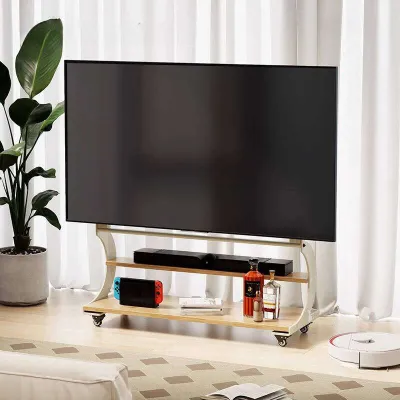


![[CozyNest ]Solid Wood TV Console Living Room TV Cabinet Floor-Standing Cabinet Tv Console Cabinet Storage Cabinet TV Cabinet Console](https://img.lazcdn.com/g/p/2b31737d321f53f0de70971fa714c1b0.jpg_webp_400x400q80.jpg_.webp)
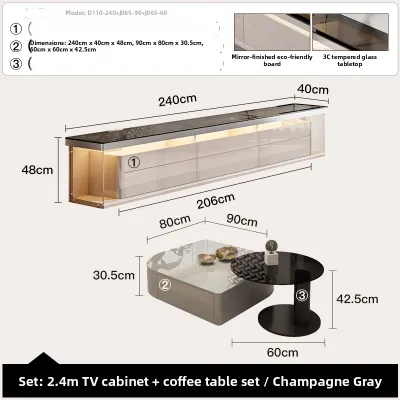
![[CozyNest ]Cream Style TV Console Cabinet Floor Standing TV Cabinet Storage TV Console Integrated Wall Cabinet](https://img.lazcdn.com/g/p/2a6a3a79251f39bb6e89583e2b072366.jpg_webp_400x400q80.jpg_.webp)
Prices are valid at publication and may change. Please refer to the product page for the latest price.
Beyond aesthetics, safety is a primary concern. A floor-standing cabinet that is too narrow or shallow lacks the physical stability required to support modern, slim-bezel screens. If the television overhangs the edges of the furniture, the risk of accidental tipping increases significantly. This is particularly dangerous in active households with young children or pets who might run past or pull on the screen.
Selecting the right size requires a dual-measurement approach. You must first understand the exact physical boundaries of your television, and then measure your living room’s floor plan to ensure the furniture fits without blocking walkways, doors, or electrical outlets.
Matching the Width of Your Standing TV to Your Cabinet
When shopping for furniture, many homeowners make the mistake of matching the advertised size of their television directly to the width of a TV stand. However, a television’s marketed size—such as 55 inches, 65 inches, or 75 inches—refers strictly to the diagonal measurement of the screen from one corner to the opposite corner. It does not represent the actual horizontal width of the unit.

The physical width of a television is always shorter than its diagonal screen size. For example, a standard 65-inch television typically has an actual physical width of approximately 145 centimeters, depending on the thickness of the bezel. If you purchase a 145-centimeter-wide TV stand for a 65-inch TV, the edges of the screen will align perfectly with the edges of the cabinet. While this might seem structurally sufficient, it creates a top-heavy, visually jarring appearance that lacks aesthetic grounding.
To achieve proper visual balance, follow the classic design rule of thumb: the TV stand should be at least 10 to 20 centimeters wider than the physical width of the television on both sides. This extra space creates a visual “apron” or border that frames the screen, making the entire setup look intentional and stable. For a television with a physical width of 145 centimeters, a TV stand with a width of at least 165 to 185 centimeters is highly recommended.
Beyond aesthetics, matching the width is a critical safety consideration. Modern standing TV designs rely on two main types of support: a centralized pedestal base or wide-set feet positioned near the outer edges of the screen. If your television utilizes wide-set feet, a narrow cabinet may not provide enough surface area to support the legs securely. Any accidental bump or physical contact could cause the television to slide off the edge and tip over. Always check the manufacturer’s specification sheet for the exact footprint of the TV’s stand or legs, and ensure the cabinet’s top surface offers ample clearance on all sides.
Measuring Your Living Room for TV Cabinet Depth and Height
Selecting the right TV stand requires a precise understanding of your room’s physical boundaries. You must measure the depth and height of your space to ensure the cabinet integrates seamlessly with your existing furniture and layout.
Determining the Ideal Cabinet Depth
The depth of your TV stand determines how far it will protrude into your living room. Most standard media consoles range from 40 to 50 centimeters in depth. To measure your available floor depth accurately, start from the wall where the cabinet will stand and project outward.
Do not simply measure the open floor space; you must account for structural obstructions. Skirting boards along the base of the wall can prevent a flat-backed cabinet from sitting completely flush, often pushing the unit forward by 1 to 2 centimeters. Additionally, wall-mounted power outlets, internet ports, and bulky plugs will require at least 5 to 10 centimeters of clearance behind the cabinet to prevent cables from bending sharply or pinching. If your room features window frames, columns, or nearby door frames, verify that the cabinet’s depth will not block these architectural elements.
Calculating the Perfect Ergonomic Height
The height of your TV stand directly impacts your physical comfort during extended viewing sessions. Placing a television too high or too low forces your neck into unnatural angles, leading to strain and fatigue.
The primary goal is to position the television so that the center of the screen aligns with your eye level when you are seated comfortably on your sofa. To calculate your ideal stand height, follow these steps:
- Measure your seated eye height: Sit on your main living room sofa in your normal viewing posture. Have someone measure the distance from the floor to your eyes. For most adults, this height ranges between 95 and 110 centimeters.
- Determine the TV's vertical center: Measure the total physical height of your television screen (including the bezel) and divide this number by two.
- Calculate the stand height: Subtract half of the TV's height from your seated eye height. The resulting number is the target height for the top surface of your TV stand.
For example, if your seated eye level is 100 centimeters and half of your TV’s height is 40 centimeters, your TV stand should ideally be around 60 centimeters tall.
Evaluating Viewing Distance and Spatial Flow
The distance between your seating area and the TV stand affects both your viewing experience and the room’s spatial flow. If your sofa is positioned close to the TV, a deep cabinet will push the screen even closer, causing eye strain and making the room feel congested. In compact urban apartments, opting for a low-profile, shallow cabinet (around 40 centimeters deep) helps preserve valuable floor space while maintaining a comfortable viewing distance.
Essential Clearances: Ventilation, Cables, and Walkways
A functional media setup requires careful planning for the invisible elements of your living room: heat, wires, and human movement. Neglecting these clearances can lead to damaged electronics, messy cable tangles, or restricted pathways.
Electronic Ventilation and Heat Dissipation
Modern media devices—such as gaming consoles, soundbars, streaming boxes, and amplifiers—generate significant heat during operation. If these devices are enclosed in a TV cabinet without proper ventilation, heat will accumulate, potentially shortening the lifespan of your electronics or causing system failures.
When choosing a TV stand, look for models with open shelving or built-in ventilation cutouts in the back panel. If you prefer a closed cabinet with solid doors, ensure there is at least 5 to 8 centimeters of clearance around all sides of each device. For high-performance electronics, consider cabinets with slatted timber doors or breathable mesh fronts that allow heat to escape while keeping the equipment hidden from view.
Cable Management and Access
A clean, minimalist living room can be easily ruined by a chaotic web of cords hanging behind the TV stand. Effective cable management requires dedicated physical space.
Ensure the TV stand features routing holes or channels designed to guide power cords and HDMI cables seamlessly from the top surface to the lower shelves and wall outlets. If the cabinet sits flat against the wall, check if it has a recessed back panel or a top-surface cutout to accommodate cables without forcing the entire unit away from the wall. Avoid pinching or tightly bending cables, as this can damage the internal wiring and pose an electrical hazard.
Walkways and Door Clearances
Your TV stand should never impede the natural flow of movement through your home. In open-plan living areas or compact apartments, walking paths must remain clear.
Ensure there is at least 60 to 90 centimeters of clear space between the front of the TV stand and any facing furniture, such as a coffee table or armchair. This clearance allows family members to walk past comfortably without bumping their shins. Additionally, check that the depth of the cabinet does not interfere with the swing arc of nearby doors, cabinets, or balcony entryways.
Common TV Stand Sizing Mistakes to Avoid
To ensure a smooth purchasing and installation process, avoid these frequent sizing and planning errors:
- Buying based on diagonal screen size alone: Always measure the physical horizontal width of your television before shopping for a cabinet. Relying on the diagonal screen size often results in purchasing a stand that is too narrow, creating an unstable and visually unappealing setup.
- Ignoring the depth of the stand: A cabinet that is too deep can block pathways, while a cabinet that is too shallow may not accommodate the feet of your standing TV or your media players. Always cross-reference the physical depth of your electronics with the cabinet's interior shelving dimensions.
- Overlooking ergonomic height: Do not choose a TV stand solely based on its storage capacity or style. A stand that is too tall will force you to tilt your head upward, causing chronic neck discomfort over time.
- Forgetting to measure the delivery path: Large, pre-assembled floor-standing TV cabinets can be incredibly difficult to transport. Before placing an order, measure the finished dimensions of the cabinet and compare them against your building's lift doors, internal elevator dimensions, stairwells, and apartment entrance frames. In high-rise residential buildings, a cabinet that cannot fit into the passenger lift may require complex manual carrying or delivery cancellation.
- Neglecting load capacity and stability: While a material name like "solid oak" or "tempered glass" suggests quality, it does not automatically guarantee weight capacity or structural stability. Always verify the manufacturer's specified maximum load capacity for both the top shelf and internal shelves to ensure they can safely support your TV and heavy media equipment.
Frequently Asked Questions (FAQ)
Can a TV be wider than the TV stand?
It is highly recommended that your TV is not wider than your TV stand. Allowing a television to overhang the edges of the cabinet creates a severe tipping hazard, especially in households with children or pets who might bump into the screen. Visually, an overhanging TV looks unbalanced and top-heavy, disrupting the design harmony of your living room. For optimal safety and aesthetics, always select a stand that is wider than both the TV’s physical screen and its base support.
How much space should I leave between the TV stand and the wall?
You should generally leave a clearance of 5 to 10 centimeters (approximately 2 to 4 inches) between the back of the TV stand and the wall. This gap provides essential space for cable routing, prevents power plugs from bending or pinching against the wall, and allows adequate air circulation to prevent your electronic devices from overheating. Always consult the manufacturer’s safety and installation instructions for your specific electronic devices to ensure proper ventilation.
Community discussion
Share your experience or ask a question. Comments are reviewed before publication.