
Achieving a balanced living room starts with matching your TV cabinet to both your television and your feature wall. A common mistake is focusing solely on whether the TV fits on top of the console, ignoring how the entire setup interacts with the surrounding wall space. To create a harmonious look, your TV cabinet should ideally be at least 20 percent wider than the physical width of your television screen. This proportion prevents the setup from looking top-heavy and anchors the screen as a deliberate design element.
When planning a feature wall, the cabinet serves as the visual anchor for the entire vertical surface. The cabinet’s width, depth, and height must work in tandem with your wall’s overall dimensions. A well-proportioned console balances the negative space around the screen, hides unsightly cables, and provides functional storage without overwhelming your living area.
Measure Your Feature Wall and TV Dimensions
Before browsing designs or visiting showrooms, you must gather precise measurements of your space. Start by measuring the total usable width and height of your designated feature wall. Be sure to account for architectural features such as structural pillars, recessed niches, window frames, or air conditioning units that might limit where the cabinet can sit.
Products mentioned in this guide
![[PRE-ORDER] Modern Contemporary Feature Wall-Mounted TV Cabinet (4ft 5ft 6ft 7ft 8ft)](https://img.lazcdn.com/g/p/96e87a88064fde587f5e2d66e695c7fc.jpg_400x400q80.jpg_.webp)
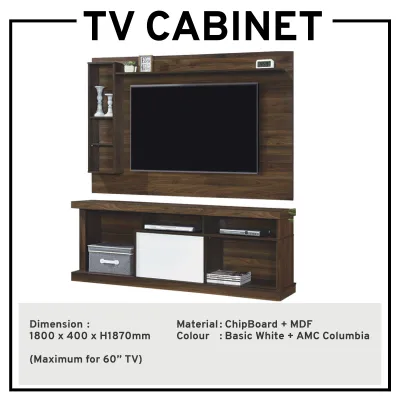
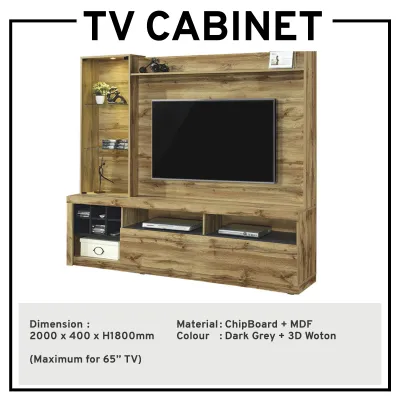
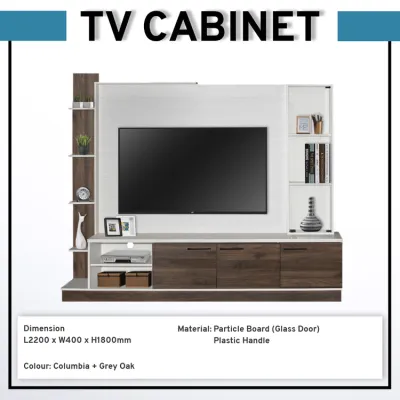
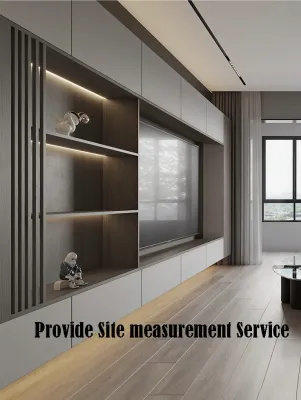
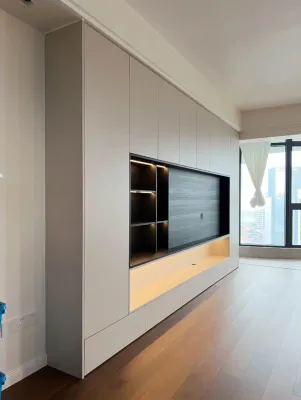
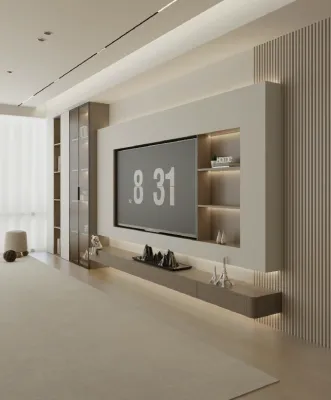
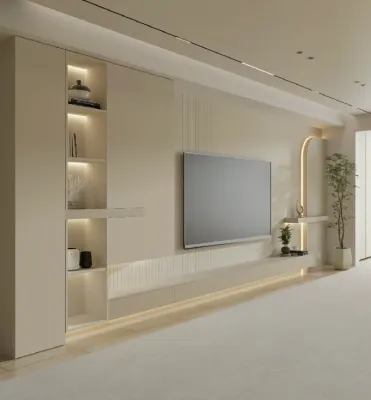
Prices are valid at publication and may change. Please refer to the product page for the latest price.
Next, measure your television’s actual physical dimensions rather than relying on its advertised screen size. Television sizes, such as 55 inches or 65 inches, refer to the diagonal measurement of the screen itself, excluding the outer frame. Use a measuring tape to find the exact horizontal width and vertical height of the entire TV frame. If using a TV stand, measure its depth and height to ensure the cabinet surface can accommodate it.
Finally, map out any fixed obstacles on the wall. Take note of the exact locations of power outlets, cable television ports, internet sockets, and light switches. You should also measure the height of your skirting boards, as some floor-standing cabinets cannot sit flush against the wall unless they have a matching recess or cutout at the back. Identifying these elements early prevents installation surprises and ensures your cabinet does not block essential access points.
Calculate the Ideal TV Cabinet Width for Visual Balance
To achieve a balanced aesthetic, apply the classic design principle of visual weight. A TV cabinet should always be wider than the television screen to create a stable, grounded base. If the cabinet is the same width or narrower than the TV, the setup will look top-heavy and precarious. A reliable guideline is to ensure the cabinet extends at least 10cm to 20cm beyond the outer edges of the TV on both sides, creating a comfortable visual border.

The total width of your feature wall also dictates the ideal cabinet size. For an expansive wall in a spacious living room, a full-width floating console or a long floor-standing unit creates a clean, luxurious, and uninterrupted horizontal line. For instance, on a four-meter wall, a cabinet spanning three meters or more helps integrate the TV seamlessly into the architecture.
Conversely, if you are working with a narrower wall or a segmented layout typical of compact apartments, a massive console can make the room feel cramped. In these spaces, a compact, well-proportioned console is more appropriate. Aim to leave at least 30cm to 50cm of open wall space on either side of the cabinet. This negative space acts as a visual buffer, preventing the furniture from looking squeezed into the corner and allowing the feature wall’s texture or color to stand out.
Choose the Right Cabinet Depth and Ergonomic Height
Cabinet depth is primarily driven by functionality and the physical requirements of your media equipment. Standard TV consoles typically range from 35cm to 45cm in depth. Before finalizing your choice, measure the deepest piece of equipment you plan to store, such as an AV receiver, gaming console, or soundbar. Add an extra 5cm to 10cm to accommodate power plugs and HDMI cables extending from the back.
Ergonomic height is crucial for comfortable, strain-free viewing over long periods. The golden rule of TV placement is that the center of the screen should align with your eye level when you are seated on your sofa. For most standard living room setups, this places the center of the screen roughly 95cm to 110cm above the floor. If you plan to place your TV directly on the cabinet, choose a console height between 40cm and 55cm. If your TV is wall-mounted, you can opt for a lower, sleeker floating cabinet to maintain a modern profile.
If you are installing a built-up feature wall, such as timber fluted panels, gypsum board partitions, or heavy stone cladding, you must factor in the added thickness of these materials. A wall panel can add anywhere from 2cm to 10cm of depth to your wall. Ensure your measurements account for this offset so the cabinet does not protrude awkwardly into your main walkway.
Check Clearances, Ventilation, and Installation Safety
A beautiful feature wall setup must also be practical and safe for daily life. Start by checking the walkway clearance in front of the cabinet. Ensure there is at least 60cm of clear space between the front of the TV cabinet and your coffee table or sofa. This allows doors, drawers, or drop-down flaps to open fully without obstruction.
Proper ventilation is another critical factor that is often overlooked. Electronic devices generate significant heat during operation and can overheat if enclosed without adequate airflow. Look for cabinets with open shelving, slatted doors, or pre-drilled ventilation cutouts in the back panel. Ensure there is a gap of at least 5cm around each device to allow hot air to escape.
Safety and structural stability are paramount, especially if you have young children or pets in the home. Floor-standing cabinets, particularly taller units, should be securely anchored to the wall using anti-tip brackets to prevent accidental tipping. If you are opting for a floating TV cabinet, you must verify that the wall can support the weight of both the cabinet and its contents. Heavy solid wood consoles or stone-topped units require robust structural support to remain safely suspended over time.
Avoid Common Sizing and Proportion Mistakes
One of the most frequent design mistakes is choosing a TV cabinet that matches the exact width of the television. This creates a harsh, boxy look that lacks design intent. Always aim for the cabinet to be wider than the screen. Another common error is overcrowding the feature wall by choosing a cabinet that is too large for the space, leaving no breathing room at the sides.
Pay close attention to the visual weight of the materials you select. A dark, bulky wooden cabinet can look incredibly heavy against a light, delicate wallpaper or a minimalist painted wall. Conversely, a very thin, light-colored floating shelf might look flimsy and unsupported beneath a massive 75-inch television. Try to balance the visual weight by matching the cabinet’s material, color, and leg style to the texture and scale of your feature wall treatment.
Frequently Asked Questions (FAQ)
Can I Mount a Floating TV Cabinet on Any Feature Wall?
No, floating TV cabinets cannot be safely mounted on just any wall surface. They require a solid, load-bearing structure to support the weight of the cabinet, media devices, and any decorative items placed on top. Concrete walls, common in many Singapore homes, provide excellent support when paired with high-quality masonry anchors. If your feature wall is constructed from drywall or lightweight partition boards, you must ensure the cabinet is anchored directly into the internal timber or metal studs, or that the wall has been reinforced with plywood backing during the renovation phase. If you are unsure of your wall’s internal structure, always consult a qualified contractor or professional installer before proceeding.
How Do I Hide Cables Behind a Feature Wall Cabinet?
Achieving a clean, cable-free look requires careful planning. The most seamless method is to install an in-wall cable conduit during the construction of your feature wall. This allows you to run power cords and HDMI cables directly through the wall from the back of the TV to the inside of the cabinet. If you are working with an existing wall where drilling is not an option, look for TV cabinets designed with built-in cable management features, such as recessed back panels, wire routing grommets, or open backs. Alternatively, you can use external cable raceways or paintable cord covers that match your wall color to neatly bundle and conceal wires along the skirting board or wall surface.

Community discussion
Share your experience or ask a question. Comments are reviewed before publication.