
To choose the right TV cabinet size in Singapore, you must balance your television’s physical dimensions with your living room’s floor area, visual flow, and storage requirements. A well-proportioned media tv storage unit does more than support your screen; it anchors the room, organizes cable clutter, and ensures a comfortable viewing experience. Ideally, the cabinet should be at least 10 to 20 centimetres wider than the TV on each side, providing a stable visual base and preventing a top-heavy appearance.
In Singapore’s high-density housing, such as HDB flats, BTO layouts, and condominiums, every square metre is valuable. Selecting a console that is too large can restrict walking paths and make the space feel cramped, while a unit that is too small will look swallowed by the wall and fail to accommodate modern media accessories. By taking precise measurements and planning for your specific electronic components, you can select a cabinet that enhances both the utility and aesthetics of your home.
Measure Your Available Space and TV Dimensions
Before browsing designs, you must establish the physical boundaries of your living room. Accurate measurements prevent the frustration of purchasing furniture that blocks walkways, covers essential outlets, or fails to accommodate your television.
Products mentioned in this guide
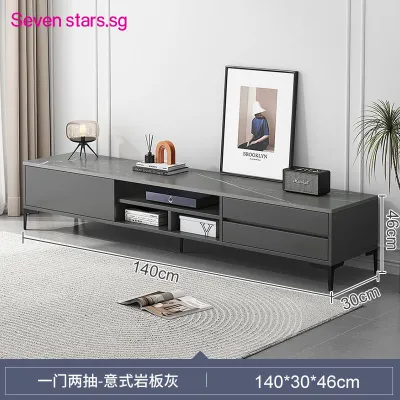
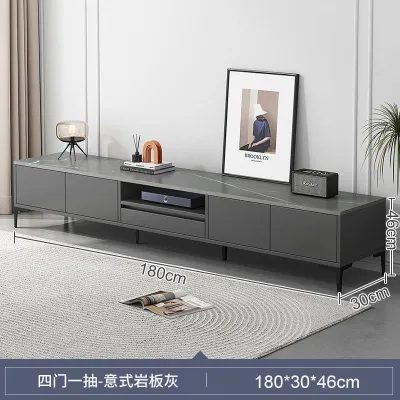
![[CozyNest ] Solid Wood TV Cabinet Modern Minimalist Storage Cabinet Small Apartment Organizer Bedroom Storage Floor Cabinet Tall TV Stand](https://img.lazcdn.com/g/p/0ce586bd36597f258e171897bbc7f76e.jpg_400x400q80.jpg_.webp)
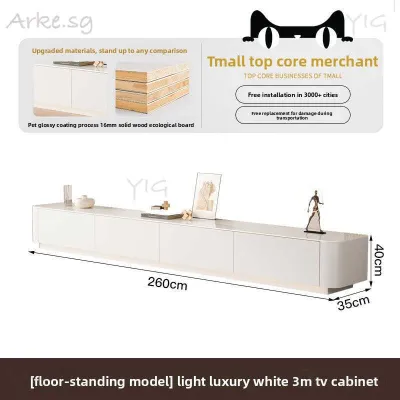
![[CozyNest ]TV Console Rock TV Cabinet Panel Cabinet Living Room Household Small Unit Storage Integrated Floor To Ceiling Simple And Modern](https://img.lazcdn.com/g/p/b495bd3935ada321126db4e9c14e445b.jpg_webp_400x400q80.jpg_.webp)
![[CozyNest ]TV Cabinet Console New Solid Wood Rounded Corner Black TV Cabinet Small Living Room 180Cm Drawer Cabinet](https://img.lazcdn.com/g/p/ba6766b6673f37254a2eef967800dc2b.jpg_webp_400x400q80.jpg_.webp)
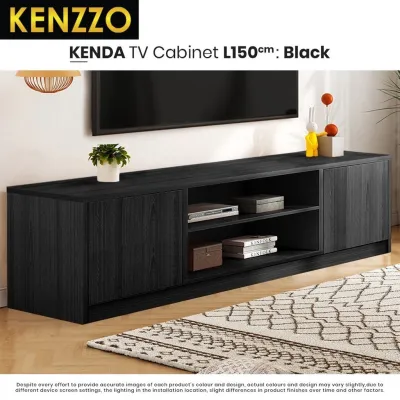
Prices are valid at publication and may change. Please refer to the product page for the latest price.
- Assessing Your Living Room Layout: Measure the total width, height, and depth of the floor area where you plan to place the cabinet. In Singapore homes, architectural obstacles often include wall-mounted electrical trunking, fiber termination points, power sockets, light switches, and air-conditioning conduits. Skirting boards can also prevent a floor-standing cabinet from sitting flush against the wall, which may require you to subtract a few centimetres from your depth calculations.
- Measuring Your TV's Physical Footprint: A common error is matching a cabinet to the TV's advertised screen size, which is measured diagonally and does not represent the actual physical width or height. Use a tape measure to record the TV's exact outer width, height, and depth, including the bezel or frame. If you plan to place the TV on top of the cabinet, measure the depth and width of the TV stand or legs. Some modern televisions feature wide-set feet near the outer edges of the screen rather than a central pedestal stand, requiring a wider and deeper surface.
- Ergonomics and Viewing Distance: Ergonomics play a vital role in preventing neck and eye strain. As a general rule, the center of your TV screen should align with your eye level when you are seated comfortably on your sofa, which typically places the ideal viewing height between 95 and 110 centimetres from the floor. To determine the appropriate cabinet height, subtract half of your TV's physical height from your seated eye level.
- Navigating Delivery Constraints: Measure the entire delivery pathway from the unloading bay to your living room. Check the height, width, and diagonal clearance of your building's passenger lift, as well as the width of your HDB corridor and the clearance of your main entrance door. Many high-quality TV consoles are delivered fully assembled to maintain structural integrity, making corridor and lift clearances critical.
Match the Cabinet Width to Your TV Screen
Achieving visual harmony in your living room requires a balanced relationship between the width of your television and the width of your cabinet. A properly proportioned setup creates a sense of stability and design intent.

- The Golden Ratio of Visual Balance: To prevent your entertainment area from looking top-heavy, your TV cabinet should always be wider than your television. Having the cabinet extend at least 10 to 20 centimetres beyond the outer edges of the TV on both sides creates a pleasing visual pyramid where the heavier base supports the lighter top. This extra width also provides a safe buffer zone, reducing the risk of someone accidentally knocking into the TV when walking past, and leaves space for a soundbar or small decorative items.
- Managing Large Screens in Compact Spaces: To fit a 65-inch or 75-inch screen into a compact HDB or condominium living room, consider a low-profile console with a slim depth and clean, horizontal lines. A long, low cabinet that stretches across a significant portion of the wall can actually make a narrow room feel wider by emphasizing horizontal planes.
- Floating Consoles vs. Floor-Standing Units: Wall-mounted floating cabinets are highly favored in modern Singapore interiors because they leave the floor underneath completely clear, creating an illusion of spaciousness and allowing robot vacuums to clean easily. However, they require professional installation and must be anchored to sturdy concrete or reinforced partition walls. Traditional floor-standing cabinets offer superior weight capacity, more storage space, and easier installation, making them ideal for housing heavy audio-visual equipment without wall drilling.
- The Risks of Poorly Proportioned Widths: Selecting a cabinet that is too narrow for your TV is both an aesthetic and functional mistake. A TV that overhangs the edges of the cabinet looks unstable and visually jarring, drawing negative attention to the setup while increasing tipping risks. Conversely, a cabinet that is excessively wide for a small TV can make the television look insignificantly small and out of place unless carefully styled with balanced decor.
Plan Depth and Layout for Media TV Storage
A TV cabinet is not just a stand; it is the central hub for your home entertainment system. Planning the internal layout and depth of your media tv storage ensures that all your devices are organized, accessible, and safe.
- Accounting for Large AV Components: Modern media setups often involve multiple electronic components, including AV receivers, gaming consoles, media players, routers, and soundbars. AV receivers and older gaming consoles are deep, often requiring a cabinet depth of at least 40 to 45 centimetres. When calculating depth, you must add an extra 5 to 8 centimetres to the rear of the device to accommodate power cords, HDMI cables, and speaker wires. Failing to account for cable depth is a common mistake that prevents cabinet doors from closing.
- Open Shelving vs. Closed Cabinets: Open shelves provide immediate access to your devices, ensure maximum airflow to prevent overheating, and allow infrared remote control signals to pass through without obstruction. However, they expose your equipment to dust and can look cluttered. Closed cabinets offer a clean, minimalist aesthetic. To maintain functionality, look for cabinets with slatted timber doors, perforated metal fronts, or IR-friendly glass that allow remote signals and sound to pass through while keeping the contents hidden.
- The Value of Adjustable Internal Shelves: Choosing a cabinet with fixed internal shelving can severely limit your options and lead to wasted space as your media setup changes over time. Look for cabinets that feature adjustable or removable shelving, allowing you to customize the internal height of each compartment to fit tall devices, like a vertically positioned gaming console, or flat, wide devices like a Blu-ray player.
- Verifying Weight Capacity and Joint Strength: Media equipment can be surprisingly heavy, especially when you combine a large television, an AV receiver, subwoofers, and multiple gaming consoles. Verify the manufacturer's specified weight capacity for both the top surface and the internal shelves. Look for high-quality construction details, such as dowelled or mitered joints, and solid wood or high-density fiberboard (HDF) materials. For longer cabinets exceeding 1.8 metres, check if the design includes a central support leg to prevent sagging over time.
Check Clearances, Ventilation, and Cable Routing
Proper functional planning prevents your electronics from overheating and keeps your living room free of unsightly cable tangles.
- Managing Heat Build-Up in Enclosed Spaces: Modern gaming consoles, streaming boxes, and amplifiers generate a significant amount of heat during operation. If these devices are placed in an enclosed cabinet without adequate ventilation, the trapped heat can cause them to malfunction, degrade performance, or fail prematurely. Ensure there is at least 5 to 10 centimetres of clear space around the top, sides, and rear of any heat-generating device. If you prefer closed cabinets, look for models with active ventilation features, such as open backs, wire mesh panels, or built-in ventilation grilles.
- Cable Routing and Power Access: When evaluating a cabinet, check for built-in cable management features to maintain a clean, wire-free look. Look for pre-drilled cable access holes or grommets in the back panel of each compartment, allowing you to route cables directly to the wall outlets without having to cut holes yourself. Integrated cable channels or power strip compartments make routing complex wiring systems much easier and prevent wires from becoming tangled or pinched.
- Door Clearances and Traffic Flow: In compact Singapore living rooms, the clearance in front of your TV cabinet is just as important as the space it occupies on the wall. Measure the distance between the front of the cabinet and other furniture pieces, such as your coffee table or the edge of your sofa. Ensure that cabinet doors, drawers, and pull-out trays can open fully without colliding with other objects or blocking the main walking path. If space is exceptionally tight, consider cabinets with sliding doors, tambour doors, or open cubbies.
- Material Suitability and Maintenance: The materials used in your TV cabinet should be compatible with both the heat output of your electronics and Singapore's humid climate. While solid wood offers timeless beauty and structural strength, it can expand and contract with humidity changes; verify that the wood has been treated with a moisture-resistant sealant. Laminates and engineered woods are highly stable, resistant to warping, and easy to clean. Enclosed cabinets still require periodic maintenance, so plan to open your cabinet doors occasionally to wipe down the interior surfaces and vacuum any dust buildup from the cooling vents.
Common TV Cabinet Sizing Mistakes to Avoid
Avoiding common pitfalls during the planning stage saves you time, money, and physical discomfort. Keep these frequent mistakes in mind as you make your final decision.
- Relying Solely on Diagonal Screen Sizes: Many buyers look at a cabinet description that says "suitable for up to 55-inch TVs" and assume it will fit their television perfectly. However, bezel thicknesses and stand designs vary widely across different brands and models. A 55-inch TV with wide-set legs may require a much wider cabinet than one with a central pedestal stand. Always base your purchase on the physical, measured width of your TV, not the diagonal screen specification.
- Underestimating the Required Depth: It is easy to focus entirely on width and height while neglecting depth. Buying a shallow, space-saving cabinet might seem like a good idea for a small room, but it often backfires when you try to install your media devices. Always measure your deepest component, add the required clearance for rear cables, and ensure the cabinet's internal depth can accommodate it comfortably.
- Choosing the Wrong Height for Eye Comfort: Placing a TV on a cabinet that is too high forces you to tilt your head backward, leading to neck strain and headaches over time. Conversely, a cabinet that is too low can cause you to slouch. Take the time to sit on your sofa, measure your eye level, and calculate the correct cabinet height to keep your viewing experience comfortable and ergonomic.
- Neglecting Wall-Mount and Soundbar Clearances: If you plan to wall-mount your television above the cabinet, you must still plan the vertical clearance carefully. Leaving too little space between the bottom of the TV and the cabinet surface makes it difficult to place a soundbar or decorative items without blocking the screen or remote sensors. Aim for a gap of 10 to 15 centimetres for a balanced, integrated look.
Community discussion
Share your experience or ask a question. Comments are reviewed before publication.