
A wall-mounted TV console elevates your living room aesthetic while freeing up valuable floor space, which is especially crucial in compact urban apartments. Finding the right size requires balancing the physical dimensions of your television, the scale of your wall, and the functional needs of your media equipment. By taking precise measurements and applying classic design proportions, you can select a floating console that feels balanced, secure, and perfectly integrated into your home.
Measure Your Wall Space and Clearance
Start by measuring the total width of the wall where you plan to mount the console. In many modern apartments, such as Singapore’s HDB flats or condominiums, living room walls are often shared with entryways, hallway openings, or large windows. Use a metal measuring tape to map out the exact boundaries of your usable wall space, noting any fixed obstacles like light switches, electrical outlets, air conditioning conduits, or window frames.
Next, consider the physical flow of the room. A floating console extends outward into the living space, meaning it can easily obstruct pathways if it is too deep or placed too close to other furniture. Ensure there is comfortable walking clearance between the front edge of the console and your coffee table, sofa, or armchair. Maintaining a clear pathway of at least 60 to 90 centimeters ensures that family members can move freely without bumping into the corners of the unit.
Products mentioned in this guide
![[Ready Stock] TV console nordic wall-mounted TV cabinet wall cabinet wall racks set-top rack set-top cabinet TV cabinets simple small-sized TV rack wall TV console wall TV cabinet](https://img.lazcdn.com/g/p/92b7eec424498f0cf6ba8e2d55261e7d.jpg_webp_400x400q80.jpg_.webp)
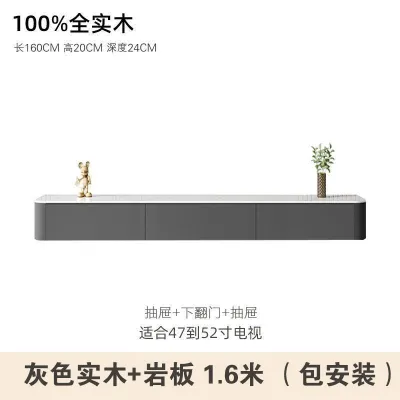
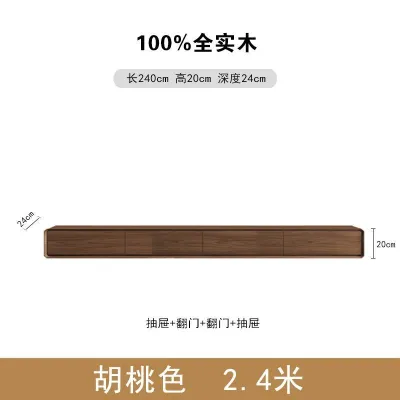
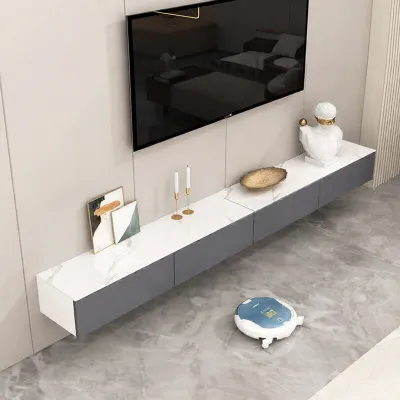
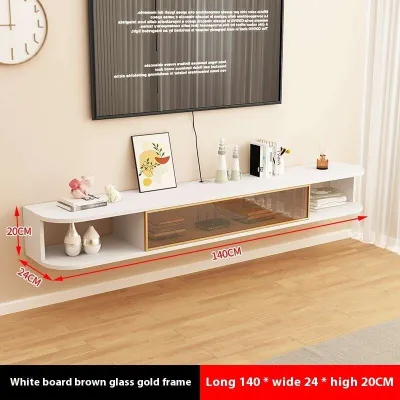
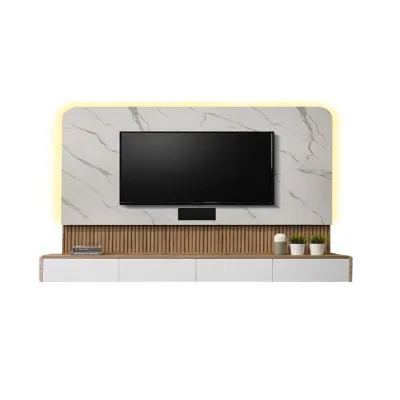
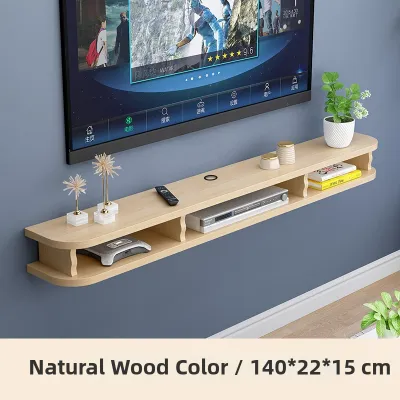
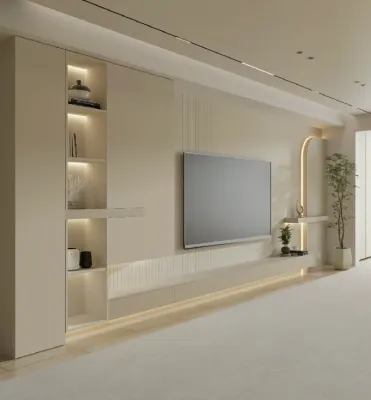
Prices are valid at publication and may change. Please refer to the product page for the latest price.
Visual breathing room is just as important as physical clearance. Mounting a console that spans the entire length of a short wall can make the room feel cramped and resemble a heavy, built-in cabinet rather than a sleek, floating feature. To achieve a balanced look, aim to leave at least 15 to 30 centimeters of open wall space on both the left and right sides of the console. This negative space frames the furniture, highlights its floating design, and keeps the living area feeling open and airy.
Match the Console Width to Your TV Size
A common design misstep is choosing a console that is too small for the television it sits beneath. To create a stable, visually grounded setup, your wall-mounted console should always be wider than your TV. If the console is narrower or even the exact same width as the screen, the arrangement will look top-heavy and unbalanced, creating an awkward visual pyramid that draws the eye upward in an unsettling way.

To find the right proportions, you must measure the actual physical width of your television. Do not rely on the diagonal screen size advertised by manufacturers, as this measurement only represents the screen from corner to corner and excludes the outer bezel or frame. Use your measuring tape to find the horizontal width from the far-left edge of the TV frame to the far-right edge.
Once you have the physical width of your TV, use it as a baseline to determine the minimum console width. A reliable guideline is to select a console that is at least 10 to 20 centimeters wider than your TV on each side. This means the total width of the console should ideally exceed the TV’s physical width by 20 to 40 centimeters. This extra width provides a pleasing visual anchor and leaves room for small decorative items or a soundbar without crowding the screen.
Determine the Ideal Depth and Height
The depth of your floating console dictates what you can store inside it and how well your media setup functions. Before purchasing, list all the devices you plan to house, such as gaming consoles, media boxes, internet routers, and soundbars. Measure the depth of the largest device, adding at least 5 centimeters to account for rear cable connections, power plugs, and HDMI cables that stick out from the back of the units.
Most standard wall-mounted consoles offer depths ranging from 30 to 45 centimeters. If you only plan to house slim streaming devices or mount a soundbar on top, a shallower depth of 30 centimeters keeps the profile sleek and unobtrusive. However, if you have larger gaming systems or audio-visual receivers, you will need a depth closer to 40 or 45 centimeters, along with built-in cable management cutouts to route wires neatly to the wall outlets.
Mounting height is critical for both viewing comfort and ergonomics. The ideal height for your TV and console depends on the seated eye level of your primary viewing area, which is typically about 100 to 110 centimeters from the floor for an average sofa. To prevent neck strain, the center of your TV screen should align directly with this seated eye level. Once you determine the TV’s position, mount the console so that its top surface sits roughly 10 to 20 centimeters below the bottom of the TV.
Keep in mind that room layouts alter these height requirements. In a bedroom, where you watch TV from a reclined position in bed, both the TV and the console will need to be mounted higher on the wall to maintain a comfortable line of sight. Conversely, in a dedicated playroom or a low-profile seating area, a slightly lower mounting position may be necessary to keep the screen at a comfortable viewing angle.
Check Weight Capacity and Mounting Requirements
Safety and structural integrity are paramount when installing floating furniture. Unlike traditional floor-standing units, a wall-mounted console relies entirely on its mounting brackets and the wall structure to hold its weight. Whether you are investing S$300 or S$1,200 in a premium floating unit, you must carefully review the manufacturer’s specifications for the maximum weight capacity of both the console itself and the included mounting hardware.
The type of wall in your home determines how you must secure the console. In Singapore, many homes feature solid concrete or brick internal walls, which provide excellent structural support when paired with heavy-duty masonry wall plugs and screws. If you are mounting onto a drywall partition, however, you must locate the vertical wooden or metal studs behind the plasterboard using a stud finder. Securing the mounting brackets directly into these studs is essential, as standard drywall anchors cannot safely support the leverage and weight of a loaded console.
When calculating the load, always factor in the combined dynamic weight of the entire setup. This includes the weight of the console itself, the media devices, gaming controllers, books, and any decorative items like vases or framed photos placed on top. If you plan to place a heavy soundbar or additional equipment on the console, choose a heavy-duty model and consider hiring a professional installer to ensure the unit is safely anchored to the wall.
Common Sizing Mistakes to Avoid
One of the most frequent errors is selecting a console that matches the exact width of the TV. This creates a harsh, boxy look that lacks design harmony. Always aim for the console to extend past the TV on both sides to establish a proper visual base.
Another common mistake is ignoring the ventilation needs of your electronic devices. Enclosing gaming consoles or media boxes in a shallow, unventilated wooden cabinet can cause heat to build up rapidly, potentially damaging your electronics. Ensure the console has open shelving, slatted doors, or sufficient rear ventilation gaps to allow hot air to escape.
Finally, avoid mounting the console too high on the wall. A floating console that is positioned too close to the ceiling or too far above the floor can disrupt the visual balance of the room and force viewers to tilt their heads upward, leading to physical discomfort over time. Take the time to mock up the dimensions on the wall using painter’s tape before drilling any holes.
Frequently Asked Questions (FAQ)
Can I mount a TV console on drywall?
Yes, you can mount a TV console on drywall, but you must take specific precautions to ensure it remains secure. Standard plastic drywall anchors are not designed to support the downward pulling force of a heavy floating cabinet. You must locate the wooden or metal studs behind the drywall and screw the mounting brackets directly into them. If the stud spacing does not align with your console’s mounting points, you may need to install a wooden backing board or consult a professional handyman to reinforce the wall structure safely.
How much space should I leave between the TV and the console?
A standard gap of 10 to 20 centimeters between the bottom of the wall-mounted TV and the top of the console is ideal. This spacing provides enough room to accommodate a soundbar, route cables neatly through a wall grommet, and allow for proper heat dissipation. Keeping this gap consistent also ensures that the TV and console look like a cohesive, well-planned media center rather than two disconnected pieces of furniture.

Community discussion
Share your experience or ask a question. Comments are reviewed before publication.