
Choosing the right size wall-mounted TV cabinet requires balancing the physical dimensions of your television, the scale of your wall, and the structural capacity of your home. A well-proportioned floating console anchors the room visually, hides unsightly cables, and provides storage without consuming valuable floor area. To achieve this balance, the cabinet should ideally be wider than your television screen and mounted at a height that aligns the center of the screen with your seated eye level.
Quick Guide to Sizing a Wall-Mounted TV Cabinet
When selecting a wall-mounted TV cabinet, three primary dimensions dictate both the aesthetic success and functional utility of your living room setup.
- Width: The cabinet must extend past the left and right edges of your television screen. A common rule of thumb is to select a console that is at least 20 to 30 centimeters wider than the TV on each side to establish a stable visual base.
- Depth: Standard media consoles range from 30 to 45 centimeters deep. This depth provides sufficient space for media players, gaming systems, and power strips while keeping the unit from protruding too far into walkways.
- Proportion: A massive wall requires a longer cabinet to prevent the furniture from looking lost, whereas a compact wall in a cozy apartment benefits from a streamlined, floating design that preserves open floor space.
Measuring Your Wall Space and Clearances
Before browsing online marketplaces or visiting local showrooms, you must obtain precise measurements of your designated wall area. Start by measuring the total continuous width and height of the wall where the TV and cabinet will reside. Do not rely on visual estimates, as baseboards, cornices, and architectural features can significantly reduce the actual usable mounting surface.
Products mentioned in this guide
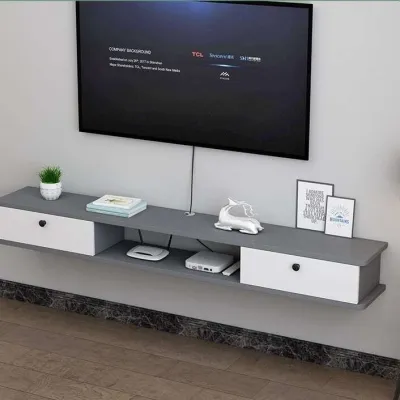
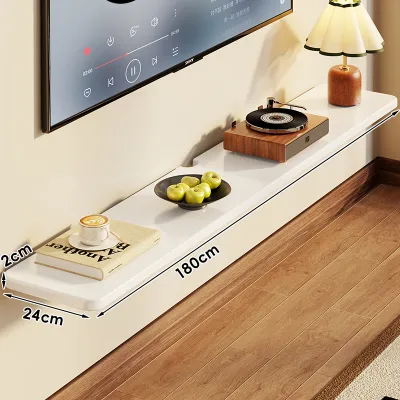
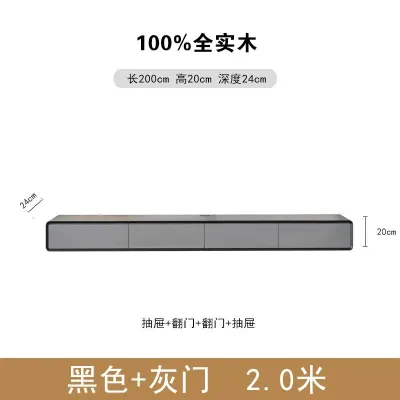

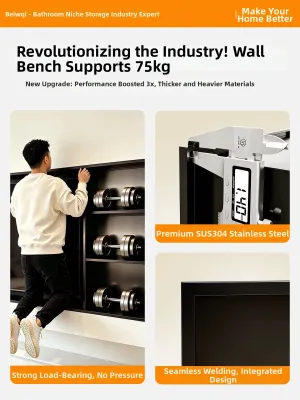
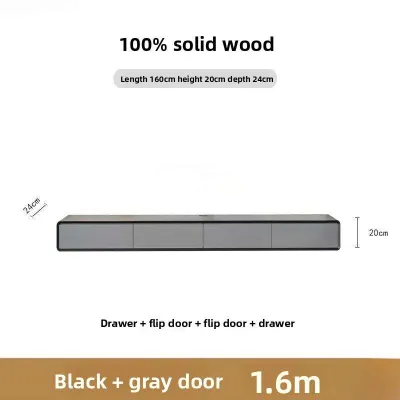
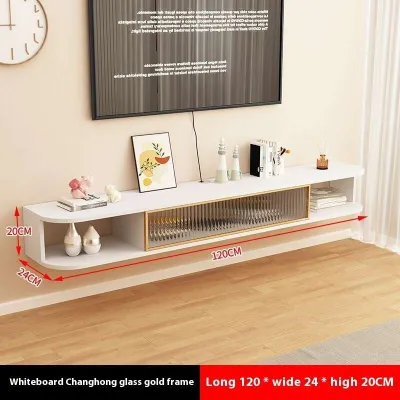
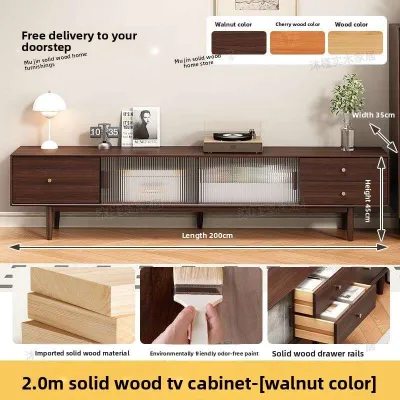
Prices are valid at publication and may change. Please refer to the product page for the latest price.

Identify any permanent fixtures that could restrict your cabinet placement or interfere with installation. Take note of the locations of electrical outlets, cable ports, light switches, and wall sconces. If your wall features windows or doors, measure the clearance required for curtains to hang naturally and doors to swing fully open without striking the furniture.
Additionally, consider the flow of foot traffic through the room. A wall-mounted cabinet that projects too far into a narrow corridor or walkway can create a physical hazard. Ensure there is a comfortable clearance zone of at least 60 to 90 centimeters between the front edge of the cabinet and any adjacent coffee tables, armchairs, or structural pillars. Leaving a generous visual margin of blank wall space around the outer edges of the cabinet also prevents the room from feeling cramped and cluttered.
Matching Cabinet Width to Your TV Size
A frequent design misstep is pairing a large television with a cabinet of equal or lesser width. This configuration creates a top-heavy, unstable appearance that disrupts the visual harmony of the room. To establish a balanced foundation, your wall-mounted TV cabinet must always be wider than the outer frame of your television.
To calculate the minimum recommended width for your cabinet, you must first determine the actual physical width of your TV, which is different from its diagonal screen size. For example, a typical 55-inch television is approximately 122 centimeters wide, while a 65-inch model measures around 145 centimeters wide. Multiply the physical width of your television by 1.2 to 1.3 to find a cabinet width that offers pleasing proportions.
If you plan to place external speakers, a soundbar, decorative vases, or framed photos on top of the cabinet, you will need to adjust your width requirements upward. Ensure there is sufficient flat surface area on either side of the television to accommodate these items without crowding the screen. A wider cabinet also allows you to offset the television slightly if your wall studs or cable outlets are not perfectly centered in the room.
Determining the Ideal Depth and Height
The depth of your floating cabinet directly impacts its storage capacity and how much physical space it occupies in the room. If you only need to house a slim media box or a router, a shallow depth of 30 centimeters is often sufficient. However, if you plan to store larger gaming consoles, audio-visual receivers, or deep soundbars, look for a cabinet depth of 40 to 45 centimeters. Always measure the deepest device you own, including the space required for rear cable connectors, to ensure the cabinet doors can close completely.
Determining the mounting height is a matter of viewing ergonomics. For the most comfortable experience, the center of your television screen should align with your eye level when you are seated on your primary sofa. Typically, this places the bottom of the television screen between 60 and 80 centimeters above the floor.
Once you establish the ideal TV height, position the wall-mounted cabinet directly below it. The distance from the floor to the bottom of the cabinet should generally range from 20 to 30 centimeters. This clearance leaves enough open space underneath to maintain a light, floating aesthetic and allows for easy cleaning, while keeping the storage compartments within comfortable reaching distance.
Wall Structure and Installation Requirements
Wall-mounted TV cabinets carry significant weight, combining the mass of the furniture itself with the weight of your television, media devices, books, and decor. Consequently, verifying your wall structure is the most critical safety step before purchase and installation.
- Solid Walls: Concrete, brick, or solid masonry walls offer the highest load-bearing capacity. These surfaces require masonry wall plugs and heavy-duty screws to secure the mounting bracket firmly.
- Drywall and Partition Walls: Hollow drywall or plasterboard partitions require extra caution. You must locate the internal timber or metal studs using a stud finder and anchor the cabinet brackets directly into these structural supports. Relying solely on standard drywall anchors for a heavy cabinet can lead to structural failure and severe damage.
- Weight Capacity Checks: Always check the manufacturer's specifications for both the cabinet's maximum load capacity and the weight limits of your mounting hardware. If you are uncertain about your wall's structural integrity or the installation process, consult a qualified professional installer to ensure a secure mount.
Common Sizing and Placement Mistakes
Avoiding common installation pitfalls can save you from costly repairs and visual disappointment. One of the most widespread errors is choosing a cabinet that matches the exact width of the television. This creates a harsh, boxy silhouette that lacks design sophistication.
Another frequent mistake is overlooking ventilation and cable management. Electronic devices generate heat during operation; placing them in a tightly sealed cabinet without ventilation slots or open back panels can cause overheating and shorten their lifespan. Ensure your chosen cabinet features pre-drilled cable grommets or a recessed back to keep wires organized and hidden from view.
Finally, mounting the cabinet and television too high on the wall is a common cause of neck and eye strain. Resist the temptation to mount the TV at fireplace height unless your seating is positioned unusually far back. Keep the viewing angle natural and relaxed to ensure long-term comfort.
Frequently Asked Questions (FAQ)
Can I mount a TV cabinet on a drywall partition?
Yes, you can mount a TV cabinet on a drywall partition, but you must take specific structural precautions. Never hang a heavy console using standard plastic drywall plugs. Instead, you must locate the vertical wooden or metal studs behind the plasterboard and secure the cabinet’s mounting bracket directly into them using heavy-duty wood screws. If the stud spacing does not align with your cabinet’s mounting points, you may need to install a plywood backing board or consult a professional carpenter to reinforce the internal wall structure before proceeding.
How much space should I leave between the TV and the cabinet?
A standard vertical gap of 10 to 20 centimeters between the top of the wall-mounted cabinet and the bottom of your television screen is ideal. This spacing provides enough room to place a soundbar or small decorative items on the cabinet surface without blocking the bottom of the screen. It also ensures adequate ventilation for your devices and allows you to route cables neatly through wall channels or decorative covers without creating a cluttered appearance.
Community discussion
Share your experience or ask a question. Comments are reviewed before publication.