
Selecting the right wall mount TV cabinet requires balancing visual proportions, storage needs, and structural safety. A floating console that is too small can make your television look overwhelmingly large, while an oversized unit can crowd your living area. By measuring your wall space, matching the cabinet width to your screen, and verifying your wall’s load-bearing capacity, you can create a clean, modern entertainment setup that enhances your home. Taking the time to plan these dimensions ensures your living room remains both functional and visually harmonious.
Measure Your Wall Space and Clearance Requirements
Before browsing designs, you must establish the physical boundaries of your room. Start by measuring the total usable width and height of the designated wall section. Be sure to note any architectural features, such as recessed niches, columns, or window frames, which can limit where the cabinet can be positioned. It is helpful to sketch a quick layout of the wall on paper to visualize how the furniture will sit within the space.
Next, map out the locations of existing power outlets, cable television points, and fiber optic ports. A wall mount cabinet should ideally cover or sit directly beneath these outlets to conceal messy wiring, but the internal structure of the cabinet must not block access to the plugs. Additionally, check for overhead obstructions like air conditioning units, wall-mounted fans, or decorative sconces that could interfere with the height of your TV and cabinet.
Products mentioned in this guide
![[Ready Stock] TV console nordic wall-mounted TV cabinet wall cabinet wall racks set-top rack set-top cabinet TV cabinets simple small-sized TV rack wall TV console wall TV cabinet](https://img.lazcdn.com/g/p/92b7eec424498f0cf6ba8e2d55261e7d.jpg_webp_400x400q80.jpg_.webp)
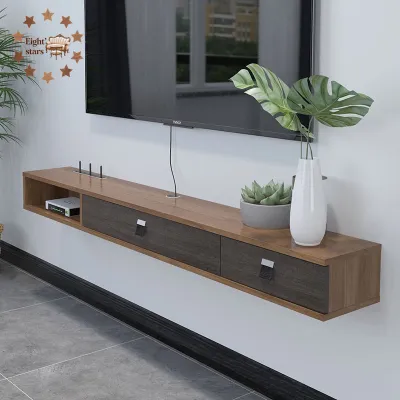
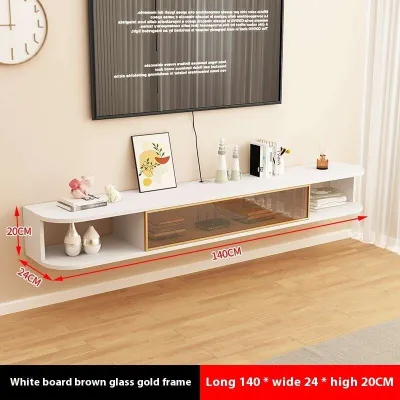
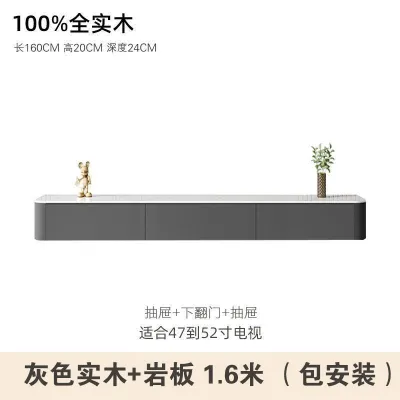
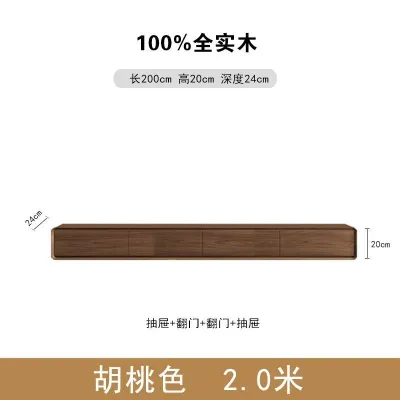
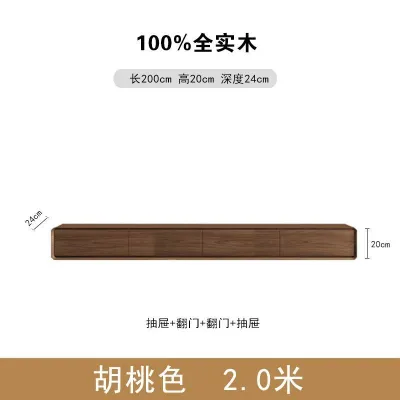
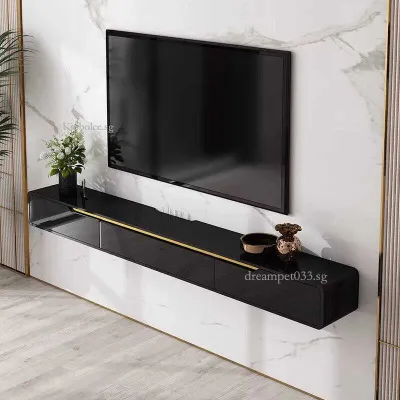
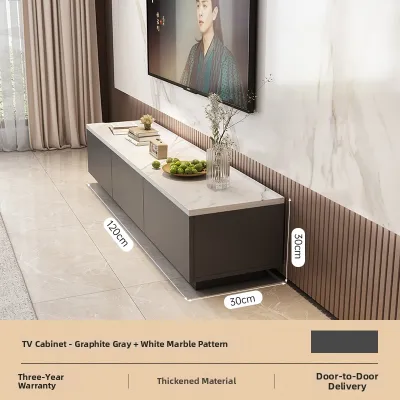
Prices are valid at publication and may change. Please refer to the product page for the latest price.
In Singapore HDB flats and condominiums, where living room layouts are often compact, you must also account for clearance and traffic flow. Measure the distance between the wall and your coffee table or sofa to ensure there is a comfortable walking path. Consider how nearby doors, balcony entrances, or cabinet doors swing open to prevent accidental collisions with your new floating console. Ensuring adequate clearance keeps the room feeling spacious and easy to navigate.
Match the Cabinet Width to Your TV Dimensions
Achieving a balanced look relies heavily on the relationship between the width of your television and the width of the cabinet below it. As a general rule of visual design, the cabinet should be noticeably wider than the TV screen. This creates an anchoring effect, providing a stable visual base that prevents the entire setup from looking top-heavy or awkward.

When calculating these dimensions, remember that TV sizes refer to the diagonal measurement of the screen, not the actual physical width. Always measure the physical horizontal width of your TV from outer edge to outer edge, including the bezel. A cabinet that extends past the edges of the TV on both sides offers a balanced frame and leaves room for small decorative items or a soundbar.
Choosing a cabinet that is the exact same width as your TV, or narrower, often results in a cramped and visually unstable appearance. The screen will appear to overpower the furniture beneath it, disrupting the clean lines of your living room. For a harmonious look, aim for a cabinet that provides a comfortable margin on either side of the screen, keeping the overall scale of your room in mind. This margin also gives you flexibility if you decide to upgrade to a slightly larger television in the future.
Determine the Ideal Mounting Height and Depth
The height at which you mount your cabinet directly impacts both your viewing comfort and the room’s ergonomics. To prevent neck strain, the center of your TV screen should ideally align with your eye level when you are seated in your primary viewing position. Once you determine this screen height, you can position the wall mount cabinet at a complementary height below it, leaving a clean gap between the two.
Cabinet depth is another critical factor, especially if you plan to store media players, gaming consoles, or smart home hubs. Measure the depth of your largest device, including any protruding cables or connectors at the back, and compare this to the internal shelf dimensions specified by the furniture manufacturer. A cabinet that is too shallow will force you to leave doors open or bend cables at damaging angles.
Proper ventilation and cable routing are essential for keeping your electronics functioning safely. Look for cabinets designed with built-in cable management cutouts, which allow wires to pass cleanly between compartments and up to the TV. Ensure there is sufficient air circulation space around enclosed devices to prevent heat buildup, which can shorten the lifespan of your electronics.
Verify Weight Capacity and Wall Compatibility
Safety is the most critical aspect of installing a floating TV console. Because these units do not rest on the floor, the entire weight of the cabinet, the TV, and all stored items must be supported by the wall and mounting hardware. Always check the manufacturer’s product specifications for the maximum weight capacity of the cabinet itself.
The type of wall in your home determines how the cabinet must be anchored. Solid concrete or brick walls, common in many Singapore homes, offer excellent structural strength and can support heavy loads when paired with appropriate masonry expansion plugs and screws. Hollow drywall partitions, often used to divide rooms or create feature walls, have much lower load limits and require specialized anchors or direct mounting into the internal wooden or metal studs.
If you are unsure of your wall’s material, or if the combined weight of your cabinet and equipment approaches the manufacturer’s limits, do not attempt a DIY installation. In these scenarios, or when dealing with complex electrical routing, it is best to consult a qualified professional installer. They can assess the wall structure, select the correct heavy-duty anchors, and ensure the cabinet is mounted securely to prevent any risk of falling.
Frequently Asked Questions (FAQ)
Can I install a wall mount TV cabinet on a drywall partition?
Yes, but it requires careful preparation and the correct hardware. Standard drywall cannot support the weight of a heavy floating cabinet on its own, so you must locate the internal structural studs behind the plasterboard using a stud finder. The mounting brackets must be screwed directly into these studs, or you must use heavy-duty toggle bolts designed for hollow walls. If the cabinet is exceptionally heavy or if you cannot locate the studs, consult a professional installer to avoid damaging your wall or risking a collapse.
How much extra width should the cabinet have compared to the TV?
While there is no single mandatory measurement, a helpful guideline is to choose a cabinet that is at least twenty to thirty percent wider than the physical width of your television. This extra space ensures the TV does not look cramped and provides a pleasing visual proportion. However, you should adjust this based on your specific room layout; a smaller margin may be necessary in tight corners, while a wider wall can easily accommodate a much longer console to create a dramatic, elongated feature.

Community discussion
Share your experience or ask a question. Comments are reviewed before publication.