
Selecting the perfect TV cabinet stand requires balancing the physical dimensions of your television with the layout of your living room. In modern homes, where space optimization is essential, a well-chosen media console does more than just hold your screen. It anchors the room’s design, manages cable clutter, and ensures a comfortable viewing experience. To find the right fit, you must look beyond the diagonal screen size of your television and evaluate the actual footprint, room proportions, and safety requirements of your household.
Measure Your TV and Viewing Distance
A common misconception is that a television’s advertised size represents its actual width. The screen size specified by manufacturers is a diagonal measurement from one corner of the screen to the opposite corner, excluding the outer frame or bezel. To find the actual physical width, use a measuring tape to measure horizontally from the far-left edge to the far-right edge of the outer frame. This physical width is the baseline measurement you will use to select your cabinet.
If you plan to place the television directly on the cabinet surface rather than mounting it on the wall, you must measure the depth and width of the TV’s base stand. Many modern televisions feature wide-set feet located near the outer edges of the screen rather than a single central pedestal. These wide-set feet require a cabinet surface that is both wide enough and deep enough to support them securely without any overhang.
Products mentioned in this guide
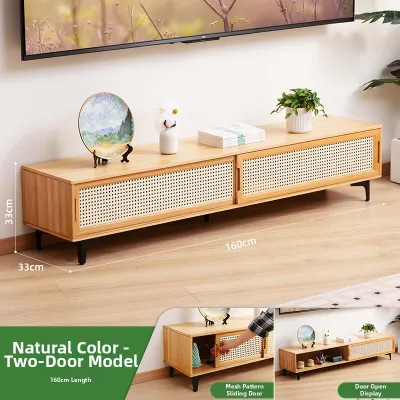
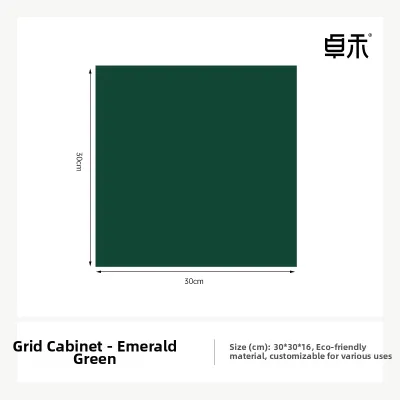
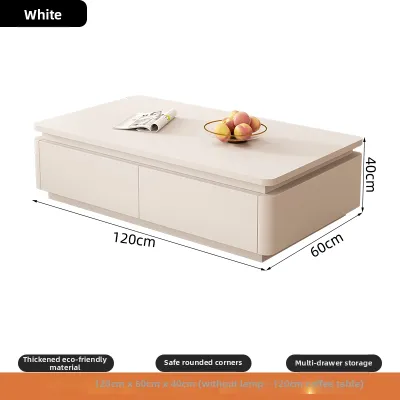
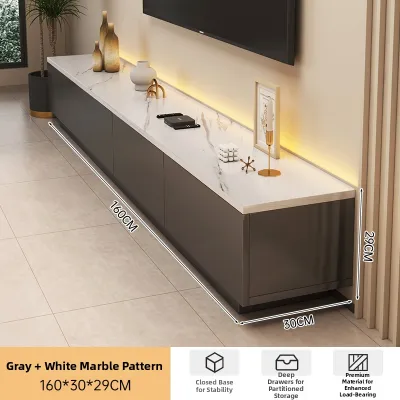
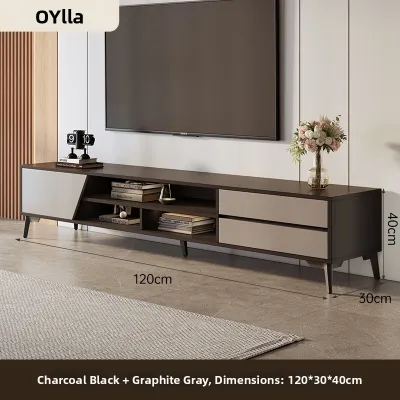
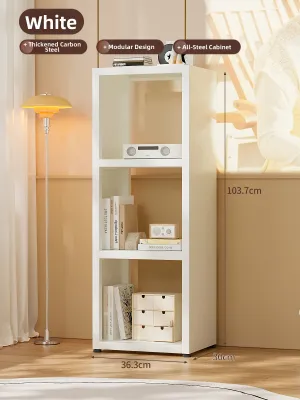
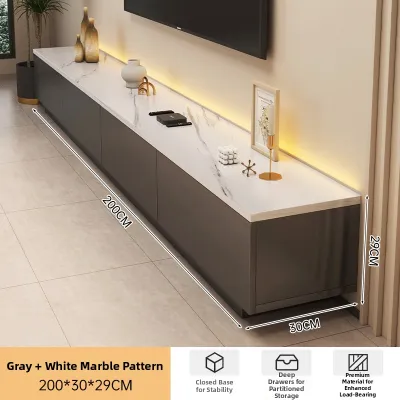
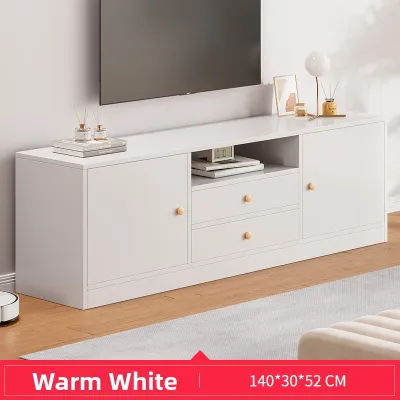
Prices are valid at publication and may change. Please refer to the product page for the latest price.
The distance between your seating area and the TV cabinet stand directly impacts your viewing comfort and eye health. As a general guideline, the optimal viewing distance is determined by multiplying the diagonal screen size by 1.5 to 2.5. For example, a larger screen requires you to position your sofa further back to avoid neck strain and pixelation. Ensure your living room layout can accommodate this distance before finalizing your cabinet and TV placement.
Assess Your Living Room Space and Layout
Before browsing designs, measure the total length of the wall where the TV cabinet stand will sit. You must leave adequate clearance from adjacent furniture, doorways, and main walkways to prevent the room from feeling cramped. In compact living rooms, such as those in HDB flats or condominiums, ensuring at least 30 to 40 cm of open space on either side of the cabinet helps maintain a smooth traffic flow.

The visual weight of the cabinet should harmonize with the room’s proportions and ceiling height. A massive, floor-to-ceiling entertainment unit can overwhelm a small living space, making it feel smaller than it is. Conversely, a tiny, low-profile stand under a large wall-mounted TV can look unbalanced and unfinished. Consider lighter wood finishes, open shelving, or wall-mounted floating consoles to create an airy feel in tighter spaces.
Identify the locations of your wall power outlets, cable television ports, and internet routers. Your TV cabinet stand should ideally cover or sit close to these outlets to conceal messy wiring. Additionally, check if the cabinet design includes built-in cable management holes. If you plan to store gaming consoles, media boxes, or AV receivers inside enclosed cabinets, verify that the unit offers adequate ventilation or open back panels to prevent heat buildup and equipment damage.
Determine the Ideal TV Cabinet Dimensions
To achieve a balanced look, your TV cabinet stand should be wider than the physical width of your television. A good rule of thumb is to select a cabinet that extends at least 10 to 15 cm beyond the outer edges of the TV on both sides. This extra width creates a pleasing visual pyramid shape, where the base is wider than the top, and provides space for small decorative items or a soundbar.
The depth of the cabinet must accommodate your media equipment and the TV’s base stand. Standard media consoles typically range from 40 cm to 50 cm in depth. If you use an external AV receiver or a large gaming console, measure these devices from front to back, adding an extra 5 to 10 cm to account for the cables and connectors plugging into the rear ports.
The height of the cabinet should position the center of the TV screen at your seated eye level. When sitting on your sofa, measure the distance from the floor to your eyes. Ideally, the lower third to the center of the TV screen should align with this eye-level line to prevent neck fatigue. If you have a low-profile sofa, a lower cabinet stand is preferable; if your seating is higher, look for a taller console.
Verify Delivery, Assembly, and Safety Conditions
When purchasing furniture, navigating high-rise building access is a critical step. Measure your building’s elevator door width, interior height, and depth, as well as any tight turns in stairwells or corridors. Ensure the packaged or fully assembled TV cabinet stand can fit through these spaces and your main entryway without causing damage or requiring expensive specialized delivery services.
Always check the manufacturer’s specified weight capacity for the cabinet’s top surface and internal shelves. Solid wood, metal frames, and high-quality engineered wood offer different levels of structural integrity. Ensure the cabinet can easily support the combined weight of your television, soundbar, and other media accessories without bowing or sagging over time.
For households with active children or pets, safety is a paramount concern. Tall, narrow, or top-heavy TV cabinets can pose a tip-over hazard if climbed on or bumped. Look for cabinets that include wall-anchoring hardware, or purchase a separate anti-tip strap kit to secure the furniture firmly to the wall. If you are wall-mounting the TV above the cabinet, ensure the wall type can support the mounting bracket and TV weight.
Common Sizing and Placement Mistakes to Avoid
One of the most common design mistakes is buying a cabinet that is the exact same width as the television. This creates an awkward, top-heavy appearance and leaves no room for error if the TV is slightly bumped. It also prevents you from placing a soundbar or small speakers alongside the screen.
Many homeowners measure the physical depth of their media devices but forget to account for the stiff cables protruding from the back. This oversight can prevent cabinet doors from closing properly or force you to pull the entire cabinet away from the wall, leaving an unsightly gap.
Placing your TV cabinet stand directly opposite large windows can cause severe screen glare during the day, ruining your viewing experience. Additionally, squeezing media consoles into tight corners without checking for door swings or drawer clearances can restrict access to your storage and block essential ventilation paths for your electronics.

Community discussion
Share your experience or ask a question. Comments are reviewed before publication.