
Choosing an extendable TV console requires balancing physical stability, visual proportions, and spatial flexibility. Unlike a standard fixed console, a tv console extendable design features a dynamic footprint that can expand or contract to fit your changing needs. To select the right size, you must match the physical width of your television (not the diagonal screen size) to the console’s retracted length, verify that the maximum extended length fits comfortably within your available wall space, and ensure that the unit’s depth does not obstruct walkways. By taking precise measurements of your TV, wall, and surrounding clearance, you can select a versatile piece of furniture that enhances your living room’s layout without overwhelming the space.
Why Sizing an Extendable TV Console is Different
Extendable TV consoles offer a unique dual-state functionality, which makes their sizing process more complex than that of traditional, fixed-length media units. When you choose a traditional console, you only need to worry about a single set of dimensions. With an extendable model, however, the visual weight and physical footprint of the furniture shift dramatically between its fully retracted and fully extended states. A unit that looks perfectly proportioned when compact can suddenly dominate a room or block key pathways when drawn out to its maximum length.
This shifting footprint introduces a critical structural consideration: physical stability. If your television is too wide or too heavy for the retracted base, placing it on a partially or fully extended section can create an uneven distribution of weight. This imbalance risks bowing the sliding panels or, in severe cases, causing the entire unit to tip. Therefore, understanding the relationship between the console’s structural joints and its sliding mechanism is crucial before making a purchase.
Products mentioned in this guide
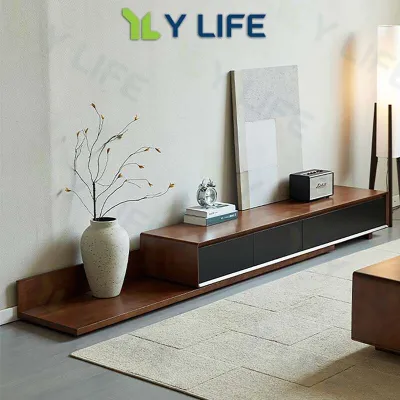
![[CozyNest ]GV Extendable TV Console Cabinet Living Room Stretch with Drawers Cabinet TV Console Table](https://img.lazcdn.com/g/p/6ea477a408d65c74075d6498302a4186.jpg_400x400q80.jpg_.webp)
![[Cozy ]TV Console TV Cabinet Extendable Small Apartment Floor Cabinet with Drawers Living Room TV Stand](https://img.lazcdn.com/g/p/813c995bd011eb39a4835e086bd44556.jpg_400x400q80.jpg_.webp)
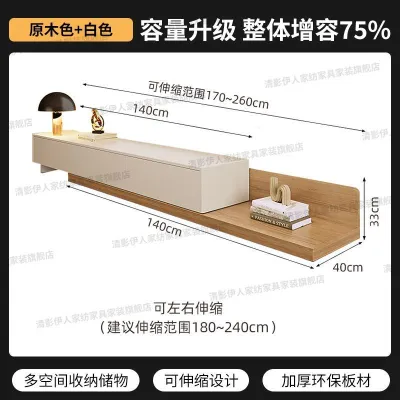
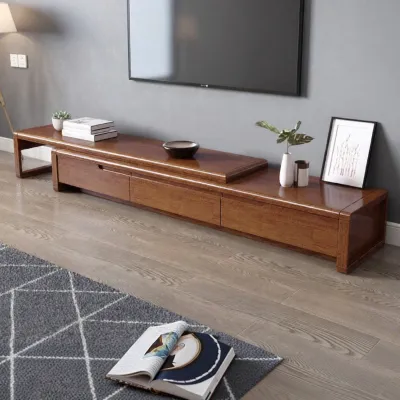
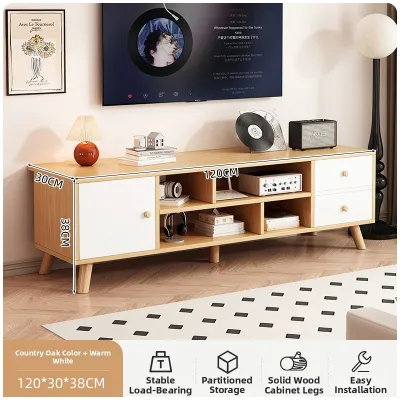
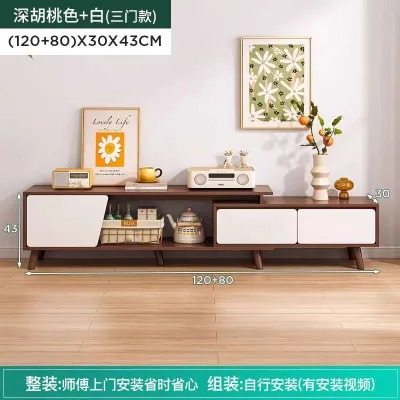
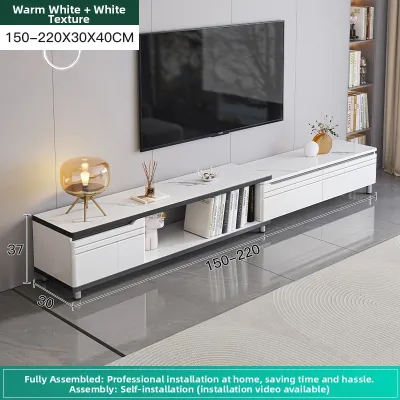
Prices are valid at publication and may change. Please refer to the product page for the latest price.
In Singapore, where HDB flats and modern condominium apartments often feature compact living room layouts, spatial efficiency is paramount. Every centimeter of floor space affects how easily you can move around your coffee table, sofa, and balcony doors. An extendable console is an excellent solution for these space-constrained environments, but only if you select a size range that respects both the tight boundaries of your layout and the physical requirements of your media setup.
Additionally, the materials used in your console play a significant role in its long-term performance. While solid wood, metal frames, and high-density engineered wood are popular choices, a material name alone does not guarantee durability or smooth operation. You must check the quality of the sliding tracks, the alignment of the joints, and the manufacturer’s care instructions. In Singapore’s humid climate, ensuring the sliding tracks are rust-resistant and the finishes are moisture-resistant is key to preventing the mechanism from binding over time.
How to Measure Your TV and Wall Space Accurately
Before browsing online marketplaces or visiting local furniture showrooms, you must gather three essential sets of physical measurements. Relying on guesswork or estimated dimensions often leads to costly return fees or a console that blocks vital household pathways.

Measuring the Actual TV Width One of the most common mistakes is using the television’s advertised screen size to determine the console’s length. Advertised sizes (such as 55-inch or 65-inch) measure the screen diagonally from corner to corner. To find the actual physical footprint, use a measuring tape to measure horizontally from the outer edge of the left bezel to the outer edge of the right bezel. If you plan to place external devices like a soundbar or desktop speakers alongside the TV, measure their combined width as well to ensure they will fit on the primary supporting surface.
Calculating Clear Wall Space Next, measure the total horizontal wall space where you intend to place the console. Do not simply measure from corner to corner; you must identify and account for physical obstructions. Take note of:
- Skirting boards: These baseboards typically protrude 1cm to 1.5cm from the wall, preventing the console from sitting completely flush.
- Power and data ports: Locate all wall sockets, cable TV ports, and fiber broadband points. Ensure the console's sliding mechanism or back panels will not block access to these outlets or pinch plugged-in cables.
- Architectural boundaries: Measure the distance to adjacent door frames, window trims, or built-in cabinetry to ensure the console does not overlap them when fully extended.
Verifying Floor Depth and Clearance Finally, measure the floor depth from the wall outward into the room. Standard extendable consoles range from 35cm to 45cm in depth. Mark this footprint on your floor using painter’s tape to check how it interacts with nearby elements. Ensure there is ample clearance for the edges of your living room rug, and verify that the console will not interfere with the swing radius of nearby bedroom doors, balcony glass doors, or household shelter doors.
Checking Delivery and Assembly Access An often-overlooked step in the measuring process is verifying the pathway from the delivery truck to your living room. Many extendable consoles arrive fully assembled or in large, heavy segments to preserve the alignment of the sliding tracks. Measure the height and width of your building’s lift doors, the clearance of narrow corridors, and the dimensions of your home’s main entryway. Ensuring the packaged furniture can navigate these spaces safely prevents delivery-day complications and potential damage to your walls or the console itself.
Matching TV Width to the Console's Extension Range
Once you have your physical measurements, you can evaluate the extension specifications of various consoles. Manufacturers typically list these dimensions as a range, such as “120cm to 180cm” or “150cm to 220cm.” Understanding how to map your TV to these numbers is key to achieving a stable and balanced setup.
The Minimum Length Rule To ensure visual harmony and structural safety, your television’s physical width should ideally not exceed the console’s minimum (retracted) length. If a TV overhangs the sides of a fully retracted console, it creates a top-heavy look that disrupts the room’s proportions. More importantly, keeping the TV’s stand or legs firmly positioned over the main, non-sliding base unit ensures that the heaviest load is supported by the most stable part of the frame, minimizing the risk of sagging or tipping.
The Maximum Length Rule The maximum extended length of the console must be strictly less than your measured available wall space. It is wise to leave a buffer of at least 10cm to 15cm on either side of the fully extended unit. This buffer prevents the furniture from looking cramped against corners or door frames and allows easy access for cleaning or manual adjustments.
Interpreting Product Specifications When reading dimension listings, identify which parts of the console slide. Some models feature a nested design where one shelf slides out from underneath the main top surface, while others use a bridge mechanism. Ensure that the surface intended to support the TV remains at a consistent, safe height and has a rated load capacity that exceeds your TV’s weight.
Achieving Proportional Balance A well-chosen extendable console should look intentional in any state. If you plan to keep the console mostly retracted, choose a model where the overlapping sections align cleanly without creating awkward, unused gaps. If you plan to keep it fully extended, ensure the exposed lower shelf or drawer unit serves a visual purpose, such as housing decorative items, books, or media consoles, rather than looking like an unfinished gap.
Factoring in Room Layout and Walkway Clearance
An extendable console must integrate seamlessly with the daily flow of your household. A beautifully extended console is of little use if it turns your living room into an obstacle course.
Maintaining Walkway Clearance In standard Singapore home layouts, the path between the TV console and the coffee table or sofa is a primary high-traffic walkway. When the console is fully extended, you should maintain a minimum passage width of 60cm to 80cm. This clearance allows household members to walk past comfortably without having to turn sideways or bump into the corners of the furniture.
Managing Furniture Interactions Consider how the sliding portion of the console interacts with adjacent furniture. If your living room features an L-shaped sofa, a side table, or a tall floor lamp, map out their positions carefully. An extending panel that slides outward could easily collide with a side table or block access to a nearby armchair. Ensure the extension path is entirely clear of permanent furniture fixtures.
Accounting for Cable Management Slack As you slide the console to its extended position, any devices sitting on the moving section—such as media boxes, gaming consoles, or smart home hubs—will move with it. This means their power cords, HDMI cables, and optical wires must have enough slack to accommodate the movement. Calculate this extra length beforehand to prevent cables from becoming taut, unplugging unexpectedly, or getting pinched and damaged within the sliding tracks.
Common Sizing Mistakes to Avoid Before You Buy
Avoiding a few common pitfalls during the selection process can save you from operational frustrations and ensure your furniture remains durable over years of use.
Ignoring the Skirting Board Gap Many homeowners measure their wall space along the floor line but forget that skirting boards prevent furniture from sitting flush against the drywall. If your extendable console features a sliding mechanism that requires close wall alignment, or if it has drawers that open close to the sides, a skirting board can cause the unit to sit at an angle or bind the sliding tracks. Look for consoles with a recessed back or legs that lift the main body above the height of standard skirting boards.
Overlooking Weight Capacity at Full Extension While a console’s primary base might easily support a heavy television, the sliding extension arm or nested shelf operates under different structural physics. When fully extended, the cantilevered or track-supported sections have a lower load capacity than the main body. Always check the manufacturer’s specified weight limits for the sliding tracks. Avoid placing heavy decorative items, large speaker systems, or secondary devices on the fully extended sections unless the manufacturer explicitly states they are rated for that weight.
Assuming Bigger is Always Better It is tempting to buy a console with a massive extension range “just in case” you upgrade your TV or move to a larger home in the future. However, if your current living room only permits you to extend the console by 10cm or 20cm, buying a unit designed to extend by 80cm can lead to visual disappointment. The overlapping components may look bulky and disproportionate when kept mostly retracted, defeating the clean aesthetic of the furniture. Choose a range where your daily configuration sits comfortably near the middle of the extension capability.
Frequently Asked Questions (FAQ)
Can I place an extendable TV console in front of a wall socket?
Yes, but you must plan for cable clearance. Standard plugs protrude about 2cm to 3cm from the wall, which can prevent your console from sitting flush or block its sliding path. To resolve this, use flat-head plugs or recessed wall sockets. Ensure all cables are routed cleanly through the console’s built-in cable management ports to prevent them from getting caught or pinched when you adjust the extension length.
Does the TV size limit how far I can extend the console?
Technically, the console’s physical tracks determine its maximum extension, but your TV’s size should dictate how you use that range. To maintain physical stability, your TV’s stand must remain centered over the main, structurally supported base of the console. If you extend the unit so far that the TV’s center of gravity shifts onto the sliding extension panel, you risk overloading the tracks and causing the unit to sag or tip.
Community discussion
Share your experience or ask a question. Comments are reviewed before publication.