
Selecting the right desktop book shelf rack is a balancing act between maximizing your vertical storage and preserving your actual workspace. A rack that is too large can crowd your keyboard, block your monitor, and make your desk feel incredibly cramped. Conversely, a unit that is too small will fail to hold your essential textbooks, reference materials, or office supplies, leaving your workstation just as cluttered as before.
In compact living and working environments, such as Singapore’s HDB flats or cozy home offices, desk real estate is exceptionally valuable. Choosing the correct dimensions ensures that your books are within arm’s reach while your primary working area remains clear and functional. By systematically measuring your desk, analyzing your specific storage needs, and understanding key product dimensions, you can find an organizer that enhances both your productivity and your physical comfort.
Assess Your Available Desk Space and Clearance
Before browsing online marketplaces or visiting furniture showrooms, you must establish the physical boundaries of your desk. Start by clearing your desk of temporary clutter and identifying the “free zone” where a rack could realistically sit. Use a physical measuring tape to record the exact length and width of this open area, making sure to exclude space permanently occupied by your computer monitor base, keyboard, mouse pad, and any large desk mats.
Products mentioned in this guide
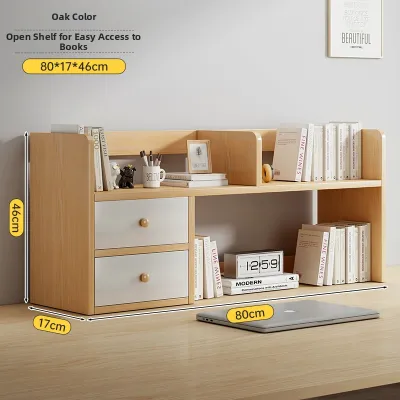
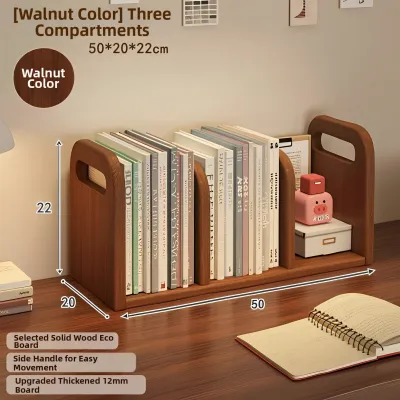

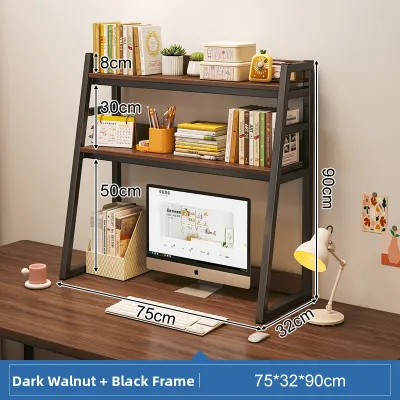


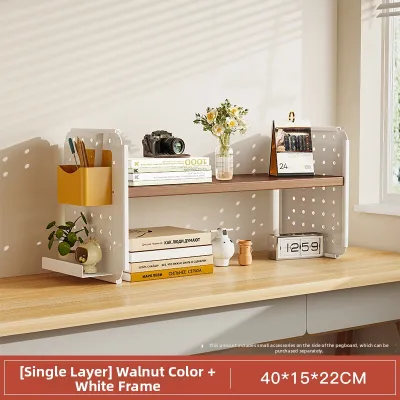
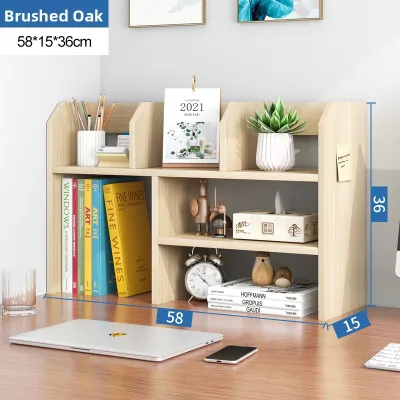
Prices are valid at publication and may change. Please refer to the product page for the latest price.
Overhead clearance is another critical factor that many remote workers overlook during their initial planning. Look directly above your proposed desk setup to check for physical obstacles such as wall-mounted shelves, built-in overhead cabinets, or low-hanging air conditioning units. If you use a monitor light bar or have a tall, articulated monitor arm, measure the maximum height these accessories reach to ensure your new shelf does not collide with them or block their range of motion.
Next, measure the total depth of your desk from the back edge to the front edge where you sit. A desktop book shelf rack must sit securely on the desk surface without pushing your keyboard and mouse too close to the front edge, which can cause significant forearm strain during long typing sessions. If your desk is positioned flush against a wall, keep in mind that you will not have any overhang space, meaning the rack’s footprint must fit entirely within the hard boundaries of the desktop.
Finally, consider the spatial dynamics of the surrounding room to ensure your desk remains highly functional. Sit in your desk chair and simulate your normal movements, checking if a bulky shelf on one side of the desk would block your elbow room or interfere with the chair’s armrests when you turn. You should also verify that the placement of the rack does not obstruct nearby wardrobe doors, window latches, or electrical wall outlets that you need to access daily.
Match Shelf Dimensions to Your Storage Needs
The dimensions of your desktop book shelf rack should be directly dictated by the specific items you intend to store. Gather the books, documents, and office accessories you use most frequently and categorize them by their physical height, width, and depth. For example, standard fiction paperbacks require significantly less vertical clearance than heavy A4 arch files, academic textbooks, or professional binders.

To determine the necessary horizontal space, line up all the books you plan to place on the rack and measure their combined spine thickness. This measurement gives you the total linear width required for your collection, helping you decide whether a compact single-tier rack, a tall multi-tier unit, or an expandable sliding design is most appropriate. If your storage needs fluctuate, an expandable desktop rack allows you to adjust the width dynamically, though you must ensure your desk has the extra lateral space to accommodate it when fully extended.
It is also helpful to distinguish between items you need to access constantly throughout the day and those you only reference occasionally. Frequently used items, like reference guides or daily planners, should be placed on lower, easily reachable tiers or open shelves that do not require stretching or straining. Decorative elements, small potted plants, or archived folders can go on higher tiers or elevated risers, keeping the most ergonomic zones clear for your primary work tools.
If your storage inventory includes a diverse mix of tall binders and short novels, prioritize racks that feature adjustable shelf heights. Fixed-tier designs can result in wasted vertical space if you are storing short items, or they might force you to lay tall books horizontally, which is highly inefficient for quick retrieval. Checking the manufacturer’s specifications for adjustable peg holes or modular shelving configurations will save you from the frustration of a rigid, poorly fitting organizer.
Key Dimensions to Check: Width, Depth, and Height
Evaluating Width and Footprint
When evaluating a product’s specifications, compare its total external width against the free zone you measured on your desk. It is wise to leave a small buffer of at least two to three centimeters on each side of the rack to ensure easy placement, cleaning, and removal without scratching your desk walls or adjacent equipment. If your desk is exceptionally tight on space, look for corner-specific or L-shaped desktop racks that utilize the often-wasted corner areas of your workstation without encroaching on your main writing or typing surface.
If you are considering an expandable desktop book shelf rack, pay close attention to how the expansion mechanism operates. Some models slide outward on wooden tracks or metal rails, which can compromise overall stability if extended to their absolute maximum limit without proper weight distribution. Always verify both the minimum collapsed width and the maximum expanded width to ensure the rack remains stable and safe within your desk’s physical footprint.
Checking Depth and Reachability
The depth of a desktop rack directly influences your visual comfort and physical ergonomics while working. Measure the distance from your seated eyes to the back of your desk; if a shelf is too deep, it will force you to pull your monitor closer, potentially violating the recommended viewing distance of 50 to 70 centimeters. Ensure that the rack’s depth leaves ample space in front of it for your keyboard, mouse, and a comfortable wrist rest so your hands are not forced into an awkward, cramped position.
Avoid choosing excessively deep racks for standard-sized desks, as items stored at the very back of the shelves will become difficult to reach without standing up. A shallow rack depth of 15 to 20 centimeters is generally ideal for standard books and notebooks, keeping your desk looking streamlined while ensuring every item remains highly visible and easily accessible.
Verifying Height and Tier Clearance
The overall height of the desktop book shelf rack must be carefully calibrated against your eye level and existing equipment. If you place the rack directly behind or adjacent to your computer screen, measure the screen’s height to ensure the top shelf of the rack does not block your view or cast distracting shadows over your display. Ideally, the top tier should sit below your primary line of sight when you are looking straight ahead, preventing visual clutter in your peripheral vision.
When checking the internal height of each shelf tier, always add a safety margin of at least two centimeters to the height of your tallest books. This extra clearance allows you to easily slip your fingers over the top of a book’s spine to pull it out, preventing damage to the book covers and saving you from having to tilt or wiggle items out of a tight space. Furthermore, keeping the overall height of the rack proportional to your sitting posture prevents repetitive neck strain caused by looking upward to locate items.
Common Sizing Mistakes to Avoid
One of the most critical mistakes desk owners make is ignoring the structural weight capacity of their desk when adding a heavy storage rack. A solid wood or steel-framed desktop book shelf rack, when fully loaded with dense textbooks and heavy binders, can easily weigh upwards of 15 to 20 kilograms. If you place this concentrated load on a glass-top desk or a lightweight composite desk with a hollow cardboard core, you run a serious risk of the desk surface bowing, cracking, or structurally failing over time.
Another frequent oversight is failing to account for essential cable management pathways, monitor stand clamps, or desk grommet holes. Many high-quality desktop racks feature solid back panels that sit completely flush against the desk surface, which can block access to wall outlets or pinch monitor cables running behind the desk. Before purchasing, verify that the rack’s design includes a small gap at the bottom back edge, or plan to position the rack slightly forward to accommodate your wiring needs safely.
Do not fall into the trap of assuming that standard desktop bookshelf dimensions apply universally across all manufacturers and brands. A product labeled as a standard medium rack by one seller might be significantly taller or deeper than a similarly named product from another brand. Always ignore generic marketing labels and locate the exact, millimeter-accurate product dimension diagram provided in the manufacturer’s specifications.
Lastly, be mindful of how a tall desktop rack interacts with your room’s ambient and task lighting. A tall shelf positioned directly under a ceiling light fixture can cast a massive, frustrating shadow over your primary writing or typing area, forcing you to strain your eyes or purchase additional desk lamps. If your desk features an adjustable monitor arm, ensure the arm’s range of motion is not restricted by a tall shelf, which could prevent you from positioning your screen ergonomically.
Frequently Asked Questions (FAQ)
Can a desktop bookshelf rack hold a monitor on top?
Whether a desktop bookshelf rack can safely support a computer monitor depends entirely on the manufacturer’s stated weight capacity and the structural design of the shelf, rather than its physical dimensions alone. You must check the product’s official specifications or care label for a designated top-tier weight limit before placing any heavy electronics on it. Additionally, ensure the rack has a wide, stable footprint and is securely balanced on your desk to prevent any risk of tipping forward when the monitor is adjusted.
How do I ensure the rack fits with my monitor arm?
To integrate a desktop rack with an articulated monitor arm, start by measuring the exact depth and width of the arm’s desk clamp or grommet mounting hardware. The bookshelf rack must be positioned either completely clear of this hardware or have a built-in recess that allows the clamp to attach flush to the desk edge. If your monitor arm requires a completely flush desk edge for secure mounting, leave a gap of at least five to ten centimeters between the back of the rack and the edge of the desk.
What should I check regarding desk weight limits?
Before loading a new shelf with books, locate your desk’s maximum load specification in its original assembly manual or manufacturer website. Subtract the weight of your monitor, computer, empty bookshelf rack, and any other heavy accessories from this limit to find your remaining safe weight capacity. To maintain structural safety and a low center of gravity, always place your heaviest books and binders on the lowest tier of the rack, leaving lighter decorative items or small stationery holders for the upper shelves.
Community discussion
Share your experience or ask a question. Comments are reviewed before publication.