
Finding the right desktop shelf dimensions requires balancing your physical desk space, your hardware setup, and your daily workflow needs. To select a shelf that enhances your productivity without crowding your workspace, you must measure your desk’s usable surface area, calculate the footprint of your existing equipment, and determine how much open space you need for writing or typing. A well-fitted shelf keeps essential items within arm’s reach while preserving comfortable viewing distances and ergonomic typing angles.
Measure Your Desk Surface and Surrounding Clearance
Before browsing online marketplaces or furniture stores, you must establish the absolute physical boundaries of your workspace. Start by measuring the flat, usable width and depth of your desk surface with a standard measuring tape. Be sure to exclude any decorative beveled edges, curved corners, or integrated cable grommets that cannot support a flat shelf base. If your desk features a rear-mounted monitor arm or a cable management tray, measure the clearance these accessories require so your new shelf does not interfere with their mounting brackets.
Next, account for the equipment that must remain on your main desk level. Place your keyboard, mouse, and any wrist rests in their active positions, then measure the remaining depth behind them. This remaining space represents the maximum footprint depth your desktop shelf can occupy without forcing your keyboard too close to the front edge.
Products mentioned in this guide
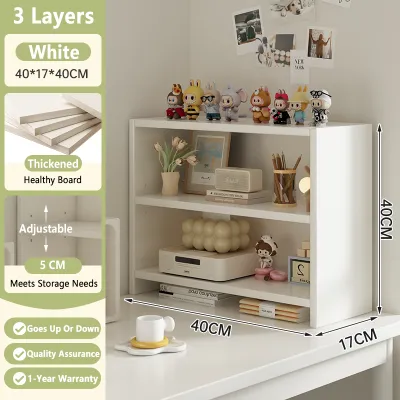
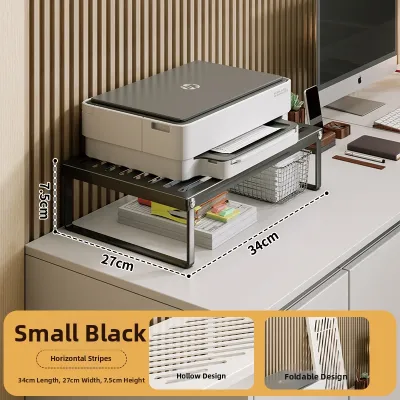
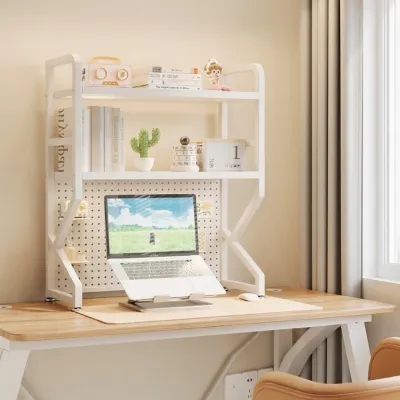
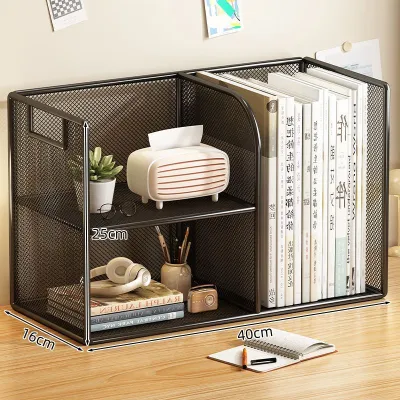
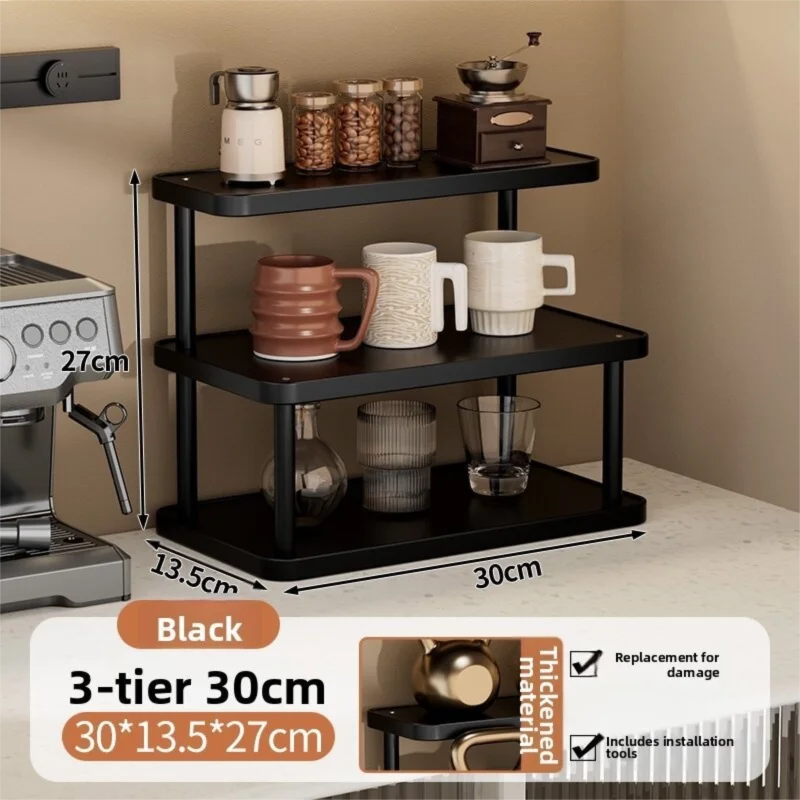
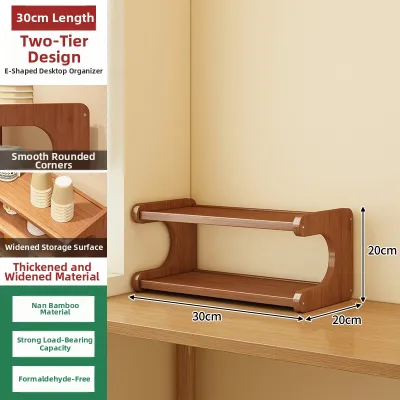
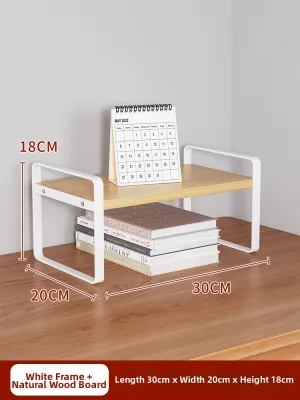

Prices are valid at publication and may change. Please refer to the product page for the latest price.
Finally, look upward and outward to check for vertical and rear obstructions. If your desk is pushed flush against a wall, a shelf with a back panel or overhanging rear supports might prevent the desk from sitting properly. For desks positioned under low windows, wall-mounted cabinets, or sloped ceilings, measure the vertical clearance from the desk surface to the lowest overhead obstacle.
Match Shelf Depth to Your Desk Depth and Workflow
The depth of your desktop shelf directly dictates how much active workspace remains for your hands and forearms. A shelf that is too deep will overhang the back of your desk or crowd your keyboard, while one that is too shallow may fail to support your books, speakers, or monitor stands. To maintain stability, the depth of the shelf’s base must never exceed the flat, usable depth of your desk. Ideally, the shelf footprint should occupy no more than one-third of your total desk depth, leaving the remaining two-thirds open for your daily tasks.

Your specific workflow should guide this depth decision. If your daily routine involves switching between typing and writing in a physical notebook, you need at least 30 to 40 centimeters of clear space in front of the shelf. For setups dedicated purely to digital work, you can afford a slightly deeper shelf, provided your keyboard and mouse still sit at an ergonomically comfortable distance from your body.
Additionally, consider how the shelf’s depth affects your monitor placement and viewing distance. If you plan to place your computer screen directly on top of the shelf, the added depth will bring the screen closer to your eyes. To prevent eye strain, verify that the combined depth of the desk and the shelf allows you to maintain an arm’s-length distance from your monitor.
Determine the Ideal Shelf Width for Your Layout
Selecting the right shelf width is a balancing act between maximizing your vertical storage and maintaining visual harmony. A shelf that spans the entire width of your desk offers the most storage capacity but can make a compact workspace feel cramped and enclosed. Conversely, a partial-width shelf leaves open space on one or both sides, creating a more dynamic and flexible layout.
If you use a dual-monitor setup or have large desktop speakers, a full-width shelf can elevate your screens while providing a neat channel underneath for cables and small accessories. However, you must ensure the shelf leaves enough side clearance for other essential items. For instance, if you use a clamp-on desk lamp, a microphone arm, or a headphone stand, you will need to leave several centimeters of open space on the desk edges to accommodate these mounts.
For smaller desks or asymmetrical setups, a partial-width shelf positioned on one side is often the most practical choice. This configuration allows you to keep your primary monitor at desk level while using the side shelf to organize books, reference materials, or a secondary vertical screen.
Evaluate Shelf Height and Tier Configurations
The height of your desktop shelf determines both its storage capacity and its impact on your line of sight. Single-tier shelves, often referred to as monitor risers, typically stand between 8 and 15 centimeters tall. These low-profile options are excellent for elevating a screen to eye level while creating a slim storage nook underneath for a keyboard, laptop, or docking station when they are not in use.
Multi-tier shelves offer significantly more vertical storage but require careful planning to avoid blocking your view. If your desk sits in front of a window, a tall, multi-tiered unit may block natural light and view. When evaluating multi-tier options, check the vertical clearance between each shelf tier. Ensure the lower compartments are tall enough to accommodate your specific items, such as desktop speakers, vertical book files, or storage bins, without forcing you to wedge them in.
Furthermore, consider the ergonomic impact of the top tier’s height. If you plan to place a monitor on the highest shelf of a multi-tier unit, the screen may sit too high, forcing you to tilt your head upward and causing neck strain. As a general rule, the top of your monitor screen should align with or sit slightly below your eye level.
Verify Weight Capacity and Desk Compatibility
Before finalizing your purchase, you must verify that both the desktop shelf and your desk can safely support the cumulative weight of your gear. Start by checking the manufacturer’s specified weight limit for the shelf itself, paying close attention to how that weight must be distributed. Many shelves are rated for a specific maximum load only when the weight is distributed evenly across the surface, rather than concentrated in a single spot.
Next, evaluate the structural integrity of your desk. Lightweight desks made of hollow-core particleboard or thin laminate may bow or crack under the concentrated weight of a heavy wooden shelf loaded with books and heavy monitors. Solid wood, thick MDF, and metal-framed desks are far better suited for supporting substantial desktop storage units.
To protect your furniture from cosmetic damage, inspect the bottom of the shelf’s legs or base. Look for models that include pre-installed felt pads, rubber feet, or foam cushioning to prevent the shelf from scratching or denting your desk surface during installation or adjustment. If the shelf does not come with protective padding, you can easily purchase adhesive felt pads separately to apply to the contact points before placing the unit on your desk.
Frequently Asked Questions (FAQ)
Can I use a desktop shelf on a glass desk?
Yes, you can use a desktop shelf on a tempered glass desk, but you must take extra precautions to prevent scratches and structural failure. Avoid heavy solid-wood or metal shelves, and opt for lightweight designs instead. To prevent concentrated point loads that could shatter the glass, choose a shelf with a wide, continuous base or flat sled-style legs rather than sharp, narrow feet. Always place thick rubber or silicone protective pads beneath the contact points to absorb vibrations and prevent direct glass-on-metal contact.
How do I prevent a tall desktop shelf from tipping over?
To keep a tall or multi-tier desktop shelf stable, you must manage its center of gravity and ensure proper weight distribution. Always place your heaviest items, such as thick textbooks, heavy binders, or printers, on the lowest shelf tier to keep the unit bottom-heavy. Avoid placing heavy decorative items or large monitors on the very top tier of a tall, narrow shelf. If the shelf design allows and your desk is placed against a wall, consider using adhesive anti-tip straps or securing the back of the shelf to the wall.
Community discussion
Share your experience or ask a question. Comments are reviewed before publication.