
The best portable laptop desk for working from a bed or couch is one that combines a wide, stable base to prevent tipping on soft cushions with highly adjustable height and tilt mechanisms to maintain ergonomic alignment. Because soft surfaces yield under your body weight, a standard flat tray will not suffice. You need a desk that can adapt to mattress sinkage and couch cushion gaps while keeping your screen at eye level and your wrists in a neutral position.
Selecting the right desk requires looking beyond aesthetics to evaluate how the unit interacts with your body and your furniture. By focusing on physical stability, material build, and adjustability, you can transform any soft seating area into a comfortable, strain-free workspace.
Key Features for Bed and Couch Ergonomics
Reclining on a bed or couch naturally shifts your gaze downward, which can lead to severe neck strain if your workspace is flat. To prevent this, look for a portable laptop desk featuring a tilting desktop panel. This mechanism allows you to angle the keyboard and screen independently of the base, keeping the top of your monitor closer to eye level while keeping your hands in a relaxed typing position.
Products mentioned in this guide
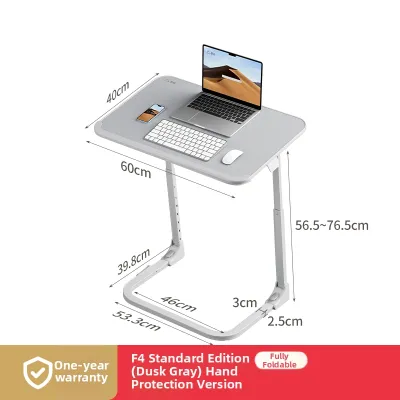
4 Lazada user ratings
It's quite heavy, but I set it up in the living room to play games. After using it, I can fold it up and store it away. It's really nice!
It's really good, mainly because it's sturdy and doesn't wobble, so the kids can study without any issues.
I'm really happy with this product; it feels quite high-end and is very easy to use. Great review!
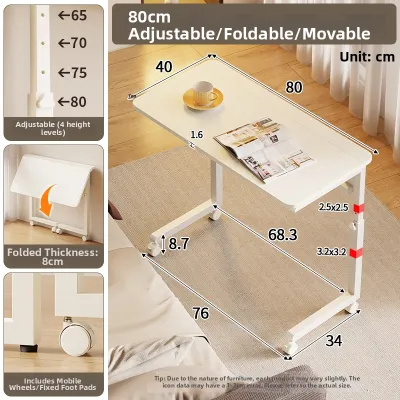
8 Lazada user ratings
Really great! As an under-desk table, it solves the issue of the desktop being too high, making it comfortable to use the keyboard and mouse…Read full reviewShow less
Really great! As an under-desk table, it solves the issue of the desktop being too high, making it comfortable to use the keyboard and mouse without straining my shoulders. The height is very comfortable!
This desk is sturdy and durable, has an adjustable height, and offers a spacious tabletop. It's comfortable for both work and gaming when pa…Read full reviewShow less
This desk is sturdy and durable, has an adjustable height, and offers a spacious tabletop. It's comfortable for both work and gaming when paired with a Logitech mouse pad.
The table is overall good, quite practical, and easy to assemble. There was a small issue, but customer service handled it quickly. Definite…Read full reviewShow less
The table is overall good, quite practical, and easy to assemble. There was a small issue, but customer service handled it quickly. Definitely worth buying.
Overall, it's pretty good; the only downside is that the surface of the panel could be better, but the seller handled it well.
The quality is great, it's easy to use, and it's really convenient to store. Definitely worth buying, so go for it!
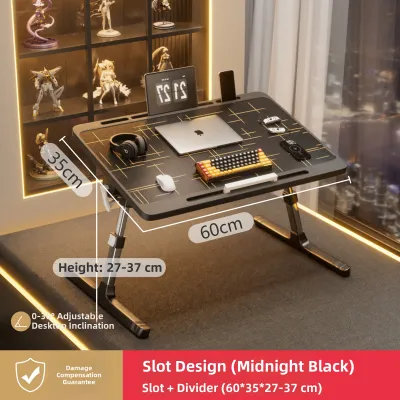
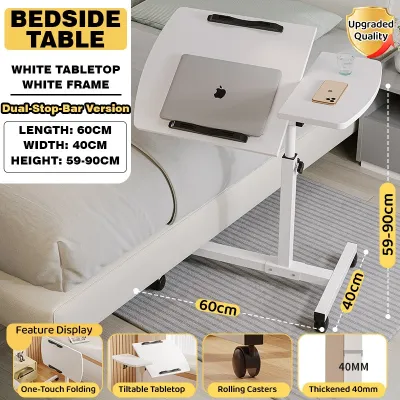
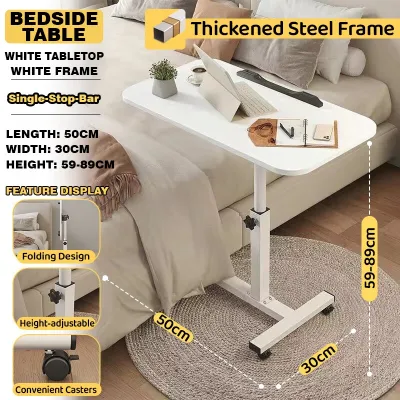
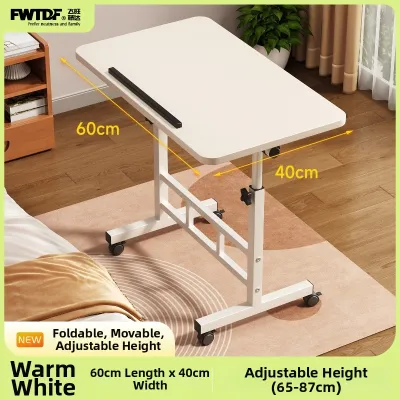
25 Lazada user ratings
I initially installed it incorrectly, and the screws damaged the tabletop. I contacted customer service, and they sent me a new one for free…Read full reviewShow less
I initially installed it incorrectly, and the screws damaged the tabletop. I contacted customer service, and they sent me a new one for free, which I really appreciate. Following the video from the store, I got it set up and love how convenient the wheels are. I can easily push it up to the sofa while eating and move it next to the coffee table; it’s super handy.
Overall, it’s pretty good, but it feels like it can only handle lighter stuff; when you rest your hand on it, it seems a bit weak.
Overall, it's pretty good, just a bit narrow; it would be better if it were wider, and the edges of the table are a bit sharp.
It's really handy! I can put my phone down while watching TV, toss in trash or seeds, and it's super convenient.
Well done, the two kids are doing their homework just right!
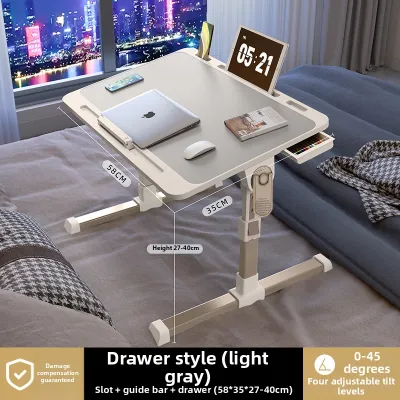
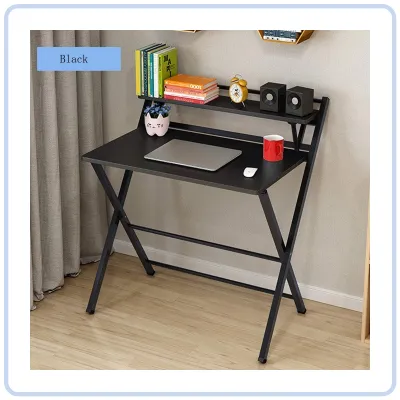
Prices are valid at publication and may change. Please refer to the product page for the latest price.
When a desk surface is tilted, gravity pulls your laptop and wrists downward, creating uncomfortable pressure points. A built-in wrist rest or a soft, contoured front edge is essential to counteract this slide. This barrier prevents your device from slipping off and provides a cushioned surface for your forearms, reducing contact pressure on your wrists during extended typing sessions.
Physical stability on uneven, soft surfaces is another critical ergonomic factor. When you shift your weight, a mattress or couch cushion compresses, which can cause a narrow desk to tip over. A wide base width is crucial for distributing weight evenly. Look for a desk with a footprint that extends slightly wider than your thighs to ensure it spans across the depressions made by your body on the cushions.
Matching Desk Types to Your Seating Surface
Mattresses and couches present distinct structural challenges that dictate the type of base your desk needs. A mattress offers a large, continuous surface that sinks deeply under concentrated body weight, creating a wide slope. In contrast, a couch features segmented cushions with gaps, varying firmness levels, and limited lateral space bounded by armrests. Understanding these differences helps you select a base design that remains level regardless of where you sit.

Adjustability for Mattress Height and Sinkage
When sitting in bed, your body sinks into the mattress, effectively lowering your seating position relative to the surrounding surface. A portable laptop desk with fixed, non-adjustable legs cannot adapt to this sinkage, often positioning the laptop too high or too low. Telescopic legs offer independent height adjustments, allowing you to fine-tune the desk’s height to match your specific mattress compression and torso length.
Before choosing a desk, check the manufacturer’s specifications for the minimum and maximum height limits. Ensure the lowest setting allows your elbows to rest at a comfortable 90-degree angle, while the highest setting provides enough clearance for your legs to move freely underneath without lifting the desk off the mattress.
Stability on Soft Couch Cushions
Couches present a different obstacle: cushion seams and varying firmness zones. A single-pillar stand or a desk with narrow, pointed feet can easily slip into the gaps between cushions or tilt on a soft spot. To counter this, look for a wide-track base or a continuous sled-style leg design. These designs distribute the load across a larger surface area, bridging any gaps between individual cushions.
Verify the overall footprint of the desk against the depth and width of your couch cushions. If your sofa has deep, plush cushions, a wider, flat-bottomed lap desk with a cushioned underside might offer better stability than a legged desk. For firmer, shallower couches, a low-profile legged frame that straddles your thighs can provide a sturdy, wobble-free platform.
Evaluating Build and Surface Materials
The materials used in a portable laptop desk affect both device performance and your physical comfort. Laptops generate significant heat, which can build up rapidly when placed on soft bedding or fabric surfaces. Look for desks made with heat-dissipating materials like aluminum, or those featuring built-in ventilation slots or active USB-powered cooling fans. These features help maintain airflow, preventing your device from throttling or overheating.
Surface texture is another critical factor. A completely smooth, glossy surface allows your laptop and mouse to slide around, especially when the desk is tilted. Check for a textured finish, a non-slip silicone baffle, or an integrated mouse pad area that provides sufficient friction. This ensures your accessories stay in place even during active typing or navigation.
Finally, consider the weight of the desk itself. While a heavy steel frame offers excellent stability, it can be cumbersome to lift, reposition, or store away when you want to get up. Conversely, an overly lightweight plastic desk might wobble under the weight of a larger laptop. Aim for a balanced option—such as a lightweight aluminum or engineered wood top with sturdy metal joints—that is easy to move but heavy enough to resist tipping.
Setup and Posture Checklist for Soft Surfaces
Working from a bed or couch should not mean sacrificing your posture. To maintain spinal neutrality and prevent long-term discomfort, use this step-by-step setup checklist every time you work:
- Support Your Lower Back: Do not slouch against the headboard or couch arm. Place a firm pillow or a lumbar roll behind your lower back to maintain the natural curve of your spine. Keep your hips pushed all the way back against the support.
- Position the Screen: Adjust the height and tilt of your portable laptop desk so the top third of the screen is at eye level. This prevents you from bending your neck forward. If you recline slightly, tilt the desk surface upward to keep the screen perpendicular to your line of sight.
- Align Your Elbows and Wrists: Adjust the desk height so your shoulders remain relaxed and your elbows rest at an angle between 90 and 100 degrees. Your wrists should remain straight and neutral, not bent upward or resting heavily on hard edges.
- Check Leg Clearance: Ensure there is at least a few centimeters of space between the underside of the desk and your thighs. This allows you to shift your legs slightly without disturbing the desk or risking a spill.
- Verify Stability: Before typing, gently press down on the sides of the desk to ensure it does not rock or tilt on the soft cushions. Adjust the leg extensions or base placement until the platform feels completely secure.
Frequently Asked Questions (FAQ)
Can I use a standard folding tray table on a soft mattress?
Standard folding tray tables are designed for flat, hard floors and typically feature narrow, vertical legs. When placed on a soft mattress, these legs sink unevenly, making the table highly unstable and prone to tipping. They also lack the necessary height and tilt adjustments required to achieve an ergonomic typing angle from a bed. For safe and comfortable bed use, it is highly recommended to use a desk specifically designed with a wide, stable base or adjustable legs that can adapt to soft surfaces.
How do I prevent my laptop from overheating on a bed desk?
To prevent overheating, avoid placing your laptop directly on blankets, duvets, or soft cushions, which block the intake vents on the bottom of the device. Always use a portable laptop desk with a hard, flat surface that creates a barrier between the laptop and the bedding. Additionally, choose a desk with built-in ventilation cutouts, a mesh surface, or integrated cooling fans to facilitate continuous airflow. Regularly cleaning your laptop’s vents of dust and lint will also help maintain optimal thermal performance.

Community discussion
Share your experience or ask a question. Comments are reviewed before publication.