
Choosing a foldable modem rack for your HDB flat requires balancing hardware ventilation with physical space constraints. Singapore homes often have designated Fiber Termination Points (FTP) located in tight entryways, utility closets, or near TV consoles. A well-chosen modem rack keeps your essential networking gear organized, off the floor, and properly ventilated without permanently consuming valuable living space.
Measure Your HDB Space and Modem Setup First
Before browsing for a rack, locate your FTP and measure the exact width, depth, and height of the surrounding area. HDB flats often have the FTP inside a distribution box (DB box) or in a specific hallway alcove. If you plan to place the rack on a TV console or next to a sideboard, measure those surfaces to ensure the footprint fits comfortably without overhang.
Next, measure your actual hardware. Do not just measure one device; you likely have a NetLink Trust optical network terminal (ONT), a main router, and potentially a mesh Wi-Fi node or smart home hub. Gather these devices and measure their combined footprint. Remember to account for bulky three-pin power adapters and plugs, which can add significant depth to the back of the setup.
Products mentioned in this guide
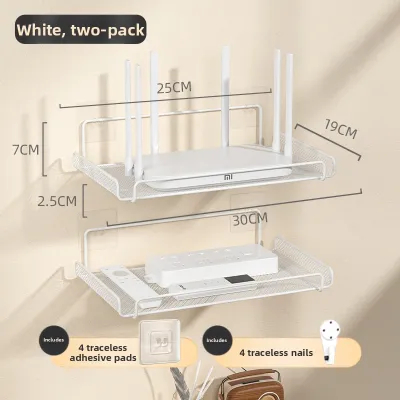
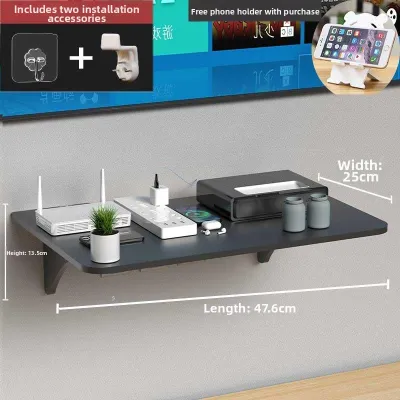
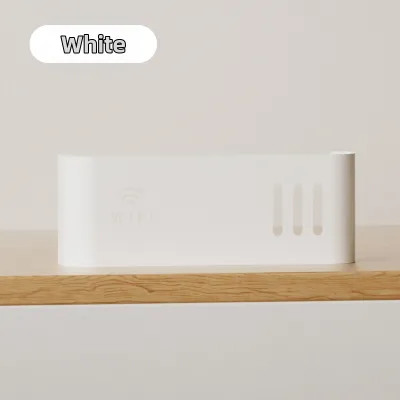
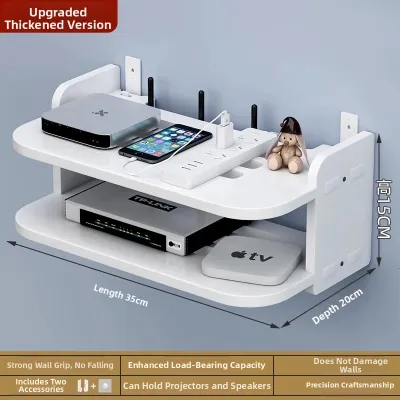
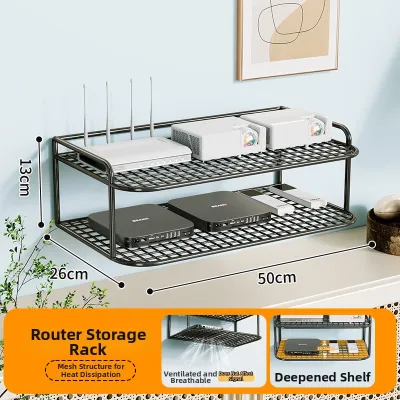
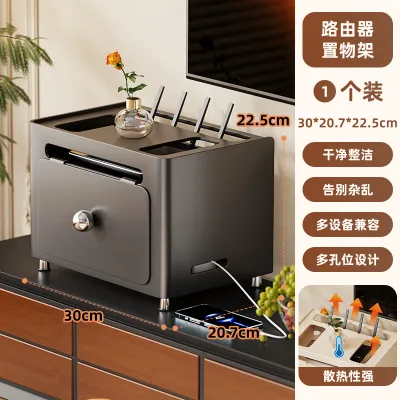
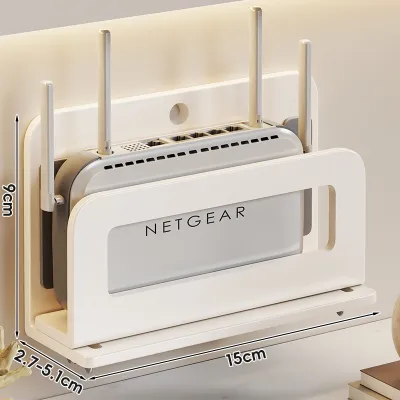
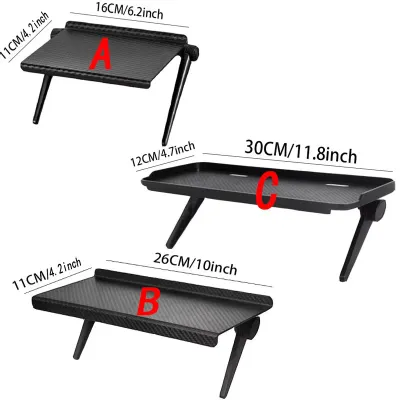
Prices are valid at publication and may change. Please refer to the product page for the latest price.
Network hardware runs continuously and generates heat, which is exacerbated by Singapore’s tropical climate. Ensure there is at least 5 to 10 cm of open space on all sides of each device to allow natural convection. A tightly packed rack can trap heat, leading to premature hardware failure or frequent internet drops.
Finally, assess the surrounding environment for physical obstructions. If the rack is placed behind a door, near a wardrobe, or adjacent to kitchen cabinets, measure the swing radius of these doors. Ensure that opening a door fully will not strike the rack or pinch the delicate fiber optic cables.
Critical Dimensions to Check on Foldable Racks
If you choose a foldable modem rack, look closely at its folded thickness in the manufacturer’s specifications. A slim profile of 5 cm or less is ideal if you need to slide the rack into a narrow gap next to a sideboard or store it away during home cleaning.

The open shelves must fully accommodate your widest device. If your router has external antennas that tilt outward, or if the power cables plug into the back, the shelf depth must be deep enough to support the device’s base securely. Overhanging equipment is highly prone to accidental knocks and drops.
Do not assume a rack is sturdy simply because it is described as heavy-duty steel or solid wood. Always check the manufacturer’s rated load capacity per shelf. While networking gear is generally light, a multi-tier setup with power strips, smart hubs, and external hard drives can quickly add up.
Inspect the folding joints and locking mechanisms. A high-quality foldable rack should feature secure locking hinges or brackets that click firmly into place when unfolded. Avoid designs that rely purely on gravity or friction to stay open, as accidental bumps during cleaning or cable adjustments can cause the structure to collapse.
Foldable vs. Wall-Mounted vs. Compact Designs
Foldable racks offer excellent flexibility for temporary or multi-purpose spaces. They are ideal for renters or homeowners who prefer a no-drill setup that can be easily relocated. The main trade-off is stability; because they have moving parts, they may wobble slightly more than fixed furniture if not placed on a perfectly level surface.
Wall-mounted shelves are excellent for freeing up valuable floor or tabletop space in compact HDB flats. By elevating your modem and router, you also improve Wi-Fi signal propagation across the home. However, installation requires drilling into walls, which means you must identify your wall type and use the correct wall plugs.
Ultra-compact desktop stands are best suited for minimalists with a single integrated modem-router unit. These small stands elevate the device slightly and often feature integrated slots to hide a few cables. The primary limitation is their lack of expansion space; if you later upgrade to a separate modem and mesh router system, you will likely outgrow the stand.
To choose the right style, match your housing situation and setup complexity to the rack type. If you live in a rented flat where drilling is prohibited, a sturdy freestanding foldable rack is your safest option. If you own your flat and want a clean, floating look near your TV, a wall-mounted shelf is highly functional. For basic setups on a study desk, a simple compact stand suffices.
Common Sizing and Placement Mistakes to Avoid
Never ignore the cable bend radius. Fiber optic patch cables are made of glass and are extremely fragile. Bending them at sharp 90-degree angles to fit a tight shelf can fracture the core, resulting in severe signal loss or a complete internet outage. Always leave a gentle, sweeping curve for all fiber and Ethernet cables behind the rack.
Avoid placing the rack in areas prone to environmental hazards. Do not position your modem rack near kitchen stoves where grease and steam can accumulate, or next to open windows where sudden tropical downpours can splash water onto the electronics. Direct sunlight can also cause the plastic casings of your router to degrade and overheat.
Do not block the ventilation holes or antennas of your devices. Placing a modem rack directly against a wall or crowding it with decorative items blocks the air grilles. If your router has external antennas, ensure they have enough vertical and lateral clearance to point in their optimal directions rather than being forced flat against a shelf.
Remember to account for the power strip. A common oversight is measuring only the networking devices and forgetting that a large 4-way or 6-way power strip must also sit somewhere. If the power strip is placed on the rack, it will occupy a significant portion of a shelf and add a bundle of thick power cords that require management.
Installation and Cable Management for Tight Nooks
When securing your rack or mounting components, choose your fasteners carefully. If using adhesive-backed hooks or strips for lightweight accessories, ensure the wall surface is clean, dry, and non-peeling. For heavier items or wall-mounted racks, always opt for screws and wall anchors. Check the manufacturer’s instructions for both the rack and your wall type to ensure compatibility.
Implement tidy cable management to prevent a cluttered look in tight HDB nooks. Use adjustable velcro straps instead of plastic zip ties, as velcro allows you to easily add or remove cables later without risking cutting the wires. Under-shelf cable trays or adhesive cable clips can route wires neatly along the frame of the rack, keeping them off the floor and away from dust.
Always leave sufficient slack in your cabling. When routing cables through the rack, ensure there is enough loose wire to pull the modem or router forward easily. This allows you to check status lights, press reset buttons, or unplug cables during troubleshooting without having to dismantle or unmount the entire rack structure.
Frequently Asked Questions (FAQ)
Does a metal modem rack block Wi-Fi signals?
Solid metal sheets can block or reflect electromagnetic waves, potentially degrading your Wi-Fi signal if the router is completely enclosed. However, most metal modem racks feature an open-frame, wire-mesh, or slatted design. These open-style metal racks have a negligible impact on wireless performance, provided the router’s antennas are positioned away from direct contact with the metal frame. For the best signal propagation, ensure a clear line of sight between the router antennas and your main living areas.
Can I install a wall-mounted rack on HDB hollow walls?
Yes, but you must take specific safety precautions. Newer HDB flats often use drywall or lightweight concrete partition walls for internal bedrooms, which cannot support heavy loads with standard plastic wall plugs. To mount a rack safely on a hollow wall, you must use specialized hollow-wall anchors, such as toggle bolts or metal cavity dowels, which expand behind the board to distribute the weight. Always verify the maximum load capacity of both the wall and the anchors, and consider consulting a professional handyman if you are unsure of your wall’s structural integrity.
Community discussion
Share your experience or ask a question. Comments are reviewed before publication.