
Finding the right tv cabinet storage capacity is not merely about choosing a piece of furniture that fits against your living room wall. Instead, it is a balance between your current media inventory, the ventilation requirements of your electronics, and the physical constraints of your home. Selecting a cabinet that is too small leads to cluttered surfaces, tangled cables, and overheated devices, while an oversized unit can unnecessarily dominate valuable floor space.
To determine the ideal storage volume, you must systematically assess what you need to store, how those items operate, and how they integrate into your room layout. This guide provides a step-by-step approach to calculating your spatial requirements, evaluating different cabinet configurations, and avoiding common purchasing pitfalls, ensuring your selected furniture is both highly functional and visually integrated into your living space.
Inventory Your Media Equipment and Accessories
Establishing a baseline for your storage needs begins with a comprehensive inventory of every item that will reside in or on your TV cabinet. It is easy to overlook smaller accessories, which quickly leads to cluttered open shelves and crowded compartments. Begin by writing down everything currently in use and noting any planned additions for the near future.
Products mentioned in this guide
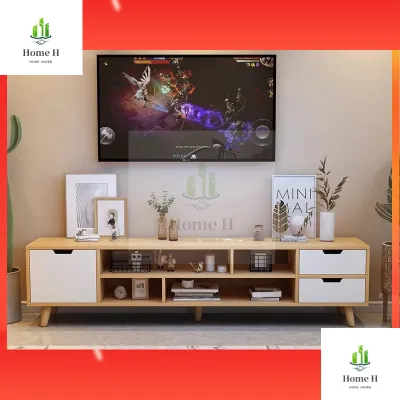
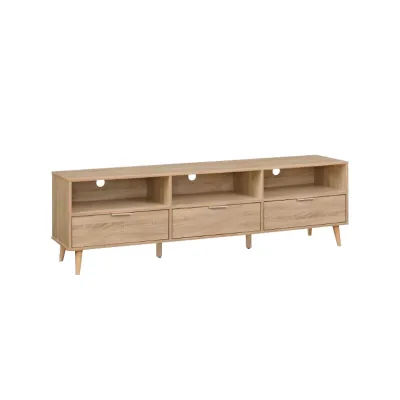
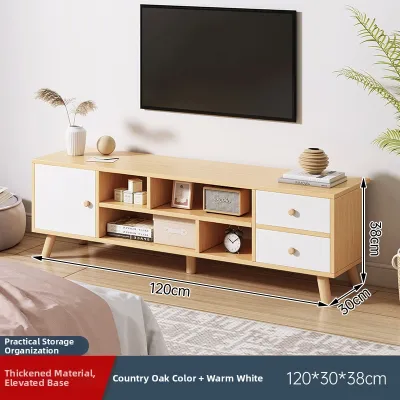
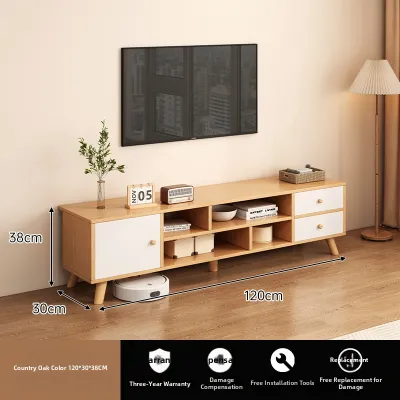
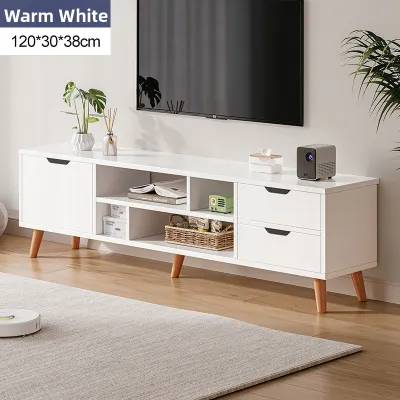
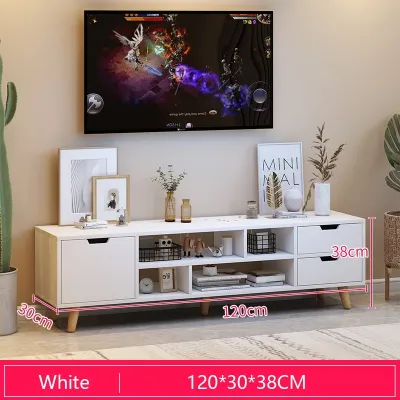
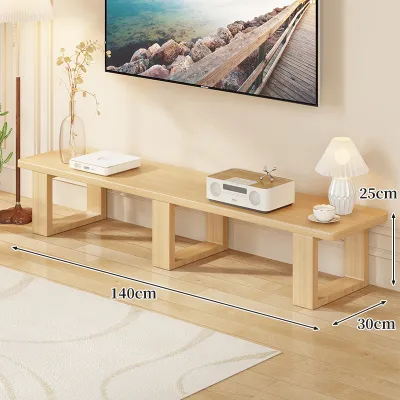
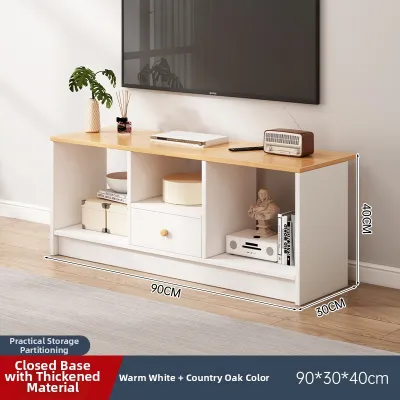
Prices are valid at publication and may change. Please refer to the product page for the latest price.
Categorize your inventory into primary electronics, networking gear, and physical media or accessories. Primary electronics typically include larger, high-value devices such as soundbars, AV receivers, gaming consoles, and streaming boxes. These items require dedicated space and direct access to power and input connections.
Networking gear is another critical category that often ends up in the living room hub. Routers, modems, mesh nodes, and smart home bridges require central placement to maintain signal strength throughout your home. Grouping these together helps you plan for their specific power and placement needs within the cabinet.
Do not forget to account for physical media and smaller accessories. This group includes game discs, Blu-ray cases, controllers, charging docks, remote controls, and external hard drives. Additionally, note the bulky power bricks and cable nests that accompany these devices; failing to allocate physical space for these utility items is a primary cause of cabinet disorganization.
Calculate Physical Dimensions and Clearance Requirements
Once your inventory is complete, translate these items into concrete spatial measurements. Grab a measuring tape and record the width, depth, and height of your largest devices. Always measure the absolute widest or tallest points, including any non-removable feet, antennas, or structural protrusions on the equipment.

Measuring the physical device is only the first step; you must also account for operational clearances. Electronics generate heat during operation, and trapping them in confined spaces can significantly shorten their lifespan. Check the manufacturer’s user manual for each heat-generating device—particularly gaming consoles, amplifiers, and AV receivers—to identify the minimum clearance required around the top, sides, and rear of the unit.
In addition to ventilation, you must factor in the physical depth required for rear cabling. A device that measures 30 centimetres in depth will actually require several additional centimetres of clearance once you plug in HDMI cables, optical cords, and power adapters. Forcing a cabinet shut against stiff cables can damage the device ports or cause the cables to fail prematurely. As a general rule, verify the bend radius of your specific cables and add that depth to your measurements.
Always prioritize manufacturer instructions when determining these safety margins. If a device manual specifies a clear gap for airflow, do not attempt to bypass this by squeezing the item into a tight shelf. If your equipment setup is complex or the manufacturer instructions are unavailable, consult a professional AV installer to ensure your configuration does not pose a thermal or electrical hazard.
Match Your Setup to TV Cabinet Configurations
With your precise dimensions in hand, you can evaluate how different internal TV cabinet layouts accommodate your gear. Cabinets generally feature a mix of open shelving, closed compartments, and drawers, each serving distinct functional purposes.
Open shelving offers excellent ventilation and unobstructed paths for infrared (IR) remote control signals. This makes open shelves ideal for hot-running devices like gaming consoles and AV receivers. However, the trade-off is exposure to dust, which requires more frequent cleaning to prevent buildup inside your electronics’ cooling fans.
Closed cabinets provide a clean, minimalist aesthetic by hiding cluttered wires and devices from view. They also protect sensitive equipment from dust and curious pets. The challenge with closed compartments is heat retention and signal blockage. If you prefer a closed look, look for cabinets featuring slatted wood doors, perforated metal inserts, or acoustically transparent mesh panels that allow both airflow and remote signals to pass through.
Drawers are highly efficient for storing non-electronic accessories. They are perfect for organizing gaming controllers, spare cables, instruction manuals, and physical media discs. Utilizing drawers keeps these smaller items dust-free and prevents them from rolling around on open shelves.
When comparing cabinets, focus on internal net dimensions rather than the external footprint. Thick structural frames, central dividers, and back panels can significantly reduce the actual usable shelf space. This distinction is especially important in space-conscious Singapore apartments, such as HDB flats or compact condominiums, where you need to maximize every square centimetre of internal storage without overwhelming the physical room.
Look for cabinets equipped with adjustable shelves. The ability to move a shelf up or down by a few centimetres allows you to customize compartments for unusually tall items, such as vertical gaming consoles or high-end amplifiers, preventing wasted vertical space.
Plan for Cable Management and Room Constraints
An organized TV cabinet must handle a complex web of wiring behind the scenes. Without proper cable management features, cords can easily become tangled, making troubleshooting difficult and eating into your calculated storage depth.
Prioritize cabinets that feature pre-drilled rear cable cutouts, grommets, or dedicated routing channels. These passages allow you to run power and data lines directly out the back of the cabinet to wall outlets without having to route them through the front or sides of the furniture. Ensure these cutouts align reasonably well with where your devices will sit.
Measure the distance from your proposed cabinet location to the nearest wall power outlets and internet ports. The cabinet should sit close enough to the wall to conceal these outlets while leaving enough clearance so that plugs are not bent or crushed against the wall. If your home uses bulky three-pin plugs, ensure the cabinet design or placement allows for this depth.
Beyond the immediate wall space, consider the physical logistics of bringing the cabinet into your home. Before finalizing a purchase, measure the dimensions of your front door, entry hallways, tight stairwells, and the lift car in your apartment building. Large, fully assembled TV consoles or massive flat-pack boxes can easily become stuck during delivery if these access points are not verified in advance.
Additionally, check the assembly conditions of the cabinet. Heavy or tall units may require professional installation and wall anchoring to prevent tipping hazards, particularly if you plan to mount a heavy television directly onto the cabinet deck rather than the wall.
Common TV Cabinet Storage Mistakes to Avoid
One of the most frequent errors when purchasing a TV cabinet is buying solely based on external dimensions. A cabinet may match the width of your television perfectly, but if the internal compartments are divided by fixed wooden supports, your wide AV receiver or soundbar may not fit inside. Always verify the individual compartment widths and heights before buying.
Another common pitfall is ignoring infrared (IR) signal blockage. Hiding media players, cable boxes, or older consoles behind solid wooden or glass doors will block the signals from your handheld remotes. If you choose solid doors, you will either have to keep the doors open during use or invest in an external IR repeater system to route the signals to the enclosed devices.
Avoid purchasing a cabinet that fits your current inventory with zero margin for growth. Technology changes rapidly, and you may decide to add a smart home hub, a secondary gaming console, or a larger sound system in a year or two. Selecting a cabinet with at least 15% to 20% surplus storage capacity ensures you will not have to replace the entire furniture piece when you upgrade your home entertainment setup.
Finally, do not overlook the manufacturer’s load capacity ratings. TV cabinets must support substantial weight, especially if you place a large television, heavy amplifiers, and multiple books or decorative items on them. Distribute weight evenly across the shelves and verify that the unit’s maximum load limits exceed the combined weight of your equipment to prevent sagging shelves or structural failure over time.
Frequently Asked Questions (FAQ)
Do I need a deep TV cabinet for modern gaming consoles?
Modern gaming consoles are physically larger and generate more heat than their predecessors, meaning they require careful spatial planning. While the console itself might fit on a standard shelf, you must account for the extra depth required by rear power cables and rigid HDMI cords, which should not be bent sharply. Furthermore, these systems rely on high-volume airflow to prevent overheating. Check your specific console’s manual for recommended clearance distances, and ensure your cabinet provides sufficient depth and open ventilation to meet those specifications.
How can I hide my router in a closed TV cabinet without losing Wi-Fi signal?
Placing a wireless router inside a closed cabinet made of solid wood, thick glass, or metal will significantly attenuate the Wi-Fi signal, leading to slower internet speeds and dropped connections throughout your home. To maintain signal strength while keeping a clean look, consider placing the router on an open top shelf or using a cabinet with doors made of radio-frequency-friendly materials like thin fabric mesh, rattan, or slatted wood. Alternatively, you can position the router in a central, elevated location elsewhere in the room and run a discreet Ethernet cable to your TV cabinet hub.
Community discussion
Share your experience or ask a question. Comments are reviewed before publication.