
Selecting a tv cabinet high enough to accommodate modern media consoles but low enough to maintain ergonomic comfort is a crucial step in designing a functional living room. The ideal height of a TV cabinet typically ranges from 30 cm to 60 cm, but the exact measurement depends on your seated eye level, the size of your television, and your sofa’s seat height. The primary goal is to ensure the center of your TV screen aligns perfectly with your eyes when you are seated comfortably. If your TV cabinet is too high or too low, you risk neck strain and a disrupted viewing experience.
Finding this balance requires looking beyond aesthetics to calculate precise dimensions. In modern homes, where living rooms serve as multi-functional spaces for entertainment, work, and relaxation, the TV console must coordinate with your seating, room proportions, and storage needs. By taking a systematic approach to measuring your space and understanding human ergonomics, you can select a cabinet that enhances both your physical comfort and your home’s overall design.
How to Calculate the Ideal Height for Ergonomic Viewing
Achieving a comfortable viewing angle is a matter of basic human ergonomics. When you sit on your sofa, your neck should remain in a neutral, relaxed position, with your eyes naturally resting on the center of the television screen. Looking upward or downward for extended periods can lead to muscle fatigue, neck stiffness, and eye strain.
Products mentioned in this guide
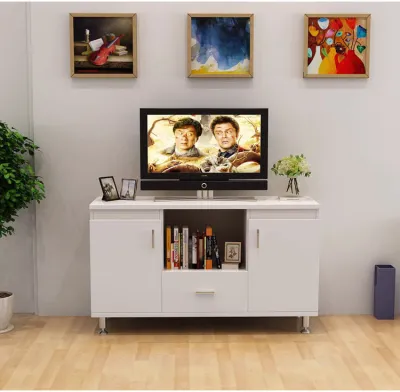
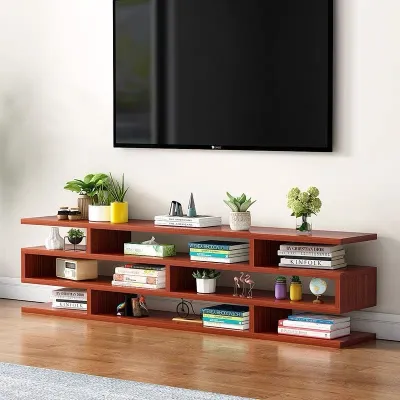
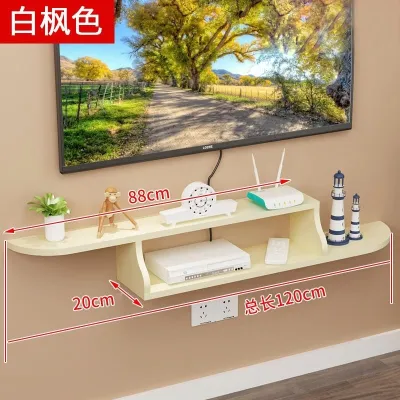
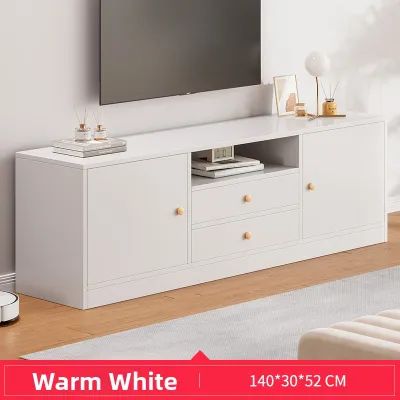
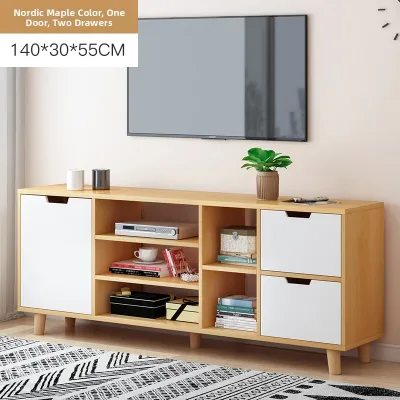
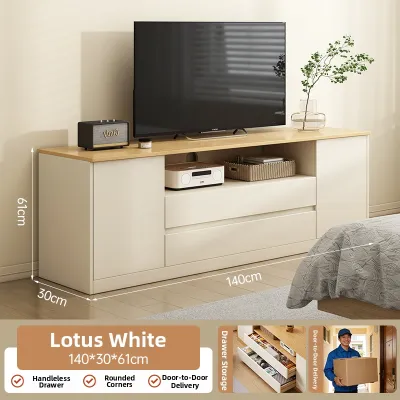
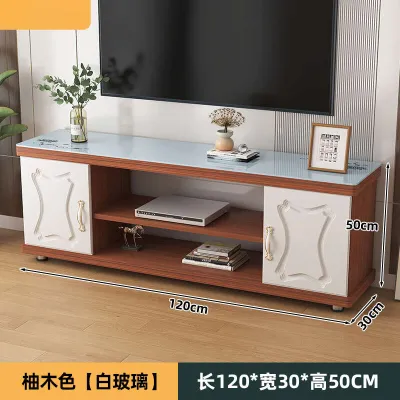
Prices are valid at publication and may change. Please refer to the product page for the latest price.
To calculate the perfect height for your TV cabinet, you must first determine your seated eye level. For the average adult sitting on a standard living room sofa, this height is typically between 100 cm and 110 cm from the floor. You can measure your own seated eye level by sitting on your primary sofa in your normal viewing posture and having someone measure the distance from the floor to your eyes.
Once you have your seated eye level, use this simple formula to find the maximum height for your TV cabinet:
- Step 1: Measure your seated eye level from the floor (e.g., 105 cm).
- Step 2: Measure the total vertical height of your TV screen, including the bezel (e.g., 70 cm for a typical 55-inch TV).
- Step 3: Divide the TV screen height by two to find the center point (e.g., 35 cm).
- Step 4: Subtract this center point from your seated eye level (105 cm – 35 cm = 70 cm). This number represents the ideal height for the center of your TV.
- Step 5: If your TV sits on its own table stand, measure the distance from the bottom of the stand to the bottom of the screen bezel (e.g., 5 cm). Subtract this, along with the remaining half of the TV height, to find the cabinet surface height.
If you plan to wall-mount your TV, this formula still applies. The cabinet surface should sit comfortably below the bottom edge of the wall-mounted screen, leaving a visually pleasing gap of 10 cm to 15 cm for decorative items or a soundbar.
Different seating types require immediate adjustments to these calculations. For instance, low-profile modular sofas, which are highly popular in modern minimalist designs, often have a seat height of just 35 cm to 40 cm. This lowers your seated eye level to around 90 cm to 95 cm, meaning you will need a ultra-low TV cabinet to keep the screen at a comfortable height. Conversely, reclining home theater chairs tilt your body backward, which naturally shifts your line of sight slightly upward. However, to avoid neck extension, it is still safest to keep the TV cabinet relatively low.
Additionally, consider the impact of audio equipment. Placing a soundbar directly on top of the cabinet can add 5 cm to 10 cm of height to the overall setup. If your TV sits on its legs, a tall soundbar might block the bottom of the screen, forcing you to raise the TV using a riser or mount it higher on the wall, which subsequently alters your calculated ergonomic height.
Balancing Viewing Comfort with Your Storage Requirements
While ergonomics dictate the height of your screen, your daily storage needs dictate the utility of the cabinet itself. A TV console is often the central hub for gaming consoles, media players, smart home hubs, and internet routers. Finding a cabinet height that satisfies both requirements is a matter of assessing your media inventory.

Low-Profile Cabinets (30 to 40 cm) These sleek, low-slung units are excellent for creating an open, airy feel in a room, but they offer very limited internal vertical space. If your entertainment setup consists solely of a wall-mounted TV, a slim streaming stick, and a wireless router, a low-profile cabinet is ideal. It provides just enough space to tuck away flat media players, power strips, and small streaming boxes while keeping the floor area looking clean and uncluttered.
Standard-Height Cabinets (45 to 60 cm) Standard cabinets provide a practical middle ground for the average household. They offer generous internal clearance to accommodate upright gaming consoles, large AV receivers, and traditional media collections like Blu-ray discs or board games. The extra vertical space allows for internal shelves, helping you organize multiple devices without crowding them.
Tall Cabinets and Storage Walls (60 to 90 cm and above) If your living room must double as a library or display area, a tall cabinet or full storage wall offers maximum capacity. These units are perfect for displaying books, family photos, and decorative art, while keeping bulkier household items hidden behind closed doors. However, because of their height, they limit the size of the TV you can comfortably place on top. A large TV on a 90 cm high console will inevitably sit too high for comfortable viewing from a standard sofa.
Internal Clearances and Customization Regardless of the external height you choose, always verify the internal dimensions of the cabinet’s compartments. High-performance electronics, such as AV amplifiers and gaming consoles, generate a significant amount of heat during operation. These devices require vertical breathing room—ideally a minimum of 5 cm to 10 cm of clearance above and around the unit—to allow hot air to dissipate. Look for cabinets with adjustable or removable shelving, which allow you to customize the internal layout to fit your specific devices.
Standard TV Cabinet High Ranges and When to Use Them
To simplify your search, TV cabinets are generally categorized into three distinct height ranges. Understanding these categories helps you quickly narrow down your options based on your TV size, sofa setup, and room layout.
| Cabinet Height Range | Ideal TV Size | Seating Compatibility | Primary Use Case |
|---|---|---|---|
| Low (30–40 cm) | 65 inches and above | Low-profile or modular sofas | Minimalist, modern living rooms with large screens |
| Standard (45–60 cm) | 43 to 55 inches | Standard sofas (40–45 cm seat height) | Versatile family living rooms with mixed storage needs |
| Tall / Console (60–90+ cm) | 32 to 40 inches | High-backed chairs, dining chairs, or standing | Bedrooms, dining-living combos, or maximum storage |
When to Choose a Low Cabinet A low TV cabinet is the best choice if you own a large television, typically 65 inches or larger. Because a massive screen has a substantial vertical height, placing it on a standard or tall cabinet will inevitably push the center of the screen far above your seated eye level. Low cabinets also complement modern, low-slung furniture and help make smaller spaces feel larger by keeping the visual weight close to the floor.
When to Choose a Standard Cabinet A standard cabinet is the most versatile option and fits the vast majority of living room configurations. If your television is between 43 and 55 inches and your sofa has a standard seat height of 40 cm to 45 cm, a standard cabinet provides the perfect ergonomic alignment. It offers a balanced combination of comfortable screen height and practical storage capacity, making it highly suitable for standard family homes.
When to Choose a Tall Cabinet or Console Tall cabinets are highly specialized and work best in specific scenarios. If you are setting up a television in a bedroom where you will watch from a high bed, a taller console is necessary to keep the screen visible over your feet. They are also ideal for open-plan dining and living areas where viewers might be seated at a high dining table or standing while socializing. If you have a very small TV (under 40 inches), a taller cabinet helps lift the screen to an appropriate viewing height.
Adapting Cabinet Height to Your Room Layout and Proportions
Choosing the right cabinet height is not just about ergonomics and storage; it is also about visual balance. The physical dimensions of your furniture should harmonize with the architectural features of your room to avoid creating an awkward or cramped environment.
Visual Weight and Proportion A large television requires a substantial visual anchor. Pairing a massive 75-inch screen with a tiny, lightweight cabinet can make the entire setup look top-heavy and unstable. Conversely, placing a small screen on a massive, chunky storage unit can make the television look swallowed up. As a general rule of design, your TV cabinet should be at least 10 cm to 20 cm wider than your television on both sides. This extra width creates a balanced, stable base that is visually pleasing.
Ceiling Height Constraints In typical Singaporean HDB flats and condominiums, ceiling heights generally range from 2.6 meters to 2.8 meters. In these spaces, opting for an excessively tall cabinet can make the room feel vertically compressed and dark. Leaving plenty of “negative space”—empty wall space above the television—helps maintain an airy, open feel. If you have low ceilings, a low-profile cabinet is highly recommended to draw the eye downward and create the illusion of height.
Architectural and Electrical Features Before buying a cabinet, carefully measure your wall and note any fixed architectural features. Ensure the cabinet height does not block low window sills or obstruct access to wall-mounted air conditioning units. More importantly, locate your power outlets, cable TV ports, and fiber termination points. A well-designed TV cabinet should either sit just below these outlets for easy access or feature an open back panel that allows you to slide the cabinet directly over the outlets, concealing the messy tangle of wires inside.
Depth and Room Traffic While height is the primary consideration, do not overlook the cabinet’s depth. Most media cabinets range from 40 cm to 50 cm in depth. In narrow living rooms, a deep cabinet can restrict walking paths and crowd the space between the TV and the coffee table. Always verify the depth of the cabinet alongside its height to ensure it leaves at least 60 cm of clear walking space in front of it.
Common Height and Sizing Mistakes to Avoid
Avoiding common pitfalls during the planning phase can save you from daily discomfort, damaged electronics, or safety hazards. Keep these practical considerations in mind before making your final purchase.
Ignoring Device Clearance One of the most frequent mistakes is purchasing a cabinet without measuring the depth of your media devices including their cables. HDMI cables, power cords, and audio jacks often protrude 5 cm to 8 cm from the back of a console. If your cabinet is too shallow, you may find yourself unable to close the cabinet doors without bending and damaging the cables. Always add a margin of safety to your device measurements.
Ventilation Oversights Enclosing high-powered electronics like gaming consoles or AV receivers in a sealed cabinet is a recipe for overheating. Without adequate airflow, the internal temperature of these devices can skyrocket, leading to system crashes and a shortened lifespan. Always choose cabinets with open backs, slatted or mesh doors, or built-in ventilation cutouts. If you must use a fully enclosed cabinet, consider leaving the doors open during long gaming or viewing sessions.
The “Too High” Ergonomic Trap It is easy to fall into the trap of buying a tall, beautiful console simply because it offers excellent storage, only to realize later that watching TV makes your neck ache. Consistently looking up at a screen forces your neck muscles to contract, which can cause chronic strain over time. Treat your living room setup with the same ergonomic care you would give an office workstation: your natural, relaxed gaze should rest on the top third of the screen.
Safety and Stability Safety is paramount, especially for households with young children or active pets. Large televisions and heavy media equipment can pose a severe tipping hazard if placed on an unstable surface. Always verify the manufacturer’s maximum load capacity rating for the cabinet before loading it with heavy items. For tall cabinets, storage walls, or any unit over 60 cm in height, always anchor the furniture securely to the wall using anti-tip safety straps or brackets. Check your cabinet’s assembly manual and your wall type (such as concrete or drywall) to ensure you use the correct wall plugs and mounting hardware.
Community discussion
Share your experience or ask a question. Comments are reviewed before publication.