
To keep a Housing & Development Board (HDB) flat tidy and organized, look for a wifi shelf that features integrated cable management, a compact footprint matching your space, and open-slatted ventilation to prevent router overheating. In modern Singaporean homes, managing the clutter of networking hardware while maintaining a clean, minimalist aesthetic requires balancing spatial constraints with physical safety. Choosing the right shelf involves evaluating mounting options, material properties, and cable routing pathways to ensure your home network remains both high-performing and visually unobtrusive.
Why Your HDB Flat Needs a Dedicated Wifi Shelf
Managing a clean, modern interior in an HDB flat often comes down to how effectively you utilize limited square footage. With the standard setup of high-speed fiber broadband in Singapore, every home requires a NetLink Trust Optical Network Terminal (ONT) alongside a wireless router. These devices, along with their associated power adapters, ethernet cables, and fiber patch cords, often cluster around the main fiber termination point. This point is frequently located in highly visible areas such as the living room TV console, the entryway, or inside a distribution box (DB box) near the front door. Without a dedicated storage solution, this collection of hardware quickly turns into a dusty, tangled eyesore that disrupts the flow of your home decor.
Leaving networking equipment on the floor or crammed onto a crowded TV console poses several practical risks. Loose cables easily accumulate dust, which is particularly problematic in Singapore’s humid climate where moisture can cause dust to clump, trapping heat and creating potential electrical hazards. Furthermore, placing electronics on low surfaces exposes them to accidental spills, physical impacts from household cleaning, or interference from pets and young children. Stashing routers inside closed wooden or metal TV cabinets might hide the mess, but it severely restricts airflow, leading to thermal throttling that shortens the lifespan of your expensive networking gear.
Products mentioned in this guide
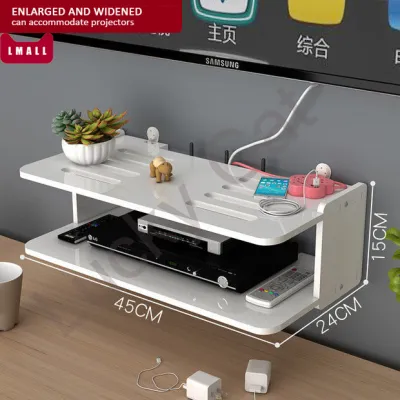
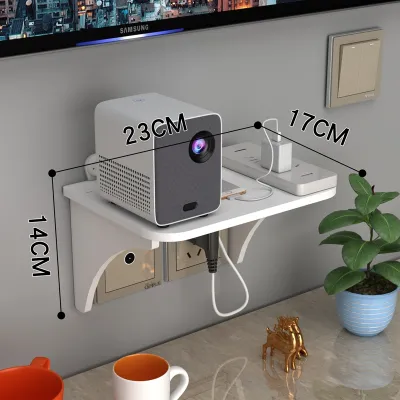
![[OKLIFE.SG]Wall-mounted WIFI storage rack/Dormitory punch-free storage rack/surveillance video storage rack](https://img.lazcdn.com/g/p/3e96e508453a8c1db1a2080fc949640d.jpg_400x400q80.jpg_.webp)
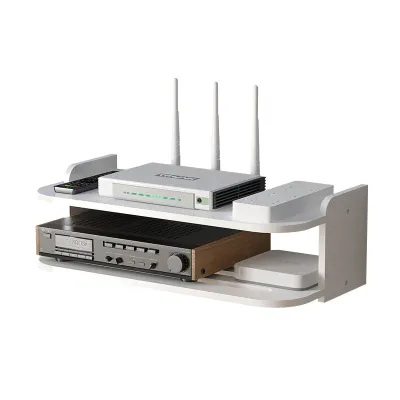
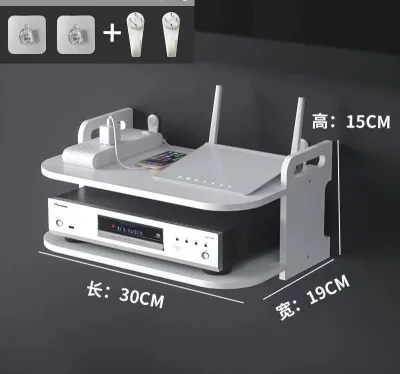
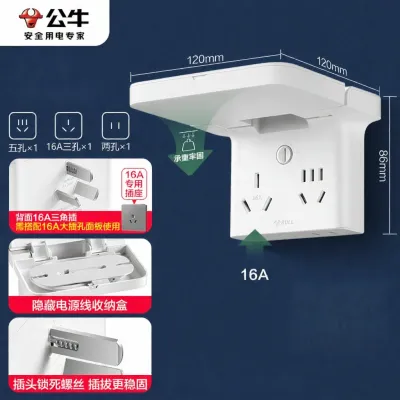
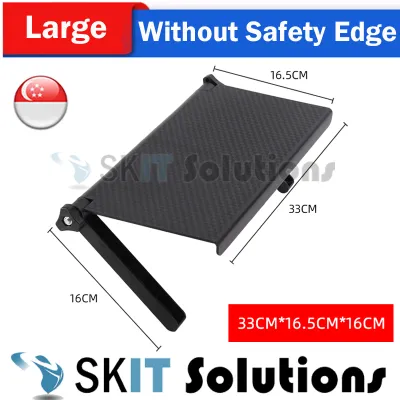
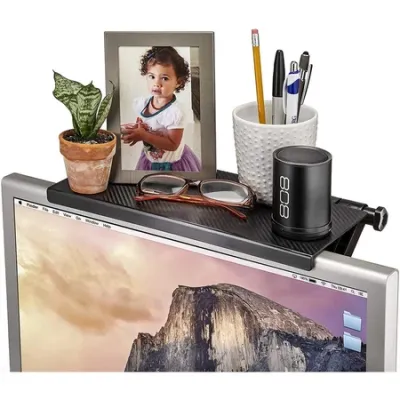
Prices are valid at publication and may change. Please refer to the product page for the latest price.
An elevated, dedicated wifi shelf solves these spatial and technical challenges simultaneously. By lifting the ONT and router off main surfaces, you free up valuable space on your sideboards or consoles for daily essentials or decorative items. This elevation also improves the physical distribution of your wireless signal, as routers perform best when positioned at desk height or higher, free from immediate physical obstructions. Investing in a specialized shelf is not just an aesthetic choice; it is a practical step toward protecting your hardware, optimizing your home network, and maintaining a clean, organized living environment.
Must-Have Features for HDB Wifi Shelves
Selecting a wifi shelf for an HDB flat requires looking beyond basic aesthetics. Because space is at a premium and networking hardware has specific operational needs, you must evaluate shelves based on three core dimensions: cable management, physical dimensions, and multi-functional capability.

Integrated Cable Management Systems
A high-quality wifi shelf must do more than just hold a device; it must actively hide the wiring. Look for shelves designed with built-in routing holes, rear cutouts, or under-shelf clips that allow you to secure ethernet and power cables neatly along the frame. A dedicated lower tray or an attached concealed box is highly beneficial for housing bulky power adapters and the ONT, keeping them out of sight while preventing them from sliding off the back of the shelf.
When evaluating cable management, pay close attention to the clearance space between the back of the shelf and the wall. Singapore uses Type G three-pin power plugs, which are notoriously bulky and require a straight, unbent path from the socket. Ensure the shelf design allows these plugs to sit comfortably in the wall outlet without forcing the power cords to bend at sharp angles. Forcing cables into tight bends can damage the internal copper wiring over time, leading to power fluctuations or hardware failure.
Additionally, consider the fragile nature of fiber optic patch cords. Unlike standard copper ethernet cables, the yellow fiber cables installed by NetLink Trust are made of glass fibers that can easily fracture if bent beyond their minimum bend radius (typically around 30 mm). A well-designed wifi shelf provides gentle, curved routing paths rather than sharp 90-degree corners, ensuring your fiber connection remains stable and undamaged.
Compact Form Factors for Tight Spaces
Before purchasing any shelf, accurate physical measurements of your designated installation area are essential. HDB entryways, hallways, and living room nooks are often narrow, meaning a shelf that protrudes too far can block walkways or interfere with nearby cabinet doors. For wall-mounted or desktop options, a shallow-depth design of 15 cm to 20 cm is generally the sweet spot, providing enough space for standard routers while remaining flush against the wall.
Vertical space is your greatest asset when horizontal space is limited. Look for tiered vertical structures that stack the ONT, router, and smart home hubs vertically rather than spreading them out horizontally. This approach minimizes the shelf’s footprint on your desk or wall while keeping all devices organized in a single, neat column.
Always check the vertical clearance height between the tiers of a shelf. High-performance wireless routers often feature tall, non-detachable external antennas that must remain upright to project a strong signal throughout your flat. Ensure the distance between the shelf tiers accommodates the full height of your router with its antennas fully extended, or choose a design where the top tier is completely open to the ceiling.
Multi-Functional and Modular Designs
To maximize the utility of your limited square footage, consider shelves that serve multiple purposes. In an HDB entryway, a wifi shelf that incorporates small drawers, mail slots, or key hooks on the top tier can double as a daily organizer. This integration allows you to consolidate your pocket items and your networking gear into a single, organized hub right where you enter the home.
Modular or adjustable shelving units offer excellent long-term flexibility. As your smart home ecosystem expands, you may need to add mesh wifi nodes, smart lighting bridges, or network-attached storage (NAS) devices. An adjustable shelf allows you to reconfigure the height of individual tiers or add extra platforms as your hardware needs change, saving you from having to buy an entirely new shelf down the road.
While multi-functional designs are highly practical, they must never compromise the ventilation of your networking equipment. Avoid shelves that place storage compartments directly above or below the router’s main cooling vents. High-performance routers generate significant heat during heavy data usage, and maintaining unobstructed airflow around the device must always remain the priority.
Recommended Wifi Shelf Designs for HDB Layouts
Different HDB layouts and household setups require different physical configurations. Depending on whether you want to clear floor space, organize an existing desk, or find a temporary solution that does not require drilling, there are three primary shelf designs to consider.
Wall-Mounted Floating Shelves
Wall-mounted floating shelves are the gold standard for creating an airy, uncluttered look in compact HDB living rooms. By suspending your router and ONT on the wall, you completely clear the surface of your TV console or sideboard, making the entire room feel more spacious. This setup is particularly effective in narrow corridors or entryways where floor-standing furniture is not practical.
When choosing a floating shelf, look for models that feature a subtle front lip or a raised edge. This safety feature prevents expensive routers from accidentally sliding off the edge if the wall is bumped or if a cable is pulled during cleaning. It also helps contain small items like USB drives or adapter tips that you might keep near your networking gear.
Before purchasing, it is critical to verify the construction of the wall where you plan to mount the shelf. Newer HDB BTO (Build-To-Order) flats utilize a mix of precast concrete structural walls and lightweight concrete or drywall partition walls. Mounting a shelf on a solid concrete wall requires a masonry drill bit and standard plastic wall plugs, whereas mounting on a drywall partition requires specialized toggle bolts or hollow-wall anchors to prevent the shelf from pulling loose under load.
Desktop Router Organizers with Tiers
If you prefer not to drill into your walls, or if your fiber termination point is located directly on a study desk or TV console, a tiered desktop organizer is an excellent alternative. These freestanding units are typically made of bamboo, powder-coated metal, or lightweight acrylic, and they sit directly on top of your existing furniture to bring immediate structure to your workspace.
Tiered organizers allow you to physically separate your devices, placing the heavier ONT and power strip on the bottom tier while positioning the wireless router on the top tier for optimal signal propagation. This physical separation prevents the devices from transferring heat to one another, which is a common cause of hardware degradation.
To ensure passive cooling, prioritize desktop organizers that feature slatted, grid-like, or perforated shelves. Routers run continuously, and a solid shelf surface can trap heat underneath the device, leading to performance drops. Additionally, look for models equipped with non-slip silicone pads on the feet; these pads prevent the organizer from sliding around and protect your custom built-in carpentry, laminate desks, or wood veneers from unsightly scratches.
Slim Freestanding Towers
For utility corners, spaces next to sofas, or rental flats where wall drilling is strictly prohibited, a slim freestanding tower is a highly effective solution. These narrow, multi-tier structures are designed to tuck neatly into the tight gaps between furniture pieces, utilizing vertical height to organize your tech stack without requiring wall mounting.
Because freestanding towers have a small footprint and stand relatively tall, stability is a major safety consideration. Look for models that feature a wide, weighted base or those that can be anchored to the side of a nearby cabinet. This stability is especially important in households with young children or active pets who might accidentally knock the tower over during play.
Finally, check that the overall height of the tower does not interfere with other home fixtures. Ensure the tower does not block access to light switches, wall sockets, or intercom units. Additionally, verify that the placement of your router on a tall tower does not position it directly in the path of high-velocity airflow from ceiling fans or air conditioning units, which can cause dust to accumulate rapidly inside the router’s casing.
Installation and Safety Checks Before You Buy
To ensure your wifi shelf setup is safe, durable, and does not interfere with your home network performance, perform these essential pre-purchase and installation checks:
- Verify Wall Integrity: Before purchasing a wall-mounted shelf, determine the exact material of the target wall. Knock on the wall; a hollow sound indicates a drywall or lightweight partition, while a dull, solid sound indicates concrete. Always use the appropriate drill bits and wall anchors matching your wall type. If you are drilling into precast concrete walls in an HDB flat, use a digital stud finder to locate and avoid embedded rebar or electrical conduits.
- Calculate Total Weight Load: Do not rely on visual estimates of a shelf's sturdiness. Weigh your router, ONT, power adapters, and any additional smart hubs or decor items you plan to place on the shelf. Select a shelf with a manufacturer-certified weight capacity that is at least double this total weight. This safety margin ensures the shelf can handle accidental downward pressure or minor wall vibrations.
- Prioritize Ventilation and Signal Path: Avoid fully enclosed wooden, metal, or thick plastic boxes. While they hide clutter perfectly, solid enclosures trap heat, which can cause your router to fail prematurely. Furthermore, dense materials like metal and solid wood attenuate wireless signals, reducing your wifi coverage. Opt for open-backed, slatted, or mesh designs that allow heat to escape and radio waves to pass through unobstructed.
- Plan Power and Cable Proximity: Ensure the chosen shelf location is within comfortable reach of your existing HDB wall sockets. Never stretch power cables taut to reach an outlet, as this puts physical strain on the connectors. Avoid daisy-chaining multiple extension cords or power strips to power your devices, as this increases the risk of electrical overloads and fire hazards. If necessary, consult a licensed electrician to install a new wall socket closer to your preferred shelf location.
Frequently Asked Questions (FAQ)
Can I mount a wifi shelf on HDB hollow block or drywall partitions?
Yes, you can mount a wifi shelf on HDB hollow block or drywall partition walls, but you must not use standard plastic wall plugs. Instead, you must use specialized hollow-wall anchors, spring toggle bolts, or metal self-drilling drywall anchors. These specialized fasteners expand behind the wall board to distribute the weight across a larger surface area. Always check the manufacturer’s weight rating for both the anchors and the shelf, and keep the total load as light as possible by storing only essential networking hardware on the shelf.
Does enclosing a router in a shelf or cabinet affect wifi signal strength?
Yes, placing a router inside a fully enclosed shelf, cabinet, or decorative box can significantly degrade your wifi signal strength and reduce coverage throughout your flat. Solid materials like dense wood, metal, glass, and concrete absorb and reflect electromagnetic waves, leading to dead zones in further rooms. To maintain optimal signal propagation, choose open-concept shelves, slatted designs, or shelves made of signal-friendly materials like thin plastics or bamboo, and ensure the router’s antennas remain upright and unobstructed.
How much weight should a wall-mounted router shelf support?
A wall-mounted router shelf should ideally support a minimum weight capacity of 3 kg to 5 kg. Although a standard wireless router and ONT combined generally weigh less than 1.5 kg, the added weight of multiple heavy power adapters, thick ethernet cables, and potential smart home hubs can quickly add up. Choosing a shelf rated for at least double your equipment’s actual weight provides a critical safety margin against accidental bumps, cable tugs, or minor wall vibrations.
Community discussion
Share your experience or ask a question. Comments are reviewed before publication.