
A high-quality computer chair is a critical investment for home offices in Singapore, where hybrid work arrangements remain a staple of professional life. Finding the right chair requires balancing three key pillars: build quality, ergonomic adjustability, and value for money. No single brand or model serves as a universal solution; the ideal choice depends on your daily sitting hours, physical proportions, and budget.
Singapore’s tropical climate presents unique challenges for furniture. High humidity and year-round warmth make material choice critical, as poor-quality fabrics or synthetic leathers can trap heat and degrade rapidly. Furthermore, many Singaporean homes, such as HDB flats and compact condominiums, have limited study room footprints. This makes the physical dimensions, base diameter, and overall bulk of the computer chair vital considerations to ensure it fits comfortably under your desk without blocking walkways.
Premium brands typically excel in comprehensive adjustability, advanced materials, and long-term warranties spanning up to 12 years, making them ideal for heavy, full-time use. Mid-range brands offer the strongest balance, providing essential ergonomic features and robust frames at a more accessible price point. Budget brands are generally best suited for light, intermittent use, where advanced adjustments are less critical.
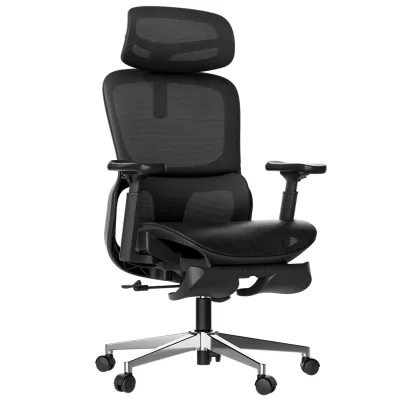
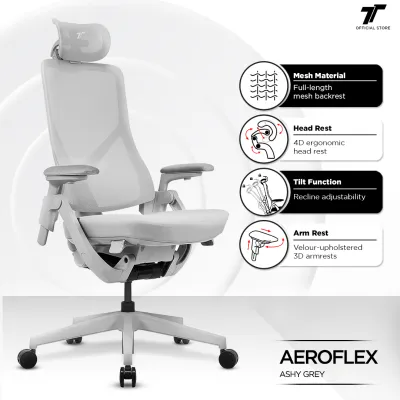
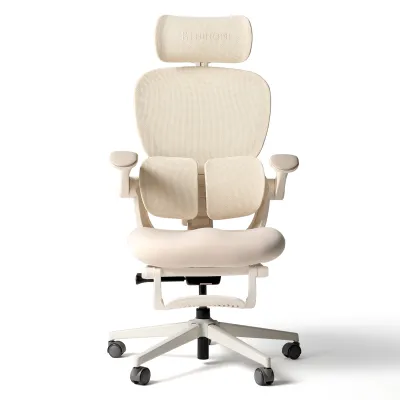
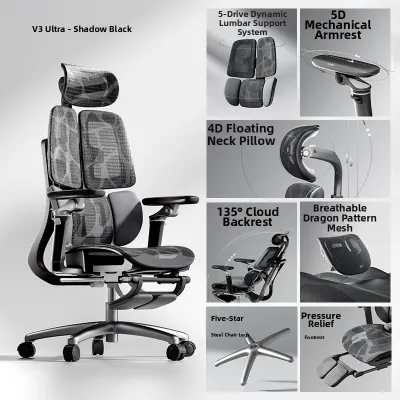
Products mentioned in this guide
![[SG Ready Stocks] PRO Ergonomic Full Mesh Chair – Lumbar/Headrest/Armrest Support – Adjustable Height & Recline – Home & Office Use](https://img.lazcdn.com/g/p/f29dfd5001316f50493cad61e5b9bc5f.jpg_400x400q80.jpg_.webp)
![Ergoseat - [New Arrival] E13 Modern Economic Ergo Chair Clean Design Comfort for Daily Office Use](https://img.lazcdn.com/g/p/ee347ed8020c641f408b1462d98bcf55.jpg_400x400q80.jpg_.webp)
Prices are valid at publication and may change. Please refer to the product page for the latest price.
Build Quality: How to Evaluate Materials and Mechanisms
Build quality directly dictates how long a computer chair will last and how stable it will feel during daily use. While marketing brochures often focus on aesthetic appeal, evaluating structural integrity requires looking closely at the specific materials, safety certifications, and mechanical designs used in the frame, base, and upholstery.
Frame, Base, and Moving Parts
The foundation of any durable computer chair lies in its base and frame. Budget options frequently utilize molded plastic or standard nylon bases, which can flex under load and may degrade over time. In contrast, higher-tier chairs feature heavy-duty reinforced nylon, steel, or die-cast aluminum bases. Aluminum bases offer superior rigidity, supporting higher weight capacities without bending.
Casters are another critical element. Hard nylon casters are standard but can scratch delicate parquet or vinyl flooring common in Singaporean bedrooms. Soft polyurethane (PU) or rubber-coated casters are preferable for hard floors as they glide quietly and prevent surface damage.
The gas lift cylinder controls height adjustment and bears your full weight. To ensure safety and longevity, verify that the gas lift meets internationally recognized standards, such as Class 3 or Class 4 certifications under DIN 4550 or ANSI/BIFMA X5.1. Class 4 cylinders have thicker walls and handle higher weight limits, reducing the risk of gradual sinking or sudden mechanical failure.
To achieve an ANSI/BIFMA certification, a chair must undergo rigorous testing, including dynamic drop tests and structural pull tests on the backrest. This ensures that the frame can withstand sudden impacts and continuous pressure without fracturing.
Finally, assess the backrest frame and armrest attachments. Premium chairs utilize integrated steel frames or high-strength composite polymers that resist twisting when you lean back. Look for armrests that bolt directly to the seat frame using heavy-duty metal brackets rather than thin plastic connectors, which are prone to wobbling and cracking under pressure.
Upholstery and Climate Considerations
Singapore’s high humidity makes the choice of upholstery a primary comfort and durability factor. High-density mesh is highly recommended for non-air-conditioned spaces because it allows maximum airflow, keeping the body cool and preventing sweat accumulation. However, not all mesh is created equal. Premium mesh utilizes multi-zone elastomeric weaving that retains its tension over years of use, whereas budget mesh can sag within months, causing the user to bottom out against the frame.
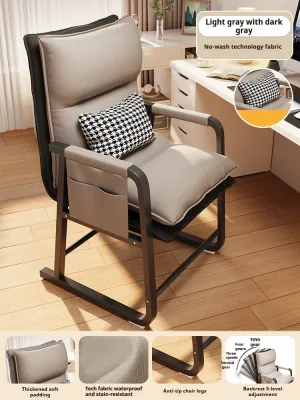
Fabric upholstery offers a softer, more traditional feel. If opting for fabric, look for high-density, tightly woven options that resist pilling. While comfortable, fabric can absorb sweat and humidity, requiring regular cleaning to prevent odors.
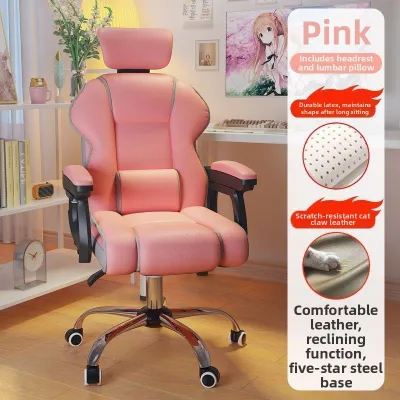
Polyurethane (PU) leather and bonded leather are popular for their sleek, executive appearance and ease of cleaning. However, in Singapore’s climate, standard PU leather can trap heat, leading to discomfort during long sitting sessions. Over time, humidity and friction can cause low-grade PU leather to peel, flake, and crack. If you prefer leather, look for breathable, high-grade synthetic leathers or ensure your workspace is consistently air-conditioned.
Over time, friction from clothing can cause low-grade fabrics to pill, creating rough patches that are uncomfortable against the skin. Mesh, on the other hand, is highly resistant to abrasion but can collect dust and skin flakes in the weave, requiring periodic vacuuming with a soft brush attachment.
To check material quality before buying, perform a physical inspection: press firmly on the mesh to test its rebound elasticity, examine the stitching density along the seams for loose threads, and verify that any foam padding is high-density molded foam rather than cheap cut foam, which loses its shape quickly.
Ergonomics: Comparing Adjustability and Comfort Features
True ergonomic support is not about a single “correct” sitting position; it is about dynamic alignment. A well-designed computer chair must adapt to your unique body dimensions, supporting your spine, shoulders, and limbs as you transition between focused typing, reading, and reclining.

Core Posture Adjustments
Lumbar support is the cornerstone of spinal alignment. Budget chairs often feature a fixed plastic curve that may not align with your lower back, potentially causing strain. Mid-range and premium chairs offer adjustable lumbar support, allowing you to modify either the height of the support, its depth (how firmly it presses into your lower back), or both. Some advanced models use auto-tuning lumbar systems that dynamically adjust to your posture as you shift.
When the lumbar support is incorrectly positioned, it forces the pelvis to tilt backward, leading to a slouched posture that increases pressure on the lumbar discs. A properly adjusted lumbar support maintains the natural “S” curve of the spine, reducing muscular fatigue.
Seat depth adjustment, typically controlled via a seat slider, is another essential feature often omitted in lower-end models. A seat slider allows you to move the seat pan forward or backward. Proper seat depth ensures that your thighs are fully supported without the front edge of the seat pressing against the back of your knees, which can restrict blood circulation. Ideally, there should be a gap of about two to three fingers between the seat edge and the back of your knees.
Armrests play a vital role in relieving tension in the neck and shoulders. Basic chairs offer fixed or height-adjustable armrests. To achieve optimal ergonomic alignment, look for multi-dimensional armrests. Three-dimensional (3D) armrests adjust for height, depth (forward/backward), and angle (pivot). Four-dimensional (4D) armrests add width adjustment (sliding left/right), allowing you to position your elbows directly under your shoulders, regardless of your torso width.
Recline Mechanisms and Tension
Dynamic sitting—shifting your position throughout the day—is crucial for reducing spinal disc pressure. The recline mechanism dictates how the chair moves with you. Basic tilt mechanisms pivot the entire seat and backrest together as a single unit, which can lift your knees and increase pressure on the underside of your thighs.
A synchro-tilt mechanism is highly superior for long-term comfort. In a synchro-tilt system, the backrest and the seat pan recline at different ratios (typically 2:1). As you lean back, the backrest reclines further than the seat, keeping your feet flat on the floor and maintaining proper posture.
When comparing chairs, evaluate the recline angle limits and the presence of a multi-position tilt lock. This feature allows you to lock the backrest at various angles, which is useful if you like to transition from an upright typing posture to a relaxed angle for reading or video calls.
Additionally, a manual or automatic tension control is essential. Tension control adjusts the resistance of the backrest when reclining. If the tension is too loose, you will feel like you are falling backward; if it is too tight, you will struggle to recline at all. High-quality chairs offer intuitive tension knobs or self-regulating mechanisms that automatically calibrate resistance based on your body weight.
Some premium chairs utilize weight-activated tension mechanisms. These systems automatically detect the force your body exerts when leaning back and adjust the recline resistance accordingly. This is particularly beneficial in shared home offices where multiple family members of different weights use the same chair.
Value for Money: Navigating Price Tiers and Warranties
Navigating the market requires understanding what each price tier offers and how warranties protect your investment. In Singapore, the computer chair market can be broadly categorized into three distinct tiers based on construction, adjustability, and after-sales support.
The budget tier (typically under S$200) focuses on basic seating. Materials are usually plastic frames, standard nylon bases, and basic mesh or low-density foam. Adjustments are limited to seat height and simple tilt. Warranties are short, often one year or less, and parts replacement can be difficult.
The mid-range tier (S$200 to S$600) offers the strongest value for most home office users. Features include reinforced nylon or aluminum bases, high-density mesh or molded foam, adjustable lumbar support, 3D/4D armrests, and synchro-tilt mechanisms. Warranties typically range from two to five years, covering core mechanical parts.
The premium tier (above S$600) is designed for maximum durability and precise ergonomics. Features include die-cast aluminum frames, advanced elastomeric mesh, highly customizable or self-adjusting lumbar systems, and seamless synchro-tilt. Warranties are a major selling point, often extending from five to twelve years, with robust local support and part availability.
| Brand Tier | Expected Build Quality | Key Ergonomic Features | Warranty Focus |
|---|---|---|---|
| Budget (Under S$200) | Plastic frames, standard nylon bases, basic mesh or thin foam. | Seat height adjustment, basic tilt, fixed lumbar. | 1 year or less; limited parts coverage. |
| Mid-Range (S$200 – S$600) | Reinforced nylon/steel bases, high-density mesh, molded foam. | Adjustable lumbar, seat depth slider, 3D/4D armrests, synchro-tilt. | 2 to 5 years; covers frame and major mechanisms. |
| Premium (Above S$600) | Die-cast aluminum frames, advanced elastomeric mesh, heavy-duty components. | Dynamic/auto-tuning lumbar, precise synchro-tilt, full 4D adjustability. | 5 to 12 years; comprehensive coverage with local support. |
To ensure your warranty is valid and easily serviceable in Singapore, always purchase from official brand stores, authorized furniture retailers, or verified local distributors. Buying parallel imports or from unverified online sellers can leave you without recourse if a gas lift fails or a mechanism breaks, as local service centers may refuse to honor international warranties.
When evaluating value for money, look beyond the initial price tag and consider the total cost of ownership. A cheap S$120 chair that sags and needs replacement every 18 months actually costs more over five years than a S$400 mid-range chair backed by a solid five-year warranty. Furthermore, premium brands maintain inventory for replacement parts (such as casters, armrest pads, and gas cylinders) long after purchase, allowing you to repair rather than replace the entire chair if a single component wears out.
Decision Framework: Which Brand Tier Fits Your Setup?
Selecting the right computer chair involves matching your daily routine, physical space, and budget to the appropriate brand tier. Use the following profiles to guide your decision:
Choose a Premium Chair if:
- You work from home full-time (eight or more hours per day) and view the chair as a long-term investment in your physical health.
- You require highly specific adjustments to manage or prevent chronic back, neck, or shoulder pain.
- You prefer a comprehensive, hassle-free warranty (five to twelve years) where the manufacturer handles repairs or parts replacement locally.
Choose a Mid-Range Chair if:
- You split your time between the office and home (hybrid schedule, three to six hours of daily home use).
- You want robust ergonomic features like a seat slider, adjustable lumbar support, and synchro-tilt without paying a premium for luxury finishes.
- You want a reliable warranty (two to five years) that guarantees the chair will last through several years of regular use.
Choose a Budget Chair if:
- Your daily usage is minimal or intermittent (under two hours per day for casual browsing or quick tasks).
- You are setting up a temporary workspace or working within a strict financial limit.
- You are comfortable with basic support and do not require highly customized adjustments.
Before making a final purchase, take these practical steps to ensure a perfect fit for your home office:
- Measure Your Desk Clearance: Check the height of your desk, especially if it has a drawer or a thick underframe. Ensure the chair's armrests can slide underneath so you can sit close enough to type comfortably without reaching forward.
- Verify Weight and Height Capacity: Every computer chair has a maximum load rating and a recommended user height range. Ensure the chair you choose matches your physical proportions.
- Check Showroom Availability: Whenever possible, visit a local showroom in Singapore to test the chair in person. Sit in it for at least 15 minutes, testing all the adjustment levers and checking if the seat width and depth feel comfortable.
- Review Return and Exchange Policies: Confirm the retailer's policy regarding returns. Some brands offer a trial period, while others only accept returns for manufacturing defects. Knowing these terms beforehand prevents costly mistakes.
Frequently Asked Questions (FAQ)
Here are answers to common questions about selecting and maintaining a computer chair for your home office.
How much should I budget for a durable home office chair?
For a durable home office chair that supports full-time remote work (eight or more hours daily), a budget of S$300 to S$600 represents the sweet spot for long-term value. While a budget chair under S$200 seems economical, it often requires replacement within one to two years due to sagging foam or failed cylinders. By contrast, a S$450 mid-range chair with a five-year warranty equates to a cost of just S$90 per year, providing superior ergonomic support and eliminating the hassle of frequent replacements.
Is mesh or foam seating better for long hours in a humid climate?
In Singapore’s humid climate, high-density mesh is generally superior for thermal comfort. The open weave allows continuous airflow, preventing body heat and moisture from building up during long working hours. However, if your home office is consistently air-conditioned, a high-quality fabric seat over high-density molded foam can be equally comfortable. Molded foam distributes body weight more evenly than mesh, which some users prefer for extended sitting, but it will retain more heat in non-air-conditioned spaces.
What specific warranty clauses should I verify before buying?
When reviewing a computer chair warranty, do not rely solely on the headline number. Always read the fine print to distinguish between different components. Manufacturers often provide a long warranty period for the structural steel frame or aluminum base, but offer much shorter coverage—typically one to three years—for moving mechanisms, gas lifts, casters, and upholstery. Ensure you understand what is covered locally in Singapore and whether shipping fees for replacement parts are your responsibility.

Community discussion
Share your experience or ask a question. Comments are reviewed before publication.