
Finding the ideal chair for study table setups requires matching your daily sitting duration with specific physical adjustment needs. When preparing for exams, writing papers, or working remotely, students and professionals often spend upwards of six hours a day seated. A standard, non-adjustable chair can lead to poor posture, muscle fatigue, and long-term musculoskeletal strain.
Because everyone has a unique body shape and workspace layout, there is no single brand that fits every individual. The right choice depends on your daily study habits, your existing desk height, and the physical constraints of your study space. Choosing a chair that aligns with your specific posture requirements is the key to maintaining focus and comfort over extended periods.
Quick Answer: Matching Chair Categories to Your Study Habits
To simplify your search, home office chairs can be categorized into three distinct tiers based on their design complexity, adjustability, and price. Matching your daily usage to the correct tier ensures you do not overspend on unnecessary features or underspend on a chair that fails to support your back during long sessions.
Products mentioned in this guide
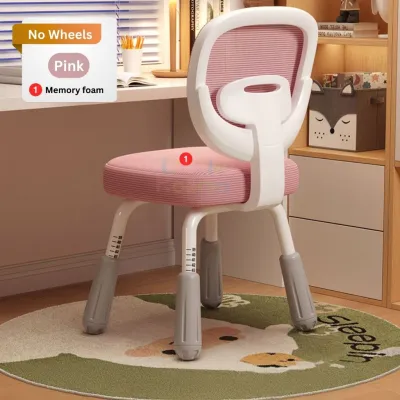
![[SG Ready Stock]Ergonomic Office Chair Computer Desk Chairs Mesh Home Office Desk Chairs with Lumbar Support](https://img.lazcdn.com/g/p/585691bae859ee8d697593367d59d085.jpg_400x400q80.jpg_.webp)
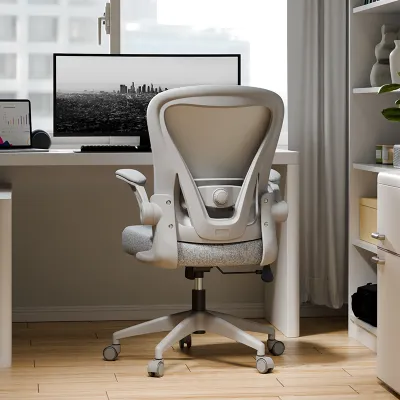
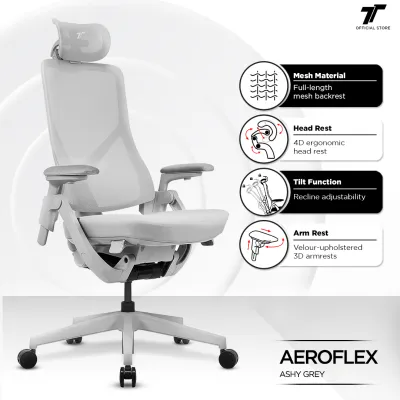
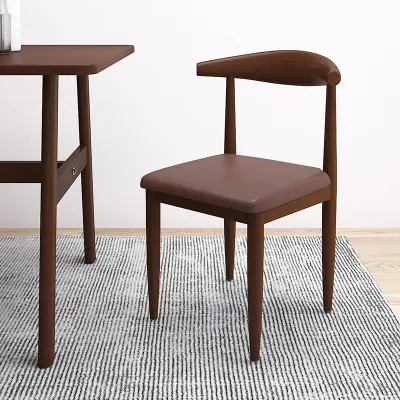

Prices are valid at publication and may change. Please refer to the product page for the latest price.
- Premium Ergonomic Brands (S$1,000 and above): Choose this tier if you study or work for more than six hours daily and require highly responsive, dynamic support. These chairs feature advanced engineering that adapts to your micro-movements, making them ideal for preventing fatigue during intense, all-day academic or professional work.
- Mid-Range and Hybrid Brands (S$400 to S$900): Choose this tier if your typical sessions last between three and six hours. These brands offer a balanced combination of targeted lumbar support, robust adjustability, and modern aesthetics, making them highly versatile for both focused studying and casual use.
- Budget-Friendly and Space-Saving Brands (S$100 to S$300): Choose this tier if your study sessions are shorter (under three hours), your workspace is limited, or you are working within a strict budget. These chairs provide basic height and tilt adjustments, making them suitable for compact study corners and secondary workspaces.
Essential Ergonomic Features for Extended Desk Study
Before comparing specific brands, it is important to understand the mechanical features that directly affect your comfort and posture during long study sessions. Relying on promotional images can be misleading; instead, you should look for verifiable specifications on manufacturer sheets to confirm a chair’s ergonomic capabilities.

Seat Depth Adjustment An adjustable seat depth is crucial for maintaining proper circulation in your legs. When you sit, there should be a small gap between the front edge of the seat and the back of your knees. If the seat pan is too deep, it will press against the back of your knees, restricting blood flow and forcing you to slide forward, which deprives your lower back of support. A sliding seat pan allows you to customize this distance to match your thigh length.
Adjustable Lumbar Support The human spine has a natural inward curve at the lower back, known as the lumbar lordosis. Sitting for long periods without support causes the lower back to flatten, placing immense pressure on the spinal discs. Look for lumbar support that can be adjusted both vertically (to align with the curve of your spine) and horizontally (to control the depth of the support). Fixed lumbar bands rarely fit every torso height, so independent adjustability is always preferred.
3D or 4D Armrests Armrests play a major role in reducing strain on your upper body. When writing or typing at a study table, your shoulders should remain relaxed, and your elbows should rest at a 90-degree angle. 3D or 4D armrests allow you to adjust the height, width, angle, and depth of the armrests. This prevents your shoulders from shrugging and keeps your elbows close to your body, reducing tension in your neck and trapezius muscles.
Mesh versus Cushioned Seats In Singapore’s warm and humid climate, thermal comfort is a significant factor during long study sessions. Fully mesh chairs promote continuous airflow, preventing heat and sweat from building up against your back and thighs. However, some users find that mesh can feel too firm or create a “hammock” effect over time. High-density molded foam cushions provide excellent pressure distribution but can trap heat. A hybrid design—featuring a breathable mesh backrest paired with a fabric or high-density foam seat—often offers the best balance of temperature regulation and plush comfort.
Comparing Chair Tiers for Long Study Sessions
To help you navigate the market, we have evaluated the three main tiers of study chairs. By looking at well-known brands as non-exhaustive examples, you can understand what features, materials, and structural guarantees to expect at each price point.
Premium Ergonomic Brands
Premium manufacturers, such as Herman Miller and Steelcase, base their designs on extensive biomechanical research. Their philosophy centers on dynamic sitting, which encourages natural movement rather than holding your body in a rigid, static position. Instead of a simple tilt, these chairs utilize complex synchronous tilt mechanisms that keep your feet flat on the floor and your eyes level with your screen as you recline.
These brands rely on high-grade materials, such as proprietary elastomeric suspension meshes (like Herman Miller’s Pellicle mesh) and flexible polymer frames (like those found on the Steelcase Gesture). These materials are engineered to distribute weight evenly and eliminate pressure points. Additionally, premium chairs are built to withstand heavy, continuous use, often carrying manufacturer warranties of up to 12 years that cover moving parts, gas lifts, and casters.
When considering a premium chair, always verify the weight capacity and finished dimensions on the manufacturer’s specification sheet. Because these chairs are often shipped fully assembled, you should also ensure that your doorways and lift access can accommodate the delivery packaging. While the initial financial investment is high, the long-term durability and precise physical support make these chairs highly suitable for those who spend the majority of their day at a study table.
Mid-Range and Hybrid Brands
Mid-range brands, such as ErgoTune and Secretlab, have gained popularity by offering advanced ergonomic features and hybrid designs at a more accessible price point. These brands target users who need reliable support for several hours of daily study but do not require the industrial-grade warranties of premium corporate seating.
ErgoTune chairs are known for their highly adjustable mesh construction, featuring a prominent, auto-tuning lumbar support system that shifts dynamically as you lean. This design is highly effective for keeping the spine aligned during active study tasks. Secretlab, on the other hand, utilizes a hybrid approach, combining dense cold-cure foam cushions with integrated, adjustable lumbar systems and magnetic head pillows.
When choosing between these designs, consider how the chair’s structure affects your study posture. Many hybrid chairs lean toward a gaming-inspired aesthetic, featuring bucket seats with raised side bolsters. While comfortable for relaxed lounging, these side wings can sometimes restrict shoulder movement when you lean forward to write or take notes at a study table. For active study sessions, verify that the chair’s backrest can be locked in a fully upright position (between 90 and 100 degrees) to keep your upper body properly supported.
Budget-Friendly and Space-Saving Brands
For students, renters, or those with limited space, budget-friendly brands like IKEA and various local office furniture suppliers offer practical, entry-level options. These chairs typically feature simpler tilt mechanisms, fixed lumbar curves, and standard polyurethane foam cushioning.
In typical Singaporean HDB apartments or compact study rooms, space is often at a premium. Budget chairs excel in this environment by offering compact footprints and space-saving designs. Look for models with armrests that can be folded upward or adjusted low enough to slide completely under your study table when not in use. This keeps walkways clear and prevents the chair from cluttering small rooms.
Because budget models have fewer built-in adjustments, you may need to supplement them with aftermarket accessories, such as memory foam seat cushions or external lumbar rolls, if you plan to study for more than three hours at a time. Before purchasing, check the retailer’s return policy. Some budget brands offer generous trial periods, while local suppliers may have strict policies regarding returns once the flat-pack furniture has been assembled.
How to Verify Fit and Comfort Before Buying
To ensure your new chair integrates seamlessly with your study table and supports your body correctly, you should perform a few physical measurements and checks before making a final decision.
First, measure the height of your study table. Most standard desks stand between 73 cm and 75 cm high. Next, measure the clearance height under your desk, taking into account any drawers, keyboard trays, or support beams. The chair’s armrests must be able to slide under the desk surface. If the armrests block the chair from moving forward, you will be forced to lean forward to reach your books or keyboard, defeating the purpose of the backrest.
When purchasing online, check the specifications of the moving components. Ensure the chair uses a Class 4 gas lift, which is the industry standard for safety, smooth height adjustment, and weight capacity. You should also check the caster material. Hard nylon casters are designed for carpets, whereas soft polyurethane or rubber casters are necessary to prevent scratches on parquet, vinyl, or laminate flooring.
If you are testing a chair in a showroom or unboxing it at home, use this step-by-step checklist to verify the fit:
- Foot Placement: Adjust the seat height so your feet rest completely flat on the floor. Your knees should be bent at a 90-degree angle, with your thighs parallel to the ground. If your feet dangle, use a footrest to relieve pressure on your thighs.
- Seat Depth: Sit fully back against the backrest. Check that there is a gap of about two to three fingers between the front edge of the seat pan and the back of your knees.
- Lumbar Alignment: Locate the lumbar support. It should nestle snugly into the natural curve of your lower back, just above your belt line. It should feel supportive without pushing your torso forward.
- Armrest Alignment: Position the armrests so your elbows rest comfortably at a 90-degree angle while your shoulders remain completely relaxed. The armrests should be level with your study table to allow your forearms to transition smoothly to the desk.
- Base Stability: Lean back and shift your weight from side to side. The five-star base should remain firmly planted on the floor without any tipping, wobbling, or creaking.
Frequently Asked Questions (FAQ)
Is a gaming chair suitable for long study sessions?
Gaming chairs can support long study sessions, but their design priorities differ from standard ergonomic office chairs. Gaming chairs typically feature a bucket-seat design inspired by motorsports, which is built to hold the body in a fixed, slightly reclined position. The raised side wings on the seat and backrest can sometimes restrict shoulder and leg movement, which is less ideal when you need to lean forward to write or draw at a study table.
However, if you choose a gaming chair that features highly adjustable 4D armrests, built-in lumbar support, and a high-density cold-cure foam seat, it can serve as a supportive study chair. Just ensure that you keep the backrest locked in an upright, active position (around 90 to 100 degrees) rather than a deep recline while studying to maintain proper spinal alignment.
What are the signs that my study chair needs replacing?
Your study chair should be evaluated for replacement when it no longer maintains its structural integrity or physical support. The most common observable signs include:
- Sagging Cushions: If the seat foam has flattened to the point where you can feel the hard plastic or wooden base underneath, the cushion has lost its ability to distribute pressure.
- Sinking Gas Lift: If the chair slowly sinks on its own during a study session, the seal inside the gas cylinder has failed.
- Persistent Noise or Wobble: Squeaking, clicking, or lateral wobbling from the base indicates loose fasteners, worn joints, or metal fatigue.
- Material Degradation: In humid climates, peeling PU leather or sagging mesh can compromise both comfort and hygiene.
- Physical Discomfort: If you begin to experience new, unexplained lower back, hip, or neck strain after sessions that were previously comfortable, the chair is likely no longer providing adequate support.
Community discussion
Share your experience or ask a question. Comments are reviewed before publication.